
Logitech H390 Wired Headset
4.4Editor score
Plug-and-Play USB
Rotating Noise Canceling Mic
In-Line Controls
This guide compares the top ten headsets for Teams meetings to help you find the best audio quality, comfort, and connectivity for your hybrid work setup.
Finding the right headset for Teams meetings is essential for clear communication and professional productivity. A good headset ensures your voice is heard clearly while minimizing background distractions during critical calls.
We compared ten top-rated headsets based on audio quality, microphone performance, comfort, and connectivity options. Our analysis focuses on features that matter most for hybrid workers and remote teams using Microsoft Teams.
Each pick highlights key strengths and potential trade-offs to help you choose wisely. Note that product availability and pricing may change frequently, so always verify current details before purchasing.
4.4Editor score

4.1Editor score

4.5Editor score
This side-by-side comparison highlights key specifications and features across all ten headsets to help you quickly identify the best fit for your specific meeting needs.


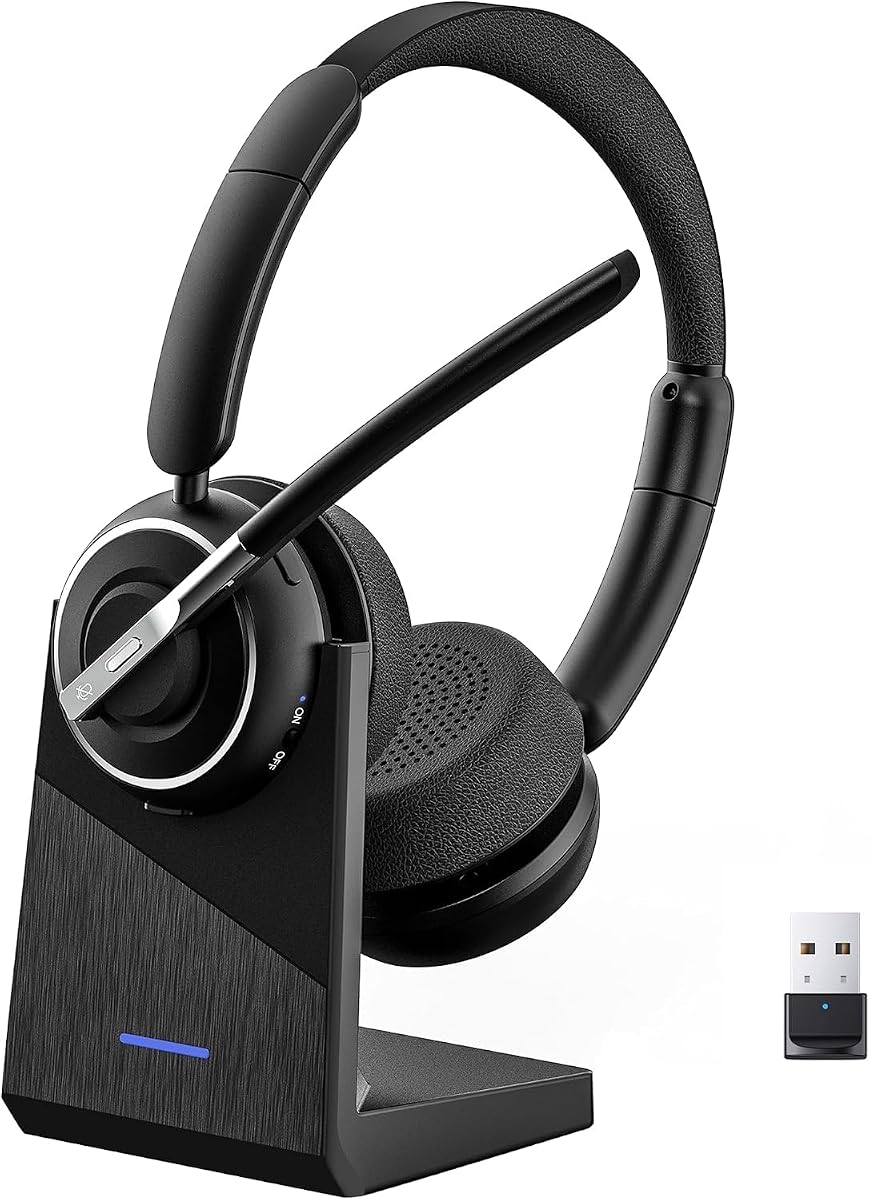
This Lenovo headset is designed specifically for hybrid professionals who need reliable connectivity and clear audio. It holds official Microsoft Teams Open Office certification ensuring seamless integration with your collaboration tools without extra setup.
We may earn a commission when you buy through this link, at no additional cost to you.
The headset features Bluetooth 5.3 multipoint technology allowing you to connect to your laptop and phone simultaneously. Three-mic noise suppression technology blocks distractions during calls, while the 31-hour talk time ensures uninterrupted meetings throughout your workday.
While the USB-A receiver is necessary for full Teams functionality, it provides a stable plug-and-play connection. The lightweight design and replaceable earcups make it comfortable for long sessions though noise cancellation is not the strongest in class.
If you prioritize certified compatibility and battery life, this model is an excellent choice for daily Teams usage. It balances performance and comfort effectively for remote workers needing dependable audio.
Teams certification ensures optimized audio codecs and dedicated controls for a smoother meeting experience.
Bluetooth multipoint allows seamless switching between devices without manually disconnecting and reconnecting.
We may earn a commission when you buy through this link, at no additional cost to you.
The Logitech H390 offers exceptional value for users seeking a reliable headset without breaking the bank. Its digital stereo sound and plug-and-play USB connection make it simple to use across laptops and desktops.
We may earn a commission when you buy through this link, at no additional cost to you.
A rotating boom mic allows you to minimize background noise by tucking it away when not in use. In-line controls provide quick access to volume adjustments and muting without interrupting your workflow or meetings.
While the 6.23-foot cable limits movement compared to wireless options, it eliminates battery concerns entirely. The padded leatherette ear cushions provide comfort for hours though they may get warm over long periods.
For entry-level users or those on a tight budget, this headset delivers solid performance for Teams calls. It is an ideal starting point for remote workers needing basic audio reliability.
Simply plug the USB-A connector into your computer to start using it immediately without installing software.
This model is tested and certified to work seamlessly with Chromebooks for broader device support.
We may earn a commission when you buy through this link, at no additional cost to you.
This wireless headset combines hybrid active noise cancellation with environmental noise cancellation for superior call clarity. It is designed for users working in noisy environments who need to focus on their conversations.
We may earn a commission when you buy through this link, at no additional cost to you.
The innovative flip-to-mute microphone allows you to silence calls instantly with a physical flip of the boom arm. Bluetooth 5.4 ensures lower latency and battery consumption while providing a stable 33-foot operating range.
The included Qualcomm USB dongle offers a more stable connection than standard Bluetooth especially on PCs without built-in wireless. However the dongle is not compatible with desk phones or landlines so consider your setup carefully.
If noise management is your top priority this headset delivers excellent performance for hybrid workers. The 35-hour talk time supports extended use while the flip mute adds convenience for quick privacy.
Hybrid ANC blocks ambient noise while ENC ensures your voice sounds clear on the other end.
A simple flip of the mic boom mutes calls instantly without relying on button presses.
We may earn a commission when you buy through this link, at no additional cost to you.
The Jabra Evolve 20 is a sturdy wired option optimized for business calls and online meetings. Its compatibility with both USB-A and USB-C ports makes it versatile across different modern laptops and desktops.
We may earn a commission when you buy through this link, at no additional cost to you.
Certified for Microsoft Teams this headset ensures seamless audio integration and easy call management. The noise-canceling microphones help reduce background interference so your voice remains clear during important discussions.
Weighing very little the design prioritizes comfort with foam or leatherette ear cushions that reduce fatigue. Controls on the cable allow you to manage volume and calls without reaching for your keyboard or mouse.
For users preferring a simple reliable wired solution this headset is a strong contender. It is particularly suitable for office environments where mobility is less important than consistent audio quality.
Dual USB support ensures compatibility with older and newer devices without needing adapters.
Certified status guarantees optimized audio codecs for clearer voice transmission on Teams platforms.
We may earn a commission when you buy through this link, at no additional cost to you.
The Logitech Zone Vibe 100 blends professional utility with casual style making it suitable for home or office use. Its lightweight construction reduces strain during long meetings while memory foam earpads provide a soft fit.
We may earn a commission when you buy through this link, at no additional cost to you.
Beamforming technology and digital signal processing capture your voice clearly while minimizing background noise. The headset supports multipoint Bluetooth allowing you to switch between a computer and phone easily.
While it offers only 18 hours of talk time it is sufficient for a standard workday. The flip-to-mute mic adds a layer of privacy when you need to step away or discuss something privately.
For users who value design and comfort over advanced noise features this is a solid choice. It is particularly good for home workers needing a versatile headset that looks modern.
Featherweight design with memory foam pads keeps the headset from weighing you down.
Works seamlessly with Teams Google Meet and Zoom for broad video meeting support.
We may earn a commission when you buy through this link, at no additional cost to you.
This wireless headset excels in battery life and comfort making it suitable for long shifts. A 600mAh battery delivers 40 hours of talk time which covers multiple workdays without needing a recharge.
We may earn a commission when you buy through this link, at no additional cost to you.
Environmental noise cancelling technology blocks distractions like pets or children ensuring your voice comes through clearly. Dual pairing lets you connect to a laptop and phone simultaneously for seamless switching.
A dedicated USB-A adapter supports computers without built-in Bluetooth providing a stable connection. The included charging stand keeps the headset organized and ready for use while allowing quick charge cycles.
If battery longevity is important this model offers outstanding value. It is well-suited for hybrid workers who need reliable performance throughout the week without frequent charging.
Up to 40 hours of talk time ensures you stay powered through extended meeting schedules.
The stand charges the headset while keeping your desk tidy and the device accessible.
We may earn a commission when you buy through this link, at no additional cost to you.
The Logitech Zone 301 offers customization through the LogiTune app allowing you to adjust EQ and mic levels. It is built for comfort with enlarged earpads and a padded headband suitable for daily use.
We may earn a commission when you buy through this link, at no additional cost to you.
Dual beamforming microphones suppress background noise in shared workspaces. The 30-meter range provides mobility around your office while maintaining a stable Bluetooth connection.
Sustainability is a focus with post-consumer recycled plastic and carbon neutral certification. Replaceable earpads extend the lifespan of the headset making it a durable long-term investment.
If you value customization and eco-friendly design this headset is a good fit. It is particularly useful for users who want to tweak audio settings for their specific preferences.
Download the app to customize firmware sidetone and EQ for a personalized audio experience.
Built with recycled materials and carbon neutral certification for reduced environmental impact.
We may earn a commission when you buy through this link, at no additional cost to you.
This headset features AI noise cancelling to reduce distractions like keyboard clicks and office chatter. It is designed for work from home scenarios where clear voice quality is essential for professional calls.
We may earn a commission when you buy through this link, at no additional cost to you.
Bluetooth 5.2 and an included USB dongle provide flexible connectivity options. The charging base stores the dongle and recharges the headset conveniently keeping everything organized at your desk.
Battery life is exceptional with up to 65 hours of operation supported by fast USB-C charging. The reversible ear hook allows you to wear it on either ear for a personalized fit.
If you need a versatile headset with strong noise reduction and a long battery this is a top choice. It suits busy professionals who move between meetings and tasks throughout the day.
AI algorithms identify and filter out background sounds so your voice remains natural and clear.
Wear the mic on either ear to adjust for comfort based on your working environment.
We may earn a commission when you buy through this link, at no additional cost to you.
This headset leverages advanced noise reduction tech to filter out 99.9 percent of surrounding interference. It ensures your voice comes through crisp during meetings even in bustling environments.
We may earn a commission when you buy through this link, at no additional cost to you.
The 270-degree rotatable microphone allows you to position the boom for best audio capture. Dual-mode connection via Bluetooth or dongle ensures compatibility with various PCs without built-in wireless.
Battery life supports consecutive meetings with fast-charging capability to minimize downtime. Soft protein-foam ear pads and a lightweight design prevent fatigue during long sessions.
For users prioritizing voice clarity in noisy conditions this model delivers strong performance. It is well-suited for call centers or home offices where distractions are common.
State-of-the-art noise reduction tech filters out most surrounding interference for better call quality.
Up to 35 hours of continuous operation with fast charging to reduce idle waiting time.
We may earn a commission when you buy through this link, at no additional cost to you.
This premium headset combines hybrid active noise cancellation with environmental noise cancellation for superior focus. It is fully certified for Microsoft Teams ensuring optimized audio and dedicated call controls.
We may earn a commission when you buy through this link, at no additional cost to you.
Dual connectivity allows you to connect via Bluetooth or the included USB-C receiver for a stable link. Battery life reaches up to 60 hours with ANC off and 36 hours with ANC on.
The ergonomic design features pressure-relieving headband and rotating earcups for comfort during travel. Quick charging delivers two hours of playback from just five minutes of charge.
If you need top-tier noise cancellation and long battery life this is the best option. It suits professionals who travel or work in noisy environments and require reliable audio.
Hybrid ANC actively blocks ambient noise while isolating your voice for clear communication.
A five-minute charge delivers up to two hours of playback to minimize downtime.
We may earn a commission when you buy through this link, at no additional cost to you.
Selecting the right headset involves balancing audio quality, comfort, and connectivity to suit your specific work environment.
Audio quality determines how well you hear others and how clearly they hear you. Look for headsets with noise-canceling microphones and environmental noise cancellation to reduce background interference during calls.
Prioritize models that offer clear voice transmission and balanced speaker output for immersive audio.
Decide between wired and wireless headsets based on your need for mobility. Wireless options offer freedom while wired ones ensure consistent connections without battery concerns.
Check for USB-A, USB-C, or Bluetooth compatibility to match your devices.
For wireless models, battery life is critical for uninterrupted use throughout the workday. Look for at least 20 hours of talk time to avoid frequent recharging.
Some models offer charging stands or quick charge features for added convenience.
A high-quality microphone is essential for clear communication. Noise-canceling boom mics or dual beamforming microphones help reduce ambient noise during conversations.
Physical mute buttons or flip-to-mute switches add quick privacy when needed.
Comfort is vital for long wear. Look for lightweight designs with memory foam earcups and padded headbands to reduce pressure on your head and ears.
Adjustable features ensure a snug fit that does not cause fatigue over time.
Teams certification ensures optimized audio and seamless integration with the platform. Certified headsets often have dedicated call controls for better user experience.
Confirm compatibility with other unified communications tools if you use multiple platforms.
Durable materials extend the lifespan of the headset. Replaceable earcups or cushions can save money in the long run by allowing easy maintenance.
Look for sturdy construction that can withstand daily use without wear.
For wireless headsets, range determines how far you can move from your device. Bluetooth 5.0 or higher offers better stability and lower latency.
Consider a USB dongle for PCs without built-in Bluetooth to ensure a reliable connection.
To get the best performance, ensure your headset is fully charged or connected properly before meetings. Pair wireless headsets with your devices in advance to avoid delays during calls.
Regularly clean earcups and microphones with a soft cloth to maintain hygiene and audio quality. Avoid exposing the headset to moisture or extreme temperatures to protect internal components.
Update firmware through manufacturer software when available to fix bugs and improve features. Store your headset in a cool, dry place when not in use to preserve battery health.
Many headsets in this list are Microsoft Teams certified ensuring optimized audio and seamless integration. Always check the product details for Teams Open Office certification if you need dedicated call controls.
Some wireless headsets require a USB dongle for stable performance on PCs without Bluetooth. Others support direct Bluetooth pairing but a dongle often offers better audio quality for calls.
Battery life varies by model but most offer between 18 and 60 hours of talk time. Longer battery models are ideal for professionals with back-to-back meetings throughout the week.
Yes, most headsets in this roundup are compatible with Zoom, Google Meet, and other platforms. Universal connectivity ensures you can use one device for all your video conferencing needs.
Many models feature lightweight designs with memory foam earcups for extended comfort. If you have a larger head, adjust the headband to reduce pressure and prevent fatigue during long meetings.
Most headsets include physical mute buttons or flip-to-mute microphones for quick control. Some also support keyboard shortcuts depending on your device settings and software configuration.
Choosing the right headset depends on your budget, environment, and specific connectivity needs. Top picks include the Lenovo Wireless VoIP for certification and the Logitech H390 for value.
Prioritize features like noise cancellation and battery life if you work in noisy environments or travel frequently. Comfort is equally important to ensure you can wear your headset for extended periods without discomfort.
Always check current availability and verify compatibility with your setup before purchasing. With the right headset, you can enhance your Teams meetings with clear audio and reliable performance.