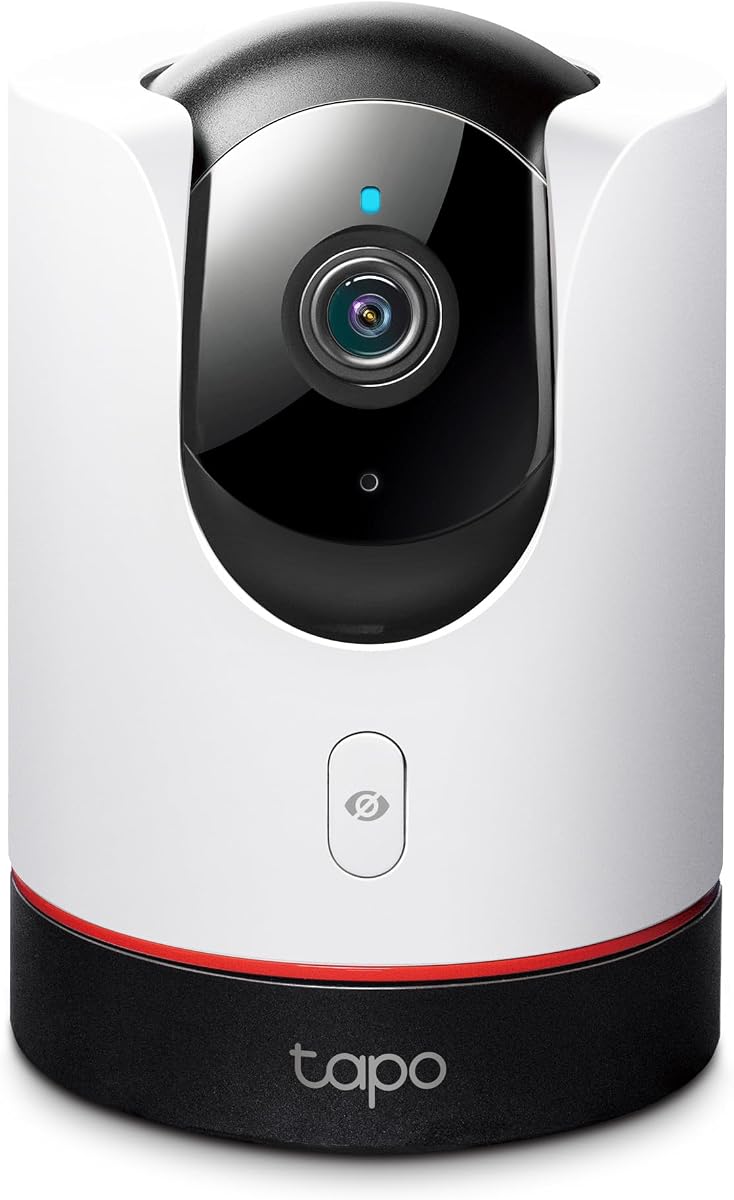
TP-Link Tapo C225
4.5Editor score
2K QHD live view
360 degree pan tilt
Physical privacy mode
This guide compares the top Apple Homekit security cameras for 2026, evaluating privacy, resolution, and smart home integration to help you choose the right
Securing your home with Apple Homekit security cameras offers seamless integration with your existing ecosystem. These devices provide end-to-end encryption and local processing, ensuring your privacy remains protected while delivering high-quality video monitoring.
We evaluated ten leading models based on resolution, night vision capabilities, and smart detection features. Our analysis focuses on how well each camera works within the Homekit framework, balancing performance with ease of use and storage options.
Each pick highlights specific strengths like weather resistance or dual lenses. Note that prices and availability fluctuate frequently, so check current listings before purchasing to ensure you get the best value for your home security setup.
4.5Editor score
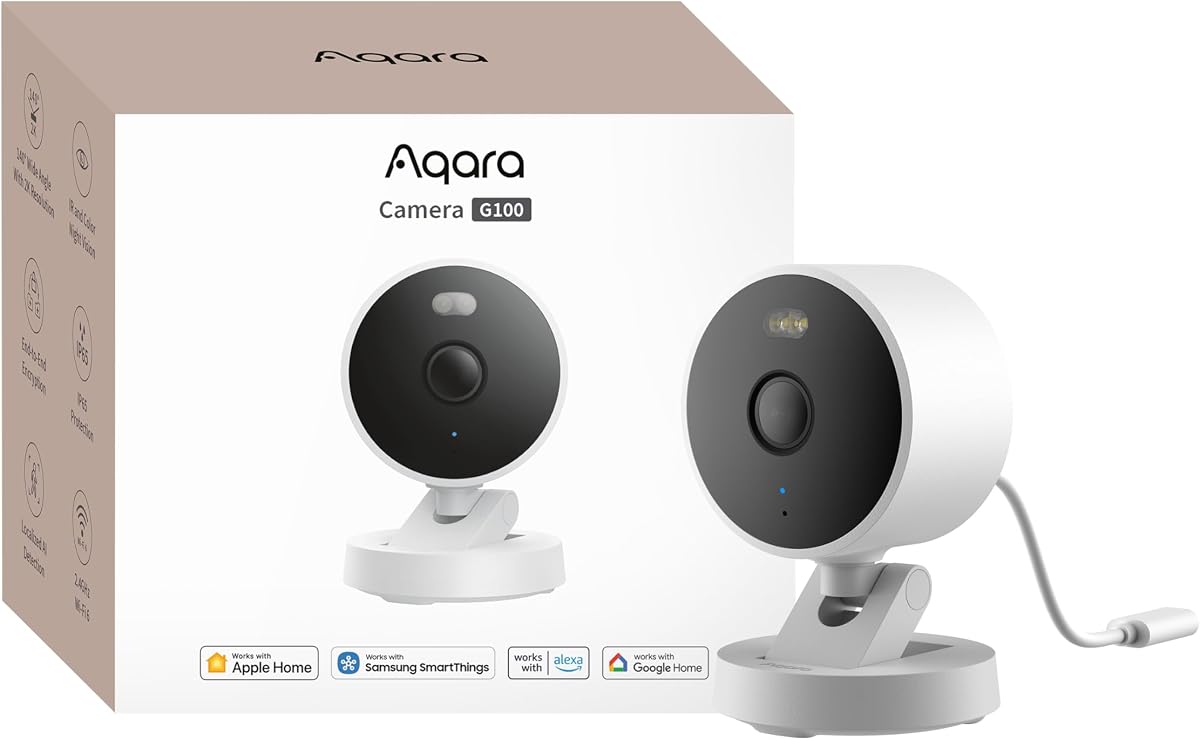
4.2Editor score

4.5Editor score
The following table provides a side-by-side comparison of all ten selected models. It highlights key specifications like resolution, storage options, and smart features to help you quickly identify the best fit for your needs.



The Aqara G100 stands out as a versatile option for Homekit users seeking high-quality video. With a 2K sensor and wide-angle lens, it captures detailed footage day and night. Its IP65 rating makes it suitable for exposed outdoor locations while maintaining excellent indoor performance.
We may earn a commission when you buy through this link, at no additional cost to you.
This camera excels in night vision with both infrared and color modes. The spotlight option allows for color recording in dark areas, which is rare at this price point. It also supports AI detection for people and pets, reducing false alerts when paired with Homekit.
Users should note the power requirements and network limitations. It needs a separate power adapter and only supports 2.4 GHz Wi-Fi. Despite these minor drawbacks, the balance of features and privacy protections makes it a top contender for comprehensive home security.
Anyone looking for a reliable entry point into Homekit video monitoring should consider this model. It offers robust features without demanding a subscription for basic functionality. The integration with other Aqara devices adds significant value for smart home enthusiasts.
The G100 offers two night vision modes including spotlight color vision for better identification in the dark.
Its IP65 rating allows it to be mounted indoors or outdoors, providing versatile coverage for your property.
We may earn a commission when you buy through this link, at no additional cost to you.
The Eve Cam is built exclusively for Apple Homekit, prioritizing privacy above all else. It performs video analysis locally, ensuring your footage never leaves your home network. This approach appeals to users who demand high data security.
We may earn a commission when you buy through this link, at no additional cost to you.
Its design focuses on core functionality without unnecessary cloud dependencies. You receive instant notifications via your Apple devices when motion is detected. The camera supports people and pet recognition to reduce false alarms effectively.
While robust in security, it lacks the flexibility of other brands. It works only with Homekit and does not support other ecosystems like Google or Alexa. Users must also ensure they have a Home hub for full functionality.
This model is ideal for privacy-focused homeowners who use Apple products exclusively. If you want a camera that respects your data and integrates deeply with your device, this is a solid choice despite the limited ecosystem support.
Video analysis happens securely in your home, keeping personal data under your control at all times.
Built for Homekit Secure Video from the ground up to ensure seamless integration and high privacy.
We may earn a commission when you buy through this link, at no additional cost to you.
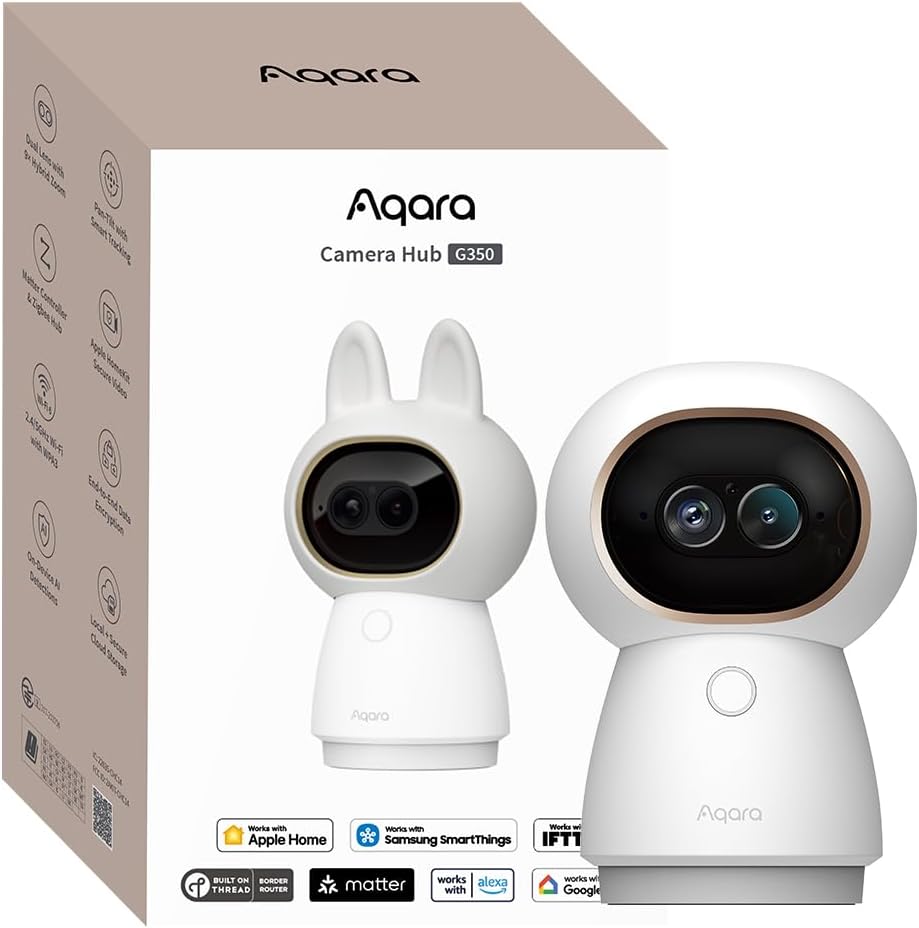
The G350 offers a premium experience with its dual-lens setup and 4K resolution. This camera allows you to zoom in without losing detail, making it perfect for monitoring pets or babies. Its AI features are processed locally, maintaining privacy.
We may earn a commission when you buy through this link, at no additional cost to you.
It also serves as a Matter bridge, connecting other devices to your smart home ecosystem. This dual functionality adds value beyond just video monitoring. The 360-degree pan and tilt ensure you can see every corner of the room.
The price reflects its advanced features, which may be higher than basic models. It is strictly an indoor unit, so you would need additional cameras for exterior coverage. However, the quality of footage and smart features justify the investment.
If you seek the highest image quality and smart home connectivity, this is an excellent option. It provides a comprehensive solution for indoor security that integrates well with modern smart home standards and Apple devices.
The dual-lens system captures every detail with a wide-angle 4K lens and a telephoto lens for zoom.
Integrates third-party Matter devices into the Aqara Home app and bridges to Apple Home.
We may earn a commission when you buy through this link, at no additional cost to you.
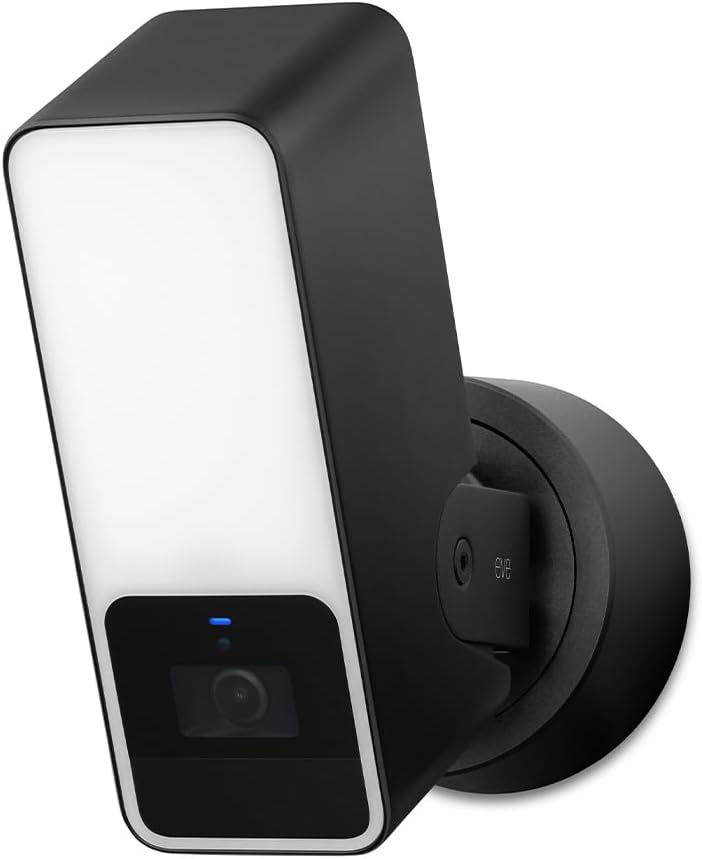
The Eve Outdoor Cam combines a security camera with a dimmable floodlight for a unified solution. It is designed for Homekit Secure Video, ensuring your data is end-to-end encrypted. The camera provides 1080p HD video with clear night vision.
We may earn a commission when you buy through this link, at no additional cost to you.
It distinguishes between people, pets, and vehicles to minimize false alerts. The built-in light boost helps illuminate dark areas effectively when motion is detected. It requires a neutral wire for installation, which may complicate DIY setup.
While it offers robust security features, the installation requirements are strict. Users must ensure they have the correct electrical setup. However, for those willing to install it, the privacy features are unmatched in the market.
This is a great choice for driveways or entryways needing both light and surveillance. If you prioritize privacy and have the right electrical setup, this camera offers a secure and seamless experience.
Powerful, dimmable floodlight with light boost provides visibility and deterrent for intruders.
Direct communication between accessories and hub without cloud dependency keeps data private.
We may earn a commission when you buy through this link, at no additional cost to you.
The Tapo C225 provides exceptional value with 2K QHD resolution at a budget-friendly price. It features a physical privacy mode that blocks the lens, offering peace of mind when you are home. The 360-degree view covers entire rooms easily.
We may earn a commission when you buy through this link, at no additional cost to you.
Its starlight sensor allows for clear images even in low light conditions. You can receive instant notifications when AI detects motion. The physical privacy mode is a standout feature that gives users control over surveillance.
While it supports Homekit, some advanced features may require subscriptions. The camera relies heavily on its own app for full functionality. However, for basic security needs, it offers high performance without breaking the bank.
This model is perfect for renters or budget-conscious buyers. It delivers the essential features of a smart camera at a fraction of the cost, making it accessible for many households.
A clever physical block covers the lens when privacy mode is enabled, ensuring no one watches.
360 degree horizontal field of view captures crystal-clear images in every corner.
We may earn a commission when you buy through this link, at no additional cost to you.
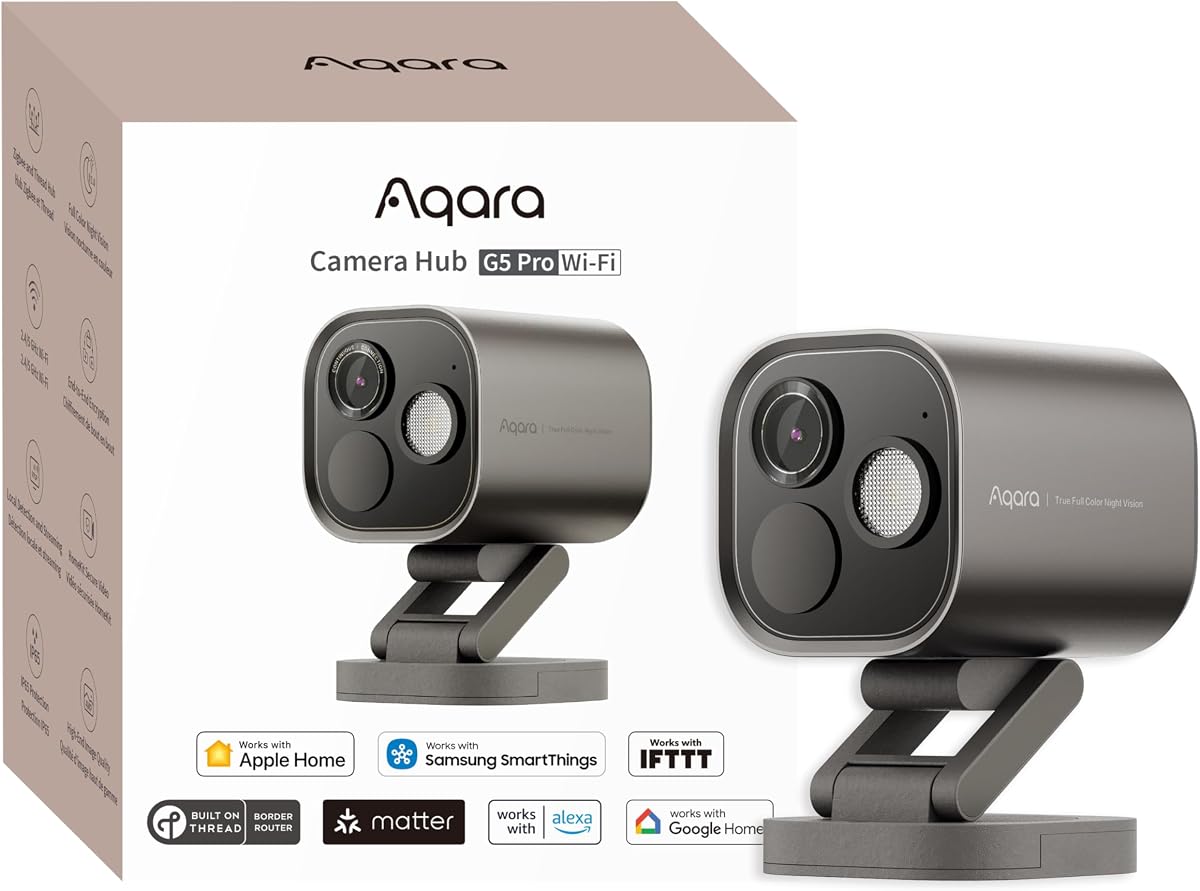
The G5 Pro delivers high-quality 4MP video with true color night vision. It functions as a hub for Aqara devices, connecting Zigbee and Thread gadgets seamlessly. This dual role enhances its utility beyond simple surveillance.
We may earn a commission when you buy through this link, at no additional cost to you.
Its local AI detection processes visual and sound data on the device. This ensures privacy and quick responses to events like crying or alarms. The camera supports multiple storage methods including eMMC and SD cards.
It lacks a battery option, meaning it requires a wired connection. However, this ensures continuous power and reliability for outdoor monitoring. The dual-band Wi-Fi allows for stable connections in congested areas.
This camera is excellent for tech-savvy users wanting a hub and camera. It provides a reliable outdoor solution with high clarity and smart features that work well with Homekit.
Identifies intruders in low-light with a large aperture and built-in spotlight.
Acts as a bridge to connect up to 80 Aqara Zigbee sub-devices.
We may earn a commission when you buy through this link, at no additional cost to you.
The Logitech Circle View offers a wide 180-degree field of view to capture more area. It uses TrueView technology for detailed video and has an IP64 rating for weather resistance. The camera is designed to tilt for privacy quickly.
We may earn a commission when you buy through this link, at no additional cost to you.
It is motion-detection based rather than continuous recording, which saves storage. The indoor USB power supply is convenient but limits placement options. Its integration with Homekit is seamless and user-friendly.
The privacy feature is innovative, allowing you to disable recording physically. However, reliance on motion detection means you might miss events between triggers. It works best for areas where continuous monitoring isn't necessary.
Ideal for casual monitoring or porch use, this camera offers solid privacy features. It is a strong choice if you prefer a simple setup without complex wiring or constant recording.
180 degree field-of-view optics capture every detail in sharp HD video.
Tilt camera down for instant privacy, making it secure and discreet.
We may earn a commission when you buy through this link, at no additional cost to you.
The E1 provides a comprehensive indoor solution with 2K resolution and 360-degree movement. Its AI features include person tracking and sound detection for alerts. The camera works well with Homekit for secure video storage.
We may earn a commission when you buy through this link, at no additional cost to you.
You can control it via automation to manage privacy modes easily. The Wi-Fi 6 support ensures smooth streaming. It offers a good balance of features and price for those needing indoor coverage.
It requires a USB power supply which might limit flexibility in some rooms. The lack of 5GHz support is a minor inconvenience in congested networks. However, the overall performance remains strong for its price.
This is a great choice for monitoring living rooms or nurseries. It combines essential smart features with reliable privacy protections that Homekit users expect.
Motor allows full 360 viewing angle which enhances person tracking features.
Built-in NPU supports advanced features like filtering motion events locally.
We may earn a commission when you buy through this link, at no additional cost to you.
The eufy E30 stands out with 4K recording for crystal-clear video quality. It uses AI to track humans and pets automatically. The camera supports local storage, avoiding monthly fees. However, Homekit limits resolution to 1080p.
We may earn a commission when you buy through this link, at no additional cost to you.
Its color night vision ensures visibility in the dark without red glare. The 360-degree pan allows full room coverage. It works well with Homekit for secure storage and alerts.
The resolution limit in Homekit might disappoint users expecting 4K in Apple's app. But the camera itself delivers 4K locally. It is a strong option for those who value local control and high detail.
Choose this for its high quality and privacy features. It is ideal for pet owners or those needing clear footage without subscriptions.
Capture every detail day or night with crystal-clear 4K recording.
Camera automatically tracks movement when a person or pet is detected.
We may earn a commission when you buy through this link, at no additional cost to you.
The G5 Pro PoE simplifies wiring by using Power over Ethernet for power and data. It offers high 4MP resolution and local AI processing. This model is designed for advanced users seeking a wired, secure solution.
We may earn a commission when you buy through this link, at no additional cost to you.
It includes built-in storage and supports multiple backup options. The hub functionality connects Zigbee and Thread devices seamlessly. PoE ensures stable performance and eliminates power cable needs.
Installation requires a PoE switch, which adds cost. This is best for professional setups or dedicated network areas. The reliability and privacy features justify the extra effort for serious users.
This model is ideal for high-performance home security. It offers robust features and stability for those willing to invest in a wired system.
Transmits video and power via only a single network cable for easy setup.
Powerful NPU supports 7 types of visual and 4 types of abnormal sound detection.
We may earn a commission when you buy through this link, at no additional cost to you.
Selecting the right camera involves understanding resolution, privacy, and ecosystem compatibility. This section outlines key factors to consider for an informed purchase.
Higher resolution like 2K or 4K provides clearer footage for identifying details. Look for cameras with large apertures and sensors for better low-light performance.
Prioritize models offering at least 2K to ensure your recordings are sharp enough for useful evidence.
Cameras must be compatible with Homekit Secure Video for end-to-end encryption. This ensures your data remains private and local to your home hub.
Verify compatibility lists to ensure the camera integrates smoothly with your iCloud account and Home hub setup.
Decide between local SD card storage and cloud services. Local storage offers privacy, while cloud services provide accessibility and backup.
Choose models that support local microSD or NAS to avoid mandatory monthly fees if you prefer offline recording.
Effective night vision is critical for security. Look for infrared LEDs and color night vision options with spotlights.
Select cameras with multiple night vision modes to ensure visibility in total darkness or low-light conditions.
Check weather ratings like IP65 for outdoor use. Indoor cameras may lack protection against rain or dust.
Ensure the camera you buy has the appropriate rating for its intended location to prevent damage from elements.
AI detection for people, pets, and vehicles reduces false alarms. Local processing keeps data secure while maintaining speed.
Opt for cameras with advanced AI that can distinguish between objects to improve alert accuracy.
Wi-Fi 6 and dual-band support offer better performance in congested networks. Stable connections are vital for live views.
Choose cameras supporting the latest Wi-Fi standards to ensure smooth streaming and reliability during peak hours.
Physical privacy modes like lens covers or shutters give you control. Ensure data encryption is standard.
Prioritize models with physical switches to block the lens when you want privacy without relying on software settings.
To install a camera, ensure your home hub is active and iCloud+ is subscribed. Connect the camera to power and follow the app instructions to pair it with your Apple Home network.
Regularly update the camera firmware to patch security vulnerabilities. Clean the lens occasionally with a soft cloth to ensure clear footage and prevent blurry recordings.
Test your motion zones and notifications weekly. Adjust sensitivity settings to reduce false alerts and ensure you receive timely alerts for genuine threats.
Not all cameras require a subscription. Homekit Secure Video requires an iCloud+ plan, but many cameras support local SD card storage which does not need a cloud service.
Homekit cameras are designed for Apple devices but many work with Google Home via Matter or third-party bridges. Always check compatibility before purchase.
1080p is standard for Homekit Secure Video. Higher resolutions like 2K may be capped to 1080p within the Home app but remain useful for local storage.
Many outdoor models have IP65 ratings to withstand rain and dust. Always check the weatherproof rating if you plan to mount it outside.
You need a Home hub like Apple TV or HomePod. Add the camera to Home app and enable Secure Video in settings to start recording with encryption.
Homekit cameras are optimized for Apple devices. Some support RTSP or third-party apps for non-Apple viewing, but features may be limited.
We found that the Aqara G100 offers the best balance of features and price. It provides high quality video and versatile installation options for most users.
For privacy advocates, the Eve Cam and Tapo C225 are excellent choices. They focus on local processing and physical privacy controls to protect your data.
Remember to check current prices and availability before buying. Technology evolves quickly, so comparing the latest offers ensures you get the best value today.