
M.2 Heatsink Cooler 2280 SSD Double-Sided
4.6Editor score
Aluminum alloy with silver plating
Double-sided clip design for stability
Ideal for PS5 and desktop PC
Discover the top low profile SSD heatsinks for PS5 and PC. This guide compares ten models for cooling performance and compatibility to prevent throttling.
Thermal throttling is a common issue for high speed NVMe drives in compact spaces. A low profile heatsink ensures your storage stays cool without blocking airflow or fit in tight chassis designs effectively.
We evaluated ten models based on material quality, thickness, and cooling claims. Our comparison covers graphene copper and aluminum options to help you find the right thermal solution for your specific build requirements today.
Each pick highlights key features like thickness and compatibility with PS5 or laptops. Prices change frequently so verify current deals before buying to ensure you get the best value for your upgrade investment now.
4.6Editor score

4.5Editor score

4.7Editor score
This side by side comparison reviews all ten models to highlight their unique thermal materials and dimensions for your specific storage upgrade needs.




The GLOTRENDS 2-Pack offers reliable cooling for 2280 SSDs with a passive aluminum design that cuts peak temperatures by up to 20 degrees Celsius under load. It holds a strong user rating for its ease of installation and effective thermal performance.
We may earn a commission when you buy through this link, at no additional cost to you.
Its aluminum fins pull heat off the controller effectively without requiring fans or extra power. The kit includes all necessary components like thermal pads and metal clasps so you can secure the heatsink in under a minute.
While it works well for desktops and PS5s it is not intended for laptops due to space constraints. The tool-less installation is convenient but you must ensure the drive is compatible with the 2280 size standard before purchasing.
Buy this if you want a simple effective solution for multiple drives without spending much. It protects your investment by keeping write speeds steady during large file transfers or game installs.
The aluminum fins are designed to maximize surface area for heat exchange without adding active components that generate noise.
It fits every 2280 M.2 SSD including NVMe and SATA drives from Gen3 to Gen5 standards.
We may earn a commission when you buy through this link, at no additional cost to you.
This radiator uses graphene coating which claims superior thermal conductivity compared to pure copper or aluminum. It is designed for 2280 drives in laptops or tight spaces like the PS5.
We may earn a commission when you buy through this link, at no additional cost to you.
The air duct design increases contact area with air for faster heat exchange. The slanted slot adds a modern look while the thermal pad ensures secure attachment without tools.
You should verify the dimensions before buying to ensure it fits your specific laptop or console chassis. The graphene claims are impressive but real world performance depends on airflow and case layout.
Choose this if you want advanced materials and a sleek look. It helps protect your SSD from overheating in compact environments where airflow is limited.
Graphene is touted as the most efficient heat conductor potentially reaching 5300W per meter Kelvin for fast heat transfer.
The design targets laptops and narrow spaces ensuring the radiator does not block other internal components.
We may earn a commission when you buy through this link, at no additional cost to you.
This copper heatsink is built for laptops requiring minimal clearance of just 1.5mm. It delivers a claimed cooling effect of 10 to 20 degrees to keep your SSD safe during heavy loads.
We may earn a commission when you buy through this link, at no additional cost to you.
The 100% copper construction ensures efficient heat dissipation compared to cheaper alloys. It comes with unique thermal pads of varying thickness to accommodate uneven surfaces on different drives.
Installation uses rubber rings or high temperature stickers which are easy to apply but require care to avoid shifting. Ensure your laptop has enough space before ordering as it is tight fit solution.
Buy this if you have a laptop with a tight M.2 bay. It prevents throttling and extends drive life in portable machines where heat builds up quickly.
With a minimum installation height of 1.5mm it fits into laptops where standard heatsinks would not.
Polished 100% copper offers high thermal conductivity to move heat away from the controller rapidly.
We may earn a commission when you buy through this link, at no additional cost to you.
This ultra-thin film uses graphene and copper to cut peak SSD temperatures by 25 degrees. It is only 0.5mm thick making it ideal for the tightest spaces like PS5 slots.
We may earn a commission when you buy through this link, at no additional cost to you.
The dual-sided cooling approach allows you to apply pads to both sides for doubled heat dissipation. The adhesive ensures permanent bonding within a wide temperature range without falling off.
You must handle the film carefully as it can bend during installation. If bent gently bend it back flat to ensure proper contact with the drive surface.
Choose this for the thinnest option available. It is perfect for upgrades where every millimeter of clearance matters for internal layout.
At 0.5mm it fits into ultra-thin laptops and PS5 expansion slots without obstruction.
Apply thermal pads to both sides of the SSD to double the heat dissipation area effectively.
We may earn a commission when you buy through this link, at no additional cost to you.
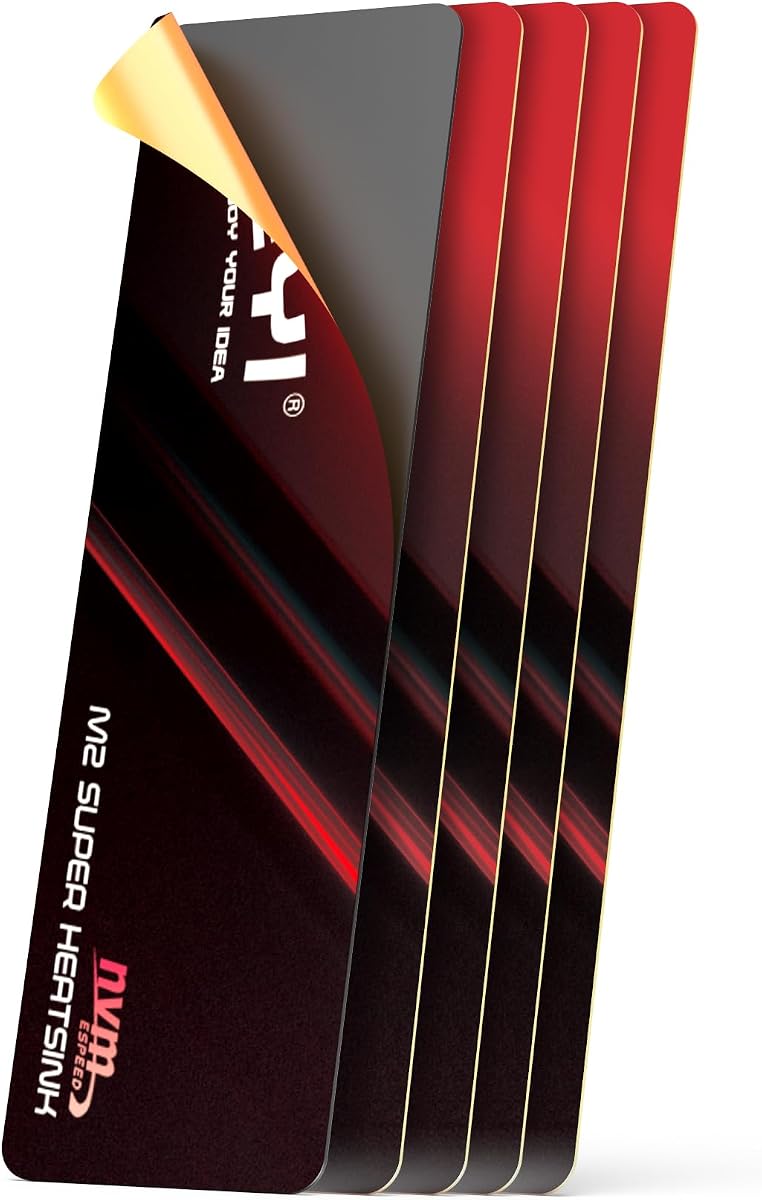
This budget friendly cooler features silver plating to eliminate static electricity and an aluminum alloy body for cooling. The double-sided clip design ensures stable installation across various drive heights.
We may earn a commission when you buy through this link, at no additional cost to you.
It offers a cooling effect of 10 to 20 degrees depending on the environment. The low viscosity thermal pad is safe for your M.2 SSD and does not cause damage during installation.
While it is cost effective it may lack the advanced features of premium models. However it provides reliable protection for typical consumer use cases and standard desktop setups.
Buy this if you need a simple solution without spending much. It protects your SSD from overheating while maintaining a low profile on your motherboard.
Silver plating helps eliminate static electricity which protects sensitive electronics during handling.
The double-sided clip design provides stable installation suitable for various M.2 NVME SSD heights.
We may earn a commission when you buy through this link, at no additional cost to you.
This pure copper heatsink adopts a groove design to increase heat dissipation area. It is 1.5mm thin making it easy to install on most computers without interference.
We may earn a commission when you buy through this link, at no additional cost to you.
The high quality pure copper material dissipates heat more efficiently than aluminum. It includes a silicone based thermal pad to maximize heat transfer on the contact surface between sink and drive.
You should check your space before purchase as the 67x18mm size may not fit every board. However for laptops and desktops with room it offers reliable cooling.
Choose this if you prefer pure copper and a compact form factor. It maintains reliable data transfer speeds by keeping temperatures within safe limits.
The groove design greatly increases the heat dissipation area allowing accumulated heat to release faster.
Pure copper has higher thermal conductivity than aluminum alloys for better cooling performance.
We may earn a commission when you buy through this link, at no additional cost to you.
The be quiet! MC1 is a premium cooler designed for both single and double sided modules. It enables lower temperatures so your drive can run at full performance for longer periods.
We may earn a commission when you buy through this link, at no additional cost to you.
Its dimensions are optimized for PlayStation5 memory extensions providing the necessary cooling power for extended storage. This ensures shorter loading times and more free space for your gaming library.
While more expensive it offers reliability for high performance builds where thermal headroom is critical. The single and double sided compatibility adds versatility for different drive configurations.
Buy this if you prioritize quality and are upgrading a PS5. It ensures your memory stays cool during intensive gaming sessions to maintain consistent speeds.
Ideal dimensions ensure it provides the necessary cooling power for extended PS5 memory without obstruction.
Lower temperatures allow the SSD to run at full performance for an extended timespan without throttling.
We may earn a commission when you buy through this link, at no additional cost to you.
This radiator features graphene coating and a professional air duct design for fast heat dissipation. It measures 70x20x4mm and includes a slanted slot for an aesthetically pleasing installation.
We may earn a commission when you buy through this link, at no additional cost to you.
The graphene claims offer superior conductivity compared to standard metals. The silicone thermal pad enables easy fixing without tools and protects the SSD particles from damage during contact.
You must place the cooling pad between the sink and SSD to avoid damaging the drive. Ensure your PS5 or laptop case has enough clearance for the 4mm thickness.
Choose this if you need a high performance radiator with advanced materials. It effectively extends SSD life by managing heat effectively in tight spaces.
Professional air duct design increases the contact area with air for faster heat exchange and dissipation.
Graphene coating claims thermal conductivity reaching 5300W per meter Kelvin for efficient heat transfer.
We may earn a commission when you buy through this link, at no additional cost to you.
This heatsink is only 0.5mm thick and made of pure copper for efficient heat release. It includes exact dimensions to prevent installation misalignment and short circuits on your board.
We may earn a commission when you buy through this link, at no additional cost to you.
The thermal pad is chemically polished with a smooth surface and no burrs to prevent short circuits. The package includes a screwdriver and plastic spudger for easy handling.
Ensure you have enough room before installation as the size is specific. It is suitable for laptops and PS5 where every millimeter of clearance matters.
Buy this if you need a slim copper solution with all mounting tools included. It protects your SSD while maintaining a low profile for internal components.
Exact dimensions prevent installation misalignment and short circuits to protect your internal components.
Adopts high quality pure copper material for faster heat release into the air compared to aluminum.
We may earn a commission when you buy through this link, at no additional cost to you.
This black heatsink features a 5mm low profile height and cross-cut aluminum alloy fins for optimal dissipation. It works on motherboards or M.2 adapters without requiring extra power.
We may earn a commission when you buy through this link, at no additional cost to you.
The heat resistant silicone rings are included to secure the heatsink to your drive. Its low profile design helps it work around tight spaces where standard coolers cannot fit.
You should verify that 5mm height fits your specific PC or PS5 chassis. While simple it provides effective cooling for standard NVMe drives in compatible environments.
Choose this if you need a reliable low profile option for PS5 or PC. It keeps your drive within safe limits without interfering with surrounding hardware.
A 5mm height works around tight spaces ensuring compatibility with crowded motherboard layouts.
Cross-cut aluminum alloy fins are designed for optimal heat dissipation from the drive controller.
We may earn a commission when you buy through this link, at no additional cost to you.
Selecting the right thermal solution requires evaluating material performance dimensions and your case constraints.
Materials range from basic aluminum to advanced graphene copper films. Copper and graphene offer higher conductivity but aluminum is often more durable and cost effective for standard builds.
Prioritize materials that match your cooling needs without exceeding your budget.
Low profile models come in 0.5mm to 5mm thicknesses. Check your laptop or PS5 space before buying since even millimeters matter for fit.
Measure your available clearance carefully to avoid installation issues.
Clips adhesive or rubber rings determine how easy installation is. Tool-less clips allow quick swaps while adhesive offers permanent secure bonding for high vibration environments.
Choose a mounting style that suits your skill level and device requirements.
Ensure the heatsink supports your specific M.2 length like 2280. Some are designed for single sided drives only while others handle double sided modules.
Verify drive specs before purchasing to guarantee a physical fit.
Manufacturers often claim 5 to 25 degree reductions. Understand that real world results depend on airflow and case layout.
Look for products that balance claims with practical design features.
Basic aluminum heatsinks are affordable while graphene options cost more. Consider the cost of potential throttling versus the price difference.
Invest in a quality solution that matches the drive's speed and value.
Reputable brands offer better warranties and technical assistance. If you face issues during installation a support channel saves time.
Check reviews regarding customer service before committing to a brand.
Designs like slanted slots or silver plating add visual appeal. This matters for builds where internal components are visible to users.
Select a design that matches your system's style preferences.
Clean the SSD surface before applying any thermal pads or adhesive to ensure full contact for heat transfer. This step prevents air gaps that can reduce cooling efficiency.
Secure the heatsink firmly using the provided clips or screws to prevent movement over time. A loose heatsink can lead to inconsistent cooling or damage to the drive.
Periodically check for dust accumulation on the fins or pads as this can block airflow and reduce performance. Use compressed air gently to clean the external surfaces.
Most fit but you must check if they are single or double sided. Some models only clear one side and high profile components may block the mount.
Yes when used correctly with the included thermal pads. These pads act as insulation and prevent electrical contact while securing the sink safely.
Many are designed for PS5 slots but check thickness constraints. A low profile model ensures it fits within the console's internal enclosure.
Most reduce temps by 5 to 20 degrees under sustained load. Actual gains depend on case airflow and ambient room conditions.
No passive aluminum or copper sinks rely on natural airflow. Adding a case fan helps but is often not required for typical office setups.
Install a heatsink and check for dust blocking vents. Ensure your case has sufficient airflow to carry heat away from the drive.
No thermal pads lose stickiness once removed. Replace them with new ones to ensure proper bonding and cooling performance.
Copper has better conductivity but is heavier and pricier. Aluminum is sufficient for most uses and lighter for tight enclosures.
These ten models offer diverse options from ultra thin graphene films to robust copper radiators. The top picks balance cost efficiency and material performance for most common needs.
Prioritize thickness and compatibility above brand features to ensure the cooler fits your specific setup. A well matched model guarantees better long term reliability.
Always check current prices and availability before purchase as deals fluctuate regularly. Verify your drive dimensions against the product specs to avoid returns.