
HP Chromebook 14 Laptop
4.3Editor score
Up to 14 Hours Battery
Chrome OS Efficiency
Lightweight Design
Finding a laptop that balances performance with energy efficiency is crucial for modern users who need reliability on the go. Low power consumption laptops offer extended battery life without sacrificing essential computing capabilities for daily tasks.
We evaluated ten leading models based on processor efficiency, battery endurance, and overall value. Each option was selected for its ability to deliver smooth performance while minimizing energy draw during typical usage scenarios.
Each pick highlights key strengths and trade-offs to help you choose the right fit for your needs. Keep in mind that specific features and availability may vary over time, so always verify details before purchasing.
4.3Editor score

5.0Editor score

4.1Editor score
As an Amazon Associate we earn from qualifying purchases.
This table provides a side-by-side comparison of the top ten low power consumption laptops. Review the key specifications and ratings to identify the model that best fits your efficiency needs.

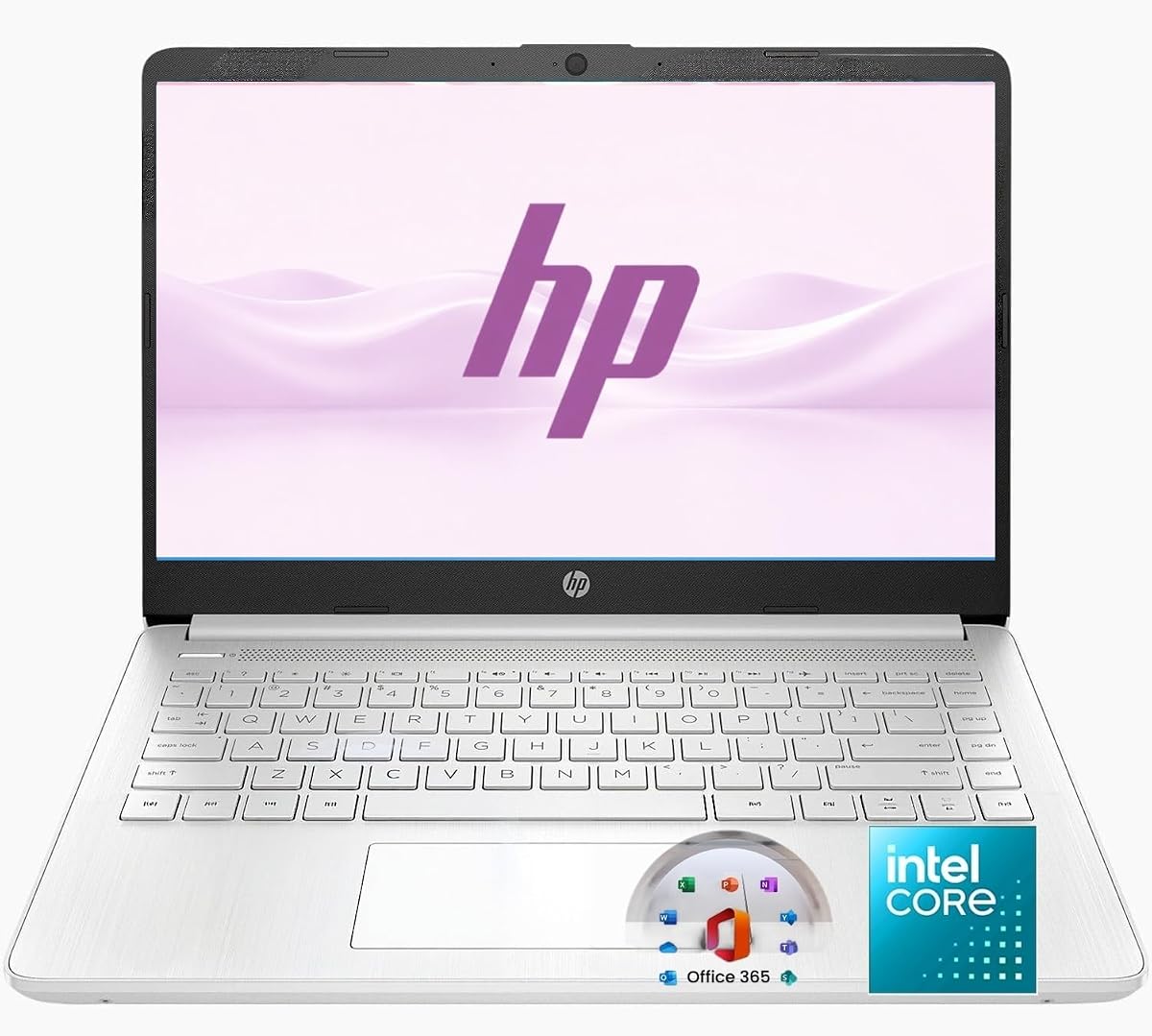


The HP New Everyday Slim Laptop stands out as the top choice for efficiency. With a perfect rating, it delivers smooth performance for daily tasks while keeping power consumption low.
We may earn a commission when you buy through this link, at no additional cost to you.
Its Intel N150 processor ensures efficient operation, and the DDR5 RAM helps maintain responsiveness. The 11.5 hour battery life allows for all-day use without needing a charger.
While the 128GB SSD is modest, the included 1TB cloud storage compensates for this. This trade-off keeps the device affordable and lightweight for students or remote workers.
Anyone needing a reliable, portable machine for web browsing and office work will find this laptop ideal. It balances cost and efficiency better than most competitors in this category.
The N150 processor handles multitasking well without draining the battery quickly.
You can work for hours on a single charge, making it great for travel.
We may earn a commission when you buy through this link, at no additional cost to you.
This Chromebook offers exceptional value for those focused on basic productivity. It is designed to be energy-efficient, providing long battery life that supports a full day of classes or work.
We may earn a commission when you buy through this link, at no additional cost to you.
The Intel Celeron processor paired with Chrome OS ensures quick boot times and minimal background resource usage. This makes it ideal for web-based tasks and media consumption.
The main limitation is reliance on cloud services due to limited local storage. However, this design choice significantly reduces power draw and keeps the system running smoothly.
Students or casual users looking for an affordable, long-lasting device will appreciate this model. It is a smart choice for anyone prioritizing battery life over heavy software compatibility.
With up to 14 hours of life, you rarely need to carry a charger.
Chrome OS is simple and secure, reducing unnecessary background processes.
We may earn a commission when you buy through this link, at no additional cost to you.
This Lenovo model combines efficiency with a larger display for better multitasking. It maintains low power consumption despite having 8GB of RAM, which helps handle more browser tabs and apps.
We may earn a commission when you buy through this link, at no additional cost to you.
The 15.6 inch Full HD screen is excellent for spreadsheets and documents. Wi-Fi 6 ensures fast connections, which can actually save power by reducing wait times for data transfer.
While slightly heavier, the durability and screen real estate make up for it. It is a solid choice for users who need a bit more performance without sacrificing battery life.
Ideal for home office users who need a reliable main device, this laptop offers a balanced package. It stands out in the category for its memory capacity and build quality.
8GB of RAM allows for smoother operation with multiple applications open.
Wi-Fi 6 support ensures efficient data transfer and stable connections.
We may earn a commission when you buy through this link, at no additional cost to you.
The V15 is designed for professional use with an efficient processor. It offers a balance of performance and power savings, making it suitable for daily business tasks and document editing.
We may earn a commission when you buy through this link, at no additional cost to you.
Features like Copilot AI enhance productivity without significantly impacting battery life. The USB-C charging option adds convenience for users who already have Type-C accessories.
One constraint is the S mode, which restricts app installations. However, this also improves security and performance, aligning well with the low-power goal of this device.
Business users looking for a cost-effective solution with modern features will find this appealing. It provides essential tools for productivity while keeping energy demands low.
Built-in AI assistance helps streamline tasks efficiently on your device.
USB-C charging allows for flexible power options on the go.
We may earn a commission when you buy through this link, at no additional cost to you.
This 2026 edition updates the popular slim line with modern AI features. It continues to prioritize efficiency, delivering a lightweight experience that is easy to carry anywhere.
We may earn a commission when you buy through this link, at no additional cost to you.
The dedicated Copilot key makes accessing AI tools quick and easy. This can help users complete tasks faster, indirectly saving battery life by reducing active usage time.
The HD screen is a cost-saving measure, but the brightness and anti-glare coating ensure comfortable viewing. Battery life remains strong for a device of this size and weight.
Users wanting a stylish, portable laptop with the latest software features should consider this model. It is a practical choice for students and casual home users.
A physical key lets you launch AI tools instantly for faster workflows.
The thin chassis makes it easy to slip into a bag for travel.
We may earn a commission when you buy through this link, at no additional cost to you.
The Amzboy laptop is unique for its fanless design, which reduces power consumption and noise. This makes it perfect for quiet environments like libraries or offices where silence matters.
We may earn a commission when you buy through this link, at no additional cost to you.
With a 45W Type-C charger, it charges quickly and uses a versatile port. The expandable storage option allows you to add space without needing internal upgrades.
While storage is limited by default, the eMMC is fast enough for basic apps. This balance ensures the system remains responsive without drawing too much energy.
Ideal for quiet workspaces, this laptop offers a distraction-free experience. It is a great pick for users who value silence and simplicity in their device.
No fans mean zero noise, creating a peaceful workspace for focus.
Type-C fast charging gets your device ready to use in no time.
We may earn a commission when you buy through this link, at no additional cost to you.
The Vivobook Go is tailored for students with a focus on portability and cost. It uses efficient components to ensure that you can study or browse for hours on a single charge.
We may earn a commission when you buy through this link, at no additional cost to you.
The fast charge technology is a lifesaver when you forget to plug in. Just a short period at a wall outlet can get you back to class quickly.
Graphics are basic, which is expected for this price range, but the display is clear. The keyboard comfort is a plus for typing essays or reports during long sessions.
Students looking for a budget device that handles standard tasks well will find this suitable. It strikes a good balance between price and usability for daily academic needs.
Get to 60 percent charge in roughly an hour for quick top-ups.
A comfortable keyboard helps reduce strain during long typing sessions.
We may earn a commission when you buy through this link, at no additional cost to you.
This 2027 edition is designed for longevity with DDR5 memory and a capable CPU. It ensures that the laptop remains responsive for everyday tasks while maintaining low power draw.
We may earn a commission when you buy through this link, at no additional cost to you.
The clock speed is quite high for an efficiency chip, allowing for snappier performance. This is beneficial when switching between apps or handling multiple windows at once.
The slim profile makes it easy to slide into a backpack or briefcase. The inclusion of Office 365 adds significant value for users who need productivity software.
Buyers looking for a long-term option with modern specs should consider this model. It offers a strong foundation for daily work and learning in a compact form.
DDR5 RAM boosts system speed and efficiency significantly over DDR4.
Included Office 365 saves you from buying separate software subscriptions.
We may earn a commission when you buy through this link, at no additional cost to you.
The Jumper laptop stands out with 12GB of RAM at an affordable price point. This memory boost helps with smoother multitasking, making it a strong contender for basic workloads.
We may earn a commission when you buy through this link, at no additional cost to you.
The Intel Celeron 5205U is known for ultra-low power consumption. This allows the device to run cool and efficient, even though the battery capacity is smaller than others.
The IPS display provides better viewing angles and eye care features. This is great for long sessions, though the smaller battery requires more frequent charging breaks.
If you need high memory on a budget, this is a compelling choice. It is best for stationary use or short travel trips where you can access a power outlet easily.
12GB of RAM handles multiple apps better than standard 4GB models.
The IPS panel reduces eye strain during long reading or writing tasks.
We may earn a commission when you buy through this link, at no additional cost to you.
This Ultra Light model focuses on being easy to carry while providing solid specs. It has 8GB of RAM and a quad-core processor that handles office tasks with ease.
We may earn a commission when you buy through this link, at no additional cost to you.
Wi-Fi 6 ensures you connect quickly to networks, which helps reduce idle time. The 1 year Office 365 subscription makes it ready for work or school immediately.
The battery life is designed to last through a typical work day. While the webcam is basic, it is sufficient for standard calls and remote meetings.
For those prioritizing portability and connectivity, this laptop is a great option. It is a practical choice for anyone needing a lightweight device for mobile productivity.
The ultra light build reduces strain when carrying it in a backpack.
Includes full Office 365 apps for immediate productivity upon setup.
We may earn a commission when you buy through this link, at no additional cost to you.
Selecting a low power consumption laptop requires balancing battery life, performance, and portability. Consider the following factors to find a device that meets your efficiency goals.
Modern processors like the Intel N-series are designed to deliver adequate performance while consuming minimal power. Look for chips labeled with low thermal design power (TDP) ratings, as these will generate less heat and use less battery. For basic tasks like web browsing and document editing, these efficient chips are more than sufficient and ensure longer runtime compared to high-performance gaming processors.
Prioritize efficiency-focused CPUs like the N150 or N100 to maximize battery life.
A larger battery capacity in watt-hours (Wh) generally translates to longer usage times. Aim for laptops with at least 40Wh to 50Wh capacity for reliable all-day performance. However, remember that actual battery life also depends on the screen brightness and background tasks, so check real-world reviews to verify claims. A well-optimized system can often outperform a high-capacity battery on an inefficient chassis.
Check both capacity and real-world test results to estimate true usage time.
Having enough RAM prevents the system from swapping data to the slower storage drive, which consumes more power. 8GB is the sweet spot for modern multitasking, ensuring your browser and apps run smoothly. Additionally, look for DDR5 RAM which is more energy-efficient than older DDR4 standards. Proper memory configuration ensures your device runs without unnecessary power spikes due to system strain.
Choose 8GB of DDR5 RAM to balance efficiency and multitasking ability effectively.
The screen is one of the biggest power consumers in a laptop. OLED displays are vibrant but can drain battery faster than LCDs if bright. For low power laptops, an IPS or TN panel with 250 nits brightness is usually a good balance. Anti-glare coatings are also important as they reduce the need to crank up brightness to read in various lighting conditions.
Select a display with moderate brightness and anti-glare features to save energy.
The OS plays a significant role in power management. Chrome OS is famously efficient due to its lightweight nature, making it ideal for basic users. Windows 11 has improved significantly in battery management, but it still requires more resources than Chrome OS. Choose the OS that matches your software needs while considering its impact on power consumption.
Pick an OS that supports your workflows but optimizes background processes for power.
A lighter laptop often has a smaller battery, which can be a trade-off. However, portability is key if you plan to move around frequently. Look for models under 3.5 pounds that still offer decent battery life. This ensures you do not burden your bag with heavy gear, making your daily commute or travel much more comfortable.
Aim for a device under 3.5 pounds that still delivers solid battery runtime.
Wi-Fi 6 is more efficient than older standards, allowing faster data transfer and quicker sleep modes. Bluetooth 5.x also consumes less power than previous versions for peripherals. Good connectivity ensures you spend less time waiting and more time being productive, which indirectly helps save battery over the course of a day.
Ensure the laptop has Wi-Fi 6 and Bluetooth 5 for modern efficiency standards.
A durable build ensures the laptop survives travel and daily handling without issues. Materials like aluminum can help dissipate heat, keeping the system efficient. Military-grade tested laptops are also less likely to suffer power issues from physical damage. Investing in quality construction protects your investment and ensures consistent performance over years.
Choose a durable build to ensure long-term reliable and efficient operation.
To maximize battery life, adjust your screen brightness to the lowest comfortable level and disable unused background apps. Using power saver mode in your operating system can also extend runtime during critical moments when you are away from a charger.
Keep the device cool by using it on hard surfaces like a desk or lap desk. Avoid using it on soft surfaces like pillows which can block vents and cause the system to work harder to maintain temperature, thus using more power.
Update your software regularly to benefit from the latest energy management patches. If you use removable storage or accessories, disconnect them when not in use to prevent unnecessary power draw from peripheral connections.
Not necessarily for basic tasks. These laptops are designed to handle web browsing, streaming, and office apps efficiently. You may not get the speed needed for heavy gaming or video editing, but for daily work, they offer a smooth experience without draining power.
Most of the models in this guide offer between 10 to 14 hours of battery life depending on usage. Actual time may vary based on brightness and active applications, but they are designed to last through a full workday or school day on a single charge.
Yes, they are lightweight and efficient. Their low power consumption means you spend less time finding outlets while on the move. The slim designs also fit easily into backpacks, making them convenient for commuters and travelers.
It depends on the specific model. Many low-power laptops have soldered RAM to save space, so upgrading might not be possible. However, most offer expandable storage via SD cards or USB drives, so check the specs before buying if you plan to upgrade.
Chrome OS is known for exceptional battery efficiency due to its simplicity. Windows 11 has also improved significantly in this area. If you need advanced software, Windows is still a great choice, but Chrome OS is ideal if you mostly use web apps.
Many models in this category feature military-grade testing or robust chassis designs. They are built to withstand daily wear and tear, ensuring they remain functional even with regular use. Always check the specific durability ratings for peace of mind.
Our top picks include the HP New Everyday Slim, the HP Chromebook 14, and the Lenovo Essential 15.6. These models offer the best mix of efficiency, battery life, and usability for a wide range of users.
When buying, prioritize your specific needs such as screen size or memory. A lightweight laptop is great for travel, while a larger screen helps with productivity. Find the right balance for your daily habits.
Prices and availability can change, so verify the latest details before making your purchase. Always check for current deals and warranty offers to get the most value for your investment.