
RisoPhy Mechanical Gaming Keyboard
4.5Editor score
Clicky Blue Switches
Full Anti-Ghosting
Spill-Resistant Design
Discover the top loud mechanical keyboards for typing and gaming. This guide compares features, switch types, and build quality to help you choose the right
Finding a loud mechanical keyboard can transform your daily computing experience into something more engaging and satisfying. These devices offer tactile feedback and audible clicks that many users find essential for productivity and immersion during intense gaming sessions or heavy typing workloads.
We have carefully evaluated ten top-rated models based on switch responsiveness, build durability, and overall user satisfaction. Each product in this list delivers a distinct auditory profile while maintaining reliable performance across various operating systems and usage scenarios for diverse needs.
Every pick highlights specific strengths like hot-swappable options or retro designs to match your style preferences. Please note that pricing and availability fluctuate regularly so verify current details before making your final purchase decision for the best value.
4.5Editor score

4.6Editor score

4.6Editor score
This side-by-side comparison breaks down the core specifications and unique selling points of each featured model so you can quickly identify which loud mechanical keyboard aligns best with your specific workflow requirements and aesthetic preferences.




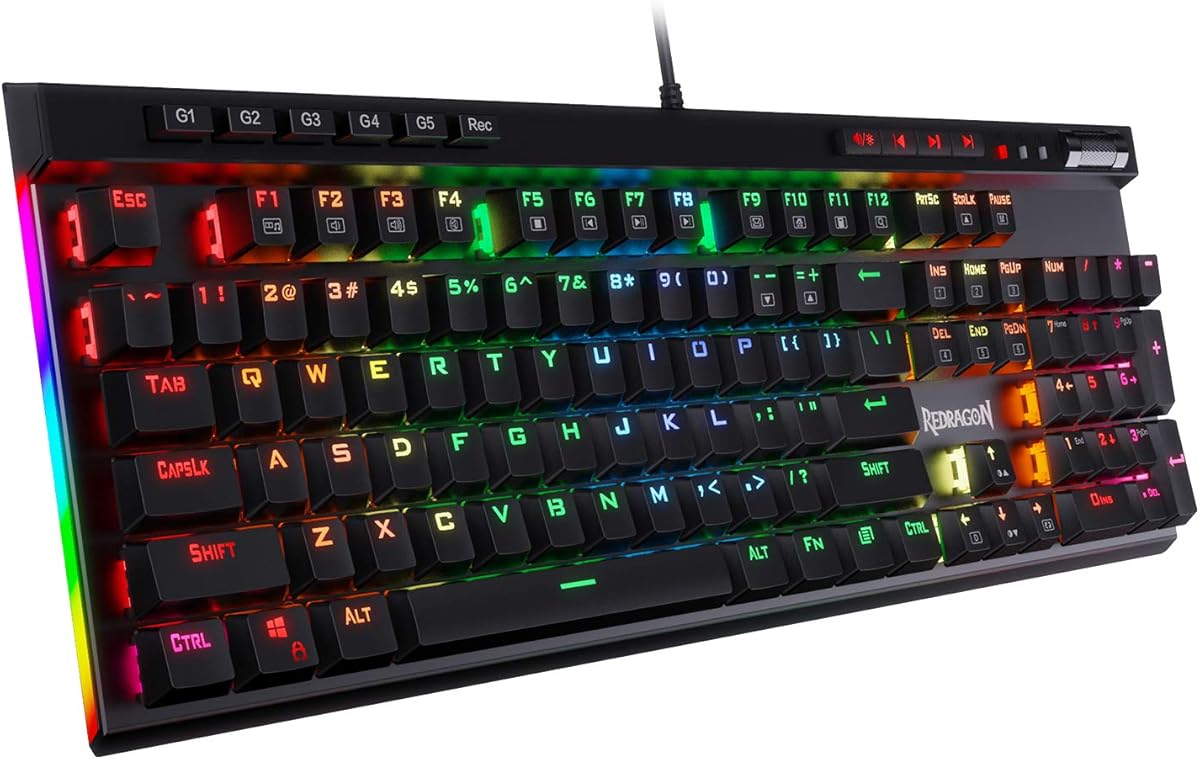
The Redragon K671 offers a compelling entry point into mechanical keyboards with its solid construction and versatile features. It holds a 4.3 rating from users who appreciate its balance of performance and affordability for daily tasks and gaming.
We may earn a commission when you buy through this link, at no additional cost to you.
Its standout quality lies in the hot-swappable switches which allow you to change tactile feel without soldering. The double-shot PBT keycaps ensure long-lasting legends and a textured surface that resists wear over time during heavy typing sessions.
While the red switches are smoother and quieter than typical clicky options they still provide reliable feedback. Users should note that color customization is limited in software but the bright backlighting remains effective for dark environments.
This board is ideal for budget-conscious buyers seeking durability and basic customization. Its macro capabilities and robust build make it a strong contender for those entering the mechanical keyboard space without overspending on premium features.
The ability to swap switches easily means you can experiment with different sound profiles or replace faulty units without buying a whole new keyboard.
With 11 unique backlight modes and adjustable brightness this keyboard adapts well to various ambient conditions and personal style preferences.
We may earn a commission when you buy through this link, at no additional cost to you.
The RisoPhy keyboard delivers a distinct clicky experience perfect for users who love auditory confirmation with every keystroke. Its 4.5 rating reflects satisfaction with its responsiveness and solid build quality across different usage scenarios.
We may earn a commission when you buy through this link, at no additional cost to you.
Blue switches provide the classic mechanical snap and sound that many enthusiasts seek. The spill-resistant holes and sturdy ABS keycaps make it practical for office or home use where accidents might happen unexpectedly during long work sessions.
One trade-off is the use of ABS plastic which can develop a sheen over time compared to premium PBT materials. However the ergonomic stair-up design and foldable kickstands help reduce hand fatigue significantly during extended typing periods.
This model suits gamers and typists wanting a loud traditional feel at a low cost. Its full layout includes a numpad and multimedia keys ensuring productivity stays high without needing extra hardware or complex setups.
The blue switches offer a sharp click that confirms input registration effectively which many users find helps prevent errors during fast-paced typing.
Designed with hydrophobic holes and a solid frame this keyboard handles spills and daily wear better than many similarly priced competitors.
We may earn a commission when you buy through this link, at no additional cost to you.
The SteelSeries Apex 5 combines a hybrid mechanical membrane feel with high-end build materials for a unique typing experience. Its 4.6 rating highlights user appreciation for its premium features and reliable performance over time.
We may earn a commission when you buy through this link, at no additional cost to you.
The OLED smart display allows for customized messages and game stats adding a tech-forward flair to your desk. The aircraft-grade aluminum alloy frame ensures durability and stability while the magnetic wrist rest offers comfortable palm support during long sessions.
Hybrid switches offer a smoother travel than standard mechanical options which may lack the sharp click some users prefer. This trade-off prioritizes comfort and speed over raw tactile feedback but still provides enough resistance for gaming accuracy.
Ideal for gamers and professionals wanting a high-end board with smart features this keyboard excels in customization and durability. The per-key RGB lighting and robust software ecosystem let you tailor the look and function to match your exact workflow.
Customize the OLED screen with GIFs or discord messages to keep important info visible without switching windows while you work or play.
The aluminum frame provides a solid and non-flexing surface that enhances typing stability and longevity compared to plastic alternatives.
We may earn a commission when you buy through this link, at no additional cost to you.
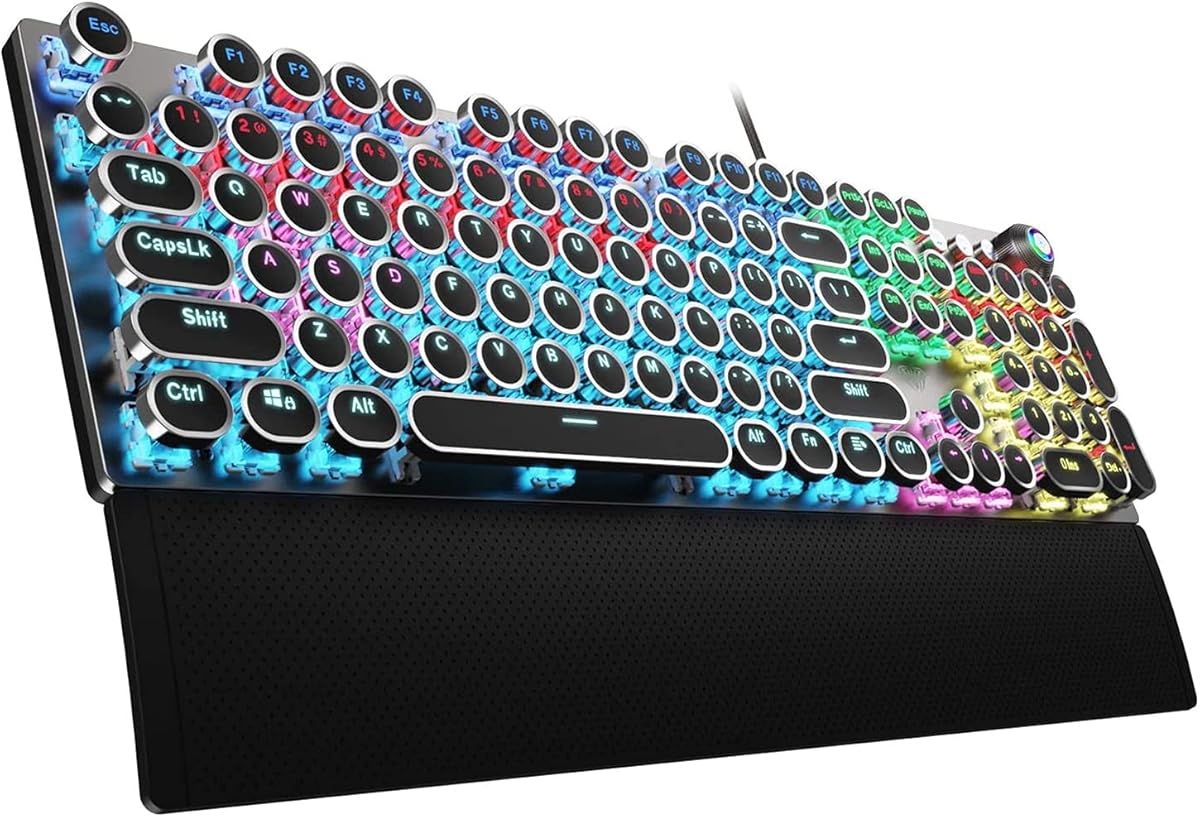
The RK ROYAL KLUDGE S108 stands out with its vintage typewriter design and reliable clicky switches for a nostalgic feel. Its 4.6 rating reflects satisfaction with the build quality and unique aesthetic that many users appreciate on their desks.
We may earn a commission when you buy through this link, at no additional cost to you.
Retro round keycaps provide a comfortable tactile surface while the sturdy metal panel adds a solid feel to the device. Yellow backlighting enhances visibility and adds a classic glow that complements the steampunk-inspired design effectively.
The switches are fixed which means you cannot swap them later but they offer consistent performance. While software customization exists it works only on Windows which might limit Mac users looking to remap keys or create macros.
This keyboard is perfect for those wanting a distinct visual style with loud clicky feedback. The ergonomic wrist rest and full anti-ghosting ensure comfort and accuracy making it suitable for both gaming and daily office work.
The vintage steampunk look with round keycaps creates a unique desk setup that stands out from standard rectangular keyboard designs.
The metal panel and detachable wrist rest ensure durability and comfort during long typing sessions without compromising on style.
We may earn a commission when you buy through this link, at no additional cost to you.
The Redragon K668 focuses on customization with hot-swappable sockets and extra shortcut keys for efficiency. Its 4.5 rating indicates strong user satisfaction with its flexibility and feature set for the price point.
We may earn a commission when you buy through this link, at no additional cost to you.
Users can swap switches easily without soldering which allows them to change sound profiles over time. The four extra hotkeys provide quick access to common tasks like muting or locking the screen enhancing productivity during busy workflows.
The linear switches included are smooth and quiet which may not suit those wanting a loud click. However the vibrant RGB lighting including music-sync modes makes it visually appealing for gaming setups that prioritize aesthetics.
This keyboard is ideal for tinkerers who want to modify their board later. The included keycap sets and ergonomic feet add value while ensuring comfort and style for daily use across different devices.
Hot-swappable sockets let you experiment with different switches to find your perfect sound and feel without replacing the entire unit.
The four dedicated shortcut keys streamline common tasks allowing faster access to volume controls or desktop commands.
We may earn a commission when you buy through this link, at no additional cost to you.
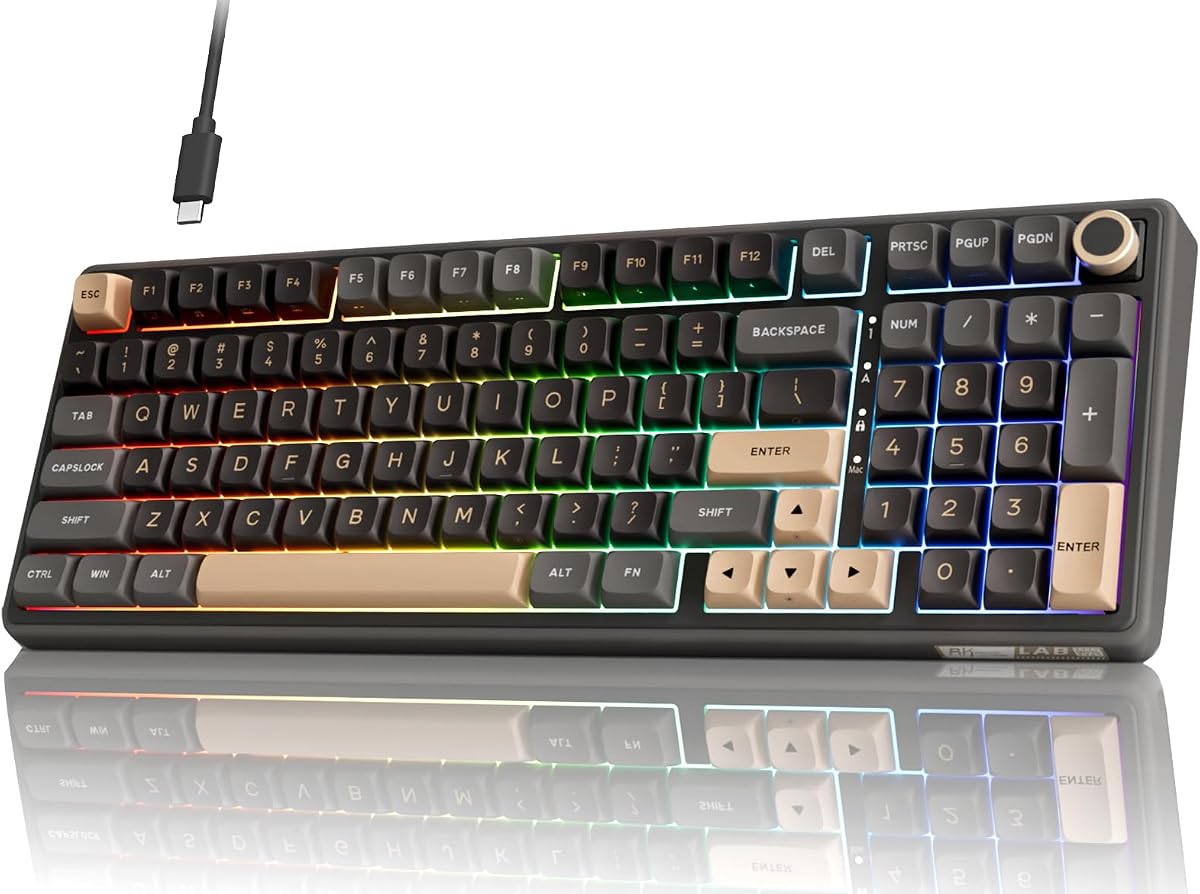
The R98 Pro offers a modern 96% layout that saves space while keeping a number pad and volume knob for convenience. With a 4.5 rating users appreciate its unique creamy sound and smooth typing experience out of the box.
We may earn a commission when you buy through this link, at no additional cost to you.
Its gasket mount design and sound-absorbing foam create a softer more responsive feel than standard boards. The MDA profile PBT keycaps offer excellent durability and a texture that prevents slipping during intense typing sessions or gaming.
While the pre-lubed linear switches are smooth they lack the loud click of blue options. This makes it quieter overall but still provides rich auditory feedback through the chassis due to its foam filling and structural design.
Ideal for users wanting a compact yet functional board with a premium feel this keyboard balances size and utility well. The hot-swap support and driver software allow for further tweaks to tailor the experience to your exact needs.
The gasket mount system isolates the PCB for a bouncier and more forgiving typing experience that reduces finger fatigue over time.
Retaining the numpad and arrow keys in a compact layout frees up desk space for mouse movement without losing productivity.
We may earn a commission when you buy through this link, at no additional cost to you.
The Logitech G413 SE delivers reliable performance with tactile mechanical switches and a durable build. It holds a 4.5 rating for its consistent quality and straightforward design suited for gamers seeking brand trust.
We may earn a commission when you buy through this link, at no additional cost to you.
PBT keycaps resist wear and shine much better than standard ABS providing a long-lasting texture. The brushed aluminum top case adds a premium look and rigidity that prevents flex during aggressive gaming or typing sessions.
Switches are fixed which limits customization but ensures stability and consistent feel across the keyboard. The white LED lighting offers a clean aesthetic though it lacks the color variety of RGB models which some users may prefer.
This board is ideal for those who value brand reliability and minimalism. The sturdy design and responsive switches make it a solid choice for daily work and gaming without unnecessary distractions or complex features.
Logitech provides robust software support and consistent quality assurance which many users trust for long-term device reliability.
The combination of PBT caps and aluminum casing ensures the keyboard stays functional and looking new through years of heavy use.
We may earn a commission when you buy through this link, at no additional cost to you.
The AULA F2088 brings a retro aesthetic to modern computing with round keycaps and a sturdy metal frame. Its 4.4 rating shows appreciation for its stylish design and functional controls that enhance the typing experience.
We may earn a commission when you buy through this link, at no additional cost to you.
The tactile blue switches deliver a crisp click sound that complements the vintage look effectively. A dedicated media control knob allows quick adjustments to volume or lighting without interrupting your workflow or changing software settings.
Switches are not hot-swappable which means you cannot change the feel later but they offer consistent performance. The metal panel ensures durability and scratch resistance while the ergonomic layout reduces hand strain during extended use.
This keyboard suits users who want a unique retro look with reliable performance. The programmable keys and multimedia support make it practical for gaming or work while the aesthetic adds a distinct flair to any desk.
The typewriter-style round keycaps give the keyboard a classic appearance that stands out in modern office or gaming setups.
A dedicated knob for media and lighting offers convenient one-touch access without needing to navigate menus or software.
We may earn a commission when you buy through this link, at no additional cost to you.
The AULA F99 bridges wireless convenience with mechanical feel offering three connection modes for versatile use. Its 4.5 rating highlights user satisfaction with its reliable connection and robust battery life for daily tasks.
We may earn a commission when you buy through this link, at no additional cost to you.
Hot-swappable switches let you customize the tactile feedback later while the gasket mount provides a comfortable bouncy typing experience. The large battery ensures you can use it for weeks without charging making it practical for travel or remote work.
The switches are pre-lubed linear which are smooth and relatively quiet. This may not be ideal if you seek loud clicky sounds but the structural padding still provides a rich sound profile that users appreciate.
Ideal for multitaskers using multiple devices this keyboard supports up to five connections simultaneously. The PBT keycaps and gasket structure ensure durability and comfort making it a powerful tool for both gaming and productivity.
Switch between Bluetooth wireless and wired modes effortlessly to use the keyboard across different devices without cables.
An 8000mAh battery provides extended usage time reducing frequent charging needs and improving overall convenience for users.
We may earn a commission when you buy through this link, at no additional cost to you.
The Redragon K580 combines rich features like onboard macro keys and a media wheel for enhanced control. With a 4.6 rating it impresses users with its versatility and solid build quality suited for various applications.
We may earn a commission when you buy through this link, at no additional cost to you.
Macro keys allow recording combos without software which simplifies workflow for gamers needing complex inputs. The blue switches deliver a distinct clicky feedback that ensures precise input registration during fast-paced gameplay or heavy typing.
Hot-swap sockets mean you can change switches later though stock blue ones are already loud. The durable rating of 50 million keystrokes ensures long-term reliability making it a sound investment for daily use.
This board is ideal for gamers wanting extra control and tactile feedback. The media wheel and onboard recording offer convenience while the full anti-ghosting ensures every keypress registers accurately when it counts most.
Record complex command sequences directly on the keyboard without needing companion software for immediate access during tasks.
A dedicated media wheel allows quick volume and playback adjustments keeping you focused on your screen or game.
We may earn a commission when you buy through this link, at no additional cost to you.
Choosing the right loud mechanical keyboard involves considering switch types build quality and layout features that match your workflow and aesthetic preferences.
The type of switch determines how loud the keyboard is. Clicky blue switches offer distinct audible feedback ideal for typists who enjoy sound but may distract others. Linear or tactile switches tend to be quieter but still provide mechanical feedback.
Choose clicky switches if you want the classic loud sound and tactile confirmation of each keypress. Ensure the sound level fits your environment to avoid disturbing others in shared spaces.
Hot-swappable boards allow you to change switches without soldering. This feature adds flexibility to adjust sound or feel later. It is beneficial if you want to experiment with different switches over time.
Look for hot-swap sockets if you value customization. It protects your investment by allowing upgrades without buying a new keyboard when your preferences change.
Materials like aluminum or metal panels add durability and reduce unwanted flex. PBT keycaps resist wear better than ABS caps and stay textured longer. A solid case ensures stability during intense typing or gaming sessions.
Prioritize metal frames and PBT keycaps for longevity. These materials ensure the keyboard remains durable and comfortable over years of daily use without visible wear.
Full-size keyboards include a numpad which aids productivity but take more desk space. Compact layouts like 96% or tenkeyless save room while keeping essential keys. Choose based on your workspace size and workflow needs.
Decide if you need a numpad for data entry. If you have limited desk space opt for a compact layout to maintain comfort without sacrificing core functionality.
RGB lighting enhances aesthetics and helps visibility in low light. Customization software allows macros and lighting profiles to tailor the experience. Some models include dedicated controls for easier adjustments without software.
Check if RGB and macro software are user-friendly. Customization options let you align the keyboard with your workflow making it more efficient and enjoyable to use daily.
Wired keyboards offer zero latency and reliability ideal for gaming. Wireless models provide cleaner desks and portability with battery life considerations. Choose based on whether you prioritize convenience or performance.
Select wired for gaming stability. Choose wireless if you prefer minimal cables and need to move between devices easily during your day.
Ergonomic features like wrist rests and adjustable feet reduce strain. Keycap profiles affect finger placement and comfort. Ensure the layout supports natural hand positioning to prevent fatigue during long sessions.
Look for adjustable feet or included wrist rests. Ergonomic design is essential for comfort if you type for hours daily to avoid wrist pain.
Price varies widely based on features and brand. Budget options offer basic functionality while premium boards add smart displays and gasket mounts. Determine which features are essential to avoid overspending on unnecessary tech.
Assess your needs before choosing price tiers. A balanced choice ensures you get the loud feedback and durability you want without compromising your budget.
Regularly clean keycaps with a soft brush or compressed air to remove dust and debris. This keeps the switches responsive and prevents grime buildup. Using a keycap puller allows safe removal for deeper cleaning of the plate.
Adjust your typing posture and desk height to minimize wrist strain. Use any included wrist rest for support and ensure your hands are in a neutral position. Proper ergonomics help maintain comfort during long typing or gaming sessions.
If the keyboard supports hot-swap switches try different options to refine the sound and feel. Store spare switches in a safe place to replace any that wear out. Keeping software updated ensures all custom features work correctly over time.
Yes loud mechanical keyboards with clicky switches provide tactile feedback that many typists prefer. The audible click confirms each keypress reducing errors and increasing confidence during long sessions.
Using a loud keyboard in shared spaces may disturb others. Consider noise dampeners or quieter switches if you work in an open office to maintain productivity without creating distractions.
Clicky switches and hollow keycaps produce louder sounds. Materials like metal plates amplify noise compared to plastic. Adding foam or O-rings can dampen sound if you prefer a quieter feel.
No mechanical switches are rated for millions of keystrokes regardless of sound. However plastic keycaps may shine over time. PBT caps resist wear better than ABS for longer durability.
Yes hot-swappable keyboards allow switch changes without soldering. This lets you experiment with different sounds or fix issues easily adding long-term value to your keyboard investment.
Clicky switches like Blues are the loudest due to their internal click mechanism. They produce distinct snaps with every press. Other types like tactile or linear are softer by design.
Yes you can add O-rings foam to the PCB for sound dampening. These modifications reduce hollow sounds without changing the switch type allowing more control over noise levels.
Use compressed air to blow debris out between switches. For deep cleaning remove keycaps with a puller and wipe the plate gently. Avoid liquids to prevent electrical damage to the device.
This guide highlights top loud mechanical keyboards ranging from budget-friendly options to premium boards with smart features. Each model offers unique strengths in sound feel and build quality to suit different needs.
Prioritize switch type and ergonomics to ensure the keyboard matches your typing style. Consider durability and customization options for long-term value especially if you plan to modify or upgrade components later.
Always check current prices and availability as these factors change regularly. Selecting the right loud mechanical keyboard will enhance your daily computing experience with satisfying feedback and reliable performance.