
LONELY BINARY Logic Analyzer Kit
4.2Editor score
8 Channel 24MHz sampling
Includes breakout boards
Dual USB connectivity
Discover the top 10 logic analyzers for electronics projects. This guide compares features, channels, and protocols to help you choose the right debugging tool.
Selecting the right logic analyzer is crucial for anyone working on electronics projects. These tools capture digital signals to help you understand how your circuits communicate and function correctly.
We compared ten top-rated analyzers based on channel count, sampling rates, and software compatibility. Our list includes options for beginners, hobbyists, and professional engineers.
Each pick highlights key features and real-world applications. Please note that availability and specific offerings may change over time as manufacturers update their product lines.
4.2Editor score

4.5Editor score
4.8Editor score
This comparison table provides a side-by-side overview of the top ten logic analyzers available today. Review the specifications to find the model that best fits your specific project needs and budget.


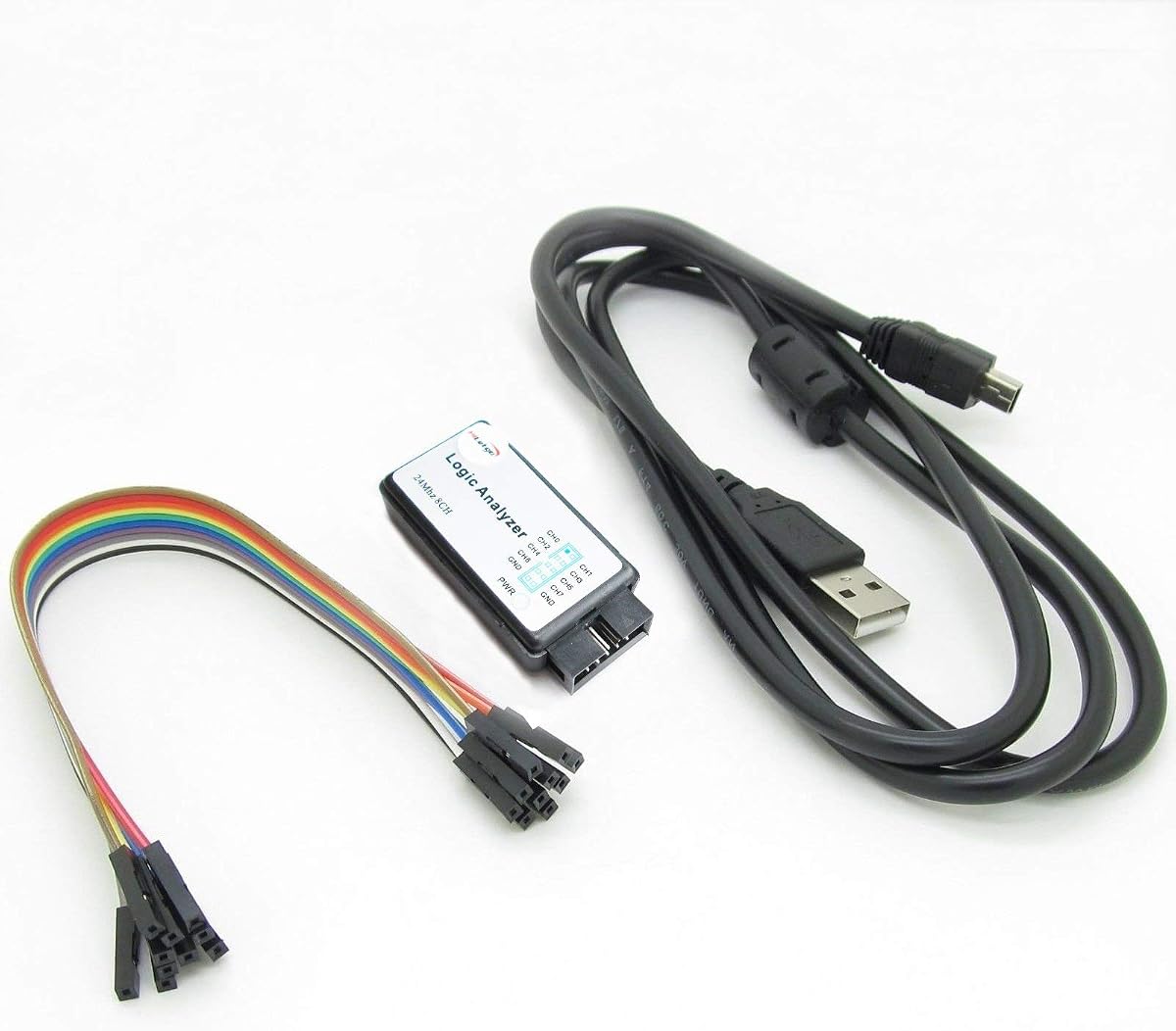


This kit offers a solid entry point for those starting with digital logic analysis. It captures signals at 24MHz across eight channels which is sufficient for many standard protocols.
We may earn a commission when you buy through this link, at no additional cost to you.
The included breakout boards simplify connecting to microcontrollers and breadboards. You get test clips and alligator clips for secure connections right out of the box.
While it lacks the speed of premium models, it covers essential needs for I2C SPI and UART debugging effectively. The dual USB connectivity ensures compatibility across different computers.
It is ideal for students or hobbyists on a budget who need reliable tools without expensive features. This kit removes the hassle of sourcing extra accessories separately.
Breakout boards and adapters make it easy to integrate the analyzer into your existing workbench projects.
The storage case keeps all cables and clips organized preventing loss during transport or storage.
We may earn a commission when you buy through this link, at no additional cost to you.
The LA1010 stands out with its 100MHz sampling rate and sixteen input channels. This combination allows for detailed analysis of complex digital systems and bus communications.
We may earn a commission when you buy through this link, at no additional cost to you.
It decodes over thirty standard protocols including I2C SPI UART and CAN which significantly speeds up debugging. The software works on Windows Mac and Linux without complex setup.
While the interface is straightforward it may feel less polished than higher-end options. However the performance and channel count provide exceptional value for serious hobbyists.
This model is perfect for engineers or advanced students needing reliable performance without a high price tag. It handles most embedded system testing tasks with ease.
Decoding capabilities allow you to see readable data rather than raw binary waveforms for easier troubleshooting.
Capture and display digital signals instantly on your PC screen for immediate feedback during development.
We may earn a commission when you buy through this link, at no additional cost to you.
This is the top choice for professionals needing the best performance available. It offers a digital sample rate of 500 MS/s and can also sample analog signals simultaneously.
We may earn a commission when you buy through this link, at no additional cost to you.
The software is renowned for its user-friendly interface and powerful features. It uses your computer memory for storage allowing for billions of samples to be captured.
While the cost is significant the reliability and advanced features justify the investment for critical projects. It eliminates many frustrations associated with cheaper units.
Ideal for design engineers working on high-speed interfaces or complex embedded systems. This tool ensures you never miss a signal edge or timing issue.
Combine digital and analog inputs to understand how analog signals affect digital logic in your circuit.
Intuitive software reduces the learning curve so you can focus on debugging rather than configuring tools.
We may earn a commission when you buy through this link, at no additional cost to you.
The Logic Pro 8 brings the same high-quality engineering as the 16-channel version in a smaller form factor. It offers eight inputs with both digital and analog capabilities.
We may earn a commission when you buy through this link, at no additional cost to you.
It maintains the 500 MS/s digital sample rate ensuring precise timing analysis for fast protocols. The software experience remains consistent with the rest of the Saleae lineup.
This model suits users who need professional accuracy but have fewer channels in their typical workflows. It fits easily into a lab bag or small workspace.
A strong choice for field engineers or those working with embedded boards where space is limited. It balances portability with the performance expected from a pro device.
Its compact size makes it easy to take to different workstations or client sites without compromising power.
If you already use Saleae tools the learning transition is seamless saving time on setup.
We may earn a commission when you buy through this link, at no additional cost to you.
This analyzer is designed to work seamlessly with Saleae Logic software providing a familiar interface. It features eight channels with a 24MHz sampling rate suitable for common microcontrollers.
We may earn a commission when you buy through this link, at no additional cost to you.
It supports PulseView as well giving you flexibility in which open-source tools you prefer to use. The voltage threshold is configurable to match your logic levels.
While the hardware is simple the software compatibility makes it a smart choice for budget-conscious users. You get the benefits of professional software at a lower cost.
Best for hobbyists using Arduino or Raspberry Pi who already know the Saleae software workflow. It is a cost-effective way to enter the world of logic analysis.
Running on established platforms ensures you have access to community plugins and extensive documentation online.
Adjust the sampling rate down for long captures saving system resources for slower communication protocols.
We may earn a commission when you buy through this link, at no additional cost to you.
The DSLogic Plus distinguishes itself with built-in memory allowing it to capture data independently of the PC. It supports speeds up to 400MHz in buffer mode.
We may earn a commission when you buy through this link, at no additional cost to you.
You can choose between stream mode for long duration or buffer mode for high speed. This flexibility is useful for catching intermittent bugs or rare events.
The software is open source which allows advanced users to customize protocols or modify the interface. Shielded wires help reduce noise for cleaner waveform readings.
It is ideal for researchers or engineers who need high speed and deep capture memory. This device offers professional-grade hardware at a mid-range price point.
Buffer mode stores data on the device so you can catch rare events without being limited by USB bandwidth.
Fine-tune the logic thresholds to match specific voltage levels of your target hardware for accuracy.
We may earn a commission when you buy through this link, at no additional cost to you.
This unit focuses on simplicity and reliability for basic debugging tasks. It includes an EMI ferrite ring on the USB cable to reduce noise interference.
We may earn a commission when you buy through this link, at no additional cost to you.
The voltage range is suitable for most 5V and 3.3V systems found in hobbyist electronics. It handles standard protocols like UART SPI and IIC effectively.
It is a straightforward tool for those who just need to see digital logic levels without advanced software. The design is compact and easy to store.
Best for quick checks on Arduino or ESP32 boards. It provides the necessary visibility to verify connections and signal integrity efficiently.
The ferrite ring minimizes electromagnetic interference helping to maintain signal integrity during capture.
Designed to work safely with common logic levels found in most microcontroller projects.
We may earn a commission when you buy through this link, at no additional cost to you.
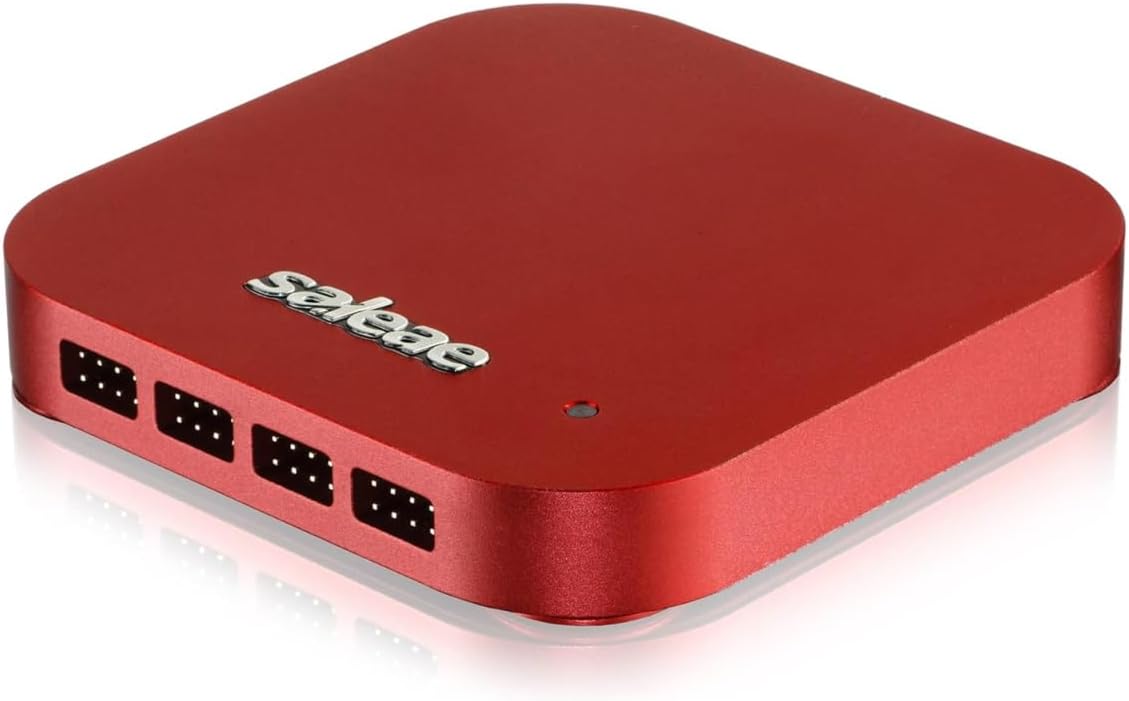
Logic 8 provides the trusted Saleae experience at a lower price point. It features eight inputs with both digital and analog capabilities.
We may earn a commission when you buy through this link, at no additional cost to you.
It uses your computer memory to store data allowing for deep captures of signal activity. The software decodes many common protocols out of the box.
While it is slower than the Pro series it is sufficient for many embedded applications. The reliability is what makes it a good choice for labs.
Ideal for users transitioning from cheap clones to a professional tool. It offers the stability and support expected from a well-known brand.
Access billions of samples to analyze long-term behavior or rare glitches without stopping capture.
Each channel can act as a digital or analog input giving flexibility for mixed-signal debugging.
We may earn a commission when you buy through this link, at no additional cost to you.
This variant of the DSLogic Plus is celebrated for its open-source ecosystem. You can modify the software or hardware to suit specific project needs.
We may earn a commission when you buy through this link, at no additional cost to you.
It supports 400MHz sampling across sixteen channels providing excellent resolution for high-speed buses. The memory allows for deep captures to analyze complex protocols.
The community support is strong which helps troubleshoot issues or find new decoders. It is a powerful tool for those who like to tinker.
Perfect for advanced users who want control over their analysis stack. It combines high performance with the flexibility of open-source software.
Open source nature means you can contribute code or use community-built decoders for rare protocols.
The 400MHz rate ensures you capture fast digital signals without missing critical transitions or data.
We may earn a commission when you buy through this link, at no additional cost to you.
This device replaces multiple tools with one USB stick-sized instrument. It includes a logic analyzer along with an oscilloscope and power supply.
We may earn a commission when you buy through this link, at no additional cost to you.
It supports scripting in Python which allows automation of repetitive testing tasks. The logic analyzer works with up to sixteen channels at 125 MS/s.
While it is not as fast as dedicated analyzers it offers incredible versatility. The included software provides advanced features like spectrum analysis and network analysis.
Ideal for students or labs wanting one device for many measurements. It reduces clutter on the bench and provides a full engineering suite.
Write scripts to automate tests and analyze results quickly saving time on repetitive validation tasks.
Combine logic analysis with analog scope and power supply for a comprehensive debug setup.
We may earn a commission when you buy through this link, at no additional cost to you.
Choosing the right logic analyzer depends on your specific project requirements and technical needs. This guide covers the key factors to consider before you buy.
The number of channels determines how many signals you can monitor simultaneously. Complex protocols like USB or Ethernet often require more than eight inputs.
Choose at least sixteen channels if you plan to work with high-speed interfaces or complex embedded systems regularly.
Sampling rate defines how fast the analyzer can capture digital transitions. Higher rates are essential for accurate timing analysis of fast buses.
Look for a rate that is at least five times faster than your highest clock frequency to ensure reliable data capture.
Memory depth indicates how long you can capture signals at a specific sampling rate. Deep memory is crucial for analyzing long sequences or intermittent errors.
Select a model with enough onboard or PC memory to cover the duration of your longest protocol handshake or data transfer.
Built-in protocol decoders convert raw binary into human-readable data for common protocols like I2C and UART. This saves time during debugging.
Ensure the software supports the specific protocols used in your projects so you can focus on logic rather than bit-level analysis.
The companion software must run on your operating system and provide an intuitive interface. Check if it supports Windows Mac or Linux as needed.
Open-source options offer flexibility for customization while commercial tools often provide better stability and support for professional environments.
Some analyzers include analog inputs to capture voltage levels alongside digital signals. This is useful for mixed-signal debugging and power analysis.
Consider this feature if you need to correlate digital logic events with analog voltage changes on your circuit board.
Connectivity options like USB-C or Type-A determine how the device connects to your computer. Faster USB versions like 3.0 improve data transfer speeds.
Ensure the included cables match your system ports or have adapters ready to avoid connection issues during critical testing.
Durability is key for tools used frequently in workshops. Look for shielded probes and robust connectors to prevent noise and connection loss.
Invest in models with high-quality accessories to ensure long-term reliability and consistent signal integrity in your measurements.
Connect the logic analyzer to your target device using the provided clips or breakout boards. Ensure the ground clip is connected to the system ground to establish a common reference.
Launch the software and configure the sampling rate and threshold levels to match your logic signals. Most modern tools will auto-detect protocols to speed up this process.
Capture the data and use the zoom tools to inspect signal integrity. Regularly check your connections and store the device in a dry place to protect the electronics.
A logic analyzer captures digital signals to help you see how your circuit communicates. You need one to debug complex protocols and verify timing in embedded projects.
Eight channels are sufficient for most hobbyist projects like Arduino. For professional work involving complex buses you should aim for sixteen channels or more.
Basic models capture only digital signals. However some advanced models include analog inputs that allow you to monitor voltage levels alongside digital logic.
Yes most analyzers require a PC program to visualize data. Many brands offer free software for Windows Mac and Linux that comes with the device.
Choose a rate at least five times your highest clock speed. 100MHz is a good baseline for most hobbyist applications like I2C and SPI.
Yes logic analyzers are widely used with Arduino to verify sensor outputs and communication. They connect easily to the digital pins via test clips.
Check your ground connections and ensure cables are shielded. Reduce the sample rate if noise persists and keep the analyzer away from power supplies.
We have explored ten top options ranging from affordable kits to professional-grade tools. The LA1010 offers excellent value for most users with its balance of features.
Prioritize channel count and sampling rate based on the complexity of your work. If you need mixed-signal support consider the Saleae models for professional precision.
Remember to check current availability and verify software support before purchasing. This ensures you get the best tool for your specific electronics project needs.