
Apple 2025 MacBook Pro
4.7Editor score
Apple M5 Chip
14.2 inch XDR Display
16GB Unified Memory
Choosing the right laptop for Adobe Premiere Pro requires careful consideration of hardware specifications to ensure smooth playback and rendering. Professional editors need machines that can handle high-resolution footage without lagging or crashing during complex timelines.
We have evaluated ten top-rated workstations and laptops based on their processing power, memory capacity, and graphics capabilities. Each model offers unique strengths tailored to different editing needs, from basic cuts to advanced color grading and effects.
Our detailed reviews highlight the pros and cons of each device to help you make an informed decision. Keep in mind that pricing fluctuates often so check current deals before purchasing your new editing workstation today.
4.7Editor score

4.4Editor score

4.2Editor score
As an Amazon Associate we earn from qualifying purchases.
The following table provides a side-by-side comparison of all ten selected laptops. Review the key specifications to quickly identify which model best matches your specific editing requirements and budget constraints.



This Dell Precision 7680 stands out as a top choice for professional video editors working with Adobe Premiere Pro. It combines a powerful Intel Core i9 processor with ample DDR5 memory to ensure smooth timeline playback even with complex effects.
We may earn a commission when you buy through this link, at no additional cost to you.
The laptop supports up to three external monitors which is crucial for multi-monitor editing setups. Its ISV certifications guarantee compatibility with professional software reducing the risk of crashes during critical rendering tasks.
While it is built like a tank and may be heavier than ultrabooks the durability pays off in a studio environment. The cooling system manages heat well allowing sustained performance during long rendering sessions.
If you need a reliable workstation that can handle 4K editing and future projects this model is an excellent investment. Its balance of power and expandability makes it a strong contender for serious editors.
The Intel i9-13950HX processor delivers exceptional multitasking capabilities ensuring smooth playback of high-resolution footage.
Support for multiple external monitors allows editors to arrange timelines and panels efficiently for better workflow.
We may earn a commission when you buy through this link, at no additional cost to you.
The 2025 MacBook Pro offers incredible value for editors seeking a portable yet powerful machine. Its Apple M5 chip runs Adobe Premiere Pro efficiently delivering fast export times and smooth scrubbing through footage.
We may earn a commission when you buy through this link, at no additional cost to you.
The Liquid Retina XDR display provides stunning color accuracy which is essential for grading work. Even on battery power the laptop maintains high performance allowing editors to work untethered for long periods.
One consideration is that the memory is unified and not upgradeable after purchase so choosing the right configuration is key. However for many users the balance of speed and portability makes this a top choice.
If you value a lightweight design and long battery life without sacrificing performance this MacBook Pro is ideal. It fits well into mobile editing workflows where reliability and screen quality matter most.
The M5 chip integrates CPU and GPU resources allowing for faster rendering and AI tasks in Premiere Pro.
The XDR display offers high brightness and contrast enabling precise color grading for professional projects.
We may earn a commission when you buy through this link, at no additional cost to you.
For editors handling massive 8K projects or complex visual effects the Precision 7780 offers unmatched power. With 128GB of RAM and a professional RTX GPU it handles multitasking and rendering with ease.
We may earn a commission when you buy through this link, at no additional cost to you.
The 17.3 inch screen provides ample workspace for timelines and panels without needing external monitors. This makes it a great all-in-one solution for those who prefer a single device for all editing tasks.
It is important to note this laptop is quite heavy and not designed for daily commuting. Its weight is a trade-off for the incredible performance and cooling capabilities it offers in a stationary setup.
If budget is less of a concern and performance is paramount this workstation is the ultimate choice. It ensures that even the most demanding projects run smoothly without bottlenecks or slowdowns.
128GB of RAM allows editors to work with multiple applications and high resolution footage simultaneously.
The RTX 3500 Ada GPU accelerates rendering and effects processing for faster workflow completion.
We may earn a commission when you buy through this link, at no additional cost to you.
The Precision 3581 offers a balanced entry point into workstation class computing for video editors. Its Core i7 processor and dedicated graphics card handle 1080p editing tasks with impressive smoothness.
We may earn a commission when you buy through this link, at no additional cost to you.
With 32GB of DDR5 RAM multitasking remains efficient even when running background processes. The renewed status adds value while still providing a warranty for peace of mind.
The display is limited to FHD which might be a drawback for color critical work. However for editing and rendering tasks the performance remains strong across various project types.
This laptop is best suited for students or beginners looking for workstation reliability without the premium price. It delivers consistent performance for standard editing needs effectively.
The combination of i7 processor and DDR5 RAM ensures smooth performance for standard video editing tasks.
The RTX A500 provides dedicated acceleration for effects and transitions in editing timelines.
We may earn a commission when you buy through this link, at no additional cost to you.
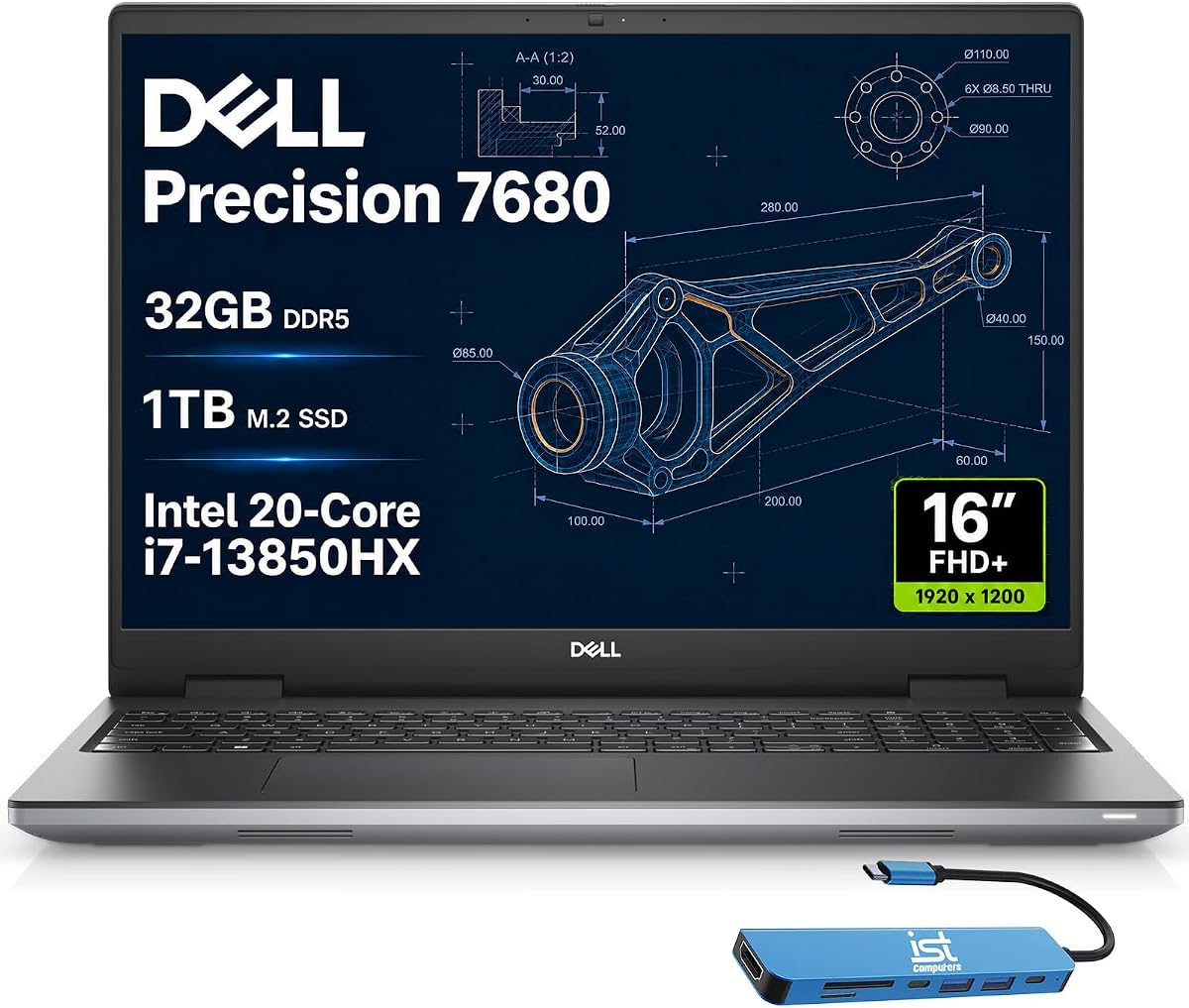
This variant of the 7680 swaps the i9 for an i7 HX processor still delivering robust performance for editing. The 16 inch screen offers more viewing space compared to standard 15 inch models.
We may earn a commission when you buy through this link, at no additional cost to you.
It is ideal for professionals who need a larger chassis but do not require the top tier processing power. The DDR5 memory ensures quick access to active files and project assets.
The display is functional but may require external calibration for precise color work. For general editing and rendering tasks the hardware provides ample power and reliability.
If you prefer a slightly more affordable option within the 7000 series this model is a solid choice. It balances performance and price well for intermediate editing workflows.
The i7-13850HX processor delivers high clock speeds for faster processing of video effects.
The 16 inch display allows for better visibility of timelines and preview windows.
We may earn a commission when you buy through this link, at no additional cost to you.
This configuration focuses on memory and storage making it ideal for editors working with large asset libraries. The 64GB RAM allows for seamless handling of multiple 4K timelines simultaneously.
We may earn a commission when you buy through this link, at no additional cost to you.
With a 2TB drive there is plenty of space for project files and active media without needing external drives immediately. The Pro Support Plus adds value with faster service for business users.
The GPU is adequate for most tasks but not intended for heavy 3D rendering. It is a smart choice for those who prioritize storage and memory over graphics acceleration.
If your workflow involves heavy multitasking and large file transfers this setup is highly recommended. It ensures that your workstation remains fast and responsive over time.
64GB of RAM prevents bottlenecks when working with complex timelines and background tasks.
2TB NVMe SSD provides rapid read speeds for large media files and quick project loads.
We may earn a commission when you buy through this link, at no additional cost to you.
The 5550 is a legacy model that still holds up for lighter editing tasks and budget constrained projects. It features a solid i7 processor and ample RAM for standard 1080p workflows.
We may earn a commission when you buy through this link, at no additional cost to you.
Being a renewed unit it offers significant savings compared to buying new. This makes it an attractive option for students or independent creators getting started.
The processor is older than current generation chips so expect some limitations with heavy effects. However for basic cuts and transitions it remains a capable machine.
If you need a portable editing machine on a tight budget this option is worth considering. Just ensure to check the battery health and warranty terms before buying.
As a renewed model it provides workstation features at a fraction of the cost of new units.
The i7-10850H handles basic editing tasks efficiently for standard resolution projects.
We may earn a commission when you buy through this link, at no additional cost to you.
This HP laptop provides a large viewing area which helps when working with complex timelines. The Ryzen 5 processor offers decent performance for entry level editing and simple tasks.
We may earn a commission when you buy through this link, at no additional cost to you.
With only 8GB of RAM and a 256GB drive it is best suited for smaller projects or light editing. Users may need to manage storage carefully and consider external drives for media.
It serves well as a starter machine for those learning the basics of video editing. The large screen helps with visibility but upgrading RAM might be necessary for growth.
If you are on a strict budget and need a larger screen this is a viable entry option. Just be aware of the limitations when scaling up project complexity.
The 17.3 inch screen offers a wide workspace for viewing timelines and media files.
Suitable for basic cuts but may struggle with high resolution or complex effects.
We may earn a commission when you buy through this link, at no additional cost to you.
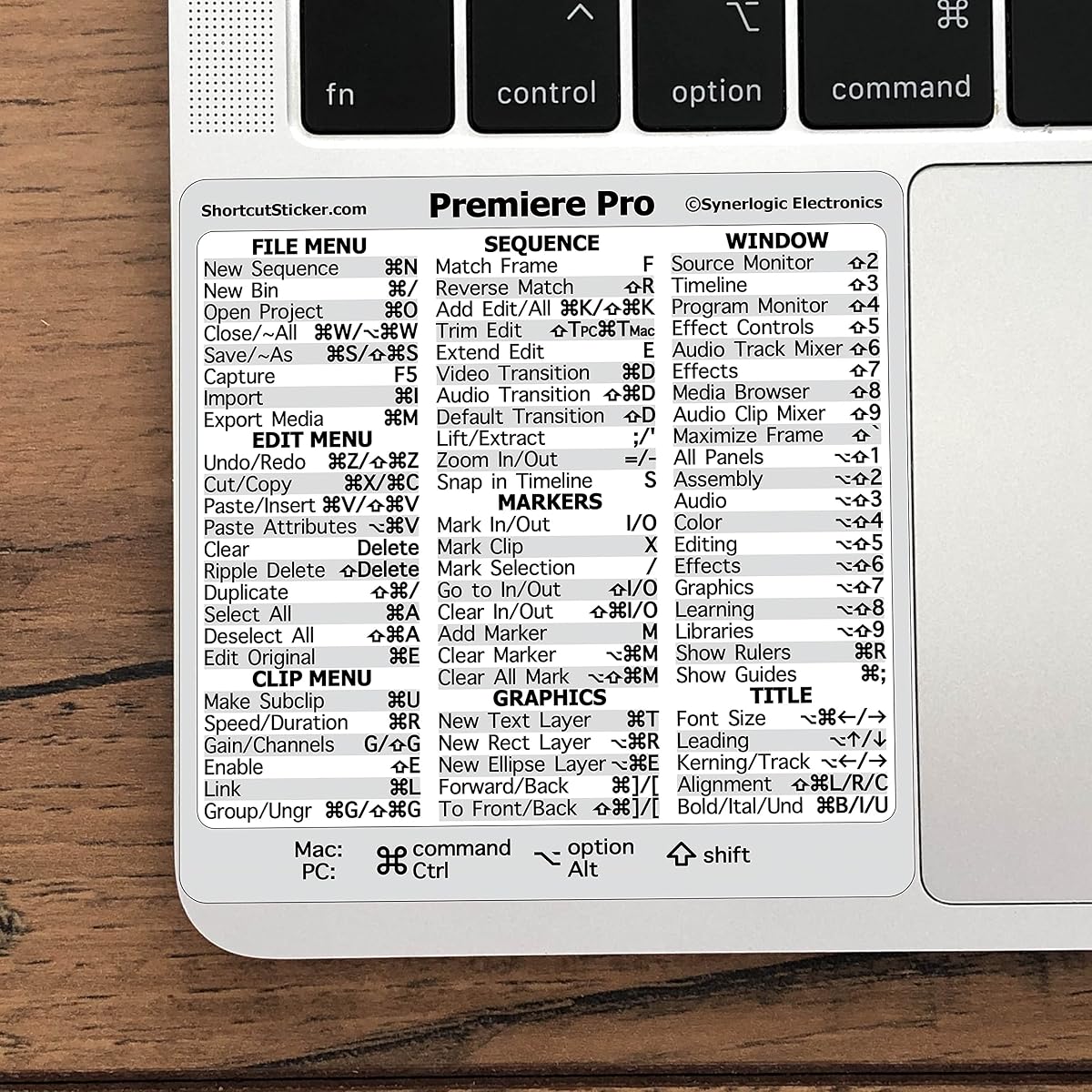
While not a computer this accessory is a must have for any serious Premiere Pro user. It places essential keyboard shortcuts right at your fingertips saving time during editing.
We may earn a commission when you buy through this link, at no additional cost to you.
Mastering shortcuts significantly speeds up your workflow allowing you to focus more on creativity than menu navigation. The sticker is durable and designed to last through regular use.
It is a small investment that can lead to major productivity gains over time. Beginners will find it particularly helpful as they learn the software interface faster.
If you are serious about efficiency adding this sticker to your setup is highly recommended. It pairs well with any laptop to enhance your overall editing capabilities.
Quick access to shortcuts reduces clicks and speeds up your editing process significantly.
The durable vinyl ensures the sticker stays in place during long editing sessions.
We may earn a commission when you buy through this link, at no additional cost to you.
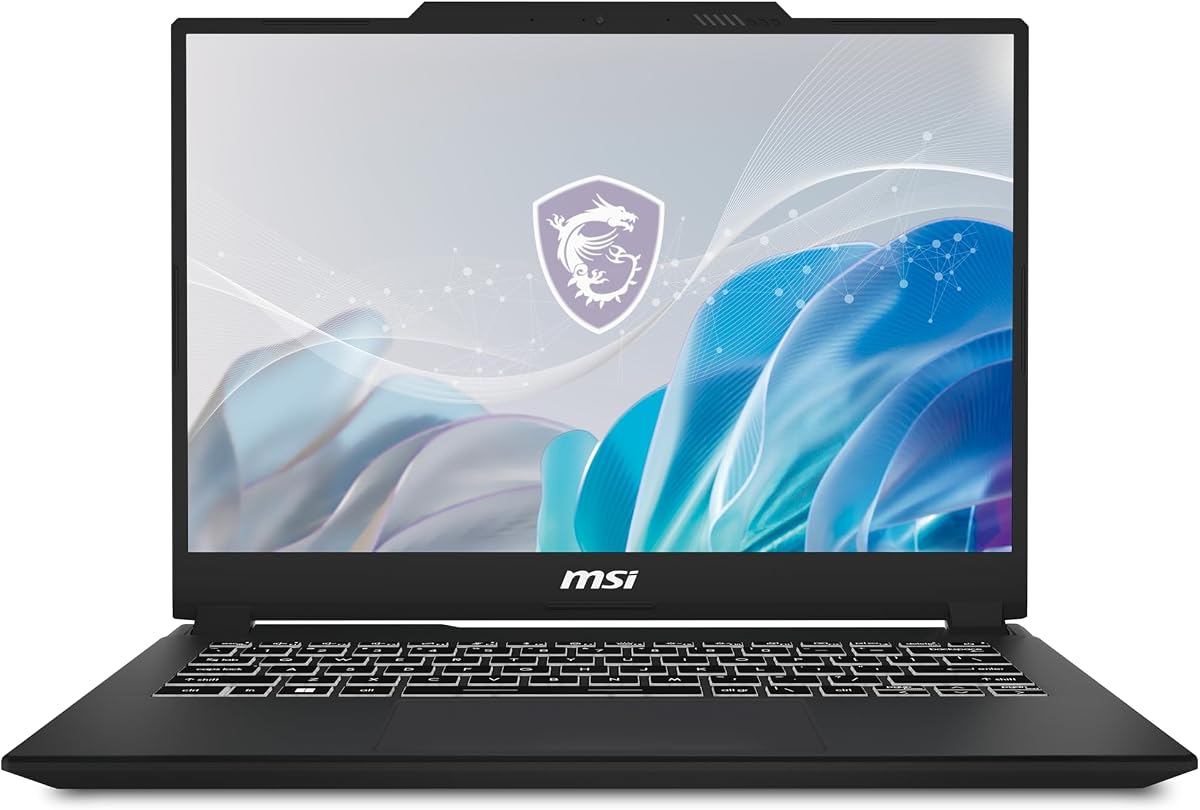
The Creator M14 is designed specifically for creative professionals needing a portable powerhouse. Its 2.8K display offers vibrant colors and sharp details which are great for viewing footage.
We may earn a commission when you buy through this link, at no additional cost to you.
The RTX 4050 provides solid graphics acceleration for rendering and effects. The cooling system helps maintain performance during intensive tasks without excessive noise.
It is a bit light on memory compared to workstation models but sufficient for most standard projects. The compact form factor makes it easy to transport for on location work.
If you need a portable device with high quality visuals and modern graphics this is a strong choice. It balances size and performance well for creators on the go.
The 2.8K resolution provides crisp visuals for accurate previewing and color work.
RTX 4050 ensures smooth playback and rendering for modern video formats.
We may earn a commission when you buy through this link, at no additional cost to you.
Selecting the right laptop involves evaluating several key factors that impact performance and usability. This guide outlines the essential specifications to consider for smooth editing workflows.
The CPU is the brain of your editing workstation. Look for multi-core processors like Intel Core i7 or i9 which handle timeline scrubbing and rendering efficiently.
Higher core counts allow for better multitasking when you have multiple applications open simultaneously.
RAM dictates how many applications and background processes can run smoothly. Aim for at least 32GB for professional work to avoid lag during complex edits.
More memory ensures that high resolution footage can be cached effectively for faster playback speeds.
A dedicated GPU accelerates rendering and effects within Premiere Pro. NVIDIA RTX cards are highly recommended for their optimized drivers and performance.
Professional workstation GPUs offer stability and certified drivers which reduce crashes during critical projects.
Fast storage is essential for loading large media files quickly. NVMe SSDs provide much faster read and write speeds than traditional hard drives.
Prioritize laptops with at least 1TB of storage to keep your workspace organized and accessible.
The screen you work on directly affects your editing experience. Look for high resolution panels with accurate color reproduction for precise grading.
Larger screens reduce the need for external monitors which simplifies your mobile workstation setup.
Consider where you will use the laptop. If you travel often choose a lighter model with good battery life to ensure productivity on the go.
Stationary workstations offer more power but sacrifice mobility which may not suit everyone.
Enough ports are necessary for connecting external drives and monitors. Check for Thunderbolt ports HDMI and SD card slots to suit your peripherals.
Adequate connectivity reduces the need for dongles and keeps your setup clean and efficient.
To maintain optimal performance regularly clear your media cache within Premiere Pro settings. This prevents software build up that can slow down your editing timeline over time.
Ensure your laptop has proper airflow by using it on hard surfaces. Stacking it on soft materials like beds can block vents and lead to overheating during long sessions.
Keep your software and drivers updated to benefit from the latest optimizations. Manufacturers frequently release updates that fix bugs and improve compatibility with new features.
For smooth 4K editing we recommend at least 32GB of RAM. This capacity allows for better caching of footage and prevents lag when applying complex effects to your timeline.
Yes a dedicated GPU is highly recommended for Premiere Pro. It accelerates rendering and playback especially when working with high resolution footage or GPU accelerated effects.
An SSD is essential for video editing due to faster data transfer speeds. It significantly reduces load times for projects and media files compared to traditional hard drives.
A 15 to 17 inch screen is generally best for editing workflows. It provides enough real estate to view timelines clearly without needing to rely entirely on external monitors.
MacBooks with Apple Silicon handle Adobe Premiere Pro effectively. They offer excellent performance and battery life making them a top choice for many professional editors.
Color accuracy is crucial for grading tasks. Look for displays that cover a high percentage of color gamuts like sRGB or DCI-P3 to ensure accurate output.
Prioritize upgrading RAM first to improve overall responsiveness. Storage is also important but insufficient RAM causes more immediate performance bottlenecks during editing.
In summary the Dell Precision 7680 and Apple MacBook Pro stand out as top picks for their balance of power and reliability. These models cater to different needs whether you prefer Windows or macOS environments.
When making your decision prioritize the specifications that align with your current and future projects. Memory and processor speed are key areas to invest in for long term usability.
Remember to check the latest prices and availability as deals change frequently. Selecting the right laptop ensures you can focus on your creativity without technical limitations.