
HP 14 inch Laptop 2027 Edition
4.5Editor score
Intel N150 Processor
4GB DDR5 RAM
Lightweight Design
Finding the right laptop for Zoom calls is essential for remote workers and students. You need clear audio, a reliable webcam, and strong processing power to handle video conferences smoothly.
We compared ten top models based on processor speed, display quality, and battery life. This guide helps you find a device that supports seamless virtual meetings and daily productivity tasks.
Each pick highlights key strengths like portability or camera features. Prices and availability change often, so verify current details before purchasing your next video conferencing laptop today.
4.5Editor score

5.0Editor score

5.0Editor score
As an Amazon Associate we earn from qualifying purchases.
This table compares key specifications across all ten selected laptops to help you quickly identify the best fit for your video conferencing needs.





This HP laptop offers a budget-friendly entry into reliable video conferencing with strong portability. It is a good choice for students or professionals needing a secondary device for frequent calls.
We may earn a commission when you buy through this link, at no additional cost to you.
The Intel N150 processor handles standard Zoom meetings well, while the 14-inch display ensures clear visuals. Connectivity options like USB-C and HDMI allow easy peripheral connections.
Users should note the 4GB RAM may limit heavy multitasking during calls with many apps open. Storage is also limited, so cloud usage is recommended for file management.
Ideal for budget-conscious buyers, this model balances cost and essential performance. It is a solid pick for those prioritizing mobility and basic meeting needs.
The slim profile and light weight make it easy to carry for meetings anywhere.
Anti-glare coating ensures a clear view during calls in various lighting conditions.
We may earn a commission when you buy through this link, at no additional cost to you.
Proper lighting is key to looking professional on Zoom calls. This kit clips directly to your monitor, providing consistent illumination for better camera quality.
We may earn a commission when you buy through this link, at no additional cost to you.
The three color temperature modes allow you to match your environment, while five brightness levels let you customize intensity. The USB power option adds convenience.
While effective, ensure your monitor edge can support the clip. Lighting quality depends on placement, so adjust angles to avoid harsh shadows.
A must-have accessory for enhancing video call appearance, this kit is affordable and versatile. It pairs well with any laptop setup.
Adjustable settings help create a flattering look for video meetings.
Plug-and-play setup means no drivers or complex installation required.
We may earn a commission when you buy through this link, at no additional cost to you.
This HP model stands out with superior video call features designed for remote work efficiency. The True Vision camera and noise-reducing mics ensure clear communication.
We may earn a commission when you buy through this link, at no additional cost to you.
With a full-size keyboard including a Copilot key, productivity tasks are streamlined. The portable design and long battery life make it ideal for travel.
Storage is modest at 128GB, so external solutions or cloud storage are recommended for larger files. Performance is sufficient for standard business applications.
Highly rated for virtual meetings, this laptop delivers confidence in appearance and sound. It is a top pick for professionals prioritizing audio-visual quality.
Temporal noise reduction and dual mics provide clear sound during calls.
Multi-touch Imagepad and Copilot key support effortless navigation.
We may earn a commission when you buy through this link, at no additional cost to you.
The NIMO laptop combines strong specs with a large display, making it suitable for multitasking during video meetings. It handles multiple browser tabs effortlessly.
We may earn a commission when you buy through this link, at no additional cost to you.
Features like a fingerprint unlock and fTPM security ensure safe remote work. The 15.6-inch screen offers clear visibility for shared documents.
At 3.74 lbs, it is slightly heavier than ultrabooks. The larger size may not fit all bags easily, but it aids screen real estate.
For those needing more power, this model is a robust choice. Its fast boot times and ample storage make it a reliable daily driver.
16GB RAM supports running Zoom alongside many other apps.
Fingerprint sensor and hardware encryption protect sensitive data.
We may earn a commission when you buy through this link, at no additional cost to you.
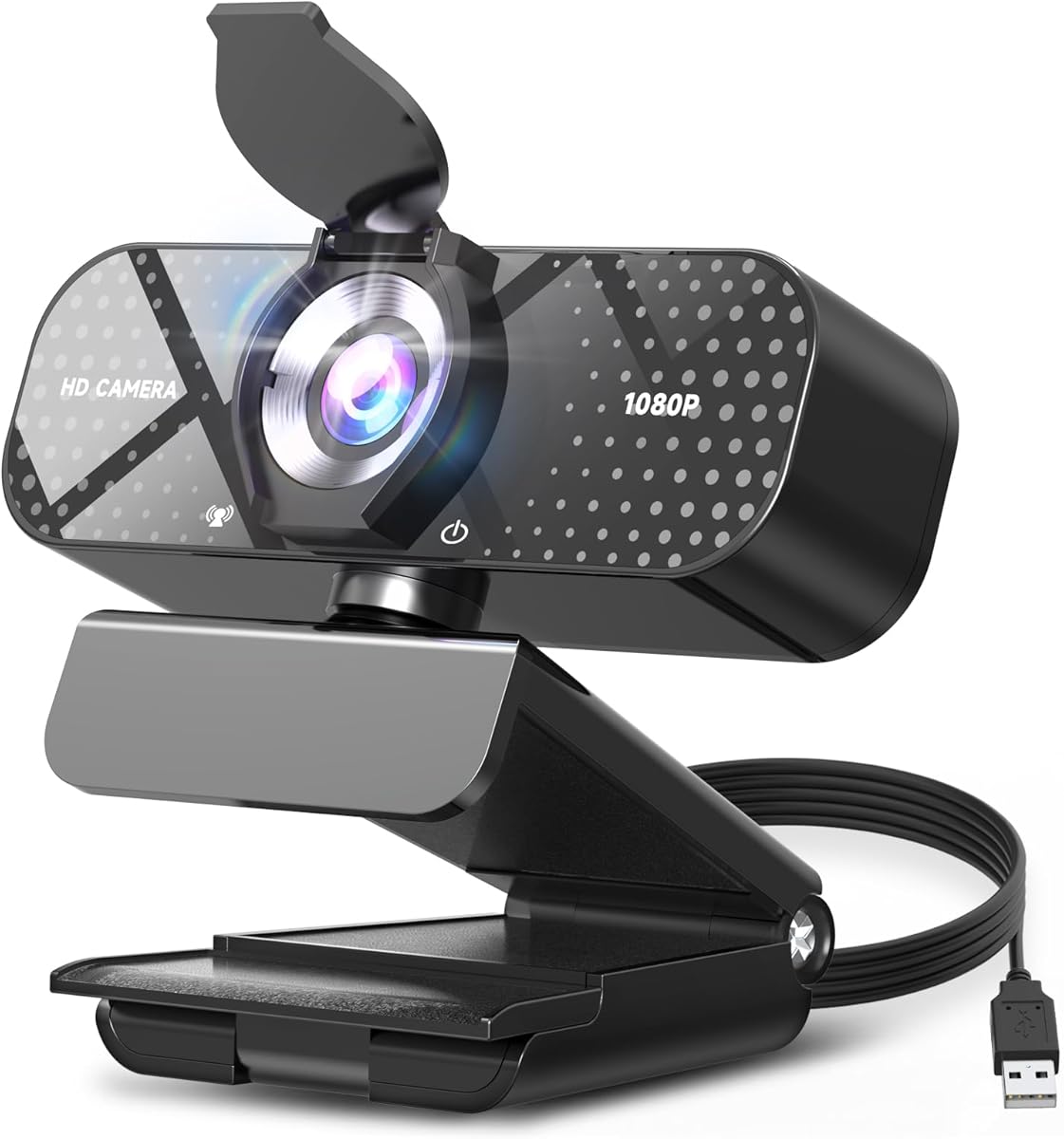
Upgrading your built-in camera can significantly improve meeting quality. This webcam offers 1080p clarity and wide angles for better framing.
We may earn a commission when you buy through this link, at no additional cost to you.
Auto light correction ensures you look good in dim rooms. The noise-canceling mic reduces background sounds for clearer communication.
The privacy cover provides peace of mind when not in use. Installation is simple with USB, but cable management may be needed.
Ideal for anyone with a poor laptop camera, this accessory is effective and affordable. It enhances your overall Zoom experience.
Full HD resolution ensures sharp details during live streams.
Physical cover ensures total privacy when the camera is off.
We may earn a commission when you buy through this link, at no additional cost to you.
This desk light offers a flexible alternative to monitor clips. Its adjustable height and rotation allow precise positioning for ideal lighting.
We may earn a commission when you buy through this link, at no additional cost to you.
The high CRI ensures natural colors on your video, which is crucial for professional appearances. The soft light reduces eye strain.
While effective, it requires a dedicated spot on your desk. Ensure you have enough space to avoid clutter during meetings.
A great option for home offices, this lamp combines style and function. It helps create a consistent environment for daily calls.
Adjustable height reduces neck strain and glare.
High CRI ensures your skin tones look natural on camera.
We may earn a commission when you buy through this link, at no additional cost to you.
This budget-friendly light is designed for quick video call improvements. Its circular design provides softer lighting compared to flat lamps.
We may earn a commission when you buy through this link, at no additional cost to you.
With 10 dimming levels, you can adjust brightness easily. The high CRI ensures colors appear vivid and true to life.
The clip design is secure but may not fit all monitor thicknesses. Check compatibility before purchasing to avoid fit issues.
For those seeking cost-effective lighting, this is a strong contender. It delivers good results for streaming and meetings alike.
10 levels allow precise brightness adjustment for any setting.
Soft light reduces glare to protect your eyes during long calls.
We may earn a commission when you buy through this link, at no additional cost to you.
This business laptop comes ready for work with included software. Its anti-glare screen helps reduce eye strain during long meetings.
We may earn a commission when you buy through this link, at no additional cost to you.
With USB-C and HDMI ports, you can connect projectors easily. The Intel N150 processor handles daily tasks efficiently.
Storage and resolution are basic, limiting media-heavy tasks. For pure office work, it is reliable enough for most users.
Ideal for small businesses needing a turnkey solution, this model saves setup time. It delivers standard performance for virtual calls.
Multiple ports ensure easy connections to peripherals and displays.
Includes 365 to streamline productivity from day one.
We may earn a commission when you buy through this link, at no additional cost to you.
This model integrates cloud storage to offset limited local space. It suits users comfortable with cloud workflows for file sharing.
We may earn a commission when you buy through this link, at no additional cost to you.
The Copilot key offers AI-driven productivity boosts. With seven hours of wireless streaming, it supports full workdays on a charge.
Battery life and features are solid, but user ratings vary on build quality. Verify recent reviews before purchase to ensure satisfaction.
For cloud-centric workers, this laptop offers a modern experience. It is a viable option for digital-first professionals.
1TB cloud storage ensures you never run out of space.
Dedicated Copilot key simplifies task automation and navigation.
We may earn a commission when you buy through this link, at no additional cost to you.
This dual setup ensures broad lighting coverage for video calls. The flexible installation allows custom angles to suit any setup.
We may earn a commission when you buy through this link, at no additional cost to you.
Control options include touch and remote, offering convenience. The light is soft and flicker-free, which is ideal for recording.
Managing two units may require cable management. Consider your desk space to avoid a cluttered look.
For podcasters or high-end video needs, this provides professional light. It is a versatile choice for diverse environments.
Dual bars provide even light that avoids harsh shadows.
Remote control adds ease for adjusting settings quickly.
We may earn a commission when you buy through this link, at no additional cost to you.
Selecting the right device involves assessing several technical and physical factors to ensure smooth video conferencing.
A capable CPU ensures your system can handle Zoom alongside browser tabs without lag. Look for at least a dual-core processor to maintain stability.
Prioritize models with modern processors for reliable video streaming performance.
RAM determines how many applications run simultaneously. While 4GB works for basic calls, 8GB or more improves multitasking.
Consider 16GB for heavy workloads involving multiple apps.
The built-in webcam affects your appearance. HD 720p is a minimum, but 1080p offers sharper video for professional needs.
Check for features like noise reduction for better clarity.
Clear audio is as important as video. Dual-array mics reduce background noise and focus on your voice.
Look for systems with dedicated audio enhancements.
Long battery life ensures uninterrupted meetings. Aim for at least 7 hours of active use for a full workday.
Consider models with fast charging for quick top-ups.
A high-resolution screen helps you read chat and slides. Anti-glare coatings reduce eye strain in bright offices.
Prioritize displays with higher brightness for better visibility.
If you travel, a lighter chassis is essential. Look for devices under 3.5 pounds for easy commuting.
Consider size and build quality for durability.
Ports like HDMI and USB-C allow easy connections to monitors. Wi-Fi 6 support improves connection stability.
Ensure enough ports to avoid needing extra dongles.
Keep your software updated to ensure the latest security patches and Zoom compatibility. Regularly restart your device to clear memory.
Place your laptop at eye level for better posture and camera angles. Use external lighting to reduce shadows on your face.
Clean your camera lens gently with a soft cloth. Protect ports from dust to maintain long-term connectivity.
The best laptop depends on your needs. For budget options, the HP 14 inch offers great value. For better performance, consider the NIMO model with 16GB RAM.
Most laptops include webcams, but external ones offer better quality. If your built-in camera is poor, an external 1080p webcam can upgrade your setup.
4GB is the minimum for basic Zoom calls. For smoother multitasking, 8GB to 16GB is recommended. More RAM helps when running other apps simultaneously.
Poor audio often comes from background noise. Use a laptop with dual-array mics or an external mic. Position away from noisy fans or traffic.
Yes, dedicated lighting like clip-on ring lights improve your appearance. Adjustable lights help you look professional and reduce shadows on your face.
Zoom uses USB for external devices. Ensure your laptop has USB-A or USB-C. HDMI ports connect to monitors for shared content presentation.
A 14-inch is more portable. A 15-inch offers better visibility. Choose based on whether you prioritize mobility or screen size for meetings.
Lower screen brightness and close unused apps. Use battery saver modes during calls. Keep your charger handy for long days away from power.
Choosing the right laptop for Zoom calls ensures you stay connected and professional. Our top picks range from budget-friendly models to high-performance options.
Prioritize camera quality, battery life, and portability based on your work habits. These factors directly impact your meeting experience.
Prices and availability can change. Always verify current specs and deals before buying to secure the best value for your needs.