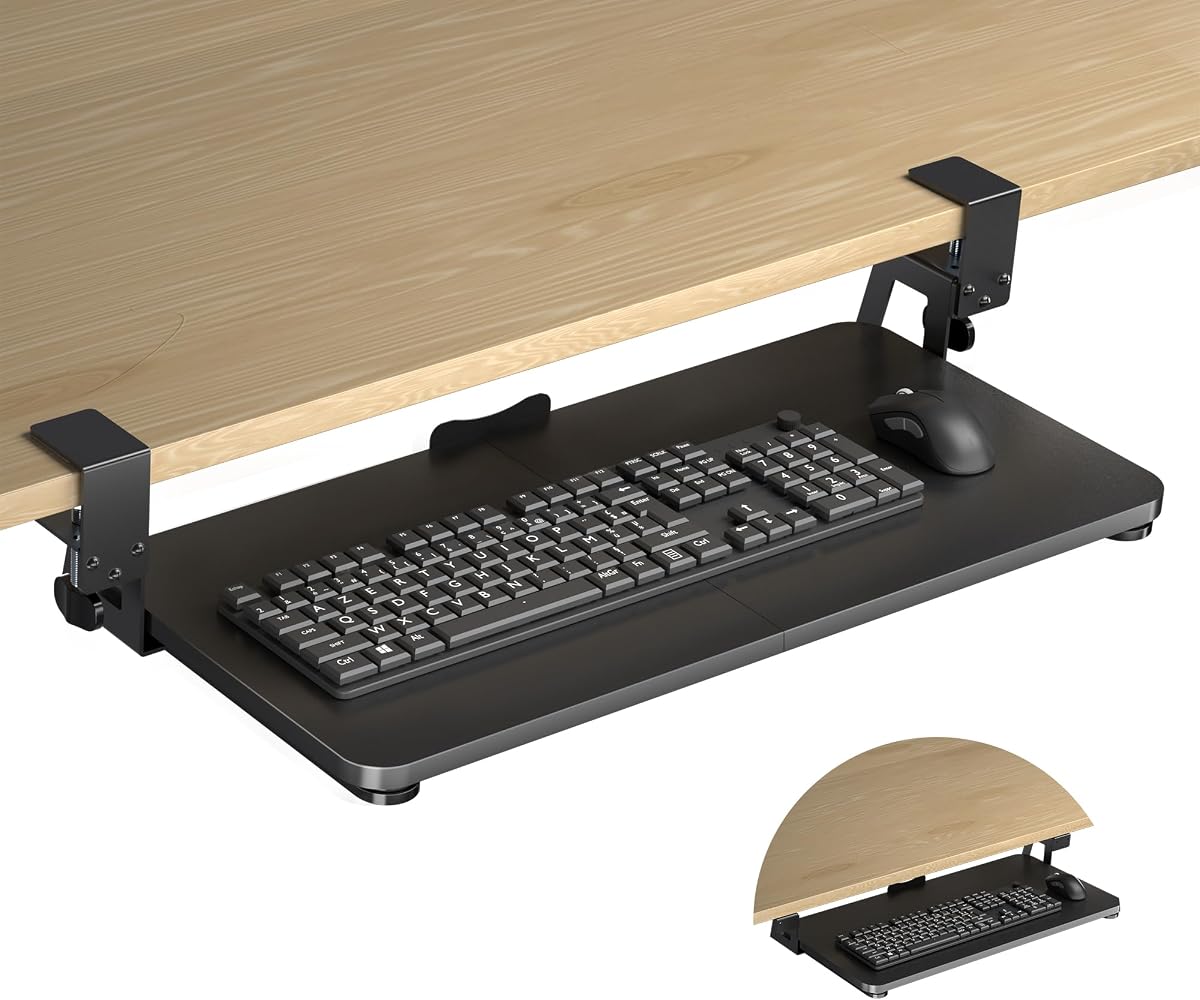
XINLEI Keyboard Tray Under Desk Large C-Clamp
4.4Editor score
Fits desks up to 1.63 inches thick
Smooth glide metal sliding rail system
Space-saving under-desk platform design
Finding the right keyboard tray for your standing desk is crucial for maintaining proper posture throughout your workday. A well-designed tray keeps your hands at elbow height, reducing strain on your wrists and shoulders while you type for extended periods.
We have carefully evaluated ten top-rated options based on user feedback, build quality, and ergonomic features. Our comparison highlights compatibility with various desk types, ease of installation, and the stability of the sliding mechanisms for daily use.
Each pick below showcases specific strengths like adjustable height, swivel options, or clamp styles. Please note that product availability and pricing can change frequently, so verify details on the manufacturer site before making your final purchase decision.
4.4Editor score

4.3Editor score

3.9Editor score
As an Amazon Associate we earn from qualifying purchases.
This side-by-side comparison reviews ten leading keyboard trays designed for standing desks, focusing on dimensions, mounting styles, and ergonomic adjustability to help you choose the right model for your workspace.
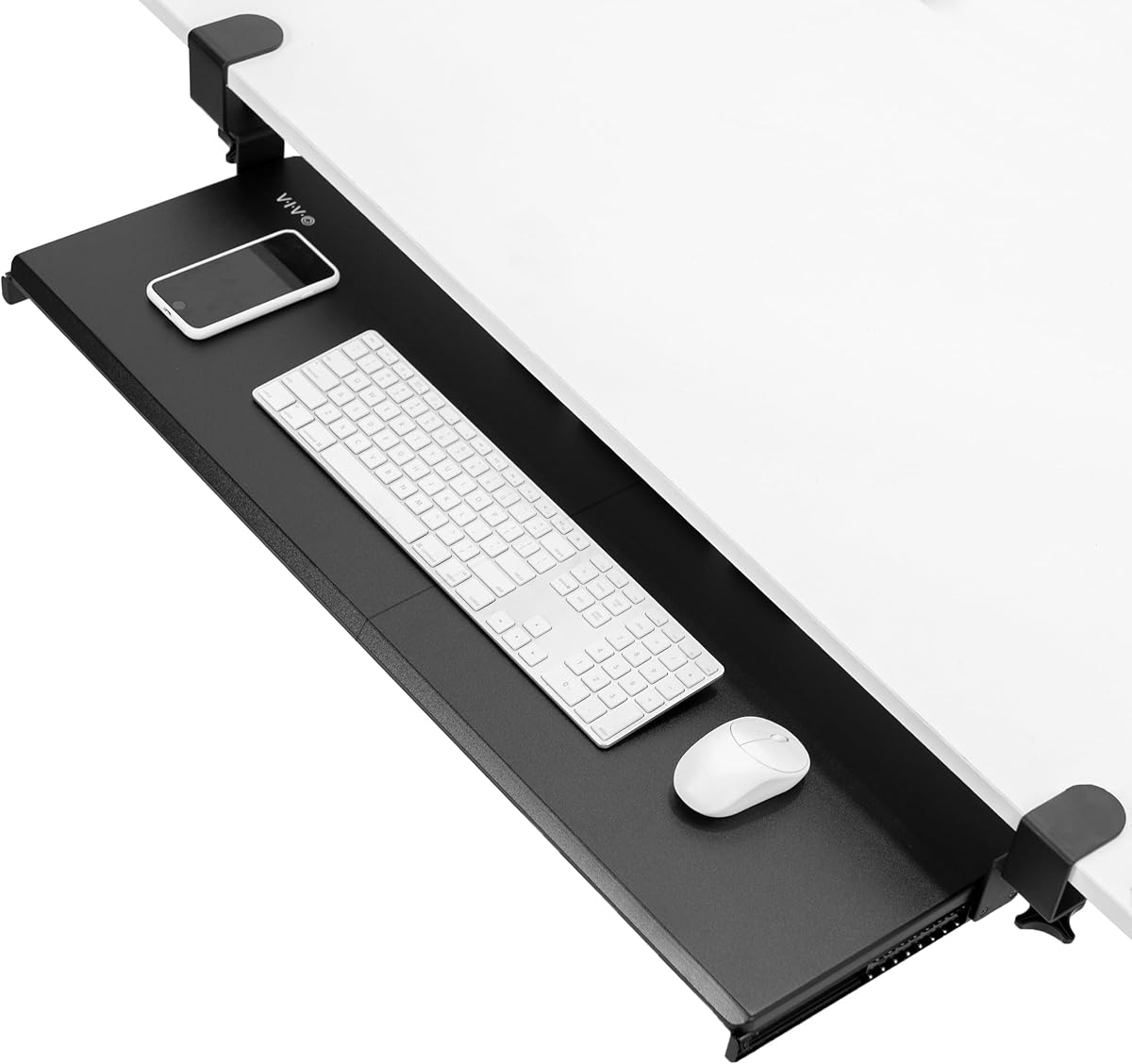


This under-desk keyboard tray is highly rated for its versatility with different desk types. It supports both flat bottoms and cross beams found in many electric standing desks, making it a strong candidate for modern offices.
We may earn a commission when you buy through this link, at no additional cost to you.
The installation process stands out because you only need to hold the top plate, then hang the tray. It includes two brackets for beams up to two inches high. The smooth metal roller track system is tested for 20,000 cycles ensuring long-lasting performance.
There are some space requirements to consider. The desk depth must be greater than 17 inches and thickness over 0.6 inches. If you need full 360 degree swivel, ensure at least 35 inches of under-desk width to avoid hitting obstacles.
If you have a standing desk with a cross beam or need significant flexibility in positioning, this model is the top pick. It offers six points of height adjustment for ergonomic typing whether seated or standing.
The included brackets solve a common issue for standing desk users who have cross supports under the desktop.
High-quality metal rollers ensure the tray glides silently and holds firmly without drifting during typing.
We may earn a commission when you buy through this link, at no additional cost to you.
This tray is a solid budget option that still delivers on core ergonomic needs. It offers an extra large space under the desk to free up your main working surface. The metal sliding rail allows for smooth in and out movement.
We may earn a commission when you buy through this link, at no additional cost to you.
The C-clamp design secures the tray without damaging the desk surface. It accommodates desktops up to 1.63 inches thick which is more than many competitors. You can choose between screw mounting for a neater look or standard clamping.
Keep in mind the height clearance is limited to 2.4 inches when mounted. Also ensure your desk has straight edges since beveled ones are not compatible. The back baffle is a nice touch to prevent your keyboard from sliding off the edge.
If you want a reliable under-desk drawer without spending much, this is a great choice. It holds your keyboard and mouse comfortably and fits most standard desk setups.
Accommodates thicker desktops up to 1.63 inches providing more options for wood or composite materials.
A rear bar prevents your keyboard from accidentally sliding off the tray during use.
We may earn a commission when you buy through this link, at no additional cost to you.
This model stands out for its extra wide surface and robust build quality. It is designed to hold a full-size keyboard wrist rest and mouse with plenty of room. The steel construction ensures stability even during heavy typing sessions.
We may earn a commission when you buy through this link, at no additional cost to you.
A key advantage is the clamp system which secures to desks up to 1.77 inches thick. This is significantly more than the typical 1.25 inch limit of other trays. The premium steel rails offer a wobble-free pull-out action.
You need at least 12 inches of clearance underneath for installation. Also ensure your desk edges are flat as crossbars are not supported. The lifetime warranty adds peace of mind for long-term daily office use.
If you have a large mechanical keyboard or need room for two mice this is the best premium option. It prioritizes space and durability over slim profiles.
Clamps secure to desks up to 1.77 inches thick allowing use with thicker wooden or stone tops.
Backed by US-based product support and a lifetime guarantee for worry-free ownership.
We may earn a commission when you buy through this link, at no additional cost to you.
This tray offers an extra long surface that provides ample room for your keyboard and mouse. It is ideal if you have a wide desk and want to free up significant space. The clamp design attaches securely without damaging the desktop.
We may earn a commission when you buy through this link, at no additional cost to you.
Installation is straightforward with all hardware included. The tray extends a maximum of 8.5 inches from the edge allowing you to slide it in when not in use. You can adjust the angle to relieve stress on your wrists.
Ensure your desk thickness does not exceed 1.25 inches before buying. Also measure your desk length to accommodate the total 39.4 inches from clamp to clamp. Beveled edges are not compatible with these C-clamps.
If you need a long platform for a large setup this VIVO model is a strong contender. It combines durability with simple mounting for home or office use.
Provides 34 inches of length ideal for large keyboards and accessories needing more workspace.
Solid clamps hold the tray tightly in place while protecting your desk surface.
We may earn a commission when you buy through this link, at no additional cost to you.
This tray is designed specifically for sit-stand transitions with a very low base height. It starts at 1.7 inches allowing comfortable seated use and goes up to 15.6 inches for standing. You do not need to assemble anything before use.
We may earn a commission when you buy through this link, at no additional cost to you.
The scissor-lift mechanism provides smooth height adjustment across the full range. Once set it stays in place until you move it again. It supports up to 11 lbs fitting most keyboards and mice side by side.
Since it sits on the desk rather than under it does not save surface area but optimizes typing height. It is great for IT managers outfitting shared workstations or classrooms. A lifetime warranty covers it beyond typical limits.
If you need a versatile riser for sit-stand desks without under-desk mounting this is a top choice. It offers excellent ergonomics and ease of use.
Adjusts from 1.7 to 15.6 inches covering both seated and standing positions perfectly.
Arrives fully assembled so you can start typing immediately without tools.
We may earn a commission when you buy through this link, at no additional cost to you.
This tray allows you to adjust the width and height to suit your desk. It fits thickness up to 3.4 inches which is among the highest in the category. You get a wrist pad mouse pad and rest included with the unit.
We may earn a commission when you buy through this link, at no additional cost to you.
The tray is split into two parts which can be adjusted to fit different depths. It includes 5 set points for height customization. C-clamps attach securely to the desk surface for stability during typing.
You need to ensure your desk has straight edges as beveled ones will not work. The total width can go up to 36 inches with clamps so measure your space first. The included accessories add value and comfort.
If you have a thick desk or need width adjustability this VIVO model works well. It provides a stable platform with added ergonomic support.
C-clamps secure to desks up to 3.4 inches thick covering most standard and heavy-duty tops.
Comes with wrist pad and mouse pad for immediate comfort without extra purchases.
We may earn a commission when you buy through this link, at no additional cost to you.
This tray is designed for a no-drill installation using sturdy C-clamps. It holds up to 11 lbs allowing for a heavy keyboard or mouse setup. The platform slides out when needed and retracts cleanly under the desk.
We may earn a commission when you buy through this link, at no additional cost to you.
You need at least 31.3 inches of width under your desk to install it properly. Check your desk for curved or beveled edges as these are not compatible. Protective pads help prevent scratches on your desktop.
The installation process is simple and reversible. It fits most standard keyboards and mice but check dimensions for oversized ergonomic models. The design maximizes desktop space for monitors and documents.
If you want a simple reversible setup for a standard office desk this option works well. It offers a spacious platform and secure mounting.
Secure mounting without drilling holes ideal for renters and shared spaces.
Padded clamps prevent scratching your desk surface during use.
We may earn a commission when you buy through this link, at no additional cost to you.
This is a basic universal tray that works with many standard desks. It offers up to 5 inches of height adjustment for ergonomic positioning. Full side to side rotation helps you access different areas easily.
We may earn a commission when you buy through this link, at no additional cost to you.
If you have a height adjustable desk with crossbars you need a spacer bracket which is sold separately. The track length is 14.25 inches so ensure you have that clearance from the edge to crossbars.
The tray holds most standard keyboards and mice. Assembly is simple with all mounting hardware included. We recommend checking your desk's minimum thickness to ensure it supports the under-mounted weight.
For a no-frills under-desk solution this VIVO tray gets the job done. It is a cost-effective choice for basic typing needs.
Allows 5 inches of vertical movement to find the perfect typing height.
Full side to side rotation provides flexibility for accessing documents on the desk.
We may earn a commission when you buy through this link, at no additional cost to you.
This tray offers excellent motion options with 360 degree swivel potential and tilt adjustments. It includes a wrist rest for added comfort during long sessions. The platform is sized for standard keyboards with space for a mouse.
We may earn a commission when you buy through this link, at no additional cost to you.
Installation requires specific clearances especially if you plan to rotate the tray. You need at least 35.4 inches width for full rotation. The height adjustment totals 6.3 inches for versatile positioning.
Make sure to tighten the knob when typing to prevent movement. Loosen it to adjust the angle. The sliding mechanism allows the tray to disappear under the desk when not in use.
If you need maximum movement options this model provides flexibility. It works well for multi-tasking setups requiring frequent angle changes.
Tilt and swivel options let you customize the typing position for comfort.
Padded rest reduces pressure on wrists during extended use.
We may earn a commission when you buy through this link, at no additional cost to you.
This keyboard tray is unique because it works both above and under the desk. It includes a drawer and a phone slot to keep your workspace organized. The rotation is generous at 360 degrees horizontal.
We may earn a commission when you buy through this link, at no additional cost to you.
A built-in headphone hanger keeps your headset within reach. The wrist rest reduces pressure and the tilt capability enhances comfort. It offers a flexible alternative to traditional under-desk models.
The dual installation adds cost and complexity compared to simpler clamps. It is best for those who need desk storage and above-surface ergonomics. Check your dimensions before buying to ensure it fits your needs.
If you want a comprehensive workspace organizer with typing support this model is ideal. It combines a platform with storage and accessories.
Use above or under desk depending on your setup preference.
Drawer and phone slot keep small items tidy and accessible.
We may earn a commission when you buy through this link, at no additional cost to you.
Selecting the right keyboard tray depends on your desk type, ergonomics, and workspace. Below are the key factors to consider.
Check if the tray fits your desk thickness and edges. Many clamps require flat edges up to 1.25 or 1.77 inches thick. Standing desks with cross beams may need specific brackets.
Always verify your desk's underside for beveled edges or crossbars before purchasing to ensure proper mounting.
Measure your under-desk width and depth. Ensure you have enough space for the tray plus clearance for swivel. Standard trays are 23 to 30 inches wide and 9 to 12 inches deep.
Choose a width that accommodates your keyboard and mouse with room to spare for comfortable movement.
Look for height, tilt, and swivel options to find a comfortable typing position. Some trays offer 5 to 15 inches of vertical movement for sit-stand transitions.
Multiple adjustment points help reduce strain on wrists and shoulders during long work sessions.
Decide between clamp-on or screw mounting. Clamps are easier and reversible but need flat edges. Screws offer more stability but may leave marks.
Review the steps and required tools to ensure you can install it without assistance or permanent changes.
Steel frames and metal tracks last longer than plastic. Check weight capacity ratings such as 11 lbs to support your gear.
Durable materials ensure the tray remains stable during heavy typing and does not wobble.
Some trays include wrist rests, mouse pads, or phone slots. These additions can improve comfort and organization.
Consider if you need these extras or prefer a simple platform to save cost.
When installing, follow the manufacturer's guide closely. Ensure clamps are tightened evenly and the tray is level before typing.
Clean the surface regularly with a damp cloth to remove dust and debris. This maintains smooth movement and prevents wear on the slides.
Avoid slamming the tray when opening or closing. Check screws periodically to ensure they stay tight over time for safety.
Most standard clamp-on trays are not, but some models include special brackets designed for beams. Always check compatibility before buying.
You need at least 35 inches if you want full rotation. For sliding only, 31 to 33 inches is usually sufficient.
Your elbows should be at a 90 degree angle. A tray that adjusts 4 to 6 inches below your desktop is ideal.
Yes as long as the tray width fits your keyboard. Check the exact dimensions to ensure a good fit.
Clamps may not work well on glass. You may need to use the screw mounting option or a different type of bracket.
Many clamps cannot grip beveled edges securely. Look for trays that support this feature or consider a stand model.
The HUANUO tray offers the best mix of features for most users with cross beam compatibility and smooth slides.
For tight budgets the XINLEI model provides great value while still supporting ergonomic typing positions.
Remember to check current product prices and availability on the official site before finalizing your purchase.