
CENMATE Aluminum 4 Bay Hard Drive Enclosure
4.3Editor score
Aluminum Alloy Build
Supports Up To 80TB
Hot Swappable Bays
This expert guide compares the top ten Jbod enclosure options for 2026, analyzing performance, compatibility, and design to help you choose the ideal direct
Finding the right storage solution is critical for modern data management needs. A Jbod enclosure allows you to expand your existing hard drive capacity without complex RAID configurations. These devices offer flexible, independent drive access for backups and media libraries.
We evaluated ten leading models based on build quality, speed, and user features. Each enclosure was assessed for compatibility across operating systems and thermal performance. Our goal is to help you identify the device that matches your specific workflow requirements.
Every pick highlights unique strengths like hot swap support or massive capacity. Prices and availability fluctuate frequently so always verify current details before purchasing. Use this guide to streamline your search for reliable external direct attached storage.
4.3Editor score

4.2Editor score
4.1Editor score
The following table provides a side by side overview of the top ten enclosures. It highlights key specifications such as port types, drive support, and maximum capacity to assist your final decision making process.




The TERRAMASTER D4-320 stands out as a top choice for users needing fast direct attached storage without complexity. It holds a solid rating for its reliability and speed in real world scenarios.
We may earn a commission when you buy through this link, at no additional cost to you.
This enclosure utilizes USB 3.2 Gen2 to reach speeds up to 10Gbps which is ideal for large file transfers. The tool free design allows you to install drives quickly without needing screws or extra hardware.
While it lacks RAID features this simplicity ensures each drive remains independent and easy to manage. The noise level is impressively low thanks to sound absorbing panels and a smart fan system.
If you need a reliable four bay enclosure for Windows or Mac systems this model delivers consistent performance. It is perfect for media libraries or backup drives where speed and quiet operation matter.
The intelligent fan adjusts speed based on temperature keeping drives cool without excessive noise.
Works instantly with Windows Mac and Linux without requiring additional drivers or software.
We may earn a commission when you buy through this link, at no additional cost to you.
The CENMATE Aluminum 4 Bay offers excellent value for those seeking a sturdy enclosure at a lower price. It supports both 2.5 and 3.5 inch drives making it versatile for different storage needs.
We may earn a commission when you buy through this link, at no additional cost to you.
Its aluminum alloy construction helps dissipate heat effectively during heavy use. The device supports UASP which speeds up transfers significantly compared to older USB standards.
Some users might find the fan noise noticeable in quiet environments but it ensures data safety. The included DC adapter guarantees stable power which is crucial for preventing drive errors.
This enclosure is a smart pick for budget conscious users who still want reliable performance. It works well for home backups or small business storage where cost efficiency is key.
The metal shell combined with a built-in fan keeps internal temperatures safe for drives.
No drivers needed for Windows or Mac so you can start using it immediately.
We may earn a commission when you buy through this link, at no additional cost to you.
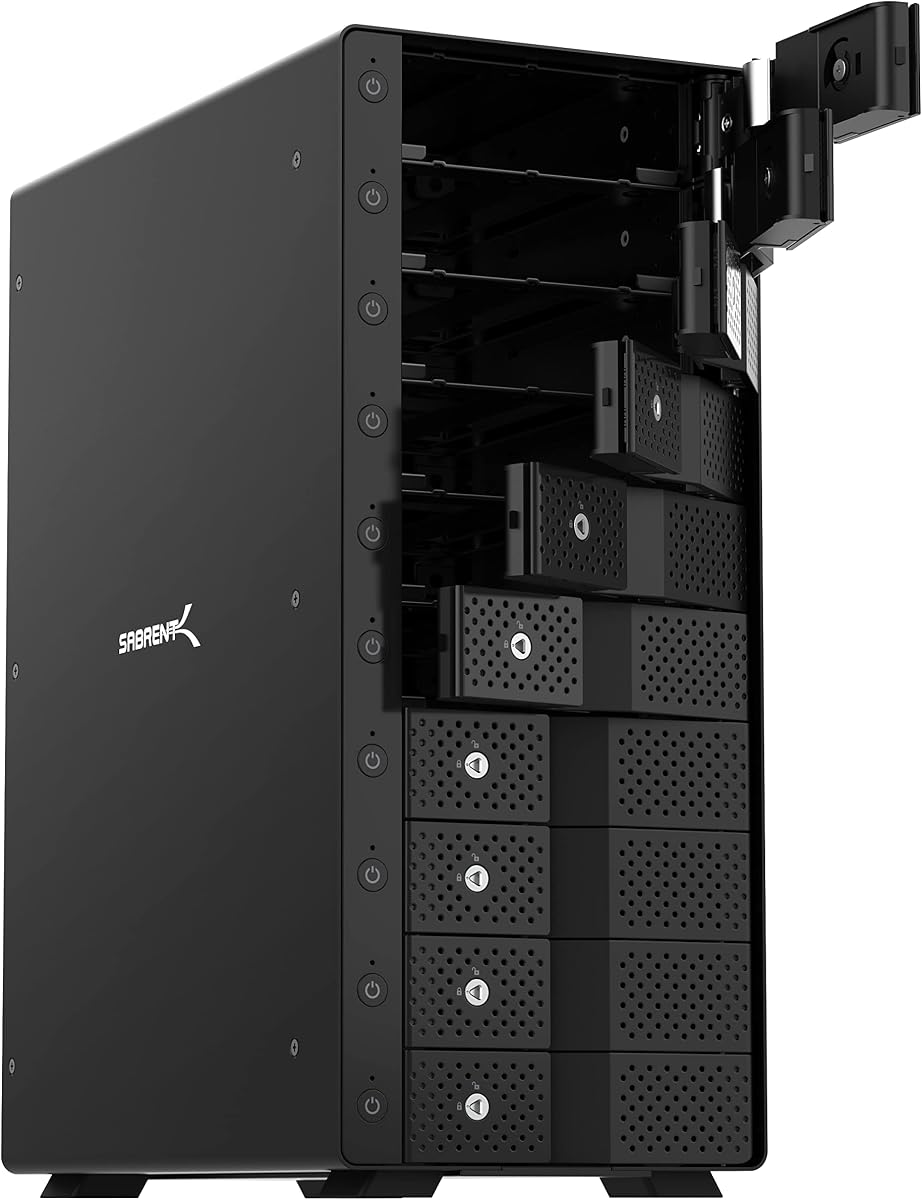
The SABRENT 10-Bay Dock is a powerhouse for users needing extreme capacity and speed. It allows up to ten drives to be connected via a single USB-C cable for simplicity.
We may earn a commission when you buy through this link, at no additional cost to you.
Each bay has its own power switch which lets you manage which drives are active at any time. The tray less design means you can swap drives quickly without removing trays or tools.
The aluminum enclosure provides excellent heat dissipation for sustained workloads. It is built for professional workflows where reliability and speed are non-negotiable requirements.
Investing in this dock makes sense if you manage large media libraries or need extensive backup options. It offers a premium experience with robust hardware and thoughtful controls.
Control each drive individually with switches and LEDs to save power and reduce heat.
USB 3.2 Gen 2 ensures you move large video files quickly without bottlenecks.
We may earn a commission when you buy through this link, at no additional cost to you.
The QNAP TR-004 bridges the gap between simple enclosures and full NAS systems. It supports hardware RAID which adds a layer of data protection not found in standard DAS units.
We may earn a commission when you buy through this link, at no additional cost to you.
It works seamlessly with QNAP NAS devices to expand storage without complex setups. The lockable bays ensure your drives stay secure even in shared environments.
Users should note it cannot combine storage pools with the main NAS which limits some workflows. However for straightforward expansion or external backup it performs very well.
This unit is ideal if you already own a QNAP system and need extra storage. It brings flexibility and security to your storage infrastructure at a reasonable price.
Supports RAID 0 1 5 and JBOD for tailored data protection and speed options.
Lockable slots prevent accidental removal of drives in high traffic areas.
We may earn a commission when you buy through this link, at no additional cost to you.
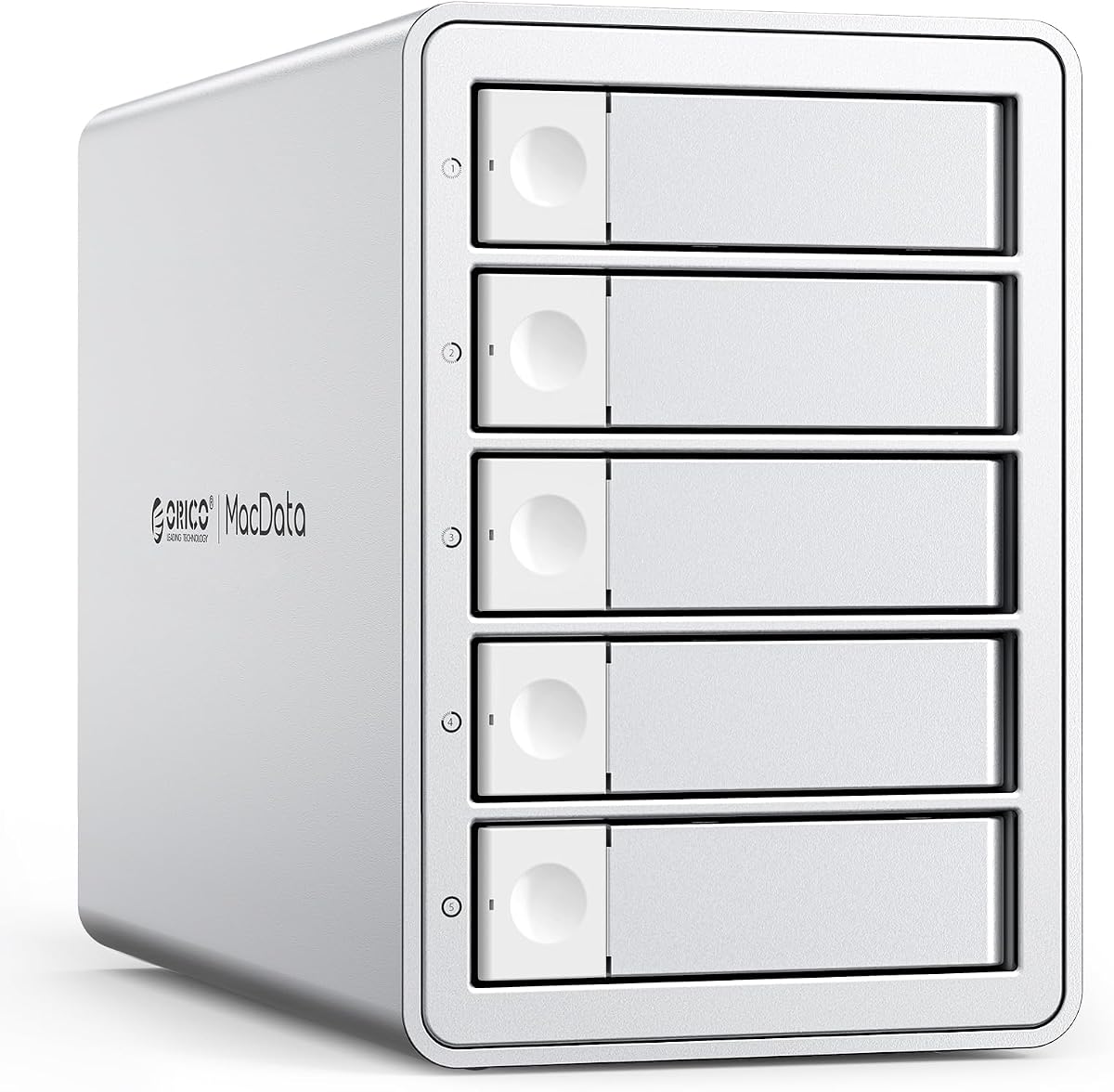
The ORICO 5 Bay RAID delivers a high capacity solution for professional workflows. It supports multiple RAID modes giving you flexibility in how you organize your data.
We may earn a commission when you buy through this link, at no additional cost to you.
A built-in 150W power supply keeps the unit stable without needing bulky external adapters. The aluminum alloy shell helps maintain safe operating temperatures even under heavy loads.
Its silent cooling fan ensures it fits well in office environments where noise is a concern. Users can mix 2.5 and 3.5 inch drives to meet various storage needs.
This enclosure is perfect for video editors or anyone needing massive storage quickly. It balances performance with robust features making it a top contender for workstations.
Choose from RAID 0 3 5 or 10 to balance speed and redundancy easily.
Internal power supply ensures consistent voltage for all five drives simultaneously.
We may earn a commission when you buy through this link, at no additional cost to you.
The IO CREST 8-Bay provides a solid mid tier option for those needing eight drives. It simplifies storage expansion without requiring complex RAID setups or additional software.
We may earn a commission when you buy through this link, at no additional cost to you.
Each drive has an independent switch which helps manage power usage and heat generation. The smart fan uses a thermal sensor to adjust speed based on actual temperature inside.
While speeds are capped at 5Gbps this is adequate for many backup and media tasks. The steel housing provides durability to protect your drives from physical damage.
This enclosure suits users who want more bays than standard four bay units offer. It is a straightforward reliable choice for expanding your storage footprint affordably.
Turn on or off specific drives as needed to save energy and reduce noise.
The fan adjusts automatically to keep drives cool during long transfer sessions.
We may earn a commission when you buy through this link, at no additional cost to you.
The ORICO 4 Bay RAID focuses on flexibility with eight different configuration modes. It allows you to tailor storage performance and redundancy to match specific project needs.
We may earn a commission when you buy through this link, at no additional cost to you.
Safety locks on trays prevent accidental drive removal which is critical for data integrity. The built-in power supply handles multiple high capacity drives without needing external adapters.
Although limited to USB 3.0 speeds it delivers reliable performance for daily tasks. The aluminum alloy construction ensures good heat dissipation for consistent operation.
This unit is great for users who want RAID options without full NAS complexity. It works well for backups or collaborative projects where data security matters.
Switch easily between RAID modes using hardware switches for instant configuration.
Safety locks keep your drives secure during transport or daily use.
We may earn a commission when you buy through this link, at no additional cost to you.
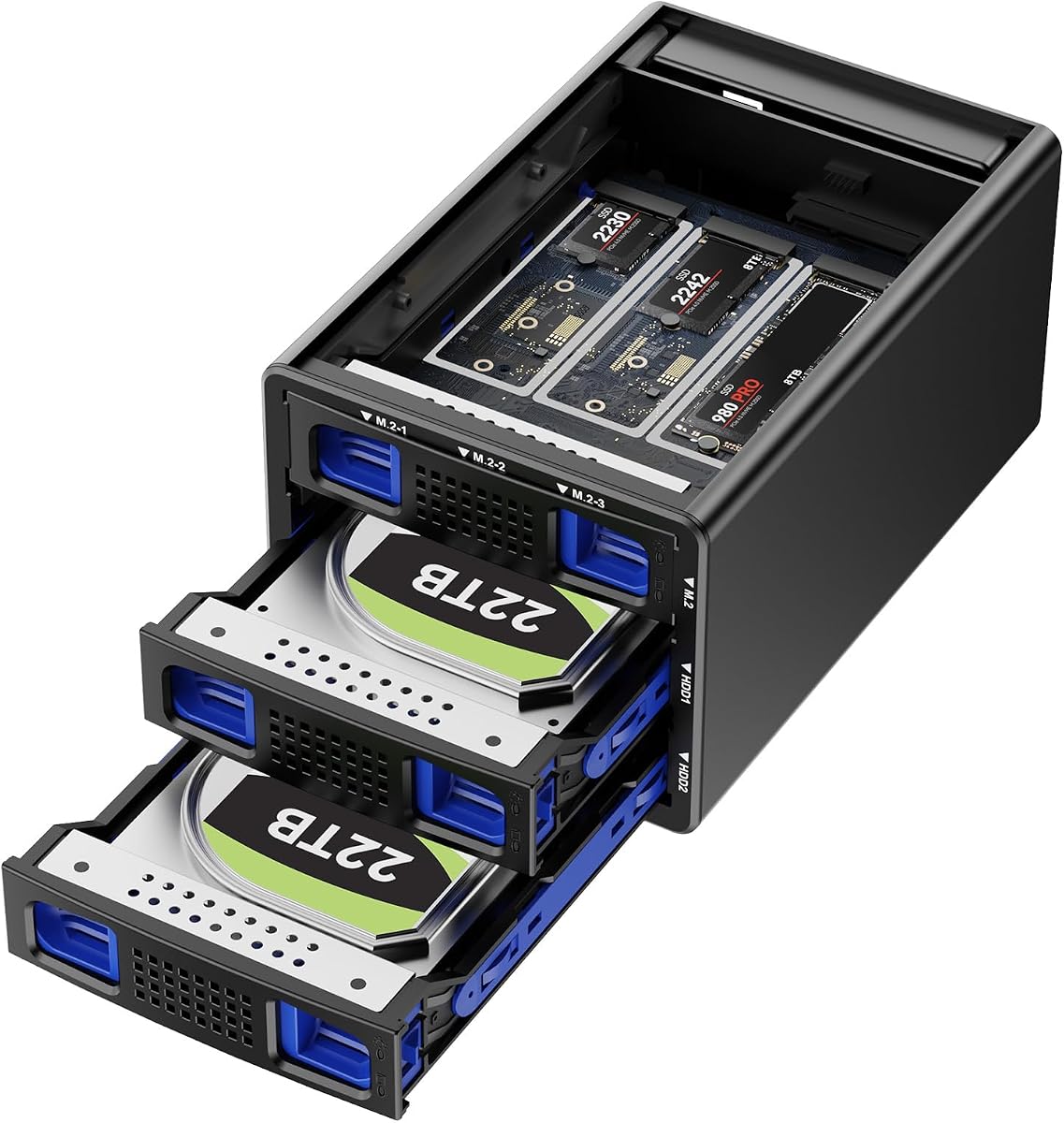
The Hybrid SATA and NVMe enclosure offers a unique mix of high capacity and speed. You can combine traditional hard drives with fast NVMe SSDs in one unit.
We may earn a commission when you buy through this link, at no additional cost to you.
It uses USB 3.2 Gen2 to maximize transfer speeds especially when using SSDs. The design allows for independent access so you manage data efficiently without rebuilding arrays.
Silent fans help keep temperatures down during heavy workloads. Tool-free installation means you can swap drives quickly without needing any extra tools.
This is a smart pick for users wanting both large storage and fast access. It simplifies your setup by combining different drive types into a single enclosure.
Use large HDDs for archives and fast NVMe for active projects simultaneously.
USB 3.2 Gen2 ensures you get the most out of your NVMe drives.
We may earn a commission when you buy through this link, at no additional cost to you.
The QNAP TL-R1200C-RP is designed for enterprise users needing serious storage density. It supports twelve drives in a standard rackmount format for easy server room integration.
We may earn a commission when you buy through this link, at no additional cost to you.
Redundant power supplies ensure your data stays safe even if one unit fails. The USB 3.2 Gen2 port provides fast connectivity to your host system or NAS.
This enclosure is built for reliability and long term uptime in data centers. It expands your QNAP NAS capacity seamlessly without disrupting existing workflows.
If you need a professional grade storage expansion this model is the ideal choice. It delivers robust power and capacity for mission critical business applications.
Dual power inputs ensure continuous operation even during power failures.
Designed to scale your server storage needs efficiently and securely.
We may earn a commission when you buy through this link, at no additional cost to you.
The OWC Mercury Elite Pro Quad offers reliable high speed storage for creative users. It supports both Mac and Windows systems making it a versatile choice.
We may earn a commission when you buy through this link, at no additional cost to you.
The USB-C interface delivers up to 10Gb/s speeds which helps move large files quickly. It accepts universal drive bays so you can mix drive sizes as needed.
SoftRAID software is not included which might require an extra purchase for some users. Despite this the hardware remains solid for direct attached storage tasks.
This enclosure is a strong pick if you need Thunderbolt compatibility and fast speeds. It fits well in studios where performance and simplicity are priorities.
Use any 2.5 or 3.5 inch drive without worrying about size constraints.
USB-C 10Gb/s ensures your external storage keeps up with internal drives.
We may earn a commission when you buy through this link, at no additional cost to you.
Choosing the right enclosure involves weighing speed capacity and features. This guide breaks down the key factors to consider before making your purchase.
The interface type determines how fast data moves between your drive and computer. USB 3.2 Gen2 offers 10Gbps speeds which are ideal for video editing or large backups. Older USB 3.0 ports cap at 5Gbps which may be enough for general storage.
Always check your computer's ports to ensure you get the maximum speed your enclosure can deliver.
Bays refer to the number of drives the enclosure can hold at once. Four bay units are common for home use while eight or ten bays suit professionals. More bays mean more capacity but also a larger physical footprint on your desk.
Choose a bay count that matches your current needs and future growth plans.
Some enclosures offer RAID features which combine drives for speed or redundancy. JBOD keeps each drive independent which is easier to manage for simple backups. Decide if you need data protection or if independent access suits your workflow better.
JBOD is often simpler for general users who just need extra storage space.
Drives generate heat and need proper cooling to avoid failure. Look for enclosures with silent fans or aluminum shells that help dissipate heat efficiently. Poor cooling can lead to data loss especially if you run drives for long periods.
Check noise ratings if you work in a quiet environment like a home office.
Hot swap allows you to change drives without turning off the device. This feature is vital for users who frequently switch between different drives. It saves time and reduces wear on power cycles which extend device life.
Prioritize hot swap if you need to swap drives regularly for different projects.
Metal enclosures like aluminum offer better heat dissipation than plastic. They also provide physical protection for your drives against bumps or drops. A sturdy build often correlates with higher quality internal components and longevity.
Invest in a metal enclosure for better durability and thermal performance.
Most modern enclosures work with Windows Mac and Linux out of the box. Always verify driver requirements to avoid installation headaches. Some RAID features might only work on specific operating systems.
Ensure the device supports your OS to avoid extra software costs or setup issues.
Higher bay enclosures usually need external power adapters to run drives reliably. Some units have built-in power supplies which reduce cable clutter on your desk. Stable power is critical to prevent data corruption during high activity times.
Check if the unit includes the power adapter and if it is suitable for your region.
Start by connecting the enclosure to your computer using the included cable. Ensure the power adapter is plugged in before turning on the switch if available. Your operating system should recognize the drives automatically without needing drivers.
Regularly monitor drive health using built-in tools to prevent unexpected failures. Keep the enclosure in a well ventilated area to ensure airflow around the cooling fan. Dusting the vents monthly helps maintain optimal operating temperatures.
Always eject drives safely before unplugging the enclosure to prevent data loss. If you do not plan to use the unit for long periods turn it off to save energy. Proper care extends the lifespan of both the enclosure and your hard drives.
JBOD treats each hard drive as a separate unit allowing you to store data independently. RAID combines multiple drives into one volume for better speed or data protection. JBOD is simpler for backups while RAID is useful for performance.
Most modern enclosures support macOS out of the box without extra drivers. Check the product page to confirm compatibility with your specific Mac model. Some older units might need formatting to work seamlessly with macOS.
Yes using the correct cable type is essential for maximum transfer rates. Look for USB 3.2 Gen2 cables if you want to reach 10Gbps speeds. Using older cables may limit your speed even if the enclosure supports it.
Yes most enclosures support both traditional hard drives and SSDs. Ensure you use the right adapter for 2.5 inch SSDs if needed. SSDs can benefit greatly from the high speed connections these units provide.
Keep the enclosure on a hard flat surface to allow proper airflow. Do not cover the vents with papers or other objects while in use. Regularly clean dust from the fans and vents to prevent heat buildup.
Yes you can connect multiple enclosures via USB hubs or direct ports. This allows you to scale your total storage capacity as your needs grow. Ensure your system has enough power and ports for all devices.
We reviewed ten top Jbod enclosures to help you find the right storage for your needs. From budget friendly options to high capacity racks there is something for every user.
Prioritize speed and cooling when selecting a model to ensure smooth operation. Check for features like hot swap and tool free design to make daily use easier.
Prices change often so confirm current details before purchasing to get the best deal. Use this guide as a reliable resource for your next direct attached storage purchase.