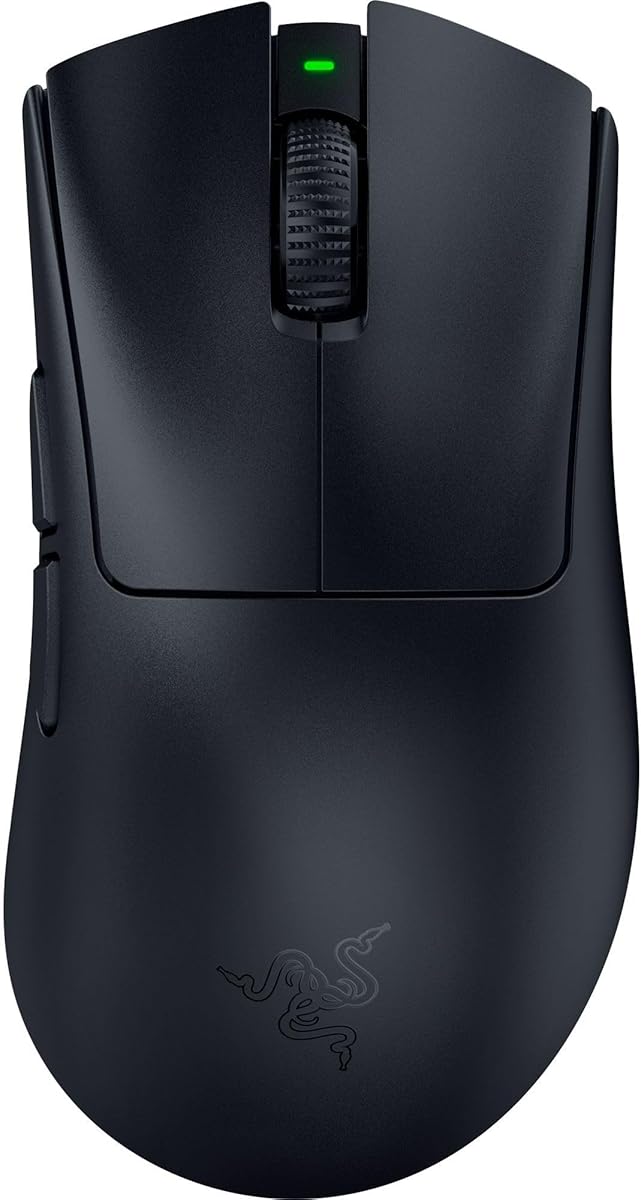
Razer DeathAdder V4 Pro
4.4Editor score
45K DPI Focus Pro Sensor
56g Ultra Lightweight
8K Polling Rate
Discover the top high DPI mice for 4K gaming precision. This guide compares sensor accuracy, polling rates, and ergonomics to help you dominate competitive
Finding the right mouse for 4K gaming requires precision tools that can handle high resolutions without lag. A high DPI mouse ensures your movements translate accurately across larger displays for better control.
We analyzed ten top models based on sensor performance, wireless stability, and ergonomic design. Our comparison focuses on features that matter most for competitive gamers seeking pixel-perfect accuracy.
Each pick highlights unique strengths tailored to different playstyles and budgets. Remember that product availability and offers change frequently, so check current listings before making your final decision today.
4.4Editor score

4.4Editor score

4.6Editor score
This table offers a side-by-side look at the leading options available in 2026. Compare key specs like sensor type, weight, and connectivity to find your perfect match.
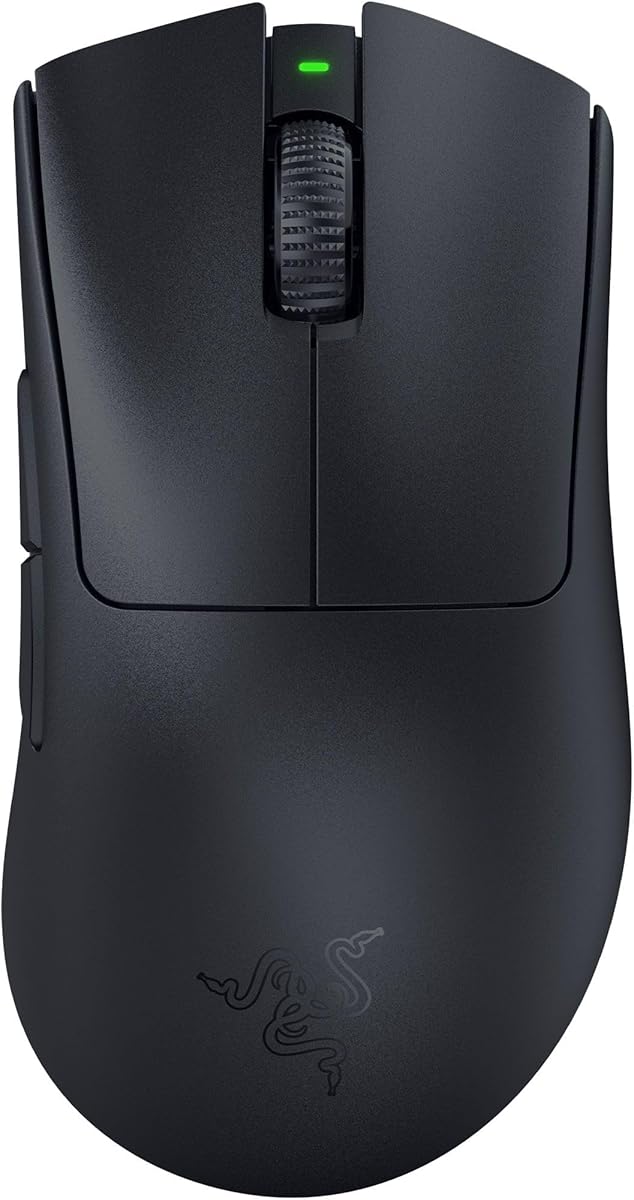




The Razer Basilisk V3 Pro stands out as a top choice for high DPI gaming precision. It features a powerful sensor and long battery life making it reliable for long sessions.
We may earn a commission when you buy through this link, at no additional cost to you.
Its Focus Pro 35K sensor ensures flawless tracking on various surfaces. The HyperScroll wheel and 13 programmable buttons allow deep customization for specific game requirements.
While it offers great performance, users should note the need for Razer Synapse software. The price may also be higher compared to other options on the market.
If you seek a versatile mouse for competitive play this model is highly recommended. Its balance of features and performance makes it a strong contender for 4K gaming.
The Focus Pro 35K Optical Sensor delivers best-in-class tracking with intelligent functions for enhanced aim.
You can assign commands and macros across 13 controls including the multi-function trigger for essential actions.
We may earn a commission when you buy through this link, at no additional cost to you.
This mouse is designed for players who prioritize speed and control. Weighing only 63 grams it reduces fatigue during extended gaming sessions significantly.
We may earn a commission when you buy through this link, at no additional cost to you.
It uses a Focus Pro 30K sensor for accurate tracking. The optical switches offer fast actuation ensuring reliable clicks without double-clicking issues.
Some users may find the lack of extra buttons limiting for complex macros. However the simplicity benefits those focused on competitive shooters.
Ideal for esports enthusiasts seeking a lightweight option this mouse delivers speed. Its ergonomic form remains a legacy of comfort for many gamers.
Developed with pro players the iconic shape supports the hand naturally for better control.
Razer HyperSpeed Wireless ensures high performance and low latency even in noisy environments.
We may earn a commission when you buy through this link, at no additional cost to you.
This version emphasizes customization for gamers who want personal style. It retains the core performance features of the V3 Pro line with added visual flair.
We may earn a commission when you buy through this link, at no additional cost to you.
The sensor ensures smooth tracking and the scroll wheel offers tactile or free-spin modes. RGB zones sync with games for immersive effects.
Battery life drops when using polling rate upgrades or heavy RGB. Still it balances performance and aesthetics well for many users.
Buyers looking for style and substance will appreciate this model. It remains a strong choice for those needing high DPI and flexibility.
Over 16.8 million colors allow dynamic reactions with over 150 Chroma-integrated games.
Bluetooth and HyperSpeed wireless modes provide flexibility for gaming and everyday use.
We may earn a commission when you buy through this link, at no additional cost to you.
The V4 Pro brings cutting-edge specs for serious competitors. Its weight and sensor accuracy are unmatched in this lineup for precision movement.
We may earn a commission when you buy through this link, at no additional cost to you.
Featuring a Focus Pro Optical Sensor with 99.8 accuracy it tracks reliably across surfaces. The 8K polling rate ensures responsive input in high-stakes scenarios.
Cost is a significant factor here making it less accessible. Also fewer buttons might not suit players who rely on many macros.
If you want the best performance and can afford it choose this model. It represents the peak of current wireless gaming mouse engineering.
Max aim precision is ensured with 900 IPS and 99.8 accuracy for reliable tracking.
Ultra-light control enables faster swipes and precise tracking for esports tournaments.
We may earn a commission when you buy through this link, at no additional cost to you.
This mouse uses magnesium alloy for durability and a premium feel. It aims to reduce fatigue while maintaining a robust construction for daily use.
We may earn a commission when you buy through this link, at no additional cost to you.
The sensor allows ultra-smooth tracking and the 4K polling rate delivers split-second response. RGB zones help it match your gaming setup aesthetically.
While heavier than some competitors the weight adds stability for some users. Support and software may not be as extensive as larger brands.
For gamers valuing build quality and battery life this is a solid pick. It offers a unique alternative to standard plastic gaming mice.
Up to 200 hours battery life keeps you connected match after match without frequent charging.
Switch instantly between 2.4G Bluetooth and wired modes for agile performance.
We may earn a commission when you buy through this link, at no additional cost to you.
This model stands out with a carbon fiber shell and extreme sensor specs. It offers impressive performance metrics for competitive gaming at a lower cost.
We may earn a commission when you buy through this link, at no additional cost to you.
Tracking supports up to 52000 DPI with precise adjustments. The 8K polling rate and low latency ensure fast response times during gameplay.
Browser-based customization is convenient but some may prefer a desktop app. The brand is newer so long-term reliability is still being proven.
Budget-conscious gamers wanting high specs will find this mouse appealing. It delivers premium features without the premium price tag of others.
Premium carbon-fiber hybrid provides structural strength and refined texture for stable handling.
Supports up to 800 hours at 1000Hz for flexible connectivity and long play.
We may earn a commission when you buy through this link, at no additional cost to you.
The G502 Hero remains a legend for its performance and price. It delivers accuracy and customization that rival much more expensive options today.
We may earn a commission when you buy through this link, at no additional cost to you.
HERO sensor tracking is precise with zero smoothing. Adjustable weights and 11 buttons allow you to tailor it to your exact needs.
Being wired limits mobility but avoids battery issues. The weight may be a downside for those seeking ultra-light setups.
If budget is key and you do not need wireless this is ideal. It is a proven tool for reliable 4K gaming precision.
Next generation HERO sensor delivers precision tracking up to 25600 DPI with zero smoothing.
Dual mode hyper-fast scroll wheel gives you customizable control over gameplay navigation.
We may earn a commission when you buy through this link, at no additional cost to you.
Redragon offers an ultra-light option here for swift movements. At just 49 grams it is designed for clean and controlled usage without effort.
We may earn a commission when you buy through this link, at no additional cost to you.
The 4K report rate unleashes precise tracking and low consumption. You can switch between BT 2.4G and wired modes easily.
The limited buttons might suit simple playstyles better. Also basic lighting means less immersion compared to other models.
For those needing a lightweight affordable mouse this works well. It balances speed and cost effectively for casual and competitive use.
Ultra-light materials and well-crafted form offer the fastest cleanest mouse using experience.
Five redefinable DPI levels let you switch between different game needs instantly.
We may earn a commission when you buy through this link, at no additional cost to you.
This wired model offers stability and ergonomics for long play. It keeps the popular V3 features without wireless complexity or battery concerns.
We may earn a commission when you buy through this link, at no additional cost to you.
The Focus Plus 26K sensor tracks flawlessly with zero smoothing. 11 programmable buttons and a thumb rest enhance usability and access.
Lack of wireless means cable management is required. Also RGB effects use no power but limit mobility.
Ideal for stationary setups where consistency is key. It remains a reliable choice for precision gaming without wireless overhead.
Iconic ergonomic design with thumb rest supports the hand while buttons are optimally positioned.
HyperScroll tilt wheel free-spins or switches to tactile mode for precision feedback.
We may earn a commission when you buy through this link, at no additional cost to you.
The G703 Lightspeed focuses on comfort and wireless reliability. It offers robust performance and quality that suits long gaming sessions well.
We may earn a commission when you buy through this link, at no additional cost to you.
Its HERO 25K sensor ensures 111 tracking and efficiency. Button technology keeps responses consistent with a great feel.
Heavier build may not suit everyone but adds stability. Also POWERPLAY charging is an extra cost not included.
Buyers prioritizing comfort and seamless wireless will love this. It is a solid performer for daily gaming needs.
Add the POWERPLAY wireless charging system to keep the mouse charged while at rest and play.
Metal-spring button tensioning keeps buttons poised to trigger with less force.
We may earn a commission when you buy through this link, at no additional cost to you.
Choosing the right mouse involves evaluating sensor capabilities weight and connectivity options. This section breaks down key factors to consider for 4K gaming precision.
For 4K gaming a high DPI sensor is critical to track cursor movement across large displays accurately. Look for optical sensors with zero smoothing or acceleration to ensure consistent performance.
Prioritize models with high DPI ranges and precise adjustments to tailor sensitivity to your needs.
Higher polling rates such as 8K Hz provide more frequent updates to the computer reducing input lag. This is vital for fast-paced competitive gaming where reaction time matters.
Check for low latency wireless tech to maintain smooth performance without delays.
Weight affects control and fatigue during long sessions. Lightweight mice facilitate quick flicks while heavier ones offer stability. Ergonomic shape should fit your hand naturally.
Choose based on your grip style to ensure comfort over extended use.
Wireless mice offer freedom of movement but need stable connections like 2.4GHz. Wired mice eliminate latency risks. Consider tri-mode options for flexibility.
Ensure battery life supports your typical play duration if going wireless.
Customizable buttons allow you to map macros or commands for efficiency. More buttons provide greater control but can feel bulky. Select based on game complexity.
Look for software that lets you remap easily without hassle.
Durable switches ensure consistent clicks without failure. Optical switches are popular for speed and reliability. Materials like magnesium or carbon add longevity.
Invest in well-built mice to avoid hardware issues over time.
High-performance mice vary widely in price. Determine what features are essential for your playstyle to find the best value. Premium models offer extra features that may not be necessary.
Balance cost with performance needs to avoid overspending on unused features.
Software allows detailed customization of settings and macros. Ensure it is user-friendly and supports your OS. Some mice offer browser-based drivers for convenience.
Check that the software updates regularly for new features.
Proper setup involves cleaning your mousepad and adjusting sensor settings for your specific resolution. This ensures maximum tracking accuracy and responsiveness.
Regularly update firmware and drivers to maintain performance and fix issues. Proper calibration helps avoid jitter or skipping during play.
Handle your mouse gently to preserve switches and feet. Avoid dragging on rough surfaces and clean periodically with soft cloths for longevity.
High DPI allows precise cursor movement across large screens without lifting the mouse. This ensures your aiming accuracy is maintained on higher resolutions.
Yes higher polling rates reduce input lag by sending more frequent signals. This results in faster reaction times essential for competitive gamers.
Modern wireless tech offers comparable latency to wired options. Choose based on preference for cable management versus unrestricted movement.
Use manufacturer software to set DPI matching your monitor and adjust sensitivity. Testing in-game ensures accuracy.
Optical switches are faster and more durable with no debounce delay. They offer consistent clicks which is vital for precision play.
Lighter mice under 70g facilitate quicker movements. However some prefer heavier for stability. Test different weights to find your preference.
Some mice allow onboard storage for profiles. However software offers deeper customization. Check features before buying if you prefer independence.
Battery life varies from 35 to 800 hours depending on settings and connectivity. Consider typical usage to avoid mid-game charging.
The Razer Basilisk V3 Pro DeathAdder V4 Pro and Logitech G502 Hero lead in features and performance for diverse needs. They exemplify what makes a precision mouse.
Prioritize sensor accuracy and ergonomics to suit your playstyle. A good mouse enhances your control and comfort significantly during long sessions.
Check current availability and pricing before purchasing to ensure you get the best value. Your choice should fit your specific gaming requirements.