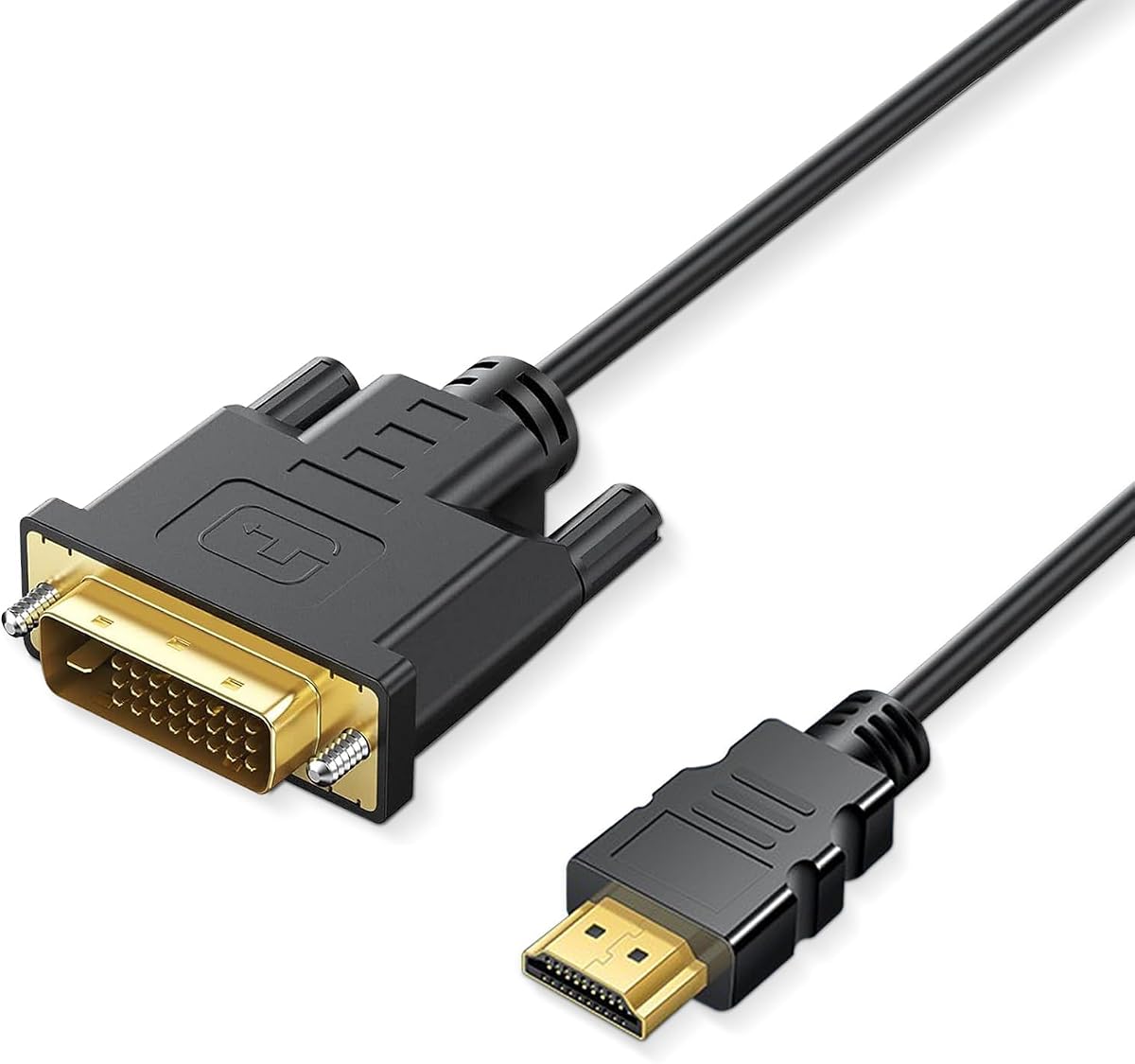
HDMI to DVI Adapter Cable,Bi Directional DVI-D 24+1 Male to Male
4.9Editor score
Affordable pricing option
Secure finger-tightened screws
Plug and play setup
This guide compares the top HDMI to DVI adapters cables for 2026, evaluating build quality, resolution support, and compatibility to help you choose the right
Finding the right HDMI to DVI adapter cable is essential for connecting modern devices to older monitors. You need a cable that supports high resolutions and ensures stable signal transmission without flickering or dropouts during use.
We evaluated ten top-rated products based on build quality, connector durability, and user feedback. Each item was assessed for its ability to handle bi-directional signals and maintain clarity across various device setups.
Each pick shows key specs like length and shielding details to help you decide. Prices and availability change frequently, so verify current details on the product page before finalizing your purchase decision today.
4.9Editor score

4.7Editor score
4.7Editor score
The following table provides a side-by-side overview of all ten products. It highlights key specifications like connector type, resolution limits, and cable length to help you compare options quickly.


The Capshi HDMI to DVI-D Adapter is a versatile solution for connecting modern devices to DVI monitors. It supports up to 1080P resolution and offers reliable bi-directional signal transmission for your needs.
We may earn a commission when you buy through this link, at no additional cost to you.
Its construction features 24K gold-plated connectors and reinforced nylon braid to ensure stability. This design minimizes signal loss and protects against interference from other electronic devices around you.
While it does not carry audio signals, it excels in video quality and connection security. The finger-tightened screws prevent the cable from loosening during extended viewing sessions or games.
You should buy this if you need a durable 6ft cable for gaming or presentations. It is a top choice for users wanting reliable performance without paying extra for unused features.
This cable supports resolutions up to 1080P, ensuring sharp visuals on your monitor or HDTV setup. You will enjoy clear images whether watching videos or displaying spreadsheets during work.
The reinforced nylon braid and gold-plated connectors resist corrosion and wear. These features help the cable withstand multiple plugging sessions while keeping signal quality consistent.
We may earn a commission when you buy through this link, at no additional cost to you.
The Amazon Basics HDMI to DVI Adapter offers a short and reliable connection for your devices. Its 3ft length is ideal when your computer and monitor are close together on a desk.
We may earn a commission when you buy through this link, at no additional cost to you.
Gold-plated connectors deliver optimal conductivity to reduce signal degradation. This helps maintain video clarity even during long periods of use like work hours or gaming sessions.
While it lacks audio transmission, it handles video well for basic setups. The net jacket adds protection against tugs, though its length means you cannot place devices far apart.
Buy this if you need a cost-effective adapter for a simple desktop setup. It is perfect for users who prioritize simplicity and brand reliability over long cable lengths.
At 3ft, this cable is designed to keep your workspace tidy. It connects devices that are near each other without creating excess cable clutter on your desk.
Gold-plated connectors are used to ensure steady connections. These resist oxidation over time and help maintain the integrity of your video signal for longer.
We may earn a commission when you buy through this link, at no additional cost to you.
The BENFEI HDMI to DVI cable is designed to connect gaming consoles to DVI displays. It supports 1080P resolution and works with many devices like Xbox and PlayStation systems.
We may earn a commission when you buy through this link, at no additional cost to you.
Its double shielding protects against interference so you get a stable picture. Finger-tightened screws ensure the DVI side stays locked in place during active gaming or video playback.
This cable does not carry audio, so you need a separate audio setup. For video only tasks like gaming or streaming, it provides a reliable and straightforward connection option.
Choose this if you game on a console but your monitor only has DVI. It is an excellent way to enjoy your existing hardware without needing to upgrade your display.
This cable supports major gaming consoles like PS4 and Xbox One. It lets you connect these devices to older monitors that might have better refresh rates than HDTVs.
Aluminum foil and braid shielding prevent signal disruptions. This ensures your game or video plays smoothly without flickering or sudden drops in quality.
We may earn a commission when you buy through this link, at no additional cost to you.
This 6ft HDMI to DVI adapter allows you to connect devices that are further apart. It supports 1080P resolution for clear visuals when extending video to larger screens.
We may earn a commission when you buy through this link, at no additional cost to you.
The all-metal corrosion resistant connectors ensure fast signal transmission. A PVC jacket adds protection though nylon options might be more durable over many years of use.
It is great for opening multitasking setups where you mirror video from a laptop. Just ensure you select the correct signal source so your monitor displays the right image.
Buy this if you need extra reach to connect a laptop to a projector. It is a solid choice for office presentations or home use with flexible device placement.
The 6ft length gives you room to position your laptop or desktop freely. This is useful when your monitor is across a room or on a different desk.
24K gold plated connectors resist rust and corrosion. This helps keep the connection clean and effective over time even in humid environments.
We may earn a commission when you buy through this link, at no additional cost to you.
This CableCreation adapter is extremely compact at 15cm. It works as a male to female converter so you can plug a short HDMI cable into it for flexible connections.
We may earn a commission when you buy through this link, at no additional cost to you.
Its small size makes it easy to carry in a bag for travel. It supports 3D content and up to 1080P resolution for compatible displays and media sources.
You will need a separate HDMI cable to connect your device to this adapter. This adds bulk but lets you adjust the total length based on your exact setup needs.
Choose this if you need a space-saving solution for occasional use. It is great for travelers who want to connect a laptop to a hotel TV with minimal gear.
At 15cm this adapter is very light and small. You can easily pack it in a laptop case without adding much weight or taking up much space.
As a converter it works with HDMI cables you already own. This lets you customize the total cable length to fit your specific room or desk layout.
We may earn a commission when you buy through this link, at no additional cost to you.
This adapter offers a high rating at a budget-friendly price. It supports bi-directional transmission and uses gold-plated connectors to ensure a steady connection between devices.
We may earn a commission when you buy through this link, at no additional cost to you.
It is simple to use with plug and play functionality. You just connect it to your HDMI and DVI ports without needing to install any drivers on your computer.
The Dual Link connector supports higher resolutions up to 1080P. While basic, it delivers reliable video for most standard tasks and entertainment needs without extra cost.
Buy this if you need a no-fuss connection at a low cost. It is an excellent choice for students or casual users who want value over premium features.
No drivers or software setup are needed. Simply plug the cable in and your system will recognize it automatically for immediate use.
This option delivers great performance for the price. It is a practical choice for users on a tight budget who still need solid quality.
We may earn a commission when you buy through this link, at no additional cost to you.
This cable features doubled shielded PVC for extra durability and protection. The 5ft length balances reach and manageability for most standard room layouts.
We may earn a commission when you buy through this link, at no additional cost to you.
24K gold-plated full metal connectors ensure maximum signal quality. These resist corrosion and help maintain a steady connection over many plugging cycles.
It offers high-quality video for entertainment but does not carry audio. You will need separate speakers if you want sound from your HDMI connected devices.
Choose this if you want a sturdy cable with good shielding. It is suitable for home entertainment setups where reliability and clear video are top priorities.
The doubled shielding protects against interference from other electronics. This helps keep your video signal stable even in rooms with many gadgets.
The PVC coat is flexible so it resists kinking when routed. This makes it easier to bend the cable around corners without damaging internal wires.
We may earn a commission when you buy through this link, at no additional cost to you.
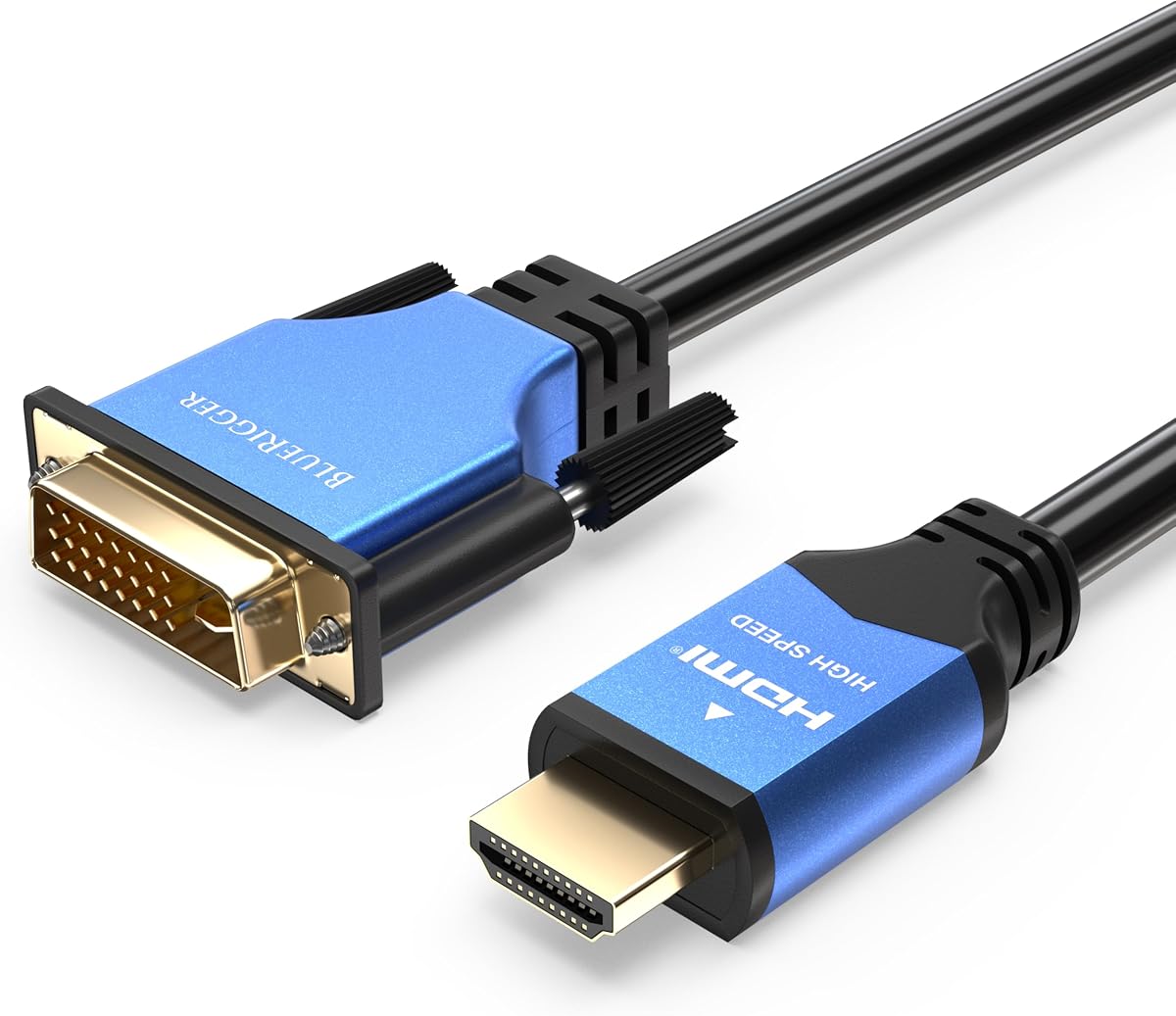
BlueRigger offers a premium experience with a lifetime warranty. This cable supports sound transmission on compatible graphics cards and comes with US-based support for peace of mind.
We may earn a commission when you buy through this link, at no additional cost to you.
Its aluminum alloy shell is sturdy and helps reduce heat and interference. Flexible PVC ensures the cable remains easy to move around without breaking easily.
Note that audio works only with newer graphic cards and drivers. While it costs more, the warranty and build quality make it a smart long-term investment.
Buy this if you want the best support and durability. It is perfect for professional users who need a reliable cable that will last for years.
BlueRigger backs this cable with a lifetime warranty. This means you can contact support anytime if issues arise and get assistance for free.
Some newer graphics cards allow sound through this cable. If your device supports it, you can avoid a separate audio cable and simplify setup.
We may earn a commission when you buy through this link, at no additional cost to you.
This 2-pack gives you two adapters for different setups. It is a great value if you need to connect multiple devices or have a backup ready.
We may earn a commission when you buy through this link, at no additional cost to you.
Each adapter features 24K gold-plated connectors to resist corrosion. The compact and light design makes them perfect for travel and office use.
You must buy a separate HDMI cable to use these adapters. This keeps the cost low but means you need to manage two pieces for a connection.
Choose this if you need multiple adapters at once. It is ideal for offices or families with many devices and different display setups.
With two adapters you can connect different devices easily. This helps reduce clutter by allowing you to leave adapters plugged in when needed.
Buying a 2-pack often saves money over single units. This is a smart way to stock up for various rooms or to keep extras on hand.
We may earn a commission when you buy through this link, at no additional cost to you.
This compact adapter supports up to 4K@30Hz for high resolutions. It is designed for simple conversion tasks where space is limited and clarity is key.
We may earn a commission when you buy through this link, at no additional cost to you.
Gold plated connectors increase durability and resist corrosion over time. Grip treads and screws make it easy to hook up and keep secure during use.
It does not support 144Hz so check refresh rates. For standard video and office work it performs well and is very easy to install.
Buy this if you need to support 4K displays at a small size. It is a solid option for users who want high resolution without bulky adapters.
This adapter handles 4K@30Hz resolution. It lets you connect compatible 4K TVs to older DVI computers for crisp high definition viewing.
The grip treads make the adapter easier to hold. The screws ensure it stays connected tightly so it does not fall out easily.
We may earn a commission when you buy through this link, at no additional cost to you.
Selecting the right HDMI to DVI adapter depends on several factors. This guide explains what matters most when choosing a cable for your specific needs.
DVI-D cables carry digital signals only while DVI-I can carry both digital and analog. Make sure you buy a DVI-D cable if your monitor only supports digital inputs.
Choose DVI-D to avoid compatibility issues with digital-only monitors.
Most adapters support 1080P but some support 4K at 30Hz. Check the resolution limits before buying to ensure your display gets the best image quality.
Prioritize higher resolution support if you have a 4K monitor or need sharp visuals for work.
Lengths range from 3ft to 6ft or more depending on the product. Measure the distance between your computer and monitor to avoid buying a cable that is too short.
Select a length that reaches without creating a mess on your floor.
Look for cables with double shielding like aluminum foil or braid. These features protect against electromagnetic interference and keep your signal clear and stable.
Opt for cables with robust shielding in areas with many electronic devices.
Gold-plated connectors resist corrosion and oxidation over time. This ensures the connection stays clean and reliable for many years of daily use.
Pick cables with gold-plated connectors to extend the lifespan of the product.
Most HDMI to DVI cables do not carry audio signals. If you need sound, check if the product supports audio via graphics card or if you need a separate audio cable.
Confirm audio capabilities before buying if you plan to use speakers with the display.
Cables with nylon braid or metal shells are more durable. Look for strain relief and secure screws to ensure the connectors last through frequent use.
Choose stronger materials for cables that will be moved often.
Some brands offer lifetime warranties or US-based support. This adds value and peace of mind if you have questions or need replacements.
Prioritize brands with strong warranty terms for better long-term support.
To use the cable, connect the HDMI end to your source device and the DVI end to your monitor. Ensure the signal source is selected correctly so the display shows an image.
Store the cable in a cool dry place to prevent heat or moisture damage. Avoid tight bends that could stress the internal wires or the shielding layers.
Clean connectors with a dry cloth if dust builds up. Do not use water or chemicals as this could damage the metal plating or the cable's outer coating.
Most standard HDMI to DVI cables do not carry audio because DVI does not natively support audio signals. If you need sound you must connect a separate audio cable or use a graphics card that supports audio via DVI.
Yes you can use a DVI-I cable with a DVI-D monitor because the digital pins are the same. However you will not get analog signal support on a digital-only DVI-D monitor.
Most cables support up to 1080P but some high-quality adapters support 4K at 30Hz. Always check the product specs for 4K support before buying if you have a 4K display.
DVI-D carries digital signals only while DVI-I carries both digital and analog signals. For modern monitors DVI-D is usually sufficient and is the standard for most adapters.
Yes most of these adapters work in both directions. You can connect an HDMI source to a DVI monitor or a DVI source to an HDMI monitor as long as the signal source matches.
No you do not need drivers to use these cables. They work plug and play so you can connect them and get video output immediately on most devices.
Measure the distance between your computer and monitor to choose the right length. If you need to route the cable along a wall add a little extra length to avoid tension.
Yes these cables work well for gaming provided they support the resolution and refresh rate of your setup. Check the specs for refresh rate limits like 60Hz or 144Hz before buying.
The Capshi HDMI to DVI-D Adapter offers the best overall value with reliable 1080P support and strong build quality. The Amazon Basics model is a great budget option for short connections.
When choosing prioritize the connector type and length to fit your setup. Ensure the cable supports your display's resolution and provides stable shielding for clean video.
Check current prices and availability on the product pages as these change often. Select the adapter that meets your specific needs for clarity and durability.