
HDMI Splitter 1 in 3 Out, 4K HDMI Distributor for Triple Monitors
4.6Editor score
Distributes signal to three displays
Built with full aluminum alloy casing
Supports 4K at 30Hz resolution
This guide compares the top HDMI Splitter for 3 Monitors options for extended displays and synchronization, analyzing bandwidth, resolution support, and
Finding the right HDMI Splitter for 3 Monitors can transform your workspace or entertainment setup. Whether you need extended desktop real estate or synchronized displays for presentations, choosing the correct hardware ensures smooth performance without signal loss.
We evaluated ten top-rated models based on resolution support, bandwidth capabilities, build quality, and user feedback. Each product was analyzed for its ability to handle high refresh rates, multiple outputs, and compatibility with modern graphics cards and devices.
Every pick includes detailed specifications, pros and cons, and real-world use cases to help you decide. Prices and availability can change frequently, so verify the latest details on the product pages before making your final purchase decision.
4.6Editor score

4.4Editor score

4.2Editor score
This side-by-side comparison highlights the key specifications and capabilities of the ten leading HDMI splitters designed for multi-monitor setups, focusing on resolution, bandwidth, and connectivity options.



The UANTIN DisplayPort to HDMI Splitter stands out as the top choice for users needing robust multi-monitor expansion. With a solid 4.4 rating, it delivers reliable performance for design work, gaming, and office environments requiring triple-screen synchronization or split displays.
We may earn a commission when you buy through this link, at no additional cost to you.
Its key strength lies in supporting up to 4K resolution at 60Hz across three HDMI monitors from a single DisplayPort input. The all-aluminum casing ensures efficient heat dissipation during extended operation, while the gold-plated interfaces reduce signal interference for consistent visual quality.
While it excels with Windows systems, potential buyers should note its limitation with macOS, which restricts support to SST mirroring only. Additionally, achieving the full 4K experience requires a graphics card that meets the 18Gbps bandwidth specification, which may not be standard on all laptops.
For professionals and enthusiasts using compatible graphics cards, this splitter offers the necessary bandwidth and stability for demanding multi-monitor setups. It is the recommended choice for those prioritizing resolution quality and extended display capabilities over simple mirroring.
The device supports 18Gbps bandwidth, enabling 4K at 60Hz output which is critical for smooth video and gaming.
The all-aluminum casing provides superior heat dissipation, ensuring the device remains cool during long use.
We may earn a commission when you buy through this link, at no additional cost to you.
This HDMI splitter offers an impressive value proposition for users seeking a budget-friendly way to duplicate their screen across three displays. With a remarkable 4.6 rating, it ensures reliable performance for home entertainment or retail displays requiring synchronized content.
We may earn a commission when you buy through this link, at no additional cost to you.
The device is constructed with a full aluminum alloy casing, which not only enhances durability but also ensures stable performance even during continuous 24/7 operation. It supports 4K resolution at 30Hz and is backward compatible with lower resolutions like 1080P at 60Hz.
The primary limitation is its refresh rate at 4K, which caps at 30Hz, making it less ideal for high-speed gaming. Furthermore, it operates strictly in mirror mode, meaning it cannot extend your desktop across multiple screens for multitasking.
Ideal for presentations or media streaming where visual fidelity is key but high refresh rates are not required, this model balances cost and quality effectively. It is a top choice for those needing simple, reliable signal duplication without the premium price.
The full aluminum alloy casing offers excellent heat dissipation and protection against electromagnetic interference.
Works seamlessly with a wide range of HDMI devices including laptops, game consoles, and streaming sticks.
We may earn a commission when you buy through this link, at no additional cost to you.
As the pinnacle of performance in this roundup, this HDMI splitter delivers cutting-edge support for 8K resolution and advanced gaming features like Variable Refresh Rate. It is designed for users who demand the absolute best in bandwidth and visual fidelity.
We may earn a commission when you buy through this link, at no additional cost to you.
The splitter supports HDMI 2.1 specifications, including 48Gbps bandwidth, which is essential for uncompressed 8K video or 4K at 120Hz gaming. It also includes smart EDID management, allowing users to configure output settings for different display resolutions.
Despite its technical prowess, it is limited to mirroring modes, meaning it cannot be used to extend a desktop across three monitors. Additionally, the high-end features come with a premium price tag that may not be necessary for all users.
For audiophiles and gamers with next-generation hardware, this device offers unparalleled capability. It ensures your setup can handle the latest high-bandwidth content without bottlenecks, making it the top pick for future-proofing your multi-monitor environment.
HDMI 2.1 support with 48Gbps ensures readiness for next-gen gaming and 8K video content.
Supports Dolby Atmos and DTS-HD Master Audio for immersive surround sound across connected devices.
We may earn a commission when you buy through this link, at no additional cost to you.
The NEWCARE HDMI splitter provides a balanced option for users needing reliable 4K output across three screens. It mirrors content perfectly and supports high refresh rates, making it a solid choice for streaming or presentations requiring clear visuals.
We may earn a commission when you buy through this link, at no additional cost to you.
Key features include a bundled 4ft HDMI cable and robust HDCP 2.2 compliance, ensuring compatibility with protected content from streaming devices. The powered adapter ensures stable transmission, preventing common issues like signal drops during extended use.
It does not support extended display modes, which limits its utility for multitasking. Additionally, it only supports a single input source without switching capabilities, which may inconvenience users with multiple devices.
For those needing a straightforward setup to mirror high-definition content on three monitors or TVs, this model delivers consistent performance. It is particularly useful for home entertainment or small office presentations where simplicity is valued.
The included 4ft HDMI cable reduces setup time and adds immediate value to the purchase.
HDCP 2.2 support ensures reliable playback of protected content from modern streaming services.
We may earn a commission when you buy through this link, at no additional cost to you.
This model focuses on simplicity and stability, offering zero latency mirroring for three displays. It is an excellent choice for settings where instant sync is crucial, such as trading desks or retail displays.
We may earn a commission when you buy through this link, at no additional cost to you.
Each output port features an independent LED indicator, simplifying troubleshooting and status monitoring. The solid aluminum alloy build ensures the device remains cool and reliable even during continuous operation in busy environments.
Users should note that it supports 4K only at 30Hz and does not have dedicated audio output ports. This means audio must be handled by the display itself or through the source device's audio settings.
Ideal for professional environments needing quick setup and reliable visual sync, this splitter delivers on its promise of zero lag. It is a strong contender for those prioritizing visual performance and easy management.
Independent LED indicators on each port allow for quick identification of active connections.
Its small footprint fits easily on desks or behind monitors without taking up extra space.
We may earn a commission when you buy through this link, at no additional cost to you.
This DisplayPort to HDMI splitter is designed for users needing to extend their desktop across three monitors. Unlike standard splitters, it supports MST (Multi-Stream Transport) for true multi-screen productivity.
We may earn a commission when you buy through this link, at no additional cost to you.
It delivers 4K at 60Hz resolution and comes with a nylon braided cable for durability. The aluminum alloy shell aids in heat management, ensuring stable performance during high-demand tasks like video editing.
Note that it does not work with Mac systems and requires a dedicated GPU with at least 18Gbps bandwidth. Integrated graphics or low-end laptops may struggle to support the extended display requirement.
For desktop users with compatible hardware, this is one of the few affordable options for extending a dual screen setup. It is essential for productivity workflows that require multiple active workspaces.
Supports MST to enable true extended displays rather than simple mirroring across screens.
The nylon braided cable and aluminum shell protect against wear and heat during operation.
We may earn a commission when you buy through this link, at no additional cost to you.
This model offers versatility by supporting four HDMI outputs, making it suitable for larger setups that may need a fourth display later. It delivers consistent 4K performance and is built for commercial and heavy use.
We may earn a commission when you buy through this link, at no additional cost to you.
The metal enclosure ensures long-term durability and efficient heat dissipation. It also supports a wide range of audio formats, ensuring immersive sound quality alongside crisp visuals across all four screens.
While the extra output may not be needed by everyone, it provides future flexibility. However, like most standard splitters, it does not support extended desktop modes and is limited to mirroring.
Ideal for retail, conferences, or media centers requiring multi-screen consistency, this unit is reliable and powerful. Its build quality and format support make it a robust choice for professional environments.
Heavy-duty metal enclosure designed for continuous operation in high-traffic environments.
Supports advanced audio formats like Dolby TrueHD and DTS-HD Master Audio for immersive sound.
We may earn a commission when you buy through this link, at no additional cost to you.
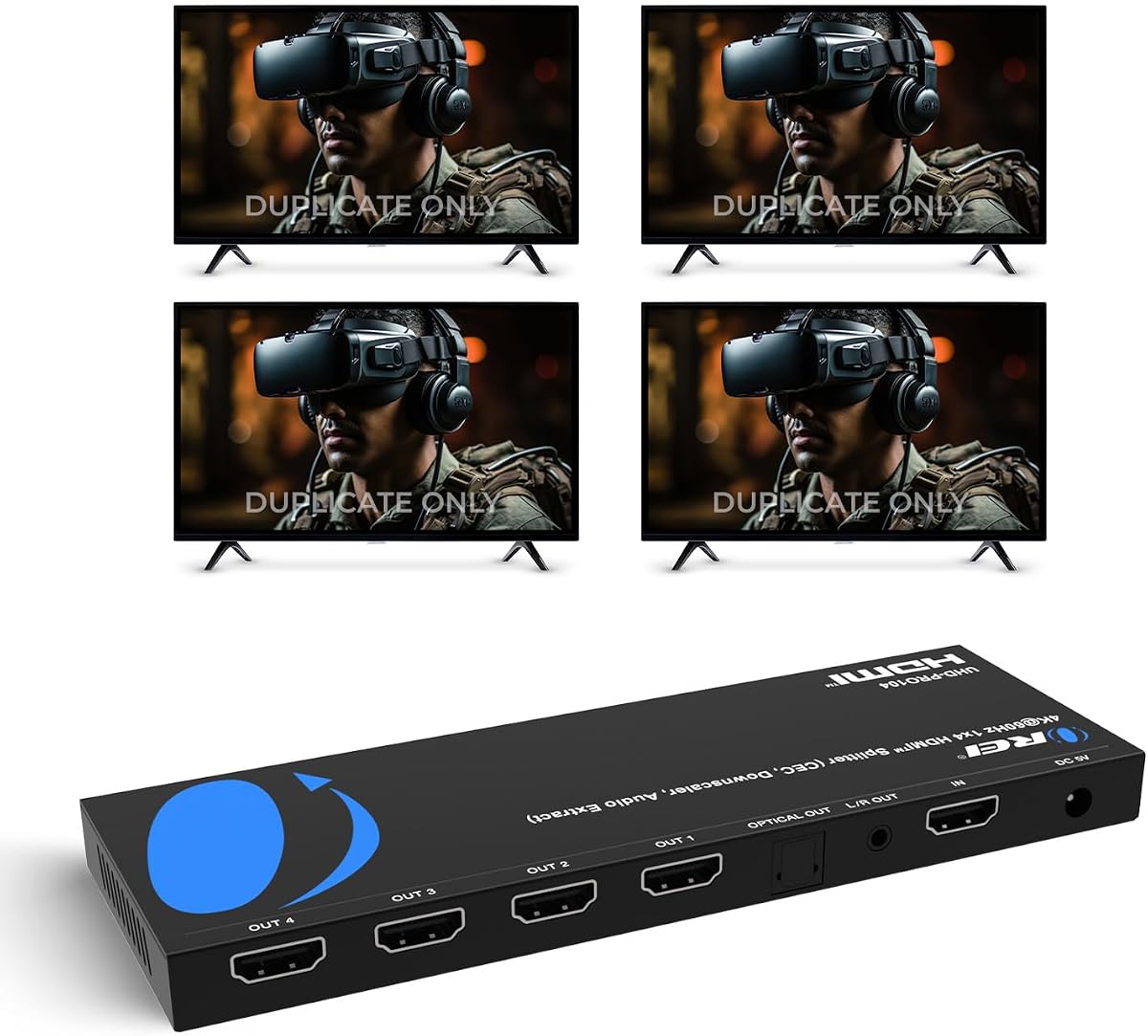
This splitter adds significant value with its built-in audio extractor, allowing audio to be sent to external speakers independently of video. It also manages mixed-resolution setups automatically via downscaling.
We may earn a commission when you buy through this link, at no additional cost to you.
It supports advanced formats like HDR10+ and Dolby Vision, ensuring vibrant visuals. The HDCP 2.3 compliance guarantees compatibility with the latest content protection standards for modern streaming services.
The setup may be slightly more complex due to extra audio connections, but the flexibility is unmatched. It is perfect for home theaters where sound quality is as important as video consistency.
For users wanting to integrate external audio systems while displaying content on multiple screens, this model is ideal. It combines high-end video support with practical audio routing capabilities.
Optical and analog outputs allow flexible connection to external soundbars or amplifiers.
Automatically adjusts input signals to ensure compatibility with different display resolutions.
We may earn a commission when you buy through this link, at no additional cost to you.
This model offers an entry-level solution for users needing to mirror content across four displays. It is widely used in schools and conference rooms for its reliability and low cost.
We may earn a commission when you buy through this link, at no additional cost to you.
The included AC adapter ensures stable operation even with long cable runs, preventing signal drops. Its rugged metal housing supports 24/7 use, making it suitable for commercial installations.
The trade-off is the refresh rate limitation at 4K, which may not suit gaming. However, for presentations and static displays, the performance is consistent and dependable.
If budget is a primary concern but multiple outputs are needed, this is a solid pick. It provides the basic functionality required for widespread display distribution without complex features.
Designed for 24/7 use in schools and conference rooms with stable performance.
Offers an affordable way to achieve multi-screen distribution for basic needs.
We may earn a commission when you buy through this link, at no additional cost to you.
UGREEN is a well-known brand in digital accessories, and this splitter delivers consistent performance. It supports 4K at 60Hz and includes EDID control to prevent black screens on mixed-resolution setups.
We may earn a commission when you buy through this link, at no additional cost to you.
The USB-powered design simplifies setup by eliminating bulky power bricks. It ensures stable signal transmission across all four outputs, making it a reliable choice for home offices.
While it may have more outputs than needed for some users, the flexibility is useful for expansion. The device is best used when all displays are powered for stability.
For those prioritizing brand reliability and simple setup, this model is a top choice. It balances cost with performance and offers the necessary features for high-quality video distribution.
UGREEN is a trusted brand in digital accessories, ensuring quality and support.
USB-powered design reduces clutter and simplifies the setup process significantly.
We may earn a commission when you buy through this link, at no additional cost to you.
Choosing the right splitter requires considering bandwidth, refresh rates, and whether you need mirroring or extended displays.
Bandwidth determines the maximum resolution and refresh rate your splitter can handle. For 4K at 60Hz, you need at least 18Gbps. If you plan to use 8K or 4K at 120Hz, look for HDMI 2.1 splitters with up to 48Gbps.
Always check your source device specifications and match the splitter's bandwidth to ensure you get the desired visual performance.
Most splitters mirror the same content on all screens. However, if you need to extend your desktop to multitask across three monitors, ensure the device supports MST (Multi-Stream Transport) technology, which is common on DisplayPort splitters.
Standard HDMI splitters usually do not support extended modes and are limited to mirroring only.
Verify the input ports match your source device. If you have a DisplayPort output but want HDMI monitors, choose a DP-to-HDMI splitter. Ensure there are enough HDMI outputs for your intended setup without overbuying.
Check if the device is powered or passive. Powered splitters offer more stable signals and support higher resolutions.
If you need audio output separate from your monitor, look for splitters with built-in audio extractors. Most basic models pass audio through the video cable, so check your monitor's speakers or external audio setup.
Some premium models offer optical or analog audio outputs for connecting to dedicated sound systems.
Ensure the splitter is compatible with your source device, whether it's a gaming console, PC, or streaming stick. Some splitters do not work with macOS or specific laptops due to bandwidth limitations.
Review the product details to confirm support for your specific operating system and hardware generation.
Look for splitters made with metal casings for better heat dissipation and durability. This is crucial for devices that will run continuously, such as in retail displays or office environments.
High-quality connectors like gold-plated interfaces also help prevent signal loss and corrosion over time.
Plug-and-play splitters require no drivers and save time. Check if cables are included in the package, as some models ship with only the splitter unit.
Simpler setups reduce troubleshooting time and ensure you can get your multi-monitor configuration running quickly.
Prices vary based on features like resolution support and audio extraction. Determine your maximum needs before buying to avoid paying for premium features you do not require.
Budget models often work well for basic mirroring, while high-end models support advanced gaming or professional video setups.
Start by connecting the splitter to a power source. If it requires an external adapter, plug it in before connecting any HDMI cables. This ensures stable voltage for signal transmission.
Connect your source device to the HDMI input port on the splitter. Then, use high-quality HDMI cables to connect each of your monitors to the output ports. Ensure cables are firmly seated to prevent signal drops.
Turn on your monitors first and then the source device to allow proper signal handshake. If screens are black, try adjusting display settings in your computer to ensure the correct resolution and refresh rate are selected.
Most standard HDMI splitters do not support extended desktop modes; they duplicate the same image to all connected screens. To extend your desktop, you need a splitter that supports MST (Multi-Stream Transport) or use the native video outputs on your computer.
Yes, most splitters supporting high resolutions like 4K require external power. The adapter provides stable voltage for signal transmission. Without it, you may experience flickering or signal loss, especially with longer cables.
Standard splitters support up to 4K at 60Hz, while HDMI 2.1 models can reach 8K at 60Hz. Always check the bandwidth specifications; higher resolutions require splitters with higher bandwidth capacity to function correctly.
This issue often stems from incorrect resolution settings, unpowered splitters, or incompatible HDCP protocols. Ensure the source device supports the resolution and refresh rate required by the splitter and connected monitors.
Most modern splitters are compatible, but you need one that supports 4K at 120Hz or 8K for next-gen consoles. Ensure the splitter has HDMI 2.1 support to avoid performance limitations during gaming.
If the splitter is powered and meets the required bandwidth, there is typically no quality loss. However, cheap or unpowered models may struggle with high resolutions, leading to pixelation or signal drops.
Many splitters work with Macs, but macOS often limits them to mirroring only. Check the product specifications to confirm compatibility, as some splitters rely on technologies that macOS does not support for extended displays.
Choose based on your current needs and future expansion. If you plan to add a fourth display later, a 4-output model provides flexibility. Otherwise, a 3-output splitter is sufficient and may be more cost-effective.
Whether you need the extended productivity of the UANTIN DisplayPort splitter or the cost-effective mirroring of budget-friendly HDMI options, selecting the right device depends on your specific setup needs and hardware.
Prioritize bandwidth and refresh rate compatibility to ensure smooth visuals, especially if gaming or watching high-resolution content. Always confirm whether extended display or mirroring mode aligns with your workflow.
Prices and availability change regularly, so check current listings before making a purchase. With the right splitter, you can maximize your workspace or entertainment setup effectively and affordably.