HDMI Multiviewer Switch 4 in 1 Out
4.8Editor score
12 display modes available
Plug and play setup
Supports 4K at 30Hz
This guide compares the top HDMI Multiviewer models for seamless switching, multiple screen layouts, and high resolution support to help you choose the right
Finding the right HDMI Multiviewer can transform how you manage multiple video sources on a single display. Whether for security monitoring or gaming, these devices allow you to view several inputs simultaneously without complex cabling or extra monitors.
We evaluated ten leading models based on resolution support, switching speed, audio options, and ease of use. Each product was analyzed for its ability to handle different signal types and maintain quality across various viewing layouts and connection scenarios.
This list highlights the strengths of each option to help you match a device to your specific needs. Keep in mind that availability and offers may shift, so check current listings before making your final purchase decision.
4.8Editor score

4.3Editor score

4.2Editor score
The following comparison breaks down the key specifications and capabilities of each model to help you quickly identify which unit fits your specific workflow or entertainment needs.




The PORTTA Quad Multi Viewer stands out as a reliable choice for those needing a balance of features and performance. It offers six distinct viewing modes that allow you to arrange four inputs in layouts like side-by-side, top-down, or picture-in-picture. Its seamless switching ensures you do not lose video feed when toggling sources, which is critical for monitoring tasks.
We may earn a commission when you buy through this link, at no additional cost to you.
This unit supports 1080p at 60Hz and includes a downscaler to handle different resolutions smoothly. The presence of both Toslink and 3.5mm audio outputs gives you flexibility in routing sound to external speakers or receivers. Control is handled via an IR remote or RS232 interface, making it adaptable for both casual and integrated installations.
While the resolution caps at 1080p, this is often sufficient for most applications and keeps the device affordable. The remote does not include batteries, which is a minor oversight, but the setup is straightforward with included cables and manuals. The warranty and technical support add confidence for long-term use.
This device is ideal for security setups, gaming rooms, or small offices where multiple feeds need constant visibility. If you need reliable switching without breaking the bank, this model delivers strong value and consistent performance across various source types.
The six available layouts let you customize how inputs are displayed, ensuring you never miss a critical signal on the main screen.
With digital and analog audio outputs, you can connect to sound systems without needing extra converters or adapters.
We may earn a commission when you buy through this link, at no additional cost to you.
OREI 4×1 Out Quad Screen is a straightforward unit designed for users who need basic multiview functionality without complex requirements. It connects up to four HDMI inputs to one display, offering five modes to split the screen effectively. This makes it easy to monitor different sources like security cameras or media players at a glance.
We may earn a commission when you buy through this link, at no additional cost to you.
The device supports 1080p resolution and includes a VGA output, which adds versatility if you need to connect older monitors. Control is handled via an IR remote or front panel buttons, ensuring you can switch sources quickly. It works well with consoles and streaming devices, making it a practical choice for entertainment rooms.
While it lacks higher resolution support or advanced audio features, it fulfills its core purpose well. The setup is plug-and-play, and the inclusion of a power supply and remote simplifies installation. For budget-conscious buyers, this unit offers solid performance for standard HD tasks.
Choose this if you need a reliable multiviewer for home use where 1080p is sufficient. It provides a clean solution for splitting screens without the need for expensive high-end hardware or complex configurations.
Front buttons and a remote make switching inputs easy for anyone, even those not familiar with AV gear.
The VGA port allows you to connect older displays, extending the life of existing equipment.
We may earn a commission when you buy through this link, at no additional cost to you.
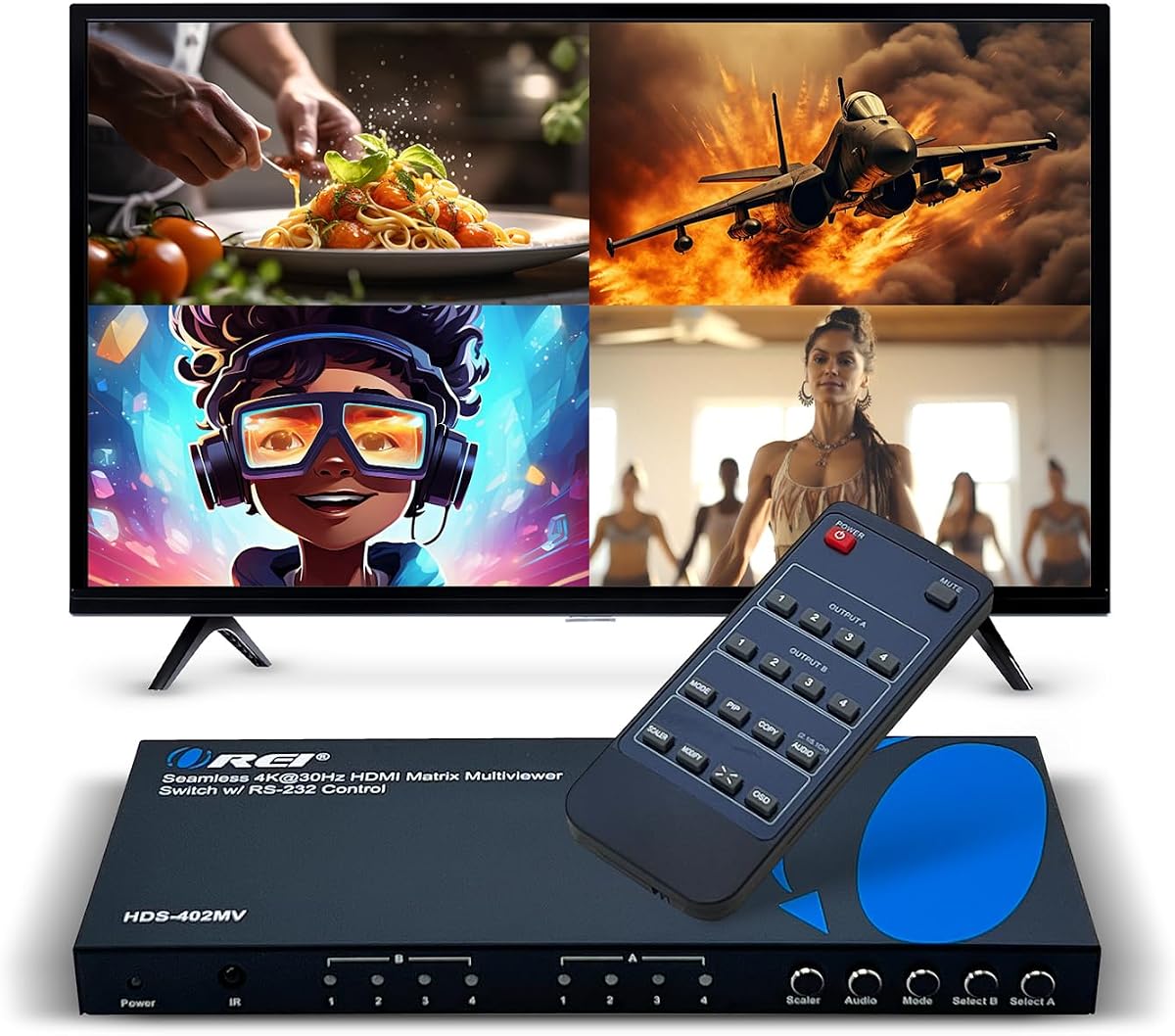
The OREI 4×1 Multiviewer Switch brings 4K support to the multiviewer category, making it suitable for higher fidelity needs. It displays up to four inputs on one screen while maintaining 4K at 30Hz performance. Audio extraction is included, allowing you to send sound to external systems independently of the video feed.
We may earn a commission when you buy through this link, at no additional cost to you.
This model includes RS-232 control for automation, which is a key feature for professional or integrated setups. It also supports EDID management to ensure consistent signal handling across different sources. The dual voltage supply makes it versatile for international travel or use with different plug types.
While 4K is limited to 30Hz, this is often acceptable for monitoring or media playback where motion speed is not critical. The audio output handles one source at a time, which is a standard limitation in this class. Overall, it offers a strong balance of resolution and connectivity.
Select this if you need 4K capabilities and advanced control options. It is a solid choice for users who require more than basic HD performance and value the flexibility of RS-232 integration.
This unit provides access to 4K resolution, ensuring sharper images for high-resolution sources.
RS-232 support lets you integrate the device into larger control systems for seamless operation.
We may earn a commission when you buy through this link, at no additional cost to you.
This model stands out by offering two output ports, allowing you to send the multiviewed signal to two displays simultaneously. It supports four inputs and includes 4K downscaling, ensuring compatibility with high-resolution sources. The OSD system makes it easy to adjust layouts and settings directly on screen.
We may earn a commission when you buy through this link, at no additional cost to you.
RS-232 control provides advanced integration options for professional environments. The device also includes mounting brackets for secure installation, which is useful for permanent setups. Audio outputs allow you to route sound to external systems without relying on the display speakers.
While it is pricier than single-output units, the dual display capability justifies the cost for specific workflows. The mounting hardware simplifies setup, and the OSD ensures you can fine-tune your view. It is a robust solution for control rooms or multi-monitor setups.
Choose this if you need to show multiple feeds on two screens at once. It offers superior flexibility for professional applications where having two active displays improves productivity.
With two outputs, you can replicate your multiview feed on two screens for wider coverage.
The on-screen menu lets you tweak settings without needing external tools, keeping workflow smooth.
We may earn a commission when you buy through this link, at no additional cost to you.
This unit is designed for users needing high refresh rates, supporting 4K at 60Hz for smoother motion. It includes HDCP 2.2 compatibility, ensuring it works with modern content protection standards. EDID management helps avoid handshake issues with different devices, maintaining consistent performance.
We may earn a commission when you buy through this link, at no additional cost to you.
Audio extraction is handled via optical output, which is ideal for connecting to soundbars or receivers. The remote and front panel buttons provide convenient control options for switching sources quickly. While it shares similar features to other models, the refresh rate is a key differentiator.
The higher price reflects the advanced specs, but if 60Hz is required for your workflow, this is a top choice. It is particularly useful for gaming or video editing where frame rates matter. Overall, it delivers professional-grade performance in a compact form.
Pick this if you need 4K at 60Hz to avoid motion blur or latency. It is a strong option for high-end setups where video quality is paramount.
This model ensures smooth playback with 60Hz support, reducing motion artifacts in fast-moving content.
HDCP 2.2 support means you can use modern streaming and playback devices without issues.
We may earn a commission when you buy through this link, at no additional cost to you.
This multiviewer offers eight distinct viewing modes, giving you flexibility in how you arrange your inputs. It supports 4K at 60Hz, ensuring high resolution and smooth motion for demanding sources. The seamless switching means you do not experience blackouts when changing inputs on the full screen.
We may earn a commission when you buy through this link, at no additional cost to you.
It includes PIP functionality, which allows you to focus on one source while keeping others visible in smaller windows. Control is handled via remote and onboard buttons, making it easy to use in various settings. It is compatible with a wide range of devices, from security cameras to gaming consoles.
While the rating is slightly lower than others, it still provides solid performance for its price point. The setup is simple, and it works well for both home and professional needs. If you need variety in layouts, this unit has options to cover many scenarios.
Choose this if you need multiple layout options and 4K support without breaking the bank. It is a versatile choice for those who want flexibility in their monitoring or entertainment setup.
With eight modes, you can adapt the display to any task, from gaming to monitoring.
Switching sources does not interrupt the video feed, keeping your workflow uninterrupted.
We may earn a commission when you buy through this link, at no additional cost to you.
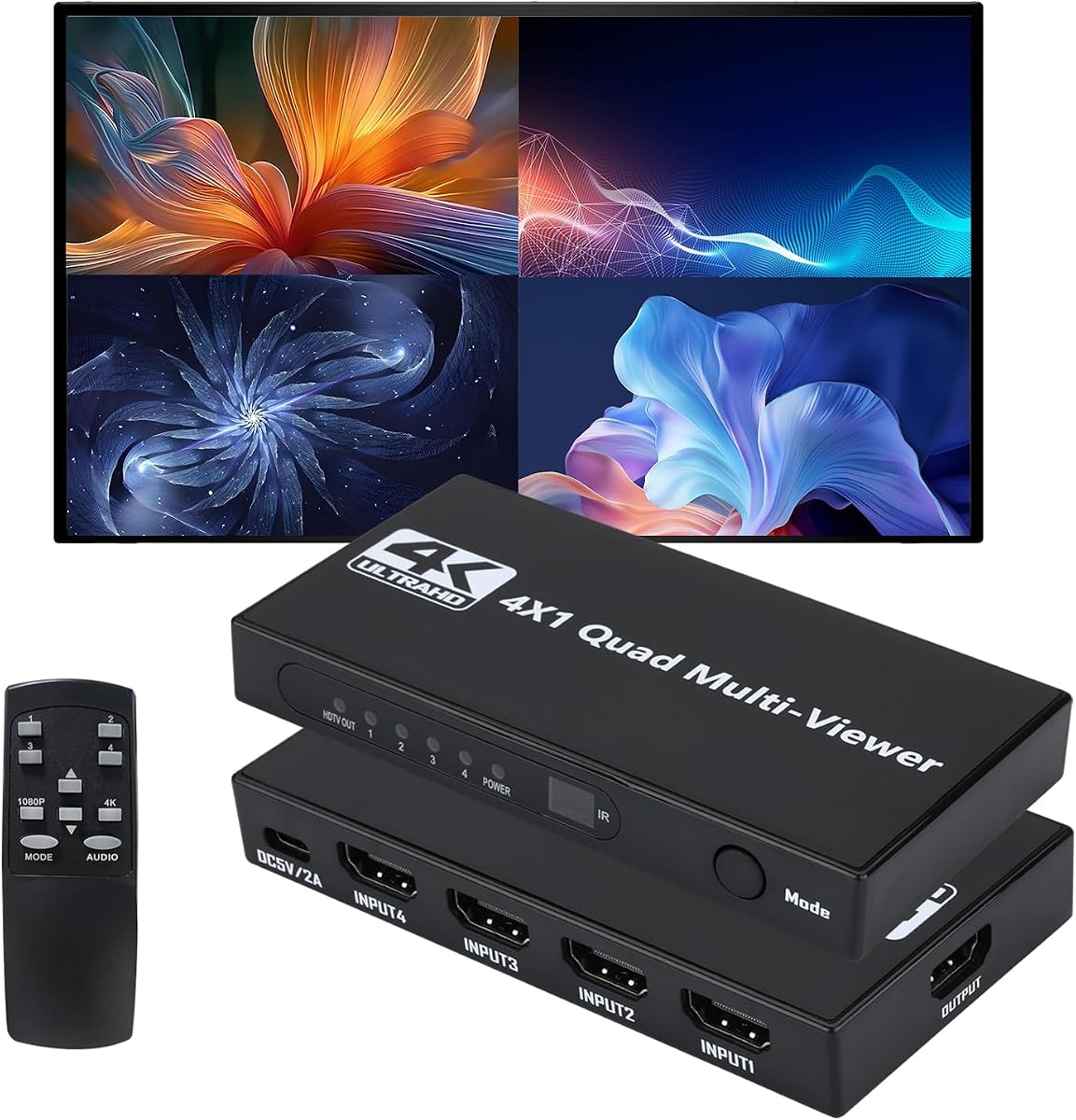
This model offers an impressive twelve display modes, giving you more layout options than most competitors. It supports 4K at 30Hz, which is great for high-resolution static images or videos. The plug-and-play design means no drivers are needed, keeping setup quick and simple.
We may earn a commission when you buy through this link, at no additional cost to you.
It includes a USB-C power cable and remote control to make connection easy. The device is compatible with Windows, Mac, and Linux, ensuring broad system support. Despite its low cost, it provides solid performance for home and office use without requiring advanced technical knowledge.
While the remote does not include batteries, this is a minor trade-off for the low price. The lack of VGA output is acceptable for most users who rely on HDMI displays. Overall, it offers a high value for those needing multiple modes on a budget.
Select this if you want maximum layout variety without spending much. It is an excellent entry-level choice for anyone needing a reliable multiviewer for daily tasks.
Twelve modes allow you to customize every pixel of your screen to match your workflow perfectly.
Compatible with major operating systems, it works seamlessly with your existing hardware without extra software.
We may earn a commission when you buy through this link, at no additional cost to you.
J-Tech Digital provides advanced control via PC software, letting you rearrange sources without touching the device. It supports 4K at 60Hz and includes both RCA and optical audio outputs for flexible sound routing. The OSD system ensures you can adjust layouts directly on screen for quick changes.
We may earn a commission when you buy through this link, at no additional cost to you.
The unit includes mounting ears for secure installation, making it suitable for professional environments. It handles a wide range of resolutions and supports seamless switching between sources. While setup may require more effort, the control options provide significant flexibility for power users.
The lower rating may reflect the complexity or specific feature set that does not appeal to everyone. However, for those needing software control and high-quality audio routing, this model stands out. It is a robust solution for integrated systems.
Choose this if you need advanced control via a computer and professional-grade audio output. It offers a feature set that supports complex workflows better than standard units.
Software control lets you automate layouts, saving time on daily setup tasks.
With RCA and optical options, you can match the sound system to your specific needs.
We may earn a commission when you buy through this link, at no additional cost to you.
This model is well-regarded for its reliability and ease of use, with a strong user rating. It supports five display modes and includes VGA and HDMI outputs to cover different connection needs. The 3.5mm audio output ensures you can route sound easily to external devices.
We may earn a commission when you buy through this link, at no additional cost to you.
It works well with gaming consoles and media players, providing stable performance for entertainment setups. The compact design fits easily in tight spaces, and the included power supply makes setup straightforward. Control via IR remote ensures you can switch inputs from a distance.
While it is limited to 1080p, this is adequate for most everyday uses. The focus on stability and simplicity makes it a favorite for users who do not need high-end specs. It is a solid choice for home offices or gaming rooms.
Select this if you value reliability and simplicity over advanced features. It provides a consistent performance that is easy to integrate into existing systems.
Users report consistent performance without glitches, making it ideal for critical viewing tasks.
The small footprint allows you to place the unit discreetly in any room or workspace.
We may earn a commission when you buy through this link, at no additional cost to you.
This device is a full matrix system, allowing you to route any input to any output combination. It supports 4K input and offers ten video wall modes for professional control room setups. LAN and web control let you manage the device remotely, which is essential for large installations.
We may earn a commission when you buy through this link, at no additional cost to you.
The seamless switching ensures no loss of signal during layout changes. HDCP support ensures compatibility with protected content, while RS-232 adds further control options. It is a powerful solution for environments where flexibility and remote management are required.
While the price is high, the advanced features justify it for professional use. It is more than a simple multiviewer, functioning as a full video wall controller. If you need enterprise-grade control, this model is the top choice.
Choose this if you require a professional matrix system with video wall and remote control. It offers unparalleled flexibility for complex environments.
With four inputs and four outputs, you can route signals freely, offering unmatched flexibility.
Web control allows you to manage layouts from anywhere, essential for large or distributed setups.
We may earn a commission when you buy through this link, at no additional cost to you.
Selecting the right multiviewer requires understanding your display needs and connection capabilities.
Consider whether you need 1080p or 4K resolution. If you work with high-fidelity sources, ensure the device supports your required refresh rate to avoid motion blur.
Check specs for 4K at 60Hz or 30Hz capabilities based on your content type.
Most units offer four inputs and one output, but some models provide two outputs for dual-display setups. Determine if you need to send the signal to multiple screens simultaneously.
Count your active sources to ensure there are enough ports to connect everything.
Some devices include RS-232 or web control for automation, while others rely on IR remotes. For integrated systems, advanced control is essential.
Choose a device that offers the level of control your environment requires.
Look for optical or RCA audio outputs if you need to send sound to external speakers. Some models allow only one audio source at a time.
Verify audio capabilities match your sound system setup.
Different devices offer varying numbers of layouts like quad, PIP, or side-by-side. More modes provide flexibility for different tasks.
Ensure the available modes suit how you typically organize your screens.
Check for HDCP compatibility to ensure protected content works correctly. Also consider VGA or USB-C options for legacy or modern connectivity.
Match the standards to your existing display and source devices.
Some units include mounting brackets for wall installation. Consider the physical dimensions and how you plan to house the device.
Look for sturdy construction to ensure long-term reliability.
Prices vary significantly based on features. Balance cost with essential capabilities to get the best value.
Check warranty terms to ensure support is available if issues arise.
Connect all HDMI sources to the input ports and the main display to the output port. Ensure cables are securely plugged in to maintain stable signals.
Use the remote or OSD to select your desired layout. Adjust audio settings if you are using external speakers.
Keep the device in a well-ventilated area to prevent overheating. Regularly update firmware if supported to ensure compatibility.
Yes, most models are compatible with consoles like PlayStation and Xbox. Ensure HDCP compliance and check resolution limits for optimal performance.
Most units are plug-and-play. Some advanced models offer PC software for remote control, but standard operation requires no software installation.
Check the HDMI cable and power on the source. Use the remote to switch to that input. Restarting the device can also resolve handshake issues.
Quality devices minimize latency with seamless switching. However, processing may add slight delay. Check reviews for performance feedback if gaming.
Some models include VGA output for legacy displays. If not, you will need an active HDMI to VGA adapter for connection.
Many units allow only one source at a time for audio. Check specs for simultaneous multi-channel options if needed.
Whether you need basic monitoring or professional control, there is an HDMI Multiviewer that fits your needs. Top picks like the PORTTA and OREI models offer strong performance and value.
Prioritize resolution support and control options to ensure the device matches your workflow. Advanced features like RS-232 or web control can be crucial for integrated systems.
Always verify current availability and check the latest reviews before purchasing to ensure you are getting the most reliable product for your setup.