
OBDLink EX FORScan OBD Adapter
4.7Editor score
Dealership-level diagnostics support
Electronic CAN bus switching
Maximum throughput performance
This comprehensive guide compares the top Forscan USB OBD2 adapters for Ford and Mazda owners, evaluating compatibility, speed, and reliability for advanced
Finding the right Forscan USB OBD2 adapter is crucial for Ford and Mazda enthusiasts who want to access deep vehicle diagnostics. These tools enable you to read codes, monitor live data, and configure hidden features without visiting a dealership. A reliable adapter ensures stable connections and supports the full range of FORScan software capabilities.
We evaluated ten top-rated adapters based on connection stability, data transfer speed, and compatibility with specific vehicle protocols. Each product was analyzed for its ability to handle HS-CAN and MS-CAN switching automatically. Our goal is to help you choose a device that delivers professional-grade results for DIY maintenance and customization.
Each selection in this list highlights key strengths such as build quality, software support, and unique features like battery protection. While prices vary, the focus remains on performance and reliability for extended diagnostic sessions. Please note that specific product details and availability may change, so verify current listings before purchasing.
4.7Editor score

4.7Editor score

4.3Editor score
This side-by-side comparison highlights the core specifications and capabilities of each adapter to help you make an informed decision based on your specific vehicle needs and budget constraints.




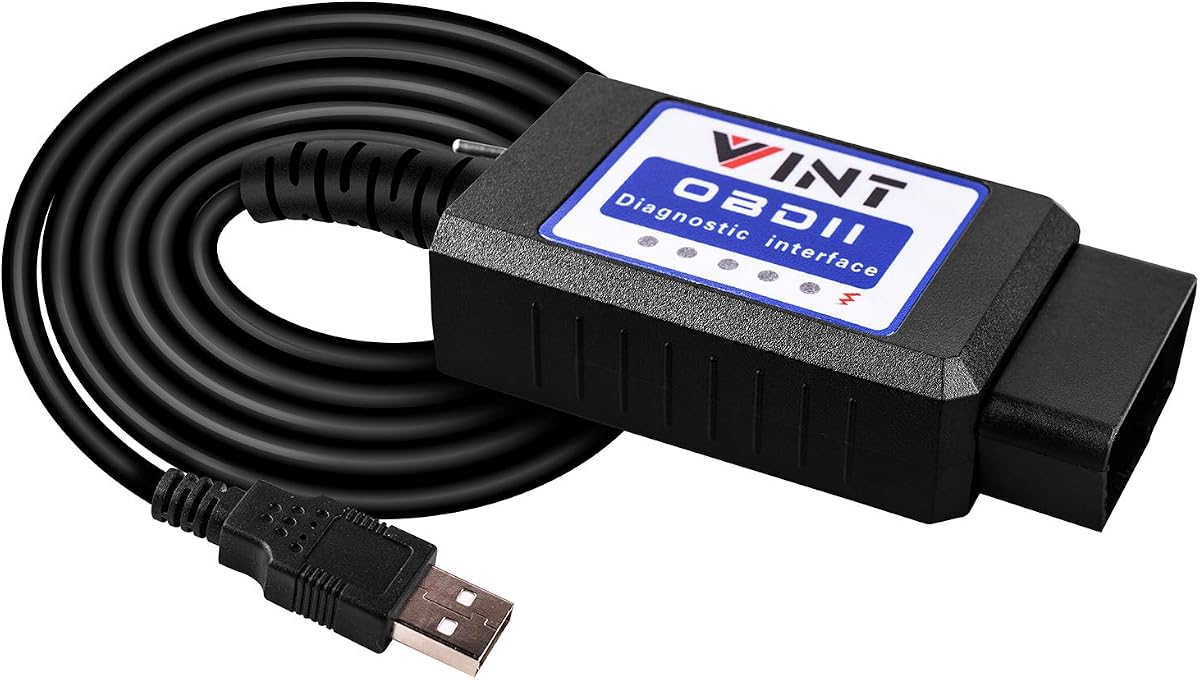
The Vgate vLinker FS stands out as a top choice for users seeking reliability and performance with FORScan software. With a rating of 4.7, it consistently delivers stable connections during long diagnostic sessions. Its optimization for FORScan ensures minimal lag and crashes, making it a preferred tool for advanced diagnostics.
We may earn a commission when you buy through this link, at no additional cost to you.
Key strengths include its ability to support up to 18V for ECU programming, which is vital for flashing updates on select vehicles. The adapter handles high-speed data transfer at 3 Mbps, allowing complete DTC retrieval without truncation. Automatic identification of HS-CAN and MS-CAN buses simplifies the process for users managing multiple modules.
While the device is highly capable, users must ensure they have the correct OBD2 app installed separately as it does not come with software. Compatibility can vary by vehicle configuration, so checking specific model support is advised before purchase. These trade-offs are minor given the robust performance and widespread endorsement by the FORScan community.
This adapter is ideal for DIY mechanics and enthusiasts who need a dependable tool for both diagnostics and programming. Its balance of speed, stability, and advanced feature support makes it a recommended purchase for most Ford and Mazda owners looking to expand their vehicle capabilities.
The adapter is specifically tuned for FORScan software to prevent crashes during extended diagnostic sessions.
Support for 18V output enables ECU programming tasks on select older US-market vehicles without external power.
We may earn a commission when you buy through this link, at no additional cost to you.
The OBDLink EX offers dealership-level diagnostics by supporting all Ford protocols and advanced FORScan features. It is highly rated for its electronic switching capability, which allows simultaneous access to all CAN buses without manual intervention. This design eliminates the need for physical toggle switches, reducing user error during complex operations.
We may earn a commission when you buy through this link, at no additional cost to you.
Performance-wise, it boasts maximum throughput that is significantly faster than traditional toggle switch adapters. The rock-solid connection ensures that data packets are not dropped, which is critical when reading live sensor data or programming ECUs. Its stability makes it a reliable choice for professional technicians and serious hobbyists.
While it comes at a higher cost, the convenience and performance justify the investment for those requiring advanced capabilities. It is specifically tailored for Ford vehicles, which may limit its utility for owners of other brands. However, for Ford enthusiasts, this adapter provides unparalleled access to vehicle systems.
Ideal for users who need a robust and efficient tool for daily diagnostics or frequent programming tasks, this adapter simplifies the workflow. Its design prioritizes user experience and data integrity, making it a premium solution for those willing to invest in quality hardware.
Eliminates manual switching errors by allowing simultaneous access to all CAN buses automatically.
Unlocks advanced features and modules typically reserved for authorized dealer tools.
We may earn a commission when you buy through this link, at no additional cost to you.
The OHP FORScan ELM327 adapter provides an affordable entry point for owners looking to perform diagnostics without a professional mechanic. It supports a wide range of Ford models and delivers accurate readings for various systems including engine and transmission. This tool empowers users to save money on repairs by identifying issues independently.
We may earn a commission when you buy through this link, at no additional cost to you.
Key features include support for connection speeds up to 500 kbit/s and compatibility with Windows systems from XP to 10. The adapter comes with instructions to help troubleshoot connection issues, such as lowering COM port numbers. It also includes fault descriptions to help identify root causes effectively.
However, it is limited to Windows environments and does not support macOS or mobile devices without specific emulation. Users may need to manually install FTDI drivers if auto-installation fails. These constraints are acceptable for budget-conscious users who primarily use a Windows-based laptop for their diagnostics.
This adapter is best suited for casual users and DIY enthusiasts who need a reliable tool for basic to intermediate diagnostics. It offers significant value for the price, enabling essential functions like clearing codes and reading sensor data without expensive equipment.
Enables owners to read and interpret trouble codes to avoid costly dealership visits.
Requires specific driver installation which can be managed through device settings for optimal performance.
We may earn a commission when you buy through this link, at no additional cost to you.
The VGATE vLinker FS USB is designed specifically for FORScan users who need advanced configuration and programming capabilities. It supports FEPS 18V programming output and offers a high-speed transmission rate of 3 Mbps for smooth graphics. The automatic switching between HS-CAN and MS-CAN buses ensures seamless communication with vehicle modules.
We may earn a commission when you buy through this link, at no additional cost to you.
Its battery saver technology allows the device to remain plugged in without risking battery drain, which is a significant convenience for frequent users. The 8192 byte serial buffer supports long frame communication, making it suitable for complex data transfers. This reliability is essential for users performing detailed modifications.
Users should note that the device does not include software and requires separate download from official sources. While it works with various third-party apps, setup may vary depending on the vehicle model. These minor requirements are outweighed by the adapter's robust feature set and protective technologies.
This adapter is an excellent choice for users who want a comprehensive tool that supports both diagnostics and advanced programming. Its balance of performance and convenience makes it a reliable option for Ford and Mazda enthusiasts looking to customize their vehicles.
Auto sleep and over-voltage protection prevent battery drain even when left plugged in.
The 8192 byte buffer ensures smooth handling of large data packets during programming.
We may earn a commission when you buy through this link, at no additional cost to you.
This ELM327 USB adapter is tailored for Ford, Lincoln, Mazda, and Mercury owners looking to unlock hidden features. It uses a physical toggle switch to manage HS-CAN and MS-CAN communication, which is effective for targeted troubleshooting. The device supports multiple protocols and works with various diagnostic apps beyond FORScan.
We may earn a commission when you buy through this link, at no additional cost to you.
Users can utilize it to access features like global window control and Bambi mode, providing customization options typically unavailable through standard interfaces. The hardware version V1.5 ensures stable connections far exceeding wireless alternatives. It is fully compatible with Windows systems, allowing broad accessibility for different laptop configurations.
While it requires manual switching and driver installation, these steps are straightforward with the provided instructions. The need to install specific software and drivers before use adds a slight setup time but ensures professional-grade performance. This makes it a viable option for users comfortable with basic technical setup.
Ideal for those who want to customize their vehicle settings or perform detailed diagnostics without high costs, this adapter offers significant value. It is a practical tool for DIY enthusiasts who prefer wired stability over wireless convenience for their daily tasks.
Enables customization of features like tire size calibration and mirror tilt for reverse.
USB connection ensures stable data transfer for complex programming tasks compared to Bluetooth.
We may earn a commission when you buy through this link, at no additional cost to you.
This adapter is designed to support a broad range of Ford, Lincoln, Mazda, and Mercury vehicles, including F-series trucks. It features a toggle switch to manage CAN bus communication and allows access to hidden features such as Bambi mode and heated steering wheel settings. It is compatible with all standard Windows versions from XP to 10.
We may earn a commission when you buy through this link, at no additional cost to you.
Users can leverage this tool to perform diagnostics and customize vehicle settings without dealership intervention. The ability to correct tire size and enable remote engine starting adds significant value for daily drivers. It is a practical solution for those who need a reliable tool for routine maintenance and minor modifications.
One limitation is that some newer 2019+ Mazda models are not supported, and it is restricted to Windows environments. Users must install drivers and software before connecting to the vehicle, which requires a bit of initial setup. These factors make it best suited for users with older vehicles or those comfortable with setup procedures.
For owners seeking an affordable and functional diagnostic tool, this adapter delivers on its promises. It provides essential capabilities for reading codes and enabling comfort features, making it a useful addition to a DIY enthusiast's toolkit.
Allows activation of features like remote engine start and mirror tilt for reverse.
Covers 99% of models after 2000, ensuring broad utility for most Ford owners.
We may earn a commission when you buy through this link, at no additional cost to you.
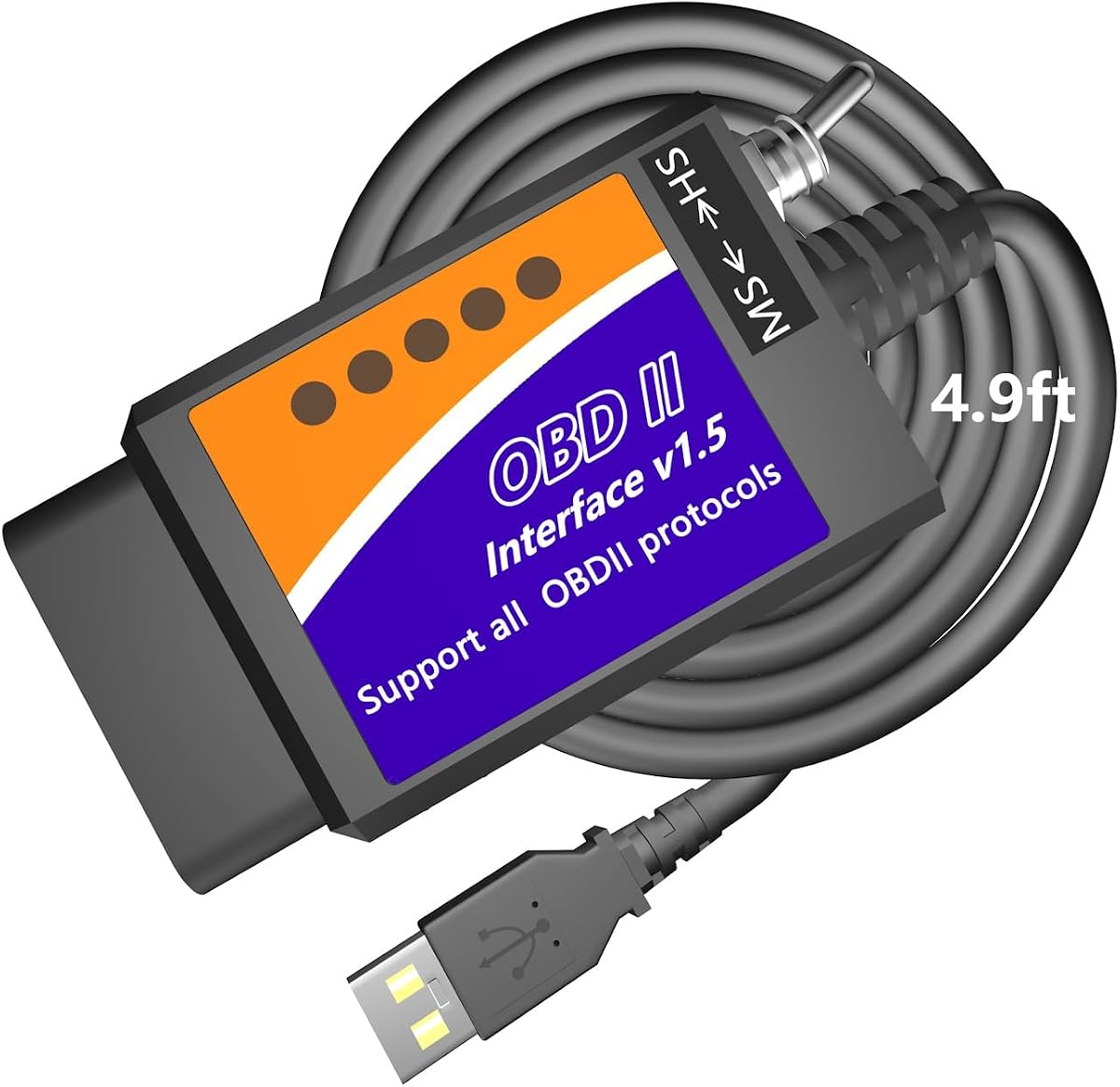
The MOCATEC USB adapter stands out with its 4.9ft cable, providing extra length for comfortable access to the OBD2 port. This longer cable allows users to place their laptop on their knees without feeling cramped. It is designed for Ford and Mazda enthusiasts who need to unlock hidden factory configurations.
We may earn a commission when you buy through this link, at no additional cost to you.
Users can monitor live sensor data and customize settings like daytime running lights and trailer brake controllers. The toggle switch helps seamlessly bridge HS-CAN and MS-CAN protocols for accurate communication. The package includes tutorials to guide users through module modification rules effectively.
It is strictly for Windows x86/x64 PCs and will not work on macOS or mobile devices without emulation. Additionally, successful programming depends on whether the specific vehicle has the required factory modules installed. These constraints are typical for specialized diagnostic tools and do not detract from its overall utility.
This adapter is an excellent choice for users who prioritize comfort and detailed customization. Its ergonomic design and comprehensive feature set make it a reliable tool for those looking to personalize their driving experience.
The extended cable length reduces strain during extended diagnostic sessions.
Enables adjustments to Sync menus and lighting for a personalized feel.
We may earn a commission when you buy through this link, at no additional cost to you.
This adapter features a strong hardware design with an FTDI chip to ensure reliable connections. It supports speeds of up to 500 kbit/s, which is suitable for professional-grade engine fault programming. The improved MS-CAN and HS-CAN switch allows for fast and smooth communication with vehicle modules.
We may earn a commission when you buy through this link, at no additional cost to you.
Users can utilize it with various software options like FORScan and Elmconfig to read fault codes and clear check engine lights. The V1.5 hardware version helps avoid data corruption and dropped packets during extended sessions. This reliability makes it a solid choice for regular diagnostic use.
One minor drawback is the requirement to install specific drivers and software separately before connection. While this adds a step to the setup process, it ensures compatibility with a wide range of systems. The device is designed for Windows users who need a stable tool for their maintenance needs.
For owners who need a dependable adapter for routine checks and modifications, this option offers excellent value. Its focus on connection quality and hardware durability makes it a trustworthy tool for Ford and Mazda enthusiasts.
The FTDI chip ensures stable communication and reduces the risk of data loss.
Up to 500 kbit/s speed enables quick diagnostics and real-time monitoring.
We may earn a commission when you buy through this link, at no additional cost to you.
The Vgate vLinker FS offers an enhanced version of the popular adapter with automatic electronic switching capabilities. With a rating of 4.8, it is highly regarded for its ability to access all CAN buses simultaneously without manual toggle. It supports a transmission rate of 3 Mbps for smooth graphics and real-time monitoring.
We may earn a commission when you buy through this link, at no additional cost to you.
Key features include support for 18V programming voltage and compatibility with USB 2.0 and 3.0 ports. This makes it a versatile tool for both diagnostics and advanced programming tasks. The rock-solid connection ensures that users can perform extended sessions without interruption.
While it is limited to Windows PCs and requires separate software installation, these are standard requirements for professional-grade tools. The automatic switching simplifies the user experience and reduces the chance of human error during complex operations. It is a highly efficient option for those seeking top-tier performance.
Ideal for enthusiasts who demand reliability and speed, this adapter is a top recommendation for FORScan users. Its combination of hardware quality and intelligent design makes it a standout choice for vehicle customization.
Eliminates the need for physical toggles, streamlining the diagnostic process.
The 3 Mbps rate ensures smooth real-time meter updates and data flow.
We may earn a commission when you buy through this link, at no additional cost to you.
This adapter is designed to support Ford F-series trucks and light pickup models with consistent performance. It offers a constant speed of 500kbit/s for reliable diagnostics. The MS-CAN and HS-CAN toggle switch allows users to easily switch between communication protocols during use.
We may earn a commission when you buy through this link, at no additional cost to you.
Users can leverage it to access hidden features like Global Window and Bambi Mod, which enhances vehicle customization. It is compatible with Windows systems and works with various third-party diagnostic software. This flexibility makes it a useful tool for owners looking to modify their vehicle settings.
While it is limited to Windows and requires manual switching, these are manageable requirements for most users. The adapter provides an affordable way to perform professional-grade diagnostics without specialized equipment. It is a practical choice for those who need a reliable tool for routine maintenance.
For owners seeking a straightforward and cost-effective diagnostic solution, this adapter delivers on its promises. It provides essential functionality for reading codes and enabling features, making it a valuable addition to any DIY toolkit.
Optimized for Ford F-series trucks to ensure accurate diagnostics on heavy-duty models.
Supports a range of apps including ELMconfig and FoCCCus for diverse user needs.
We may earn a commission when you buy through this link, at no additional cost to you.
Selecting the right adapter requires understanding your vehicle's protocols and your intended use cases for diagnostics or customization.
Ensure the adapter supports both HS-CAN and MS-CAN protocols as most Ford and Mazda vehicles utilize these networks. Look for automatic switching features to avoid manual errors during diagnosis. This ensures seamless access to all vehicle modules without additional hardware manipulation.
Choose an adapter with automatic switching capabilities to simplify the diagnostic workflow.
Wired USB connections generally offer superior stability compared to wireless options for extended sessions. Check for features like buffer capacity and error correction to prevent data loss. This is crucial when reading live data or performing complex programming tasks that require continuous flow.
Prioritize models with a proven track record of stable connections to minimize interruptions.
Verify that the adapter is compatible with the software you plan to use such as FORScan or ELMconfig. Some adapters are optimized for specific tools which can enhance performance. Ensure you have access to the necessary drivers and software for your operating system.
Confirm software compatibility before purchasing to ensure the device works with your setup.
If you plan on performing ECU programming, select an adapter that supports higher voltage outputs like 18V. This capability is essential for flashing updates on certain older models. Standard adapters might not provide enough power for advanced programming tasks.
Check for voltage support if advanced programming is a primary use case.
Most adapters are designed specifically for Windows environments and may not work with macOS or mobile devices. Ensure your computer meets the specific requirements such as x86/x64 architecture. This avoids compatibility issues when attempting to connect and use the diagnostic software.
Verify your operating system is supported to prevent connection errors.
Look for adapters with high-quality chips like FTDI to ensure durability and reliability over time. A solid warranty provides peace of mind if you encounter any issues. Reputable brands often offer better support and firmware updates for long-term usability.
Invest in a model from a trusted brand with a good warranty policy.
A longer cable can make it easier to reach the OBD2 port comfortably depending on your vehicle layout. This feature is particularly useful if you plan to use a laptop during diagnostics. Avoid shorter cables that restrict movement or strain the port.
Consider cable length to ensure ergonomic comfort during use.
Some adapters require manual driver installation before they can communicate with your computer. Be prepared to follow setup instructions carefully to ensure detection. This step is critical for the adapter to function correctly within your software environment.
Be ready to install necessary drivers to enable full functionality.
First, install the required USB drivers and diagnostic software on your computer before connecting the adapter. Ensure your vehicle is turned off when plugging the adapter into the OBD2 port to prevent electrical surges. Start your vehicle engine or ignition to power the port for the connection.
Second, launch the diagnostic software and select the appropriate adapter type to begin scanning. For models with a toggle switch, ensure it is set to the correct protocol if required. Read the diagnostic codes and review the live data to identify any issues.
Third, after use, save your data and safely close the software before disconnecting the adapter. Store the adapter in a dry place to protect the USB connector from dust or damage. Regularly check for firmware updates to maintain compatibility with newer vehicle models.
Most adapters are designed to support Ford, Lincoln, and Mercury vehicles, but compatibility can vary by model year. It is important to check the manufacturer's list of supported vehicles. Adapters that support both HS-CAN and MS-CAN are generally best for Ford models.
Most of these adapters are designed specifically for Windows systems and do not support macOS natively. If you are on a Mac, you may need to run a Windows emulator. Always verify OS compatibility before purchasing.
HS-CAN is used for high-speed systems like the engine and transmission while MS-CAN is for lower-speed systems like body controls. Switching between them correctly is essential for accurate diagnostics and customization of specific modules.
FORScan offers a free basic license, but some advanced features require an Extended License. This license can be purchased from the FORScan website. Many basic diagnostic functions work without the extended license.
Many modern adapters have sleep modes to prevent battery drain, but it is generally safer to unplug them when not in use. This ensures your vehicle battery remains charged for starting. Check your specific adapter's battery protection features.
Try reinstalling the USB drivers or checking the Device Manager for COM port settings. Ensure the correct software is selected in your application settings. Updating the firmware on the adapter can also resolve detection issues.
Selecting the right adapter depends on your specific needs such as budget, vehicle model, and desired features. The Vgate vLinker FS and OBDLink EX offer top-tier performance for enthusiasts needing reliable diagnostics. Budget-friendly options like the OHP adapter provide essential tools for basic maintenance.
Prioritize adapters with automatic switching and solid build quality to ensure a smooth experience. Avoid manual toggles if you want to reduce the risk of errors during complex tasks. Features like voltage support and battery protection add significant value for advanced users.
Remember that prices and availability can fluctuate so always check current listings before purchasing. Ensure your vehicle model is compatible with the chosen adapter to avoid disappointment. With the right tool, you can confidently manage your vehicle diagnostics and customization.