
Thermal Shipping Label Printer 4×6
4.4Editor score
Direct thermal technology
Dual Bluetooth USB connectivity
Includes 25 sheets labels
This guide compares the top DHL label printers for small businesses, focusing on speed, connectivity, and compatibility with major shipping platforms.
Finding the right Dhl Label Printer can transform your shipping workflow and save valuable time every day. Modern thermal printers eliminate ink costs while delivering crisp barcodes that scan reliably at every checkpoint. Whether you run a home-based Etsy shop or manage a bustling warehouse, the right machine ensures your packages move quickly without frustrating delays or mislabeled shipments.
We evaluated ten leading models based on real-world performance, connectivity options, and platform compatibility with major carriers like DHL. Our analysis considers print speed, resolution quality, ease of setup, and long-term durability under heavy daily use. Each product listed here offers distinct advantages depending on your specific volume needs and technical environment.
Each pick below highlights key features, pros, and cons to help you make an informed decision for your business. Please note that product availability and pricing can change frequently on retailer websites, so verify current details before purchasing. We update this guide regularly to reflect the latest models and user feedback from the shipping community.
4.4Editor score

4.4Editor score

4.6Editor score
This side-by-side comparison highlights the key specifications and capabilities of each top-rated thermal label printer available for DHL shipping needs today.






The JADENS Bluetooth Thermal Shipping Label Printer stands out as a top contender for small businesses needing reliable DHL label printing. With a rating of 4.4 stars, users appreciate its high-tech thermal print head that delivers crisp 203 DPI quality without the hassle of ink or toner cartridges. This model balances cost-effectiveness with performance, making it ideal for daily shipping tasks.
We may earn a commission when you buy through this link, at no additional cost to you.
Its wireless capabilities allow seamless integration with Windows and Mac systems via Bluetooth, while mobile users can leverage the dedicated Jadens Printer app for iOS and Android devices. The printer supports both fanfold and roll labels ranging from 1.57 to 4.1 inches, offering flexibility for various shipping needs. Comprehensive support materials including driver files and tutorial videos ensure you can get started quickly.
While the Bluetooth connection on mobile requires an app, this setup ensures stable data transfer without compatibility headaches. Users should note that recalibrating the feed button is necessary whenever label types change to maintain alignment. These minor steps are standard for thermal printers and do not significantly impact overall workflow efficiency.
This printer is highly recommended for online sellers on platforms like Amazon, eBay, and Shopify who need a dependable workhorse. Its one-year warranty and accessible customer support provide peace of mind for small business owners. If you value clean, fast printing with broad compatibility, the JADENS offers excellent value.
Supports both fanfold and roll labels across a wide width range for diverse shipping needs.
Works seamlessly with major platforms like ShipStation, Endicia, and Etsy for streamlined order processing.
We may earn a commission when you buy through this link, at no additional cost to you.
This Thermal Shipping Label Printer offers an affordable entry point for businesses needing efficient DHL shipping solutions. Rated 4.4 stars, it utilizes direct thermal technology to eliminate ink costs while maintaining sharp 203 DPI resolution for reliable barcode scanning. The inclusion of 25 sheets of 4×6 labels means you can start printing immediately upon unboxing.
We may earn a commission when you buy through this link, at no additional cost to you.
Connectivity is flexible with both Bluetooth and USB options, allowing you to choose between wireless convenience or a stable wired connection for office workflows. The FlashLabel Pro app provides over 1,800 templates and offline capabilities so you can store designs locally without waiting for cloud downloads. This is particularly useful for high-volume shipping during peak hours.
The printer handles labels from 1.57 to 4.3 inches wide and works with major carriers including DHL, UPS, and FedEx. Its matte finish design saves desk space while the built-in overheat protection ensures stability during long printing sessions. While it prints only in black and white, this is standard for thermal shipping labels.
Ideal for startups or small e-commerce shops, this model balances cost with robust features. The dual connectivity ensures you aren't locked into one device type, and the preloaded templates reduce design time. For those seeking a reliable, low-maintenance printer without breaking the budget, this is a smart choice.
Package includes everything needed to start printing labels right out of the box with included supplies.
Up to 72 labels per minute keeps peak shipping hours running smoothly with minimal downtime.
We may earn a commission when you buy through this link, at no additional cost to you.
The KNAON Bluetooth Thermal Shipping Label Printer is designed for users who need portability without sacrificing speed. With a 4.4 star rating, this white printer delivers up to 180 mm/s, making it one of the fastest options in its class. Its compact size allows it to fit easily on crowded desks or in travel kits for on-the-go shipping.
We may earn a commission when you buy through this link, at no additional cost to you.
It supports Windows, macOS, and Linux systems via USB, while mobile devices connect through the FlashLabel Pro app. The app offers over 3,000 templates and 5,000 icons, enabling creative customization for thank-you notes or branding alongside standard shipping labels. For ChromeOS users, a dedicated extension ensures seamless integration with Chrome-based workflows.
Platform compatibility covers major carriers like DHL and marketplaces including Etsy, Shopify, and Amazon. Users save logistics labels as PDFs and import them into the app for printing, which ensures consistent formatting across different shipping sources. The package includes 10 test papers to help you calibrate settings immediately.
This printer suits freelancers and small business owners who value design flexibility alongside shipping efficiency. While mobile printing relies on the app, the extensive font and icon library makes it a versatile tool beyond just logistics. If you need a fast, stylish printer that handles varied label sizes well, KNAON is a strong contender.
Access thousands of templates and icons to create branded or personal labels easily within the app.
Small footprint allows you to set up a temporary shipping station anywhere you work.
We may earn a commission when you buy through this link, at no additional cost to you.
Rollo USB Shipping Label Printer is widely recognized as a commercial-grade workhorse for high-volume shipping environments. With a impressive 4.6 star rating, it offers robust construction designed to withstand daily heavy use in warehouses or busy fulfillment centers. Its direct thermal technology prints at 150mm/s, ensuring you can process large batches quickly without ink costs.
We may earn a commission when you buy through this link, at no additional cost to you.
While it connects via USB, this wired reliability prevents disconnections during critical shipping windows. The Rollo Ship app provides exclusive shipping rates when connected to ecommerce platforms, potentially saving money on carrier fees. Compatibility extends to virtually all major marketplaces and carriers including DHL, UPS, and FedEx.
The printer handles labels from 1.57 to 4.1 inches wide, covering everything from standard shipping labels to custom barcodes. Its high-resolution print head ensures text and codes remain legible even after exposure to transit wear. Setup is straightforward with driver downloads available for Windows and Mac systems.
Businesses that prioritize uptime and consistency will find this investment worthwhile. The absence of toner or ink reduces ongoing costs, and the durable head promises a long lifespan. If you run a significant volume of shipments and need a reliable printer that won't fail, Rollo is the premium choice.
Connect ecommerce platforms to gain access to discounted shipping rates directly through the Rollo Ship app.
Commercial-grade engineering ensures consistent performance even during peak shipping seasons and high-demand periods.
We may earn a commission when you buy through this link, at no additional cost to you.
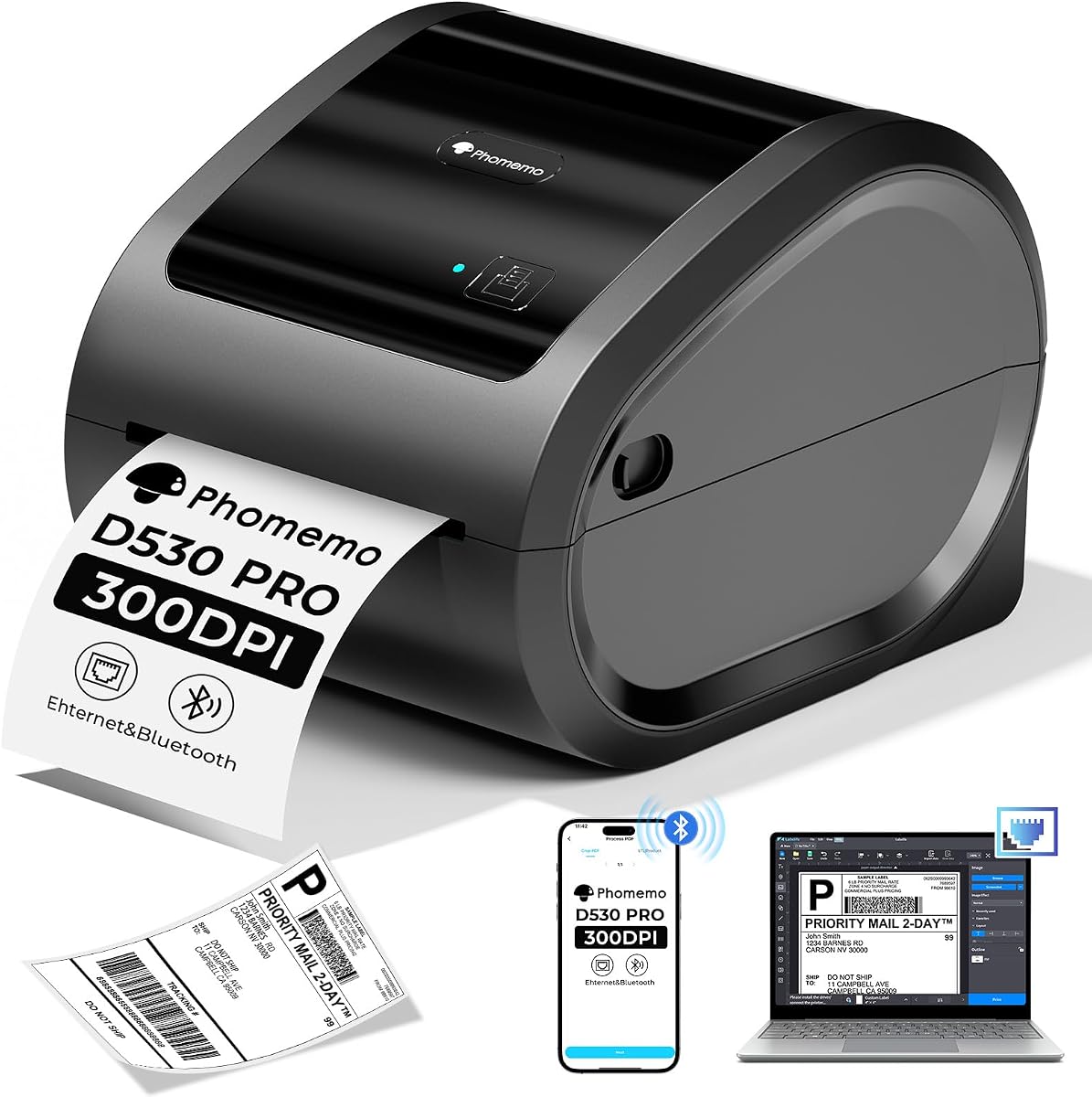
The Phomemo 300DPI Ethernet Thermal Label Printer brings high-definition clarity to shipping labels with its 300 DPI capability. Rated 4.1 stars, this model excels in print detail, making text and barcodes extremely sharp for accurate scanning. The built-in paper bin holds up to 500 rolls, reducing clutter and keeping your workspace organized efficiently.
We may earn a commission when you buy through this link, at no additional cost to you.
It offers versatile connectivity including Ethernet, USB, and Bluetooth, allowing network integration for office environments. The return-to-paper function helps save every piece of label material by minimizing waste during cuts. Platform compatibility is broad, supporting major carriers like DHL and e-commerce giants like Amazon and eBay seamlessly.
Print speed reaches 150mm/s, delivering about 72 labels per minute to keep workflows moving fast. The ability to switch between connection types means you can choose wired stability for main tasks or wireless for flexibility. This is particularly useful in setups where multiple devices need access to the printer simultaneously.
Ideal for businesses requiring high-quality visual output alongside standard shipping needs, this printer balances detail with utility. The large capacity bin means fewer refills, and the multi-connection setup supports flexible office layouts. If crisp labels and network compatibility are priorities, Phomemo delivers solid value.
300 DPI resolution ensures fine print and complex barcodes are captured with exceptional clarity for scanning.
Built-in function helps save label material by minimizing waste during cutting and cutting processes.
We may earn a commission when you buy through this link, at no additional cost to you.
MUNBYN Bluetooth Thermal Label Printer distinguishes itself with whisper-quiet performance at just 60 dB, quieter than standard typing. With a 4.2 star rating, it uses DAC Dynamic Algorithm tech to auto-calibrate and reduce label misalignment issues common in other models. This ensures precise packaging and shipping labels without manual adjustments.
We may earn a commission when you buy through this link, at no additional cost to you.
The printer is built for longevity, lasting up to 970,000 labels which is six times more than ordinary devices. It maintains near-zero jam rates and professional-grade output clarity down to 0.1 mm font legibility. Compatible with Mac and Windows via Bluetooth or USB, it works well in shared workspaces where noise could be a distraction.
It handles label widths from 1.57 to 4.25 inches and includes a dedicated indicator light to show stable connections. While users might find the light behavior slightly confusing, it ultimately ensures reliable data transfer. The quiet operation makes it ideal for home offices or libraries where silence is valued during work hours.
This model is perfect for creators and businesses that need reliability without the noise of traditional printers. Its long lifespan reduces replacement costs over time, and the auto-calibration saves setup time daily. If you value a silent and efficient workflow, the MUNBYN offers a refined user experience.
Operates at 60 dB to maintain a quiet environment suitable for home offices or shared workspaces.
DAC chip ensures automatic calibration to reduce misalignment and improve label consistency.
We may earn a commission when you buy through this link, at no additional cost to you.
Rollo Wireless Shipping Label Printer eliminates drivers entirely with Wi-Fi AirPrint support for iPhone, iPad, and Mac users. Rated 4.1 stars, it connects to Android, Windows, Chromebook, and Linux via Wi-Fi or USB, offering seamless integration across diverse device ecosystems. The print head life extends to 650,000 labels, significantly outperforming many competitors.
We may earn a commission when you buy through this link, at no additional cost to you.
Its high-speed 150mm/s output ensures quick processing of large shipping batches without compromising clarity. The Rollo Ship Manager App provides exclusive shipping rates when linked to ecommerce platforms, saving money on costs. Network printing means multiple users can access the device without plugging and unplugging cables constantly.
While the price is higher, the convenience of driverless printing often justifies the cost for tech-savvy teams. Compatible with major carriers and marketplaces, it handles standard shipping labels and custom barcodes effectively. The wide computer compatibility ensures it fits into almost any existing office infrastructure.
Ideal for teams that need shared access to printing resources without technical setup hassles. The AirPrint feature allows quick printing from iOS devices, and the long head life reduces maintenance needs. If wireless flexibility and reliability are top priorities, this Rollo model delivers superior connectivity.
Connect via Wi-Fi to print directly without installing drivers on your computer or mobile device.
Network connectivity allows multiple devices to access the printer simultaneously for efficient team workflows.
We may earn a commission when you buy through this link, at no additional cost to you.
Nelko Bluetooth Thermal Shipping Label Printer offers a compact solution for businesses needing fast, efficient label creation. With a 4.3 star rating, it prints up to 150 mm/s, ensuring quick turnaround times for orders. Its small footprint fits neatly on crowded desks, making it perfect for small spaces or home offices.
We may earn a commission when you buy through this link, at no additional cost to you.
Connectivity includes Bluetooth for iOS and Android via the NELKO app, and USB for Windows, Mac, and ChromeOS. Mac users with M1 or M2 CPUs must use USB for stability, while other systems support Bluetooth. It handles fanfold and roll labels from 1.54 to 4.1 inches wide to cover common shipping needs.
The printer requires saving logistics labels as PDFs before uploading them to the editor app for printing. This workflow ensures consistent formatting across platforms like Amazon, eBay, and Shopify. Instruction videos and drivers are provided on a U-Disk for easy setup without needing additional downloads.
This model suits small business owners who value speed and space efficiency without paying a premium price. The high-speed printing keeps orders moving, and the driver support for ChromeOS broadens its utility. If you need a reliable, compact printer for daily shipping tasks, Nelko provides excellent value.
Compact dimensions allow you to fit the printer on small desks without sacrificing workspace usability.
Includes U-Disk with drivers and videos to help you get started without technical delays.
We may earn a commission when you buy through this link, at no additional cost to you.
Rongta Bluetooth Shipping Label Printer provides a cost-effective solution for small businesses needing reliable DHL label printing. Rated 4.0 stars, it features automatic label detection that eliminates manual adjustment hassles when swapping between sizes. Its 150 mm/s speed ensures efficient production for warehouses and offices alike.
We may earn a commission when you buy through this link, at no additional cost to you.
Compatibility extends to Windows, macOS, and ChromeOS with drivers available on the official site. Mobile users can connect via the RONGTA app on iOS and Android to start printing instantly. The printer handles a wide range of label widths from 0.98 to 4.37 inches, covering everything from QR codes to standard shipping labels.
At 10.2 x 7.4 x 5.3 inches, it offers a space-saving build that fits easily on desks or in drawers. While it lacks some advanced features found in premium models, it covers all essential shipping tasks without complexity. The low cost makes it an ideal choice for startups or occasional shippers.
This printer is highly recommended for those entering the e-commerce space who need functional hardware without a high upfront cost. Automatic label identification simplifies the process, and the broad compatibility ensures it works with most systems. If budget and simplicity are key factors, Rongta is a practical option.
Automatic detection and feeding eliminate the need for manual alignment every time you change labels.
Handles label widths from 0.98 to 4.37 inches to cover diverse labeling requirements in one device.
We may earn a commission when you buy through this link, at no additional cost to you.
DYMO LabelWriter 550 Series brings a focused approach to label printing with automatic recognition and low-waste capabilities. Rated 3.6 stars, it uses optimized direct thermal printing to deliver precise label quantities without sheet labels. The printer only works with authentic DYMO labels, ensuring consistent quality but limiting third-party options.
We may earn a commission when you buy through this link, at no additional cost to you.
It eliminates the hassle of waste associated with sheet labels by printing exactly what you need. The paper labels are made from FSC certified materials and are BPA-free for safety. Plastic-free packaging adds to its environmentally conscious profile, appealing to eco-friendly businesses.
While compatibility is restricted to DYMO branded labels, this ensures reliable performance and easy recognition. The automatic feature simplifies the setup process as the printer identifies the label size instantly. Users seeking simplicity and environmental responsibility may overlook the proprietary costs for these benefits.
Ideal for organizations prioritizing sustainability and precision in their shipping process. The direct thermal technology saves ink costs, and the low waste design aligns with green business goals. If you prefer a system that handles material recognition automatically, DYMO offers a unique solution.
Plastic-free packaging and FSC certified materials reflect a commitment to reducing environmental impact.
Print precise quantities instead of wrestling with sheet labels to reduce waste and improve efficiency.
We may earn a commission when you buy through this link, at no additional cost to you.
Selecting the right printer involves considering connectivity, speed, label compatibility, and platform integration for your specific shipping workflow.
Modern printers offer USB, Bluetooth, Wi-Fi, or Ethernet connections. USB provides stability but limits mobility, while Bluetooth and Wi-Fi enable wireless printing from mobile devices or multiple computers. Choose based on your workspace setup and whether you need to print from smartphones or shared networks.
Ensure the printer supports your operating system, such as Windows, macOS, or ChromeOS, to avoid driver issues.
Higher print speeds like 150mm/s help you process orders quickly during peak times. Resolution typically ranges from 203 DPI to 300 DPI; higher DPI ensures sharper barcodes and text that scan reliably at every checkpoint. Faster speeds and clearer quality reduce shipping errors and improve customer satisfaction.
Prioritize speed if you handle high volumes daily, but 203 DPI is usually sufficient for standard shipping labels.
Verify that the printer supports the label width you need, typically between 1.57 to 4.3 inches for 4×6 shipping labels. Some models allow fanfold or roll labels, while others only use specific brand cartridges. Check if your preferred third-party labels work with the printer to manage costs effectively.
Always confirm width range compatibility to avoid buying labels that the printer cannot feed properly.
Look for printers that integrate directly with platforms like Amazon, Shopify, Etsy, or DHL shipping portals. Some offer dedicated apps for label conversion or exclusive shipping rates which can save money. Seamless integration reduces manual entry errors and speeds up order fulfillment significantly.
Choose a model with software that supports your primary e-commerce channels for a smoother workflow.
Commercial-grade printers often have longer print head lifespans and better build quality for high usage. Consider warranty terms and availability of customer support to resolve technical issues quickly. Lower maintenance needs mean less downtime and better reliability during critical shipping periods.
Investing in a durable unit reduces long-term costs compared to frequent replacements of lower-end models.
Quick setup is essential for immediate productivity. Look for printers with clear instructions, driver downloads, and automatic label calibration features. Apps that guide you through pairing and label sizing can save hours of troubleshooting time when first configuring the device.
Check reviews for mentions of user-friendly installation to ensure you are not stuck with complex technical steps.
Prices vary significantly from budget-friendly options to premium models. Consider the total cost of ownership including compatible label costs and energy consumption. A slightly higher upfront price may pay off with better longevity or reduced maintenance over time.
Balance your initial budget with expected volume to select a cost-effective solution for your business needs.
Begin by downloading the necessary drivers or app for your operating system to ensure smooth communication between your device and the printer. Connect using USB for the most stable setup or Bluetooth for wireless convenience, then calibrate the printer by feeding a label to set the correct size.
Regularly clean the printhead with a soft cloth or cleaning solution to prevent dust buildup that can cause faded or incomplete prints. Check the paper path for any obstructions like torn paper bits that could lead to jams during printing. Proper maintenance ensures consistent output and extends the lifespan of the device.
Store label rolls in a cool, dry place away from direct sunlight to prevent the thermal paper from degrading before use. If you use fanfold labels, ensure they are stacked properly in the printer to avoid feeding issues. Following these steps will keep your printer running reliably for all your DHL shipping needs.
Most printers work with dedicated apps or browser-based interfaces provided by carriers like DHL. You typically download an app like FlashLabel Pro or use the carrier's shipping portal to generate the label. Some models support direct printing from PDFs without complex software installation.
Yes, many models support generic 4×6 thermal labels as long as the width matches. Always check the label width range specifications before purchasing third-party rolls to avoid feeding issues. Authentic branded labels ensure compatibility but may cost more than generic alternatives.
No, direct thermal printers use heat-sensitive paper that does not require ink or toner cartridges. This design reduces long-term maintenance costs and keeps the printing process clean. The labels darken only when heated by the print head.
Most models print at speeds around 150mm/s, which means about 72 labels per minute. Faster speeds ensure you can handle high-volume shipping days without delays. This efficiency is crucial for meeting shipping deadlines consistently.
Yes, most thermal printers listed support macOS via USB or Bluetooth drivers. Some apps like the Rollo app or dedicated apps work directly on Mac systems. Always verify Mac compatibility before purchase if you primarily use a Mac for shipping.
Misalignment usually occurs if the printer does not detect the label type correctly. Use the feed button to calibrate the label size or adjust settings in the app. Reinstalling drivers or restarting the connection often fixes persistent alignment issues.
Selecting a Dhl Label Printer depends on your specific workflow needs, whether that means wireless flexibility for mobile shipping or commercial-grade durability for high-volume operations. Top picks like the JADENS, Rollo, and KNAON offer strong performance across speed and connectivity categories.
Prioritize compatibility with your shipping platform and the types of labels you use most often. A printer that integrates smoothly with your existing tools will save time and reduce errors during busy shipping seasons.
Remember to check current availability and pricing before making a final decision as details can change frequently. Investing in the right equipment now ensures your business runs efficiently and keeps customers happy with timely shipments.