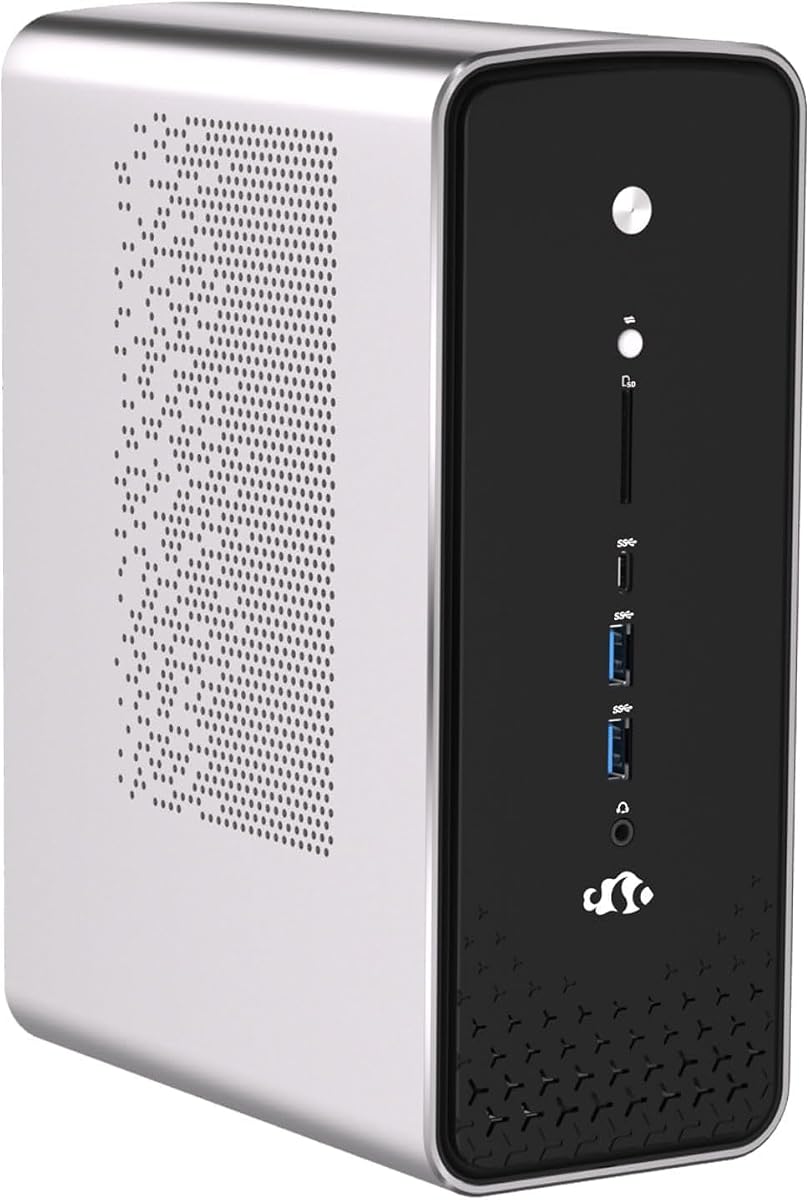
NIMO Mini PC AMD Ryzen AI Max+
5.0Editor score
Dual OS Flexibility
Ryzen AI NPU Included
WiFi 7 Connectivity
Discover the top desktop PCs with Ubuntu pre installed for developers and professionals seeking open source flexibility and powerful hardware configurations.
Finding a desktop PC with Ubuntu pre installed saves time and ensures compatibility with open source tools from day one. These machines offer a streamlined experience for developers who need reliable performance without manual OS setup or configuration hurdles.
We evaluated ten distinct systems based on processor power, memory capacity, storage speed, and native Linux support. Our comparison focuses on value, expandability, and real world utility for tasks ranging from software development to media creation and server hosting.
Each pick highlights specific strengths like triple display support or AI acceleration. Note that prices fluctuate regularly so check current listings before purchasing to ensure you get the best deal available for your specific budget and workflow needs.
5.0Editor score

4.0Editor score
This side by side comparison breaks down key specifications for all ten models. You will see processor generations, RAM sizes, storage types, and operating system versions to help you identify the right fit for your specific computing requirements.






The Beelink Mini PC SER9 Pro stands out as a top contender for users needing a desktop PC with Ubuntu pre installed. It features a potent AMD Ryzen 7 255 processor paired with 24GB of fast LPDDR5X memory. This combination ensures smooth multitasking even during heavy compilation tasks or virtual machine usage.
We may earn a commission when you buy through this link, at no additional cost to you.
Its pre-installed Ubuntu system includes OpenClaw for seamless integration with common productivity tools. The hardware supports triple displays via HDMI and DisplayPort which is ideal for coding on one screen while monitoring logs on another. The integrated Radeon 780M graphics also handle light gaming or creative workloads efficiently.
While the memory is soldered limiting future upgrades the initial 24GB capacity is generous for a mini PC. The thermal design keeps noise low under load making it suitable for quiet offices or home studios. The included AI voice features add a modern touch for voice-controlled tasks.
Developers and power users will appreciate the out of the box Linux readiness. It eliminates the hassle of driver hunting post install. With robust connectivity including 2.5G LAN and USB4 it is a complete package for modern workflows demanding speed and flexibility.
OpenClaw integration allows quick access to development tools reducing setup time significantly for new machines.
Triple display support enables efficient monitoring of multiple applications or data streams simultaneously without lag.
We may earn a commission when you buy through this link, at no additional cost to you.
This Dell OptiPlex 7070 SFF offers solid performance for office tasks or light development. It ships with Windows 11 Pro but the hardware is compatible with Ubuntu after a simple reinstall. The 32GB of DDR4 RAM ensures you can run multiple virtual machines or containers without slowdowns.
We may earn a commission when you buy through this link, at no additional cost to you.
The 1TB NVMe SSD provides ample space for large codebases and datasets. Its small form factor saves desk space while maintaining internal airflow for cooling. Wireless connectivity includes WiFi 6E which offers fast and stable network access for cloud based workflows.
Although it lacks native Linux shipping the proven Dell driver support makes migration straightforward. Users can create a bootable USB and wipe Windows easily. The business chassis design means it can handle daily office use reliably over many years without overheating.
For budget conscious buyers who need a trusted brand this renewed unit is a strong option. Just be prepared to handle the OS setup yourself. It provides a stable foundation for Ubuntu users who want enterprise reliability in a compact tower design.
Internal slots allow future upgrades to storage or RAM if needed beyond the current configuration.
WiFi 6E ensures low latency connections which are crucial for remote development or large file transfers.
We may earn a commission when you buy through this link, at no additional cost to you.
The NIMO Mini PC is a powerhouse designed for AI developers and heavy multitaskers. It arrives with a dual OS setup allowing seamless switching between Windows 11 Pro and Linux Ubuntu. This flexibility saves time for users who need both environments for different tasks like testing and deployment.
We may earn a commission when you buy through this link, at no additional cost to you.
Powered by the AMD Ryzen AI Max+ 395 it includes a dedicated NPU that accelerates local AI workloads. This means you can run large language models locally without relying on slow cloud servers. The integrated Radeon graphics also handle rendering and gaming smoothly.
Memory and storage are optimized for speed with high bandwidth options and dual M.2 NVMe slots. The triple display support enables a massive workspace for monitoring multiple processes. Connectivity is future-proof with USB4 and WiFi 7 for lightning-fast data transfer.
If you need top-tier performance for machine learning this unit delivers. The thermal management keeps it quiet even under full load. While expensive it offers capabilities that rival much larger desktop towers. It is a complete professional solution for the modern AI era.
The NPU accelerates LLMs and image generation locally keeping data private and reducing latency.
Dual OS pre-installation removes the setup friction allowing immediate use of Linux tools.
We may earn a commission when you buy through this link, at no additional cost to you.
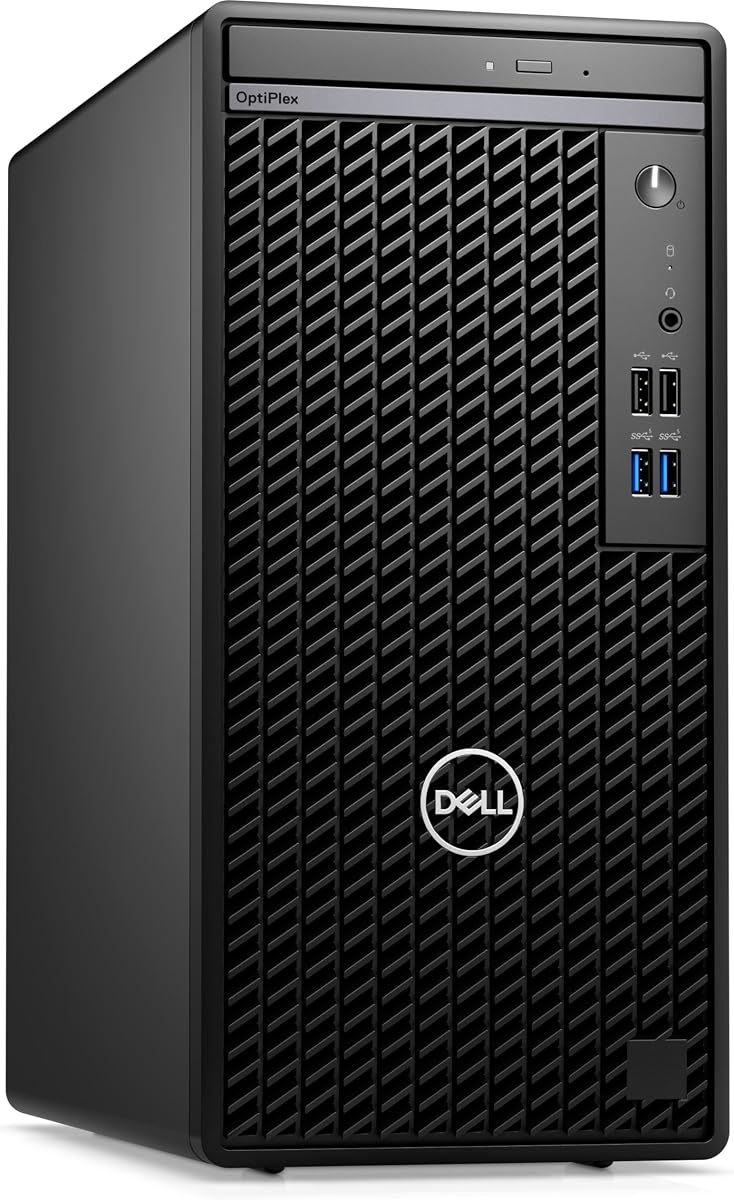
This Dell Optiplex 7010 is a practical choice for users needing a desktop PC with Ubuntu pre installed at a reasonable cost. It runs Ubuntu Linux 22.04 right out of the box which is perfect for server setups or web development. The 13th Gen i5 processor offers excellent efficiency for daily work.
We may earn a commission when you buy through this link, at no additional cost to you.
The Mini Tower design allows for future upgrades if you need more storage or RAM later. While it comes with 8GB RAM the motherboard likely supports expansion for better performance. The included 256GB NVMe SSD ensures fast boot times and responsive application launching.
Ports include HDMI and DisplayPort for easy monitor connections along with USB ports for peripherals. The system is designed for business reliability so it should last for years of continuous use. It is a no fuss machine for those who want a working Linux environment immediately.
Developers on a budget will appreciate the native Ubuntu support. It saves time on driver configuration. If you need more power you can upgrade components easily. This makes it a great starting point for a home lab or office workstation.
Mini Tower chassis allows adding more RAM or storage drives as your project needs grow.
Ubuntu 22.04 comes pre-installed ensuring compatibility with enterprise tools and security updates.
We may earn a commission when you buy through this link, at no additional cost to you.
The Dell Optiplex 7050 SFF is a reliable workhorse that can run Ubuntu efficiently after reinstalling the OS. It features 32GB of RAM which is excellent for running multiple virtual machines or containers. The 1TB SSD provides plenty of room for your files and software.
We may earn a commission when you buy through this link, at no additional cost to you.
Its Small Form Factor saves desk space while keeping internal components cool. The included wireless keyboard and mouse make it ready to use immediately. Although it comes with Windows 11 Pro the hardware supports Linux kernels well for stable operation.
This renewed model is cost effective for those needing a sturdy machine without premium prices. The previous generation i7 processor still handles office tasks and light development well. Just be prepared to install Ubuntu yourself using a USB drive.
For home labs or server hosting this unit is a strong candidate. The RAM capacity ensures smooth performance even with many background processes. It is a practical solution for users who prioritize hardware value over the latest CPU technology.
32GB of RAM allows running multiple Docker containers or VMs simultaneously without slowdowns.
Small Form Factor ensures the unit fits on any desk without taking up too much room.
We may earn a commission when you buy through this link, at no additional cost to you.
This Dell Optiplex 7060 SFF offers a balanced mix of performance and practicality. It ships with Windows 11 Pro but users can easily switch to Ubuntu for development work. The 32GB DDR4 RAM ensures smooth multitasking for demanding applications or data analysis tasks.
We may earn a commission when you buy through this link, at no additional cost to you.
The 512GB NVMe SSD is fast enough for booting Linux and loading large IDEs quickly. The Small Form Factor design keeps it discreet on any desk. Wireless connectivity options make it easy to connect peripherals without cluttering your workspace with cables.
As a renewed unit it comes with testing and warranty support which adds peace of mind. The hardware is stable and efficient for daily office or dev use. Just ensure you prepare a Linux installation USB before starting your workflow setup.
For those needing a dependable machine without paying top dollar this model fits well. It provides enough power for most non-intensive tasks. The large RAM capacity makes it a good host for virtualization or testing environments on a budget.
With 32GB of RAM you can run multiple virtual systems for testing without impacting performance.
NVMe storage ensures fast system boots and quick access to large software projects.
We may earn a commission when you buy through this link, at no additional cost to you.
The Dell Optiplex 5050 is a compact option that fits well in tight spaces. While it includes Windows 11 Pro the hardware supports Ubuntu well after a fresh install. The 16GB DDR4 RAM handles standard workloads comfortably for web development or document processing.
We may earn a commission when you buy through this link, at no additional cost to you.
Its 512GB NVMe SSD provides fast access to files and applications. The Small Form Factor design ensures you save desk space while maintaining performance. Wireless keyboard and mouse bundles make it ready to use immediately without extra purchases.
As a renewed unit it offers cost efficiency for small offices or home users. The build quality ensures durability even in demanding environments. Just be aware you may need to adjust drivers if using Ubuntu on this older platform.
This model is a practical choice for those prioritizing physical size and reliability. It provides a stable base for your Linux setup. For everyday tasks it offers a balance of performance and affordability that is hard to beat.
Small size allows placement in cramped offices or home setups without cluttering the workspace.
NVMe SSD ensures fast load times for software which improves overall system responsiveness.
We may earn a commission when you buy through this link, at no additional cost to you.
The Dell Pro Micro QCM1250 brings modern hardware to a tiny chassis. It comes with Ubuntu Linux 18.04 which is functional but might require an upgrade to a newer version like 22.04 for better support. The 15th Gen Intel processor ensures efficient performance for daily work.
We may earn a commission when you buy through this link, at no additional cost to you.
DDR5 RAM offers faster data transfer than older standards which benefits responsiveness. The 512GB SSD is sufficient for most users to store essential software and files. Its ultra-compact size makes it easy to mount behind a monitor to save desk space.
Connectivity includes USB-C and HDMI for versatile setups. While the included RAM is limited it supports efficient tasks well. If you need to run many VMs you might need to add more memory or choose a model with higher specs.
For those wanting a fresh start on Ubuntu this device is a solid choice. You can upgrade the OS easily to modernize the environment. The modern CPU ensures longevity and compatibility with newer software tools.
DDR5 memory provides faster throughput for applications which enhances overall system speed.
Compact design allows VESA mounting behind monitors for a clean and clutter-free desk.
We may earn a commission when you buy through this link, at no additional cost to you.
The ASUS NUC 14 Pro is a robust mini PC with Linux Mint pre-installed offering a familiar experience for Ubuntu users. It features the latest Intel Ultra 7 155H processor with AI capabilities for enhanced performance. The Intel Arc graphics handle media and light creative work efficiently.
We may earn a commission when you buy through this link, at no additional cost to you.
Its DDR5 RAM ensures fast data access for demanding apps. The 512GB PCIe SSD provides quick boot times and loading speeds. Thunderbolt 4 support allows for high-speed external storage or GPU connections for expanded capability.
Linux Mint is close to Ubuntu and easy to switch via package managers. This saves setup time for developers who want an open-source OS immediately. The VESA mount option keeps the desktop clean and functional.
Be aware of potential driver nuances with the latest hardware on Linux. The community support for NUCs is strong which helps resolve issues quickly. For users wanting high power in a small box this is a compelling option.
Integrated AI features assist with code completion and data processing locally without cloud reliance.
Thunderbolt 4 allows ultra-fast data transfer speeds for external drives and peripherals.
We may earn a commission when you buy through this link, at no additional cost to you.
The ASUS PB64 is a modern mini PC designed for business flexibility. It includes Windows 11 Pro out of the box but hardware supports Ubuntu well. The toolless chassis allows easy access to components for upgrades or maintenance without tools.
We may earn a commission when you buy through this link, at no additional cost to you.
Its Ultra 7 265 processor ensures efficient processing for multi-threaded tasks. 16GB DDR5 RAM provides smooth multitasking performance. The system supports up to four 4K displays making it suitable for extensive setups or monitoring.
Security features like hardware TPM protect data effectively. WiFi 6E ensures stable and fast network connections. The compact design saves space while offering a full desktop experience. It is a reliable choice for professional environments.
If you need a Linux setup be prepared to install Ubuntu via USB. The hardware compatibility is generally good with modern kernels. This makes it a versatile option for those needing a compact but powerful system.
Toolless design simplifies upgrades so you can add more storage or RAM quickly.
Support for up to four displays enables efficient multitasking on a small desk.
We may earn a commission when you buy through this link, at no additional cost to you.
Selecting the right PC involves looking at hardware specs and OS options. This guide helps you identify key factors like processor speed, memory, and native Linux support.
A powerful CPU ensures smooth operation for coding or data tasks. Look for multi-core options like Ryzen or Intel Core Ultra to handle parallel tasks efficiently without lag.
Prioritize recent generations for better energy efficiency and compatibility with newer software tools.
RAM size directly impacts multitasking ability. Aim for at least 16GB to run multiple applications and virtual machines simultaneously without slowdowns.
Soldered RAM limits future upgrades so check upgradeability before purchasing if you expect higher needs.
NVMe SSDs offer faster boot times and data access than traditional drives. A 512GB or larger drive provides enough space for tools and projects.
Consider models with multiple M.2 slots if you need to expand storage later.
Ubuntu pre installed saves time on configuration. Check if it is the latest version like 22.04 for long-term support and security updates.
If Windows is included ensure the hardware has Linux drivers available to avoid compatibility issues.
Ports like HDMI, DisplayPort, and USB-C determine how many displays and peripherals you can connect. WiFi 6E ensures fast network speeds for remote work.
Look for USB4 or Thunderbolt support if you need external GPU or high-speed data transfers.
Mini PCs save space on desks while maintaining performance. Ensure the chosen model allows enough airflow to prevent overheating during heavy loads.
VESA mounts help hide the unit for a cleaner setup in small offices.
Start by updating your system packages immediately after setup. This ensures security patches are applied and software works smoothly without unexpected errors.
Use terminal commands to install necessary tools like compilers or editors. Avoid cluttering the GUI with unnecessary apps to maintain performance speed.
Regularly back up your data to external drives or cloud services. Protect your work from hardware failures or accidental data loss efficiently.
Usually modern systems have most drivers included. However checking for firmware updates using a terminal ensures all components work correctly from day one.
Yes you can wipe Windows by booting from a USB drive. Just ensure you backup your data before making changes to the OS.
It depends on the hardware. Integrated graphics handle light games well. For heavier titles dedicated GPUs are required with Linux support.
Most recent models include Ubuntu 22.04 LTS for stability. Older ones might have earlier versions like 18.04 requiring an upgrade for security.
Yes models with high RAM support multiple virtual machines. Look for at least 32GB for running several VMs effectively without slowdown.
Most support dual or triple displays via HDMI and DP. Verify port availability on the rear panel before buying for your setup.
The Beelink SER9 Pro and NIMO Mini PC offer top-tier performance for developers seeking native Linux flexibility. They save setup time and provide robust hardware for demanding workloads.
Prioritize RAM and storage upgrades if you plan to run virtual machines. A desktop PC with Ubuntu pre installed is a solid investment for professional workflows.
Always verify current prices and listings before purchasing to ensure you get the best deal for your budget.