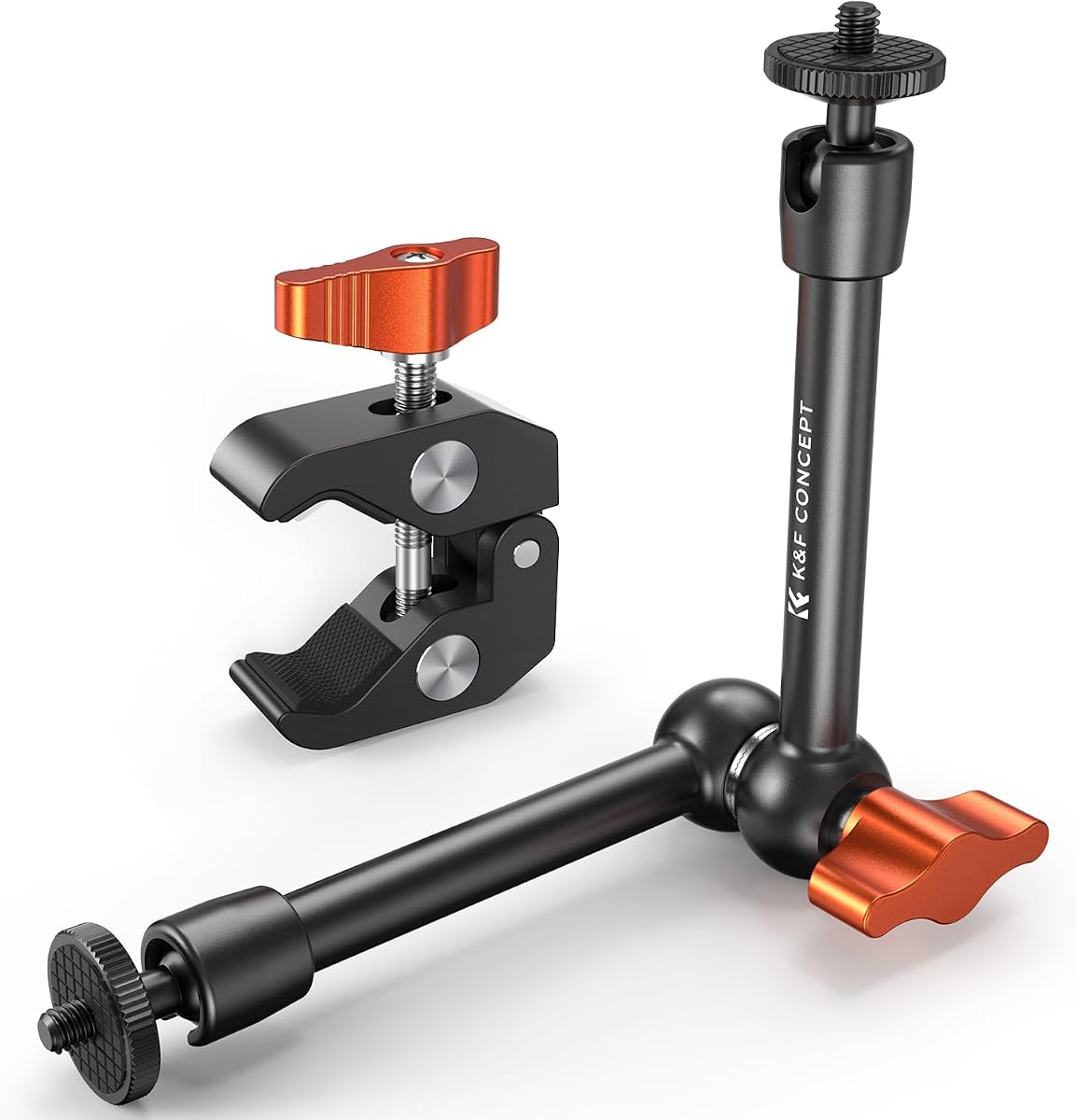
K&F CONCEPT 9.8" Magic Arm Clamp Kit
4.2Editor score
All metal durable design
360 degree ball head
Super clamp grip range
Finding the right mounting solution can transform your workspace. A quality clamp on webcam arm offers flexibility and stability for streaming or calling.
We analyzed ten top-rated models based on build quality, adjustability, and user feedback to help you choose the best fit for your needs.
Each pick highlights key strengths and ideal use cases. Please note that product availability and details may change over time.
4.2Editor score

4.5Editor score

4.4Editor score
As an Amazon Associate we earn from qualifying purchases.
The following table provides a quick side-by-side comparison of all ten products reviewed in this guide to help you evaluate key specifications.
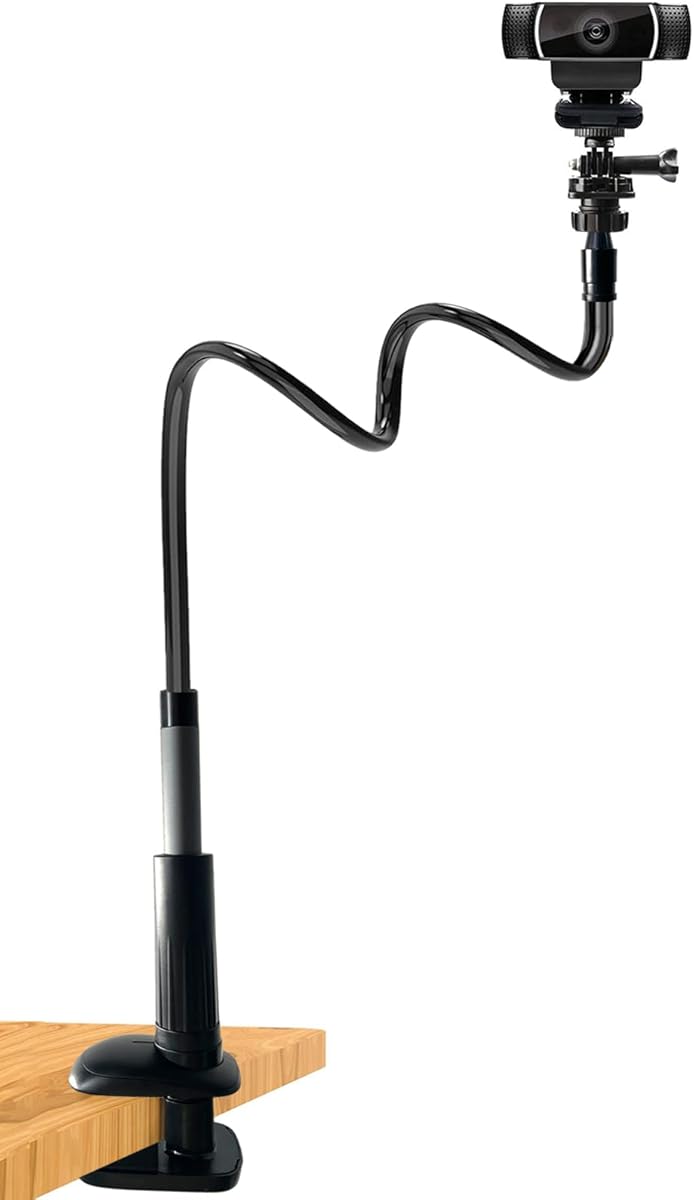


This flexible gooseneck stand stands out for its impressive reach and thick base design. With a rating of 4.1 stars users appreciate its ability to reach various heights without complex setup.
We may earn a commission when you buy through this link, at no additional cost to you.
The standout feature is the upgraded thick clamp base that secures firmly to desks and counters. Its universal 1/4 inch thread fits most webcams and action cameras making it versatile for home or office use.
While it offers great reach the lightweight construction might lead to some wobble if not shaped carefully. Users suggest bending the arm into an S shape to maximize stability during recording sessions.
Ideal for budget conscious users needing extra height this arm is a solid pick for lighter devices. It delivers excellent flexibility for streaming or conferencing without breaking the bank.
The 30 inch reach allows positioning over monitors or desks for better framing.
The thick base provides a secure anchor point to prevent tipping during use.
We may earn a commission when you buy through this link, at no additional cost to you.
SMALLRIG delivers a robust solution for overhead mounting with this 22 inch magic arm. Its rating of 4.4 reflects strong performance in professional and enthusiast setups requiring precision.
We may earn a commission when you buy through this link, at no additional cost to you.
The anti deflection design connects securely to the clamp reducing movement during use. With 12 anti slip and anti scratch elements the arm protects your gear while maintaining a firm grip.
Although the load capacity is moderate at 600g the build quality ensures reliability for standard webcams and phones. It is a premium choice for creators who value long term durability and stability.
Best suited for content creators needing a reliable overhead rig this arm balances flexibility and strength. The versatile clamp works on desks and tubes offering multiple mounting possibilities.
Aluminum alloy construction ensures the arm withstands daily use without bending.
Rotatable friction pads allow tight grips on both flat and cylindrical objects.
We may earn a commission when you buy through this link, at no additional cost to you.
Smatree offers a compact option for users needing a small flexible mount. With a 4.5 rating it is highly favored for its ease of use and compatibility with popular action cameras and webcams.
We may earn a commission when you buy through this link, at no additional cost to you.
The flexible gooseneck extends up to 11.6 inches allowing for precise positioning on tight spaces. Its mini tripod head allows 360 degree rotation enabling you to frame shots perfectly without moving the base.
The main trade off is the shorter reach and lower weight capacity compared to larger arms. It works best for lightweight gadgets like webcams or small phones where space is at a premium.
This mount is perfect for travelers or those with limited desk space who still want adjustable angles. Its simplicity and broad compatibility make it a convenient choice for quick setups.
The smaller footprint allows mounting on headboards or nightstands easily.
Works with a wide range of devices from GoPro to Logitech webcams.
We may earn a commission when you buy through this link, at no additional cost to you.
K&F CONCEPT brings a durable aluminum alloy mount to the table with a strong 4.4 rating. This model combines a long arm with a sturdy clamp for reliable positioning over workspaces.
We may earn a commission when you buy through this link, at no additional cost to you.
The arm is wrapped in silicone providing a smooth surface that prevents debris from sticking. The upgraded desk clamp grips flat surfaces firmly ensuring no slipping even when adjusting angles during calls.
While the aluminum build adds weight it ensures the mount stays put once adjusted. Users appreciate the thoughtful design that balances durability with protection for both device and desk.
This is a great choice for users seeking a sturdy build that lasts over time. It offers a professional look and feel suitable for home offices and creative studios alike.
Aluminum alloy construction ensures the arm maintains shape under light loads.
Soft rubber pads on the clamp prevent scratches on your valuable furniture.
We may earn a commission when you buy through this link, at no additional cost to you.
This K&F CONCEPT kit offers an affordable entry into magic arm mounting with a solid 4.2 rating. It is designed for creative needs across multiple angles without costing a fortune.
We may earn a commission when you buy through this link, at no additional cost to you.
The all metal design ensures sturdiness while the dual ball head allows flexible positioning. It includes a super clamp that grips surfaces from 15mm to 55mm making it adaptable to many desk types.
While the arm is shorter than some rivals it works well for static setups like streaming or desk work. Users recommend tightening knobs properly to avoid slippage during use.
Ideal for budget conscious creators this kit provides essential features for overhead mounting. It is a practical choice for those wanting versatility without spending on premium models.
This option delivers robust metal construction at a very accessible price point.
The super clamp grips a wide range of thicknesses for flexible installation.
We may earn a commission when you buy through this link, at no additional cost to you.
NEEWER ranks high with a 4.5 rating thanks to its balanced features for professional and personal use. This 22 inch arm excels in providing stable overhead shots for diverse content.
We may earn a commission when you buy through this link, at no additional cost to you.
The anti twist pin is a key feature that ensures the arm stays at the desired angle. Its clamp works on flat desks and round poles offering significant versatility for different environments.
Although it sits at a higher price point the stability and build quality justify the cost. It is especially recommended for streamers who need consistent framing without frequent adjustments.
As our top pick this arm delivers reliability and flexibility for serious creators. It strikes a great balance between usability and professional grade performance.
The anti twist pin ensures the mounted device does not rotate unexpectedly.
Works on both flat surfaces and cylindrical objects for broad application.
We may earn a commission when you buy through this link, at no additional cost to you.
This K&F CONCEPT kit is designed for creators needing multiple angles and accessories. With a 4.3 rating it offers a robust solution for indoor and outdoor content creation.
We may earn a commission when you buy through this link, at no additional cost to you.
The inclusion of a phone holder makes it versatile for hybrid setups using phones or action cams. Three 360 degree ball heads allow precise positioning while anti twist pins keep everything secure.
The non slip foam padding adds a layer of protection for expensive equipment during transport. Users note it is best for static scenes to avoid stress on the joints.
It is an excellent choice for those wanting a complete kit out of the box. The added accessories and flexibility make it stand out for multi angle shooting needs.
The included phone holder and adapter save you from buying extra accessories.
Foam padding and anti slip pads ensure your equipment stays safe from scratches.
We may earn a commission when you buy through this link, at no additional cost to you.
This hybrid stand earns a perfect 5.0 rating for its ability to support both cameras and phones. It is specifically designed to improve video calls and streaming setups.
We may earn a commission when you buy through this link, at no additional cost to you.
The solid aluminum magnesium core ensures the arm stays rigid even when extended. Its universal 1/4 thread works with almost any webcam or phone holder making it highly versatile.
The clamp base includes anti scratch padding to protect furniture and supports various thicknesses. Users appreciate the foldable design that helps keep desks clutter free when not in use.
Ideal for hybrid workers and streamers this stand offers a perfect blend of stability and adaptability. It is a top choice for anyone needing a unified solution for multiple devices.
Aluminum magnesium alloy ensures the arm holds its shape under load.
Thickened ABS base mounts securely on various surfaces like beds or desks.
We may earn a commission when you buy through this link, at no additional cost to you.
This overhead stand provides a full kit for basic setups with a strong 4.4 rating. It is ideal for users who want to start overhead shots without complex rigs.
We may earn a commission when you buy through this link, at no additional cost to you.
The C clamp and overhead arm allow multiple configurations for webcams or phones. Adjustable knobs make it simple to fine tune angles for makeup or cooking videos.
The desktop stand adjusts in height which adds vertical flexibility for different room layouts. While the load is limited the build quality ensures stability for lighter devices.
Best for beginners this stand offers great value with all necessary parts included. It simplifies the process of setting up professional looking content from home.
Everything you need including phone holder and ballhead comes in one box.
Desktop stand height adjustment allows customization for different environments.
We may earn a commission when you buy through this link, at no additional cost to you.
This K&F CONCEPT arm earns a 4.6 rating for its high quality construction and specific threading support. It is tailored for users needing precise control and robust mounting options.
We may earn a commission when you buy through this link, at no additional cost to you.
The ARRI threading support makes it compatible with professional accessories and cameras. A circular rubber pad on the arm ensures devices stay protected from wear and tear.
The 2kg load capacity allows it to hold heavier equipment than many rivals. However the shorter length means it works best for close range or static setups.
Perfect for professionals this arm offers a premium feel and reliable performance. It is worth the investment for those requiring durability and specific mounting standards.
ARRI thread support ensures compatibility with high end camera accessories.
2kg limit allows use with heavier cameras or lighting accessories.
We may earn a commission when you buy through this link, at no additional cost to you.
Choosing the right mount involves understanding your device needs and workspace layout.
Longer arms provide greater flexibility for positioning over desks or monitors. Consider how high or far you need the camera to reach to avoid awkward angles.
Aim for at least 20 inches for versatile overhead work.
Ensure the arm supports the weight of your specific webcam or phone. Exceeding the load limit can lead to sagging or failure over time.
Most models support up to 1kg so check your device weight first.
Check the max opening size of the clamp to fit your desk or table thickness. Some clamps work on flat surfaces while others fit round poles too.
Select a clamp that securely grips your furniture without damaging it.
Aluminum or steel alloys offer better durability than plastic options. High quality materials ensure the arm holds position without bending under use.
Look for metal construction for long term reliability and stability.
Ball heads and flexible goosenecks allow for precise angle adjustments. 360 degree rotation is essential for framing shots from different perspectives.
Prioritize models with smooth adjustment mechanisms for ease of use.
Silicone pads and rubber coatings protect your device and furniture from scratches. These features also prevent the arm from slipping out of place.
Look for padded grips on the clamp and the arm ends.
Most webcams use a standard 1/4 inch screw so ensure the mount has it. Some advanced setups may require 3/8 inch or ARRI threads.
Check your device specs to match the mount threads exactly.
Prices vary based on build quality and included accessories. Determine your budget but remember that higher quality often lasts longer.
Balance features with cost to get the best value for your needs.
First secure the clamp to a stable flat surface or round pole ensuring the safety pads are in place to protect your furniture.
Attach your camera or phone using the provided screw and tighten it gently to avoid stripping the threads.
Adjust the arm to your desired angle and tighten all knobs before moving it to prevent unexpected drops.
It is a mounting tool that attaches to desks or tables to hold a camera at a fixed position. This allows hands free recording or calling without needing a tripod.
Most consumer arms are designed for lightweight webcams and phones. Heavy DSLRs usually require professional tripods due to weight limits on these clamps.
Most models support between 0.5kg and 1.5kg. Always check the specific load rating before attaching your device to avoid damage.
Check the maximum clamp opening size specified by the manufacturer. If your desk is thicker than the limit it will not fit securely.
Most models are tool free and simply require screwing the camera into the mount and clamping the base. It usually takes less than five minutes.
Quality arms include soft rubber pads on the clamp to prevent scratches. Ensure these are intact and properly positioned during installation.
Yes most arms have ball joints or flexible necks that allow you to readjust angles whenever needed.
Check that the clamp is fully tightened on a stable surface. Also ensure you have not exceeded the recommended weight limit for the arm.
We reviewed ten versatile options ranging from budget goosenecks to premium kits for professionals.
Focus on load capacity and arm length to ensure the mount meets your daily workspace needs.
Always verify current availability before purchasing as models may vary over time.