
RJ45 to VGA Cable
4.3Editor score
Compact adapter design
Requires no external power
Saves cabling costs
This guide compares the top 10 Cat5 to VGA converters for signal extension, resolution support, and durability to help you choose the right extender.
Finding the right Cat5 to VGA converter can transform how you manage video signals across large spaces. These devices allow you to extend VGA video and audio over standard Ethernet cables, reducing clutter and improving signal stability. Whether for offices or control rooms, a quality converter ensures clear visuals.
We evaluated ten top models based on signal fidelity, build quality, and ease of use. Our comparison includes budget adapters and professional kits designed for long distances. Each product was analyzed for resolution support, audio handling, and compatibility with common devices to give you a clear overview.
Each pick in this list shows specific strengths like distance capabilities or included accessories. Prices and availability change frequently, so verify details before purchasing. We focus on factual specs and user feedback to help you find a reliable solution for your setup.
4.3Editor score

4.7Editor score

4.5Editor score
This side-by-side table outlines key specifications for each of the ten selected converters. Use it to quickly compare range, resolution, and power needs before deciding on a model.



This VGA extender stands out for its impressive range and consistent signal quality. It supports distances up to 394 feet while maintaining 1080p resolution at 60Hz. The kit includes a transmitter, receiver, and necessary power adapters, making it ready for immediate use.
We may earn a commission when you buy through this link, at no additional cost to you.
The zero latency performance ensures that live events and gaming remain synchronized with the source. Integrated audio support means you can send sound to remote speakers without extra cabling. The aluminum alloy housing helps with heat dissipation for continuous operation.
Trade-offs include the need for solid copper cables to achieve full range. Copper-clad aluminum may cause signal loss beyond 200 feet. However, this is standard for high-quality Ethernet transmission and ensures reliability in professional setups.
It is ideal for control rooms, auditoriums, or large offices needing long-distance video. If you need a complete solution with audio support and robust build, this is a top recommendation.
This extender delivers uncompressed video that stays perfectly synced with the source. This is critical for live monitoring or gaming where delay is unacceptable.
Built-in 3.5mm ports allow independent audio routing. You can send sound to speakers at the display location without additional wiring.
We may earn a commission when you buy through this link, at no additional cost to you.
This extender uses a galvanized alloy shell to protect against dust and static while ensuring rapid cooling. It extends VGA and audio signals up to 328 feet with high-fidelity chips that keep input and output identical.
We may earn a commission when you buy through this link, at no additional cost to you.
It works with standard Cat5e or Cat6 pure copper cables for best results. The plug and play design requires no software or configuration. It supports common resolutions and is suitable for office or education environments.
Some users may need to replace the Ethernet cable if display issues occur. The maximum resolution is 1920×1080 which is sufficient for most displays. These are minor considerations compared to its reliable performance.
Choose this for a balanced option with solid build and good range. It is a practical choice for extending signals in professional or home settings.
The alloy housing protects internal components and aids heat dissipation. This ensures stable operation even during long continuous use periods.
Imported chips maintain signal integrity across the length of the cable. This reduces noise and ghosting for a clearer image at the remote end.
We may earn a commission when you buy through this link, at no additional cost to you.
This extender pair is designed for short to medium distances. It uses a metal body to ensure durability and includes TX and RX units that connect via RJ45 cables. A built-in chip helps eliminate noise and ghosting.
We may earn a commission when you buy through this link, at no additional cost to you.
It supports common resolutions from 480i to 1080p and is suitable for projectors or HDTVs. The small form factor makes it easy to install in tight spaces. No external power supply is required for operation.
The main limitation is the lack of audio transmission. Also, the range is limited to 196 feet compared to other models. For video-only needs, it remains a reliable and affordable choice.
Pick this if you need a simple solution for monitors without audio. It is a solid option for basic signal extension on a budget.
The small metal body provides high hardness and longevity. Its size allows for discreet installation behind devices or in panels.
The built-in chip processes the signal to reduce interference. This ensures the output matches the input without quality loss.
We may earn a commission when you buy through this link, at no additional cost to you.
This extender uses a galvanized alloy shell to protect against environmental factors and ensure cooling. It supports video resolutions up to 1920×1440 and transmits audio alongside video over Ethernet.
We may earn a commission when you buy through this link, at no additional cost to you.
The kit includes TX and RX units that need DC power. Proper connection of VGA and Ethernet cables prevents flickering. It is designed for long-term operation with environmental protection features.
Power requirements mean extra cabling for the transmitter and receiver. Loose connections may cause screen issues. However, the extended range and audio support are strong benefits.
Ideal for multimedia or stage demos where both video and audio are needed. It is a reliable choice for professional installations with stable power available.
This unit handles resolutions up to 1920×1440@60Hz. This makes it suitable for high-quality monitors or large displays.
The imported chips and shielded cable support suppress common mode noise. This leads to clearer images and stable transmission.
We may earn a commission when you buy through this link, at no additional cost to you.
These adapters are designed for short-distance signal conversion. They allow VGA signals to pass over Ethernet cables up to 15 meters. The two-pack includes both male and female connectors for versatile use.
We may earn a commission when you buy through this link, at no additional cost to you.
No external power is needed, making setup straightforward. The RJ45 connector is thinner than VGA, which helps when running cables through tight spaces. It is a practical way to save costs on long VGA cables.
The distance limit is small compared to full extenders. It is not suitable for long runs or high-stress environments. For quick connections, it is effective.
Choose this for a low-cost way to extend short VGA signals. It is perfect for temporary setups or desktop extensions where space is limited.
The RJ45 connection is much thinner than VGA. This makes cable management easier in crowded setups.
This adapter needs no external power source. Just connect the VGA and Ethernet ends to start using.
We may earn a commission when you buy through this link, at no additional cost to you.
These adapters let you use Ethernet cables to carry VGA signals over short distances up to 10 meters. The set includes two adapters for transmitting and receiving. They do not require external power, simplifying connections.
We may earn a commission when you buy through this link, at no additional cost to you.
Using thinner RJ45 cables makes laying lines easier. This is useful for tight spaces where VGA cables are too thick. However, the performance is basic and best for limited use.
The shorter range and lower rating mean it is for basic tasks. Long-distance or high-fidelity needs require a full extender kit. For budget short runs, it works.
Use this for simple desktop extensions. It is a cheap way to run video without thick VGA cables.
Thinner RJ45 cables reduce clutter compared to VGA. This helps in organized cable routing.
We may earn a commission when you buy through this link, at no additional cost to you.
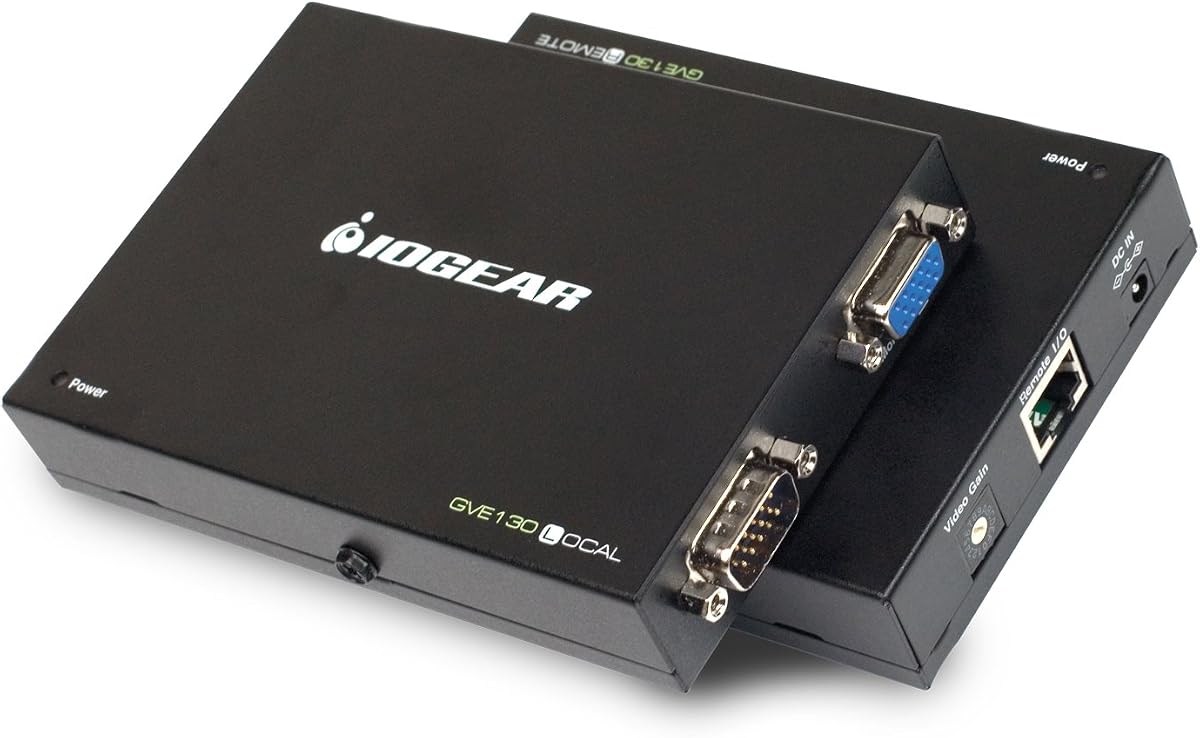
This extender kit delivers crisp visuals up to 250 feet. It comes with a local transmitter, remote receiver, VGA cable, and mounting brackets. The design focuses on reliable hardware installation without software.
We may earn a commission when you buy through this link, at no additional cost to you.
It supports resolutions up to 1920×1200 at 150 feet. This makes it suitable for digital signage or large displays. The bundled kit reduces the need to buy separate components.
While powerful, it is priced higher than basic units. Audio is not emphasized in this model. For pure video reliability, it is a top choice.
Select this for professional tradeshow or industrial setups. It is a premium kit ready for secure, clear display.
This set includes all necessary hardware for installation. You save time by not needing to source cables or mounts separately.
The extender maintains high resolution for sharp images. This ensures text and graphics remain clear over distance.
We may earn a commission when you buy through this link, at no additional cost to you.
This kit extends VGA over Cat5 up to 100 meters with high resolution support. It features sync-filter and equalization to maintain signal strength. The device meets FCC and RoHS standards for reliability.
We may earn a commission when you buy through this link, at no additional cost to you.
It supports up to 1600×1200 at 50 meters. This is ideal for control rooms or long-run installations. The RJ45 ports allow use with standard network cables.
The price is higher than budget adapters. The design is straightforward without extra features like audio. For pure video extension, it delivers.
Use for professional environments needing certified performance. It is a strong choice for compliance-focused installs.
Built-in equalization adjusts signal levels for consistency. This helps maintain quality over longer cable runs.
We may earn a commission when you buy through this link, at no additional cost to you.
This extender reaches up to 500 feet with adjustable gain for fine tuning. It supports PC, Mac, and Linux systems. DDC support helps with local monitor compatibility.
We may earn a commission when you buy through this link, at no additional cost to you.
It handles resolutions up to 1280×1024 at long distances. This makes it versatile for various setups. The black housing fits professional environments.
Cost is higher and gain may need adjustment. However, the reach and compatibility are notable benefits.
Pick for setups needing long-range and platform flexibility. It is a robust option for mixed OS offices.
You can adjust video gain to optimize output. This helps maintain quality when using longer cables.
We may earn a commission when you buy through this link, at no additional cost to you.
These adapters transmit VGA signals over Ethernet up to 100 feet. The 2-pack includes male VGA to female RJ45 converters. They fit media centers and consoles.
We may earn a commission when you buy through this link, at no additional cost to you.
They allow personal devices to connect to monitors easily. The setup requires no configuration. This is a simple way to extend display capability.
Range is limited compared to full kits. It is best for short runs. For basic needs, it works well.
Use for gaming or media setups. It is a straightforward connector for small extensions.
This adapter works with DVRs and game consoles. It helps link devices to displays through network cables.
We may earn a commission when you buy through this link, at no additional cost to you.
Selecting the right converter depends on your specific needs such as range, resolution, and power requirements.
Different models support different maximum distances ranging from a few meters to 500 feet. Check the manufacturer specifications to ensure the extender can reach your target location without repeaters. Longer runs typically require higher-quality cables and may need power.
Look for devices that support the resolution of your source and monitor. Some kits handle 1080p at 60Hz while others go higher. High-fidelity chips and sync filters help maintain clarity over long distances.
Some extenders need external power while others are passive. Active units offer better performance for longer distances but add cabling. Ensure power outlets are available at both ends if required.
Not all VGA extenders carry audio. If you need sound at the remote end, choose a model with audio in/out ports. This saves extra cabling for speakers or headphones.
Metal alloy housings protect against static and heat. Look for units with anti-static features and durable connectors. This ensures longevity especially in industrial or high-use environments.
Verify that the extender works with Cat5e or Cat6 pure copper cables. Copper-clad aluminum may cause signal loss over distance. Using the right cable type is crucial for performance.
Some kits include power adapters, VGA cables, or mounting brackets. A complete bundle saves time and ensures all parts are compatible. Check what is included before purchasing.
Choose devices that meet FCC, CE, and RoHS standards. Compliance indicates safety and quality testing. This is important for professional installations and warranty coverage.
Connect the transmitter to your VGA source and the receiver to your display using VGA cables. Ensure connections are tight to prevent flickering or signal loss.
Plug in power adapters if required and link the units with a Cat5e or Cat6 Ethernet cable. Allow a few seconds for the signal to establish and the image to stabilize.
Keep the units in well-ventilated areas to avoid overheating. Regularly check cables for damage and replace them if performance declines.
Some units are passive and require no power while others need adapters. Check the product specs to confirm power needs before purchasing. Active models generally support longer distances.
It is best to use solid pure copper cables for optimal performance. Copper-clad aluminum may cause signal loss beyond 200 feet. Check the manual for cable recommendations.
Standard VGA does not carry audio. You need an extender with built-in audio ports to send sound. If not available, use separate audio cables.
Most models support 1080p while some go up to 1920×1200. Check the manufacturer data for specific resolution details. Distance also affects maximum supported resolution.
Yes most units are plug and play without drivers. Just connect cables and power to start. Some may need power configuration.
Yes extenders with zero latency are suitable for gaming. Ensure the model supports high refresh rates. This avoids input lag or sync issues.
Check that all connections are tight. Replace the Ethernet cable if needed. Ensure power adapters are connected if required. These steps usually resolve display issues.
Metal housing provides protection against static and heat dissipation. This ensures stable operation and longevity. It is common in professional grade units.
We reviewed ten options from budget adapters to premium kits for varying needs. The top picks offer strong distance support and clear video for professional setups.
Prioritize range, resolution, and audio needs when deciding. Active units with power adapters deliver the best performance over long distances.
Verify current availability and cables before purchase as deals change. These tools help you extend displays efficiently with standard Ethernet cables.