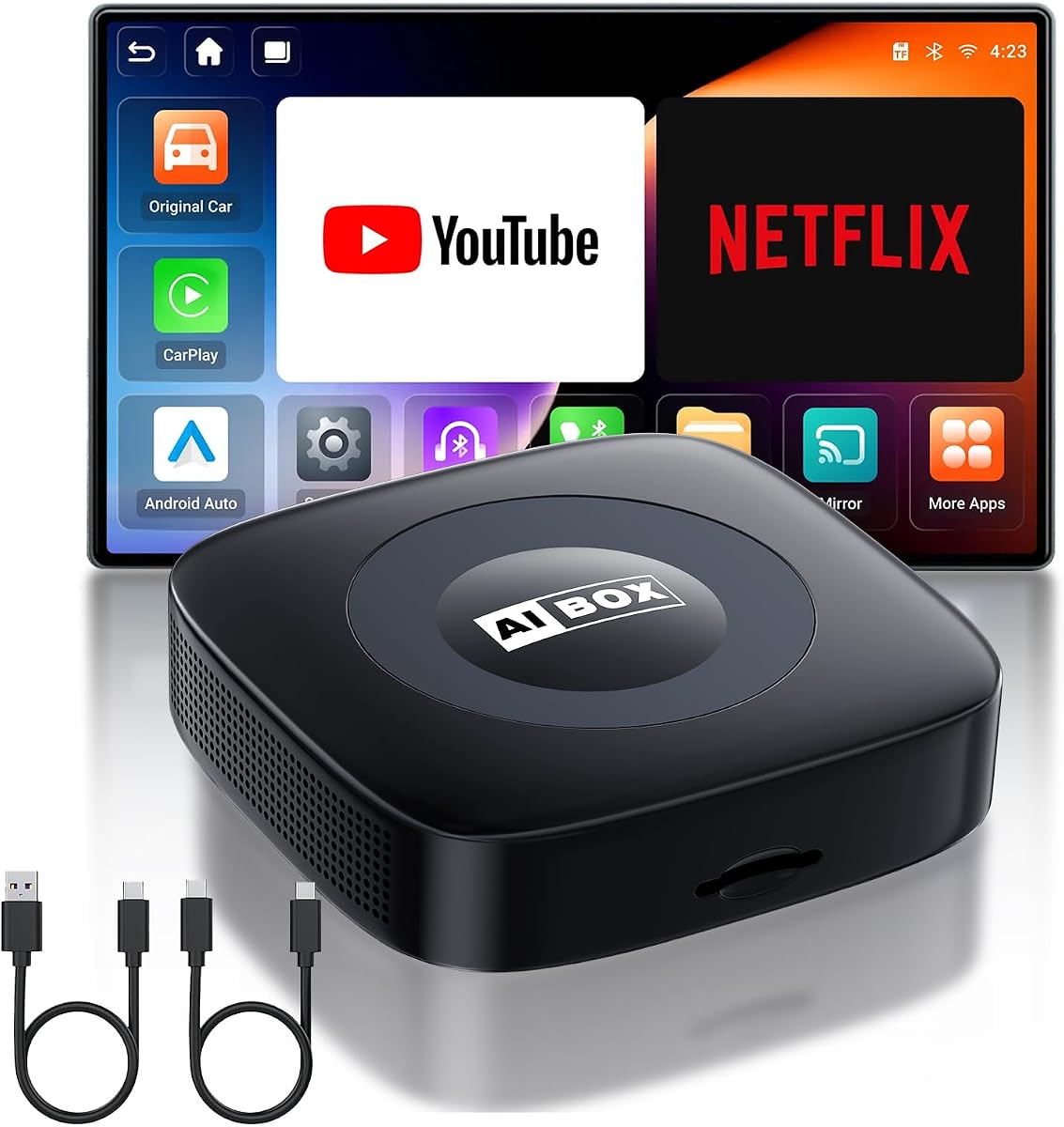
AI Box Carplay 2026 Upgraded
5.0Editor score
WiFi 6 connectivity
Android 13 OS
Fast auto-connect
This guide compares the top Carplay Box with Google Play options for 2026, analyzing features, compatibility, and performance to help you choose the right
Modern drivers demand more from their vehicles than basic navigation and music. A Carplay Box with Google Play transforms your factory screen into a smart hub, allowing access to streaming apps and full Android functionality without replacing your head unit.
We evaluated ten leading models based on connectivity stability, app availability, hardware performance, and ease of setup. Our analysis covers wireless adapters that support Google Play Store access alongside standard CarPlay and Android Auto features for seamless integration.
Each pick highlights specific strengths like AI assistants, offline playback, or premium build quality. While pricing fluctuates, these selections represent the current market leaders in expanding your in-car entertainment and productivity capabilities effectively.
5.0Editor score

4.7Editor score

5.0Editor score
This side-by-side comparison highlights key specifications across all ten models, helping you identify which device offers the best balance of performance, features, and value for your specific vehicle setup.


This AI Box Wireless CarPlay Adapter earns our Editor's Choice for delivering a complete Android experience directly on your car screen. With a 4.7 rating, it stands out for its full Google Play Store access and seamless plug-and-play functionality.
We may earn a commission when you buy through this link, at no additional cost to you.
The device transforms your factory wired CarPlay system into a wireless smart hub. You can download apps like YouTube and TikTok directly onto the device. The built-in Play Store allows endless customization without needing a phone connection for every feature.
While video playback is restricted to parked status for safety, this aligns with local laws. The auto-connect feature ensures you do not need to pair repeatedly. It remembers your device and reconnects instantly when you start the engine.
Ideal for drivers wanting expanded entertainment options without replacing their head unit. Whether you are on a road trip or waiting in a parking lot, this adapter provides flexibility and convenience that enhances the daily driving experience significantly.
Unlike standard adapters, this box runs a full Android OS, allowing you to install any compatible app from the Play Store.
Once paired via Bluetooth, the adapter connects automatically every time you start your car, removing cable clutter permanently.
We may earn a commission when you buy through this link, at no additional cost to you.
The 2026 Upgraded model offers incredible value with a perfect 5.0 rating. It runs Android 13.0 and supports WiFi 6, ensuring fast transmission and stronger signal strength for reliable streaming and navigation tasks.
We may earn a commission when you buy through this link, at no additional cost to you.
Equipped with an H618 quad-core processor, it provides stable performance for daily use. The compact design reduces cable clutter and fits neatly in any vehicle interior. You get full CarPlay and Android Auto switching capabilities in one device.
While RAM is limited compared to premium models, it handles standard streaming and navigation smoothly. The 3-year warranty reflects confidence in its durability. It is a solid choice for budget-conscious drivers wanting modern features.
If you prioritize cost without sacrificing core functionality, this is the top pick. It supports thousands of car models and ensures you stay connected with apps and media effortlessly during your commutes.
Running Android 13.0 ensures you get the latest security updates and optimized performance for modern apps.
WiFi 6 support reduces latency and improves connection stability even in areas with network congestion.
We may earn a commission when you buy through this link, at no additional cost to you.
This premium adapter delivers unmatched performance with an 8-core Qualcomm platform and Android 13 system. It earns a perfect 5.0 rating for transforming your car into a smart hub with ScenePilot AI features and private trip management.
We may earn a commission when you buy through this link, at no additional cost to you.
The inclusion of a 4G Nano SIM card allows internet access without relying on your phone. This ensures navigation and streaming work even when your phone is not nearby. Privacy features like Bluetooth Lock protect personal data when you leave.
While expensive, the hardware supports heavy multitasking and advanced AI assistants. The ecosystem includes radio stations and driving insights that standard boxes lack. It is designed for drivers wanting a truly integrated smart car experience.
If you seek the most powerful and feature-rich option, this is it. The privacy tools and AI assistance justify the cost for users who value security and innovation in their vehicle setup daily.
Built-in 4G support means you do not need a phone hotspot to access online apps and maps.
Voice assistance, trip logging, and privacy lock features work together to create a smart driving environment.
We may earn a commission when you buy through this link, at no additional cost to you.
This model focuses on stability and build quality with an aluminum alloy casing. It features pre-loaded apps like Netflix and YouTube, turning your car screen into an entertainment hub without extra setup steps.
We may earn a commission when you buy through this link, at no additional cost to you.
Dual-Band WiFi ensures smooth operation for navigation and streaming simultaneously. The built-in storage allows offline playback via USB or TF cards. This is useful when mobile signals are weak during road trips or rural drives.
While it lacks direct Play Store access, the pre-loaded options cover most entertainment needs. OTA updates keep features current without manual intervention. The build quality withstands extreme temperatures better than plastic alternatives.
Ideal for drivers wanting a reliable, plug-and-play solution. It works seamlessly with OEM wired CarPlay and supports iOS and Android devices effectively for a clutter-free driving experience.
Simultaneous operation of apps and navigation is supported thanks to advanced 2.4GHz and 5GHz connections.
Aluminum alloy construction ensures heat dissipation and durability in varying climate conditions.
We may earn a commission when you buy through this link, at no additional cost to you.
This adapter transforms your car into a customizable tablet with 4GB RAM. Gemini AI integration offers hands-free assistance for trip planning and reminders. The HDMI output lets you share content on external monitors for passengers.
We may earn a commission when you buy through this link, at no additional cost to you.
Streaming apps run smoothly due to ample storage and processing headroom. You can mirror your phone screen or use HDMI for backseat entertainment. Offline playback via USB ensures fun continues even in signal dead zones.
Users report occasional need to clear cached data for smooth performance. The AI co-pilot adds a unique layer of utility not found in basic boxes. It balances entertainment with productivity tools effectively for long journeys.
Choose this if you value AI integration and high RAM. The dual-band WiFi ensures connection stability for switching between CarPlay and streaming without interruptions.
Ask Gemini to plan routes or set reminders hands-free using voice commands while keeping eyes on the road.
Connect to external monitors to share movies or photos with passengers in back seats comfortably.
We may earn a commission when you buy through this link, at no additional cost to you.
This device supports wireless CarPlay and Android Auto in one box. It switches seamlessly between systems so families with different phones stay connected. Netflix and YouTube are built-in for easy entertainment access.
We may earn a commission when you buy through this link, at no additional cost to you.
A TF card slot allows offline media playback without WiFi. The setup requires no apps or extra drives. It works with most car models over 2016. Customer service supports returns within 24 hours for peace of mind.
You cannot run streaming and CarPlay at the same time. But switching between modes is fast and simple. The storage is sufficient for essential apps and downloaded content.
It is a practical solution for dual-OS households. The ease of use and offline support make it a reliable companion for daily commutes and road trips alike.
Free to switch between Apple and Android systems as family members change devices during the trip.
TF card slot allows music and video playback when mobile signal is unavailable or weak.
We may earn a commission when you buy through this link, at no additional cost to you.
This model features an 8-core processor and Android 13 system for refined travel. It supports SIM card insertion for network access independently of a phone hotspot. Spotify and YouTube are included for entertainment needs.
We may earn a commission when you buy through this link, at no additional cost to you.
Bluetooth and Wi-Fi connections are optimized for fast data transfer. Technical support is available if issues arise during connection. The box integrates voice input and Bluetooth music effectively.
Users must obtain a SIM card for full network features. This adds flexibility but requires an extra step. The build quality ensures reliable performance for daily commuting tasks.
Choose this for strong hardware specs. It converts wired systems to wireless smoothly and supports multiple functions for a better driving experience.
Insert a SIM card to provide internet access for apps without needing a phone tether.
Improved Wi-Fi and Bluetooth protocols ensure quicker transmission and seamless device connections.
We may earn a commission when you buy through this link, at no additional cost to you.
The 2026 Magic Box 3.0 combines wireless upgrades with video playback features. It supports HDMI for connecting to projectors or monitors. The compact design saves space in the cabin while maintaining heat dissipation.
We may earn a commission when you buy through this link, at no additional cost to you.
5G WiFi and Bluetooth 5.0 ensure smooth daily use. You can stream shows or play offline files via USB. The device supports 24-month professional customer service for added peace of mind.
This model works well for camping or road trips. HDMI connection makes it versatile beyond just a car display. It reduces cable clutter significantly during installation.
Ideal for outdoor and indoor entertainment. It balances modern connectivity with practical build design for reliable daily use.
Connect to external projectors or monitors for enhanced viewing during outdoor or indoor activities.
Space-saving housing keeps the dashboard neat and ensures stable operation during long use.
We may earn a commission when you buy through this link, at no additional cost to you.
This 4-in-1 AI Box delivers Gemini AI and streaming apps in one device. It offers storytelling and trivia for passengers. Dual-band WiFi eliminates lag for smooth navigation and video simultaneously.
We may earn a commission when you buy through this link, at no additional cost to you.
HD Media output allows rear screen connection for kids. USB offline playback keeps entertainment alive without signal. The first pairing takes only 30 seconds for quick setup.
Users appreciate the voice assistant features for hands-free tasks. The connection remains stable for calls and music. It transforms older cars into modern cockpits effectively.
Select this for family trips with children. The audio features and reliable connectivity make it a strong option for daily commuting comfort.
Use Gemini to host trivia or tell stories hands-free to keep passengers entertained safely.
Connect rear screens via media port so kids watch movies while drivers keep focus on navigation.
We may earn a commission when you buy through this link, at no additional cost to you.
This adapter offers simplicity with built-in Netflix and YouTube. It connects to hotspots for streaming or uses TF cards for offline content. The auto-connect feature ensures quick recognition every time you start the car.
We may earn a commission when you buy through this link, at no additional cost to you.
It switches seamlessly between CarPlay and Android Auto modes. Original car control methods like steering wheel buttons remain active. Setup takes only minutes without extra drivers.
While you cannot download extra apps, the built-in media covers basic needs. It is an affordable solution for wired cars. Customer service responds within 24 hours for support.
Choose this for straightforward upgrades. It removes cables and adds essential entertainment features without complex configuration.
Plug and play in under 15 seconds to start using wireless features instantly without extra apps.
TF card slot allows video playback when WiFi or hotspot is unavailable during travel.
We may earn a commission when you buy through this link, at no additional cost to you.
Selecting the right adapter requires considering compatibility, features, and performance needs specific to your vehicle and lifestyle.
Most boxes work with factory wired CarPlay or Android Auto systems from 2016 onward. Verify your car settings before purchasing. Ensure your vehicle does not have BMW or Tesla exclusions.
Confirm wired CarPlay is enabled to ensure seamless connection.
Look for Android 13.0 or newer for security and app compatibility. Newer OS versions provide smoother performance and access to recent apps.
Check the box specifications for Android version clearly stated.
Higher RAM like 4GB supports smoother multitasking when switching apps. Storage should be at least 16GB for offline content.
Prioritize 4GB RAM if you use navigation and streaming together.
Dual-band WiFi or 5G ensures stable streaming. Some boxes offer SIM slots for independent internet.
Choose models with strong signal tech to avoid buffering.
Check if offline playback via USB is supported for weak signal zones. HDMI outputs help share content with passengers.
Ensure video is only allowed while parked per local laws.
Aluminum alloy cases dissipate heat better than plastic. This extends lifespan during long drives in hot climates.
Select boxes with premium materials for durability.
Advanced boxes include AI assistants like Gemini or ScenePilot for voice control. These reduce distractions by handling tasks hands-free.
Pick models with voice features if you want smarter navigation.
Look for at least 18 months warranty. Reliable customer service ensures help if connection issues arise.
Prioritize brands with 24/7 support for peace of mind.
Start by plugging the box into your car USB port while the engine is off. Pair it with your phone via Bluetooth and enable CarPlay settings on your vehicle screen. Once paired, it will connect automatically on future starts.
For offline playback, insert a prepared USB or TF card before connecting. Ensure the card is formatted correctly. If using streaming apps, connect to your phone hotspot or insert a SIM card if supported.
To maintain performance, avoid placing the box in direct sunlight. Clear cache periodically if you notice lag. Check for OTA updates in the settings menu to keep software current.
No, most boxes work using your phone hotspot for internet. Only specific models with SIM slots allow independent data without a phone.
Video apps are restricted to when the car is parked. Navigation and voice assistants remain safe for use while moving.
Most boxes do not support BMW or Tesla. Check the product details carefully to confirm your specific car model is compatible.
The box comes with a Play Store or preloaded apps. You can download apps directly without installing them on your phone.
Setup is simple plug-and-play. It usually requires just one Bluetooth pairing step and enabling settings in your car.
Yes, most models support both iOS 10+ and Android 11+. Some allow switching between CarPlay and Android Auto systems.
We highlighted top models like the AI Box Wireless CarPlay Adapter for its Editor's Choice status and the AI Box Carplay 2026 Upgraded for budget savings.
Prioritize boxes with Android 13, strong connectivity like 5G, and build materials that dissipate heat for longevity in various climates.
Prices fluctuate so check current offers before buying. These picks will transform your wired screen into a smart entertainment hub effectively.