
ASUS RT-AX1800S
4.3Editor score
WiFi 6 with OFDMA
Four Gigabit LAN ports
AiProtection Classic Security
This guide compares the top 10 ASUS WiFi routers for 2026 to help you choose the best model for speed, security, and whole-home coverage.
Choosing the right router is essential for a smooth home network experience. ASUS offers a wide range of models with modern features like WiFi 6 and WiFi 7 to handle demanding tasks.
We analyzed ten top ASUS routers based on performance, features, security, and value. Each pick is backed by real-world data to ensure you get the most reliable network possible.
Every review highlights strengths and trade-offs so you can decide quickly. Note that prices may shift based on deals and availability, so check current listings before buying.
4.3Editor score

4.0Editor score

4.3Editor score
This table provides a quick side-by-side comparison of all ten models. Use it to match your needs with the right specs, speeds, and security features for your home.
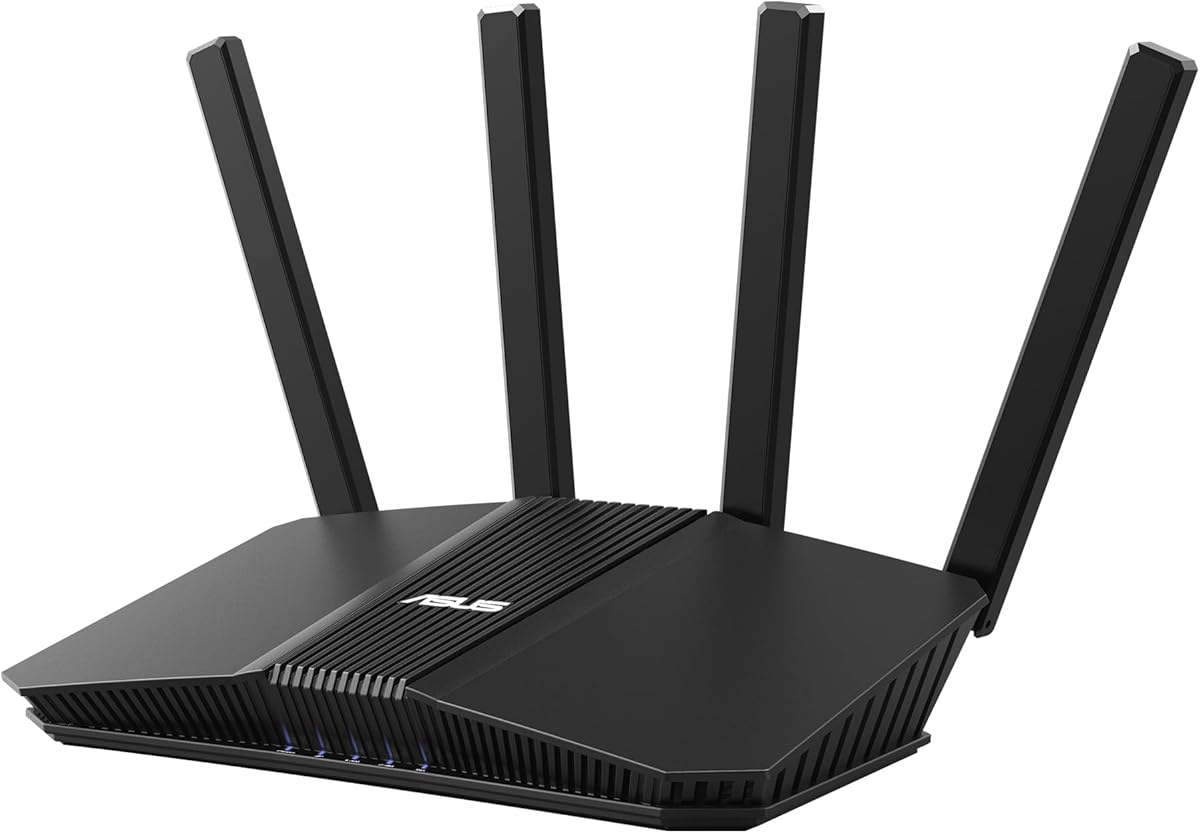
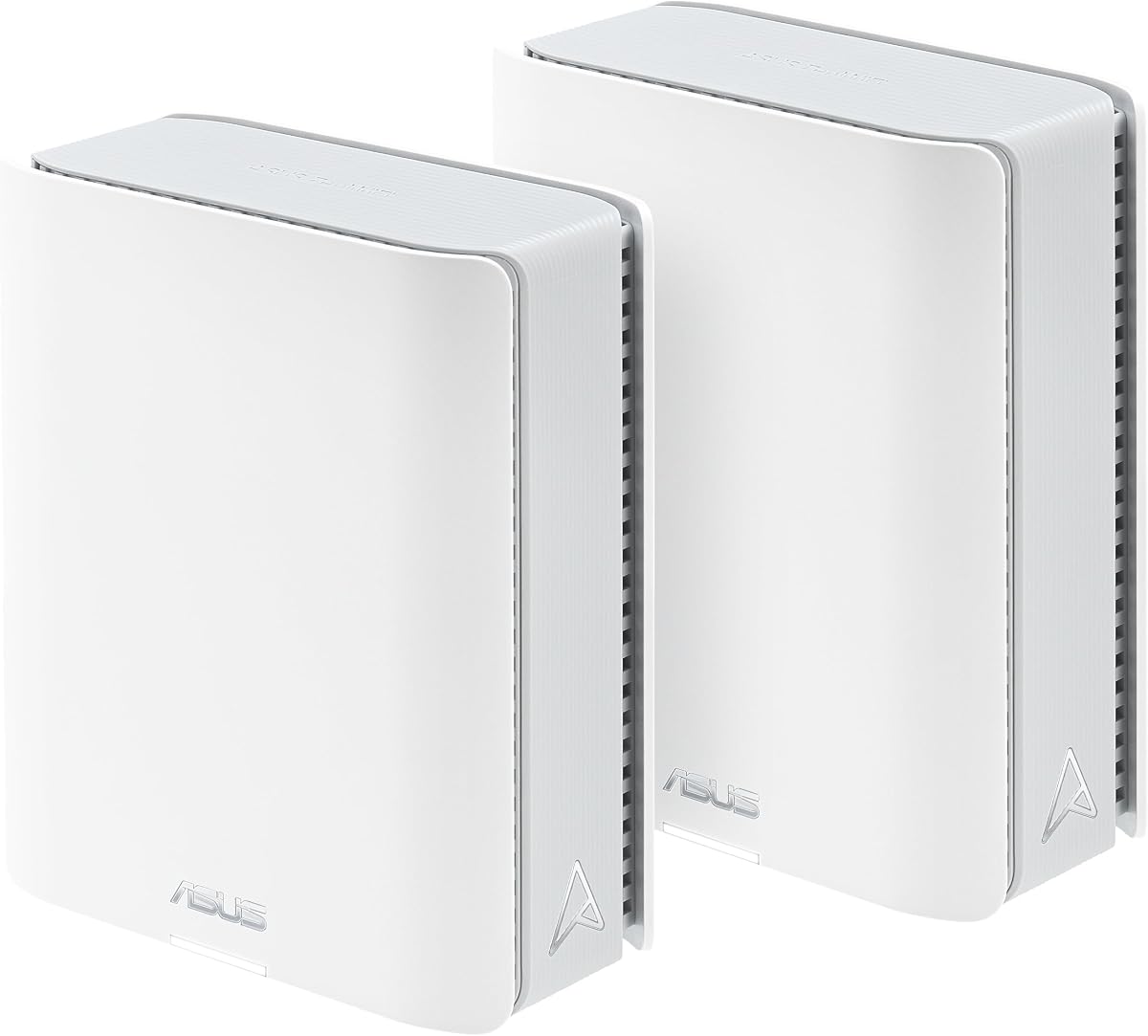



The ASUS RT-AX1800S is a top choice for anyone needing reliable WiFi 6 speeds without overspending. It holds a strong 4.3 rating from users who value performance and value. This router brings essential modern tech like OFDMA and MU-MIMO for smoother multi-device use.
We may earn a commission when you buy through this link, at no additional cost to you.
Its standout qualities include commercial-grade security powered by Trend Micro and a built-in VPN for safe browsing away from home. Four Gigabit LAN ports support wired needs while external antennas boost signal strength. Parental controls are easy to use and work across devices.
Trade-offs include a single WAN port and lack of 10G ports for future-proofing. While it covers typical homes well, it may not serve large estates. Still, the features and price balance well for most households.
Buy this if you want a trusted router with strong security and parental tools. It is perfect for streaming and gaming in standard homes without breaking the bank.
AiProtection Classic provides ongoing threat detection and blocking with no recurring fees. It keeps your network and connected devices safe from common online threats.
You can add more ASUS routers later to build a mesh network. This makes the system scalable as your home grows or needs change.
We may earn a commission when you buy through this link, at no additional cost to you.
The ASUS RT-BE58U pushes the pace with WiFi 7 tech. It offers up to 3.6 Gbps and multi-link operation for smoother connections. With a 4.0 rating, it appeals to users seeking future-ready performance and solid reliability.
We may earn a commission when you buy through this link, at no additional cost to you.
Multi-link operation links multiple bands simultaneously to reduce lag and boost data transfer efficiency. The router also includes Smart Home Master for easy IoT management and parental controls. Its security is backed by Trend Micro and features safe browsing.
Trade-offs include the cost and limited device support for WiFi 7 today. However, buying now ensures readiness for new phones and laptops. The USB port also offers backup connectivity options.
Choose this if you want top speeds and future-proofing. It fits households with many high-demand devices and users who value advanced network features.
MLO allows devices to connect across multiple bands at once. This reduces congestion and keeps your connection stable during heavy use.
Smart Home Master lets you set separate SSIDs for IoT. This improves safety and makes managing smart devices simple.
We may earn a commission when you buy through this link, at no additional cost to you.
The ASUS RT-BE92U leads the pack for users who need cutting-edge speeds and flexibility. With WiFi 7 and tri-band support, it delivers up to 9.7 Gbps. Its 4.0 rating reflects steady performance and advanced features that power users appreciate.
We may earn a commission when you buy through this link, at no additional cost to you.
Multi-link operation ensures stable transfers even in crowded networks. The Smart Home Master feature makes managing IoT devices easy with up to three SSIDs. Security is commercial-grade with Trend Micro and instant VPN options.
Trade-offs involve the cost and need for WiFi 7 devices to unlock full speed. Still, it future-proofs your home and offers better coverage than older tech. The router also supports backup mobile tethering via USB.
Buy this if you demand top performance and advanced controls. It fits smart homes with many connected devices and users planning for next-gen tech.
The 6 GHz band offers wider channels and less interference. This boosts throughput and keeps your network responsive during heavy loads.
AiProtection Pro includes malware scanning and safe browsing. It keeps your network safe from threats without requiring a subscription.
We may earn a commission when you buy through this link, at no additional cost to you.
The ROG Rapture GT-BE98 Pro is built for high-end gamers and tech enthusiasts. It offers up to 30 Gbps with quad-band WiFi 7 support. A 4.3 rating highlights its ability to handle demanding workloads with ease.
We may earn a commission when you buy through this link, at no additional cost to you.
Triple-Level Game Acceleration optimizes traffic from your PC to game servers. Dual 10G ports and quad 2.5G ports allow fast wired connections. External antennas boost signal strength for better coverage across rooms.
Trade-offs include the steep price and complexity for average users. However, it delivers unmatched performance and flexibility. The mesh compatibility also helps scale the network if needed.
Buy this if you play competitive games and need top speeds. It is perfect for power users who value performance and advanced features.
This feature prioritizes gaming packets for lower latency. It ensures a smooth experience from your PC to the game server.
Dual 10G ports support ultra-fast wired transfers. This is ideal for NAS, workstations, and high-speed local networks.
We may earn a commission when you buy through this link, at no additional cost to you.
The ZenWiFi BT10 provides whole-home mesh coverage with top WiFi 7 speeds. It covers up to 6000 sq ft with its two-pack setup. A 3.4 rating reflects its advanced tech and broad appeal for large homes.
We may earn a commission when you buy through this link, at no additional cost to you.
Its tri-band connectivity delivers up to 18 Gbps to support multiple devices. AI-powered Smart Mesh ensures seamless roaming across nodes. Eight internal antennas and high-power modules eliminate dead zones in every direction.
Trade-offs include the cost and need for two nodes to get full coverage. Still, it scales easily with other ASUS routers. The 10G ports also support high-speed wired backhaul.
Buy this if you need seamless coverage for large homes. It fits families with many users and devices needing reliable performance.
The BT10 uses tri-band mesh for stable speeds everywhere. It ensures smooth streaming and gaming across large spaces.
AI optimizes connections and backhaul for best performance. This helps your network self-manage for consistent speeds.
We may earn a commission when you buy through this link, at no additional cost to you.
The ASUS RT-AX82U blends gaming performance with smart features. It offers speeds up to 5400 Mbps with mobile game mode. A 4.4 rating highlights its value for gamers needing reliability and style.
We may earn a commission when you buy through this link, at no additional cost to you.
Game acceleration minimizes lag for mobile and PC play. The Aura RGB lighting lets you match colors to your setup. Commercial-grade security with Trend Micro and parental tools adds peace of mind.
Trade-offs include the renewed status and lack of 10G ports. However, it is a budget-friendly pick for WiFi 6. AiMesh support helps scale the network easily.
Buy this if you want gaming features and style. It fits households wanting performance without a premium price.
Mobile Game Mode reduces lag for mobile gaming. It ensures smooth play by prioritizing traffic on your phone.
The Aura RGB lets you customize lighting effects. It adds a fun style to your gaming setup.
We may earn a commission when you buy through this link, at no additional cost to you.
The ZenWiFi BT8 is a strong mid-range mesh with WiFi 7. It covers up to 3000 sq ft with 14 Gbps speed. A 4.0 rating shows its steady performance and smart home integration.
We may earn a commission when you buy through this link, at no additional cost to you.
Seven internal antennas and front-end modules eliminate dead zones. AI-powered Smart Mesh boosts coverage and extends easily with other ASUS routers. Smart Home Master supports multiple SSIDs for IoT management.
Trade-offs include limited range from a single unit. Still, it is future-ready and secure. The 24/7 security protection adds robust safety.
Buy this if you want mesh flexibility at a mid price. It fits smart homes needing reliable and secure WiFi.
AiProtection Pro provides 24/7 protection. It scans for threats and keeps your devices safe.
Smart Mesh uses AI to optimize connections. This ensures smooth performance and easy expansion.
We may earn a commission when you buy through this link, at no additional cost to you.
The ASUS RT-AX3000 is a trusted all-rounder for modern homes. It delivers up to 3000 Mbps and supports 160MHz channels. A 4.5 rating shows its reliability and ease of use for most families.
We may earn a commission when you buy through this link, at no additional cost to you.
AiMesh compatibility lets you build a seamless home mesh easily. AiProtection Pro offers strong security without a subscription. The USB 3.0 port supports external storage for easy file sharing.
Trade-offs include no 10G ports or extra WAN options. Still, it balances speed and value well. It covers up to 3000 sq ft effectively.
Buy this if you want dependable performance and mesh flexibility. It fits most families needing steady and secure WiFi.
You can pair this with other ASUS routers. This ensures seamless whole-home coverage without complex setup.
Adaptive QoS prioritizes gaming and streaming traffic. This keeps your network smooth during busy times.
We may earn a commission when you buy through this link, at no additional cost to you.
The ASUS RT-AC68U is a proven classic for steady performance. It offers up to 1900 Mbps with dual-band reliability. A 4.5 rating reflects its durability and value for users who need steady speeds.
We may earn a commission when you buy through this link, at no additional cost to you.
It features five LAN ports for multiple wired devices and a dedicated port for gaming. AiProtection security and parental controls keep the network safe. The setup is easy via the web interface.
Trade-offs include older tech compared to WiFi 6 and 7. However, it remains fast enough for most households. Its design offers stability and simplicity.
Buy this if you want a reliable router with wired options. It fits families who value stability and ease of use.
This port prioritizes gaming traffic for better latency. It helps ensure smooth online play without lag.
The AC68U has a long track record of stable use. It offers consistent performance for everyday tasks.
We may earn a commission when you buy through this link, at no additional cost to you.
The ASUS ExpertWiFi EBR63 serves small offices and business users. It offers AX3000 speeds with features like VLAN and custom guest portals. A 4.2 rating shows its practical value and ease of management.
We may earn a commission when you buy through this link, at no additional cost to you.
Custom Guest Portals let you brand access pages for visitors. Remote management via the ExpertWiFi app makes setup simple. Free commercial-grade security protects the network without extra fees.
Trade-offs include focus on business needs over home gaming. Still, it scales well with other ExpertWiFi routers. This makes it easy to grow the network.
Buy this if you need secure and scalable business WiFi. It fits small offices needing management and guest features.
You can brand your guest login pages. This adds a professional touch to your business setup.
The ExpertWiFi app allows remote setup and monitoring. This keeps your network secure from anywhere.
We may earn a commission when you buy through this link, at no additional cost to you.
Choosing the right ASUS router depends on your home size, device count, and usage needs. Below are key factors to consider.
WiFi 6 offers improved efficiency over older models, while WiFi 7 provides the fastest speeds and capacity. Pick a generation that matches your devices and future needs.
Higher speeds are best for large households with many users streaming or gaming.
Coverage depends on antenna design and internal modules. For larger homes, look for mesh compatibility to expand signal easily.
Mesh routers help eliminate dead zones across multiple floors.
ASUS offers AiProtection powered by Trend Micro for ongoing threat protection. Ensure the model supports parental controls and VPN features.
Strong security protects your data and keeps connected devices safe.
For gamers, look for game acceleration, QoS, and dedicated gaming ports. These help prioritize traffic for smoother play.
Gaming features ensure low latency and stable connections.
More LAN ports allow more wired devices. USB ports help share storage or enable mobile backup connections.
Choose models with enough ports for your wired needs.
Look for intuitive web interfaces and mobile apps. ASUS tools simplify setup and daily management.
Good tools make network control accessible and straightforward.
Choose routers with AI and new features to extend lifespan. Mesh support and multi-link operation help your network grow.
Future-proof options save money as technology evolves.
For offices, VLAN support and guest portals add flexibility. Business models offer scalable tools for managed networks.
Business features help keep guest and internal traffic separate.
Place your router centrally and elevate it on a shelf. This helps signal reach all rooms evenly and avoids obstruction by walls or metal objects.
Keep the router cool and dust-free to prevent overheating. Ensure it has enough airflow and clean vents occasionally with compressed air.
Check for firmware updates monthly via the web app. These updates add security and improve performance for your network.
Yes, most modern ASUS routers support AiMesh. This allows you to create a seamless whole-home network by adding compatible units. Mesh systems expand coverage and improve signal consistency.
ASUS routers feature intuitive web interfaces and mobile apps. Setup guides walk you through connecting and optimizing settings. Most users finish setup in under 15 minutes.
AiProtection is a security suite powered by Trend Micro. It blocks threats and malware without a subscription. It includes parental controls and safe browsing features.
Yes, many ASUS models can serve as nodes. They link wirelessly to extend your network. This helps cover larger homes without complex wiring.
Yes, many ASUS routers support VPN server and client features. This allows secure remote access and safe browsing. Instant Guard offers one-click secure VPN for travel.
WiFi 7 offers faster speeds, wider channels, and multi-link operation. It improves efficiency for many devices. Older WiFi 6 models are still fast for most users.
This guide covered ten top models ranging from budget to premium. Each offers unique strengths for gaming, smart homes, and business needs.
Prioritize speed, security, and mesh support to match your lifestyle. Advanced features like WiFi 7 and AiProtection add long-term value.
Prices and deals can change often. Check current listings and compare specs before buying to find the best value for your network.