
Canon PIXMA TR4720
3.9Editor score
Affordable entry-level multifunction device
Auto document feeder included
Compact design for small spaces
Discover the top all in one printer with fax models for 2026. We compare features, speed, and reliability to help you choose the right multifunction device.
Finding the right all in one printer with fax can streamline your workflow significantly. These devices combine printing, scanning, copying, and faxing into one compact unit, saving space and reducing costs for home offices and small businesses alike.
We evaluated ten leading models based on performance, connectivity, ink efficiency, and user feedback. Our analysis considers print quality, speed, fax capabilities, and overall value to ensure you get a reliable machine that meets your specific communication and document needs.
Each pick highlights key strengths and potential trade-offs to guide your decision. Remember that prices fluctuate frequently due to market demand and promotions, so check current listings before purchasing to secure the best deal available today.
3.9Editor score

3.9Editor score

4.3Editor score
This side-by-side comparison highlights the key specifications and capabilities of each model to help you quickly identify which device aligns best with your productivity requirements and budget constraints.






The HP OfficeJet Pro 9125 stands out as a top-tier all in one printer with fax for professional environments. Rated highly by users, it delivers fast color printing and robust security features essential for business operations.
We may earn a commission when you buy through this link, at no additional cost to you.
Its standout quality lies in the integration of AI capabilities that optimize print formatting automatically. This reduces wasted paper and ensures emails or web pages look professional without manual adjustment. The dual-band Wi-Fi ensures consistent connectivity even in crowded networks.
While the printer requires original HP chips for cartridges, this measure protects print quality and security. The cost may be higher than basic models but the efficiency gains and included Instant Ink trial justify the investment for heavy users.
Buyers seeking a reliable workhorse for home offices or small businesses should consider this model. It balances speed, quality, and fax functionality effectively. We recommend it for those needing consistent performance with minimal downtime.
HP AI removes unwanted content from web pages and emails ensuring cleaner prints without manual editing steps.
HP Wolf Pro Security bolsters network protection helping keep your data safe from potential cyber threats.
We may earn a commission when you buy through this link, at no additional cost to you.
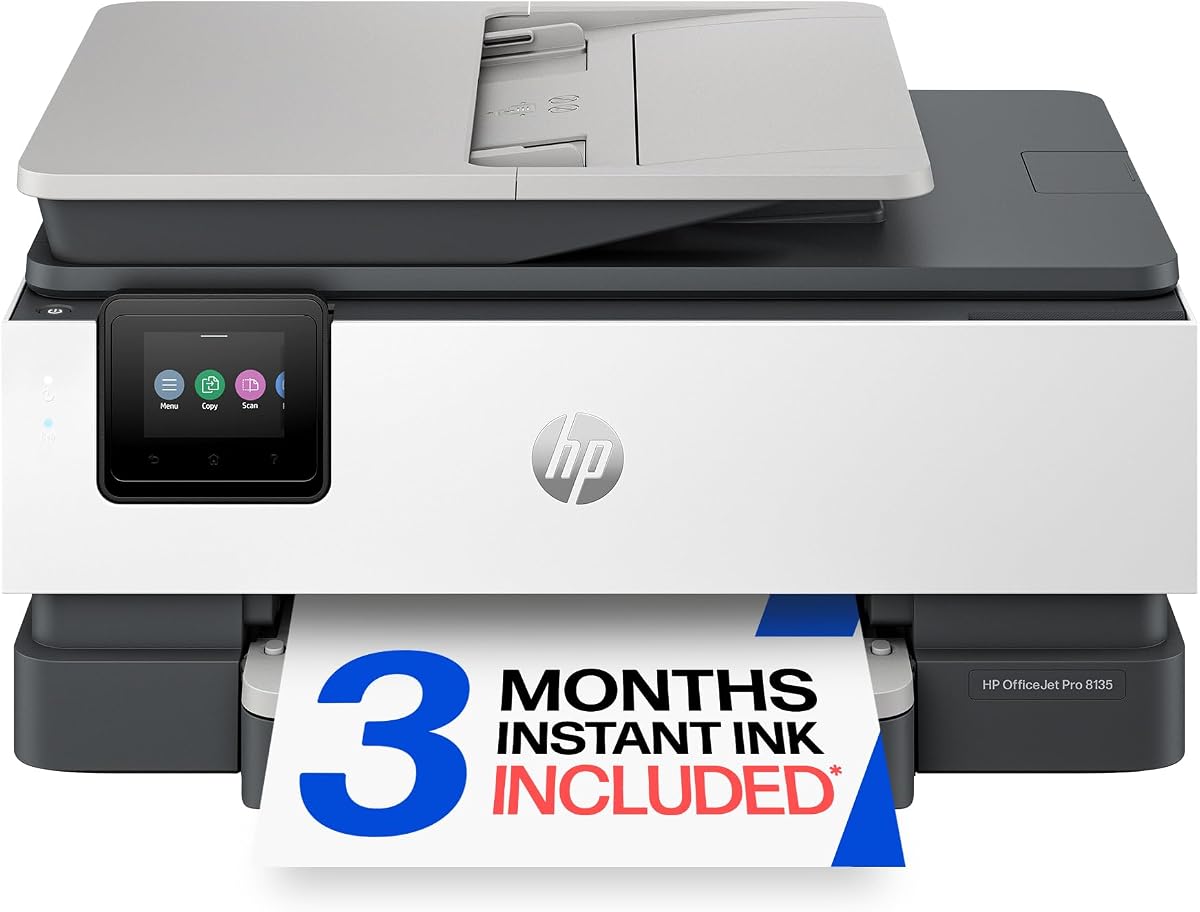
The HP OfficeJet Pro 8135 offers a compelling balance of features for home office users needing an all in one printer with fax. With a strong rating it provides reliable performance without the premium price tag of higher office models.
We may earn a commission when you buy through this link, at no additional cost to you.
Key strengths include the included fax function and AI tools that streamline document preparation. The 2.7-inch touchscreen makes navigation intuitive while the Instant Ink trial helps manage initial costs effectively for new owners starting out.
It trades some speed for cost savings compared to the 9125 model. The cartridge policy remains a limitation but for moderate use this unit delivers consistent quality and connectivity that meets typical home office demands well.
Ideal for freelancers or small home teams needing fax capabilities. This printer balances cost and function efficiently. Choose this if you need fax support without spending on enterprise-grade speed or capacity.
Designed specifically for home offices it handles business documents and flyers with professional color quality.
Use the HP app to print fax or scan directly from your smartphone for seamless mobile workflow integration.
We may earn a commission when you buy through this link, at no additional cost to you.
The Epson EcoTank ET-4800 redefines ink efficiency among all in one printers. While fax capabilities are not explicitly highlighted in every description the ink savings alone make it a top contender for high-volume printing needs.
We may earn a commission when you buy through this link, at no additional cost to you.
Its unique cartridge-free system uses high-capacity tanks filled with EcoFit bottles eliminating waste and frequent cartridge changes. The Micro Piezo Heat-Free technology ensures sharp text and vibrant colors without heating elements which reduces energy use significantly.
The upfront cost is higher than cartridge models but long-term savings are substantial. This is a trade-off worth considering if you print thousands of pages monthly. The design reduces landfill waste which appeals to environmentally conscious buyers.
Choose this printer if ink costs are your primary concern. It delivers exceptional value over time. While fax might require verification on specific submodels the core ink system is unmatched in this category.
By using EcoTank printers you help reduce the amount of cartridge waste ending up in landfills annually.
Epson exclusive EcoFit ink bottles make filling the tanks easy and worry-free without spills or mess.
We may earn a commission when you buy through this link, at no additional cost to you.
The HP OfficeJet Pro 8125 is an excellent choice for users who need core multifunction features without fax capabilities. It maintains the high quality and AI features of the Pro series while offering a more affordable entry point for home offices.
We may earn a commission when you buy through this link, at no additional cost to you.
Strengths include the 2.7-inch touchscreen and AI optimization tools that ensure professional document layouts. The Instant Ink trial helps offset initial costs. Wi-Fi connectivity is reliable allowing easy printing from multiple devices around the house or office.
Without fax this unit saves money for those who use digital alternatives. The speed is adequate for most home tasks but slower than flagship models. Cartridge restrictions apply here as well which is typical for HP inkjet printers.
Ideal for users who only print copy scan and need mobile flexibility. It balances cost and features well. If fax is not a requirement this model offers great value with strong HP ecosystem integration.
HP AI easily removes unwanted content from web pages so your prints are just the way you want.
HP Wolf Essential Security bolsters security and helps keep your network protected from cyber threats effectively.
We may earn a commission when you buy through this link, at no additional cost to you.
The HP Smart Tank 7603 is unique because it includes up to three years of ink right out of the box. This makes it an attractive all in one printer with fax for users who want to avoid frequent ink purchases entirely.
We may earn a commission when you buy through this link, at no additional cost to you.
Features include fax capability and a mess-free refill system that allows easy replenishment without spills. The magic touch control panel simplifies navigation while mobile printing ensures you can send jobs from anywhere within the Wi-Fi range.
The upfront cost is higher but the included ink covers most needs for a long time. Refilling is simple and reduces waste compared to cartridges. Print quality remains sharp for both text and graphics which is ideal for mixed use.
Best for home offices that need fax support and high volume at low cost. It removes the hassle of tracking ink levels. If you print frequently this model offers unmatched convenience and value over time.
Get up to 8000 color or 6000 black pages right out of the box without needing to buy ink immediately.
Replenish ink with HP easy-access mess-free refill system simply plug bottles in and let them drain.
We may earn a commission when you buy through this link, at no additional cost to you.
The HP OfficeJet Pro 9135 boasts the fastest print speed in this lineup at 25 ppm black. For offices needing high throughput combined with fax capabilities this model delivers performance that minimizes waiting time during busy periods.
We may earn a commission when you buy through this link, at no additional cost to you.
It features a large 4.3-inch touchscreen and two 250-sheet input trays allowing for heavy volume handling without constant refilling. The security features protect data effectively while AI tools ensure layouts are optimized automatically for professional results.
While the price is higher the speed justifies it for businesses. The Instant Ink trial helps manage costs. Firmware updates may block non-HP chips which is a standard security practice for HP to maintain quality and network integrity.
Choose this if speed and capacity are top priorities. It handles demanding office tasks efficiently. The fax feature adds essential communication flexibility for those who still rely on traditional document transmission methods.
Two 250-sheet input trays allow you to print large jobs without stopping to reload paper frequently.
Quickly navigate your printer with a large color touchscreen and a phone-like user interface for ease of use.
We may earn a commission when you buy through this link, at no additional cost to you.
The Canon PIXMA TR4720 is an excellent budget option for those needing an all in one printer with fax. Rated highly for its value it brings essential functions including faxing into a compact and affordable package for home users.
We may earn a commission when you buy through this link, at no additional cost to you.
Key strengths include Alexa integration which notifies you when ink is low and can smart reorder automatically. The auto document feeder handles multi-page tasks conveniently. Its small footprint makes it easy to fit on desks or shelves in tight spaces.
Print speeds are slower compared to professional models but sufficient for occasional home use. The initial cost is low but cartridge replacement may add up over time. However for light users this is a negligible concern.
Perfect for budget-conscious buyers needing fax support. It delivers core features without breaking the bank. If you need an entry-level device with smart features this Canon model is a solid and reliable choice.
Connect your printer to Alexa and receive notifications when you're running low and smart reorder automatically.
Designed for easy ink cartridge installation and replacement with a small footprint ideal for home desks.
We may earn a commission when you buy through this link, at no additional cost to you.
The Canon PIXMA TR8620a offers advanced features including a Micro SD slot and better paper capacity making it ideal for home offices that need fax and high-quality photo printing. It is highly rated for versatility and connectivity options.
We may earn a commission when you buy through this link, at no additional cost to you.
It includes fax capability and allows printing via voice commands through Alexa. The 200-sheet capacity supports longer tasks without reloading. The dual paper feed lets you switch between regular and specialty paper effortlessly for different document types.
Print speeds are decent but not class-leading. It uses standard ink cartridges which are easy to replace. The higher price compared to basic models is justified by the photo quality and convenience features for mixed-use environments.
Choose this for home offices needing photo and fax in one unit. It balances performance and features well. If you print photos occasionally but need reliable faxing this is a versatile and capable solution.
Print with your voice. Just say Alexa discover my printer to start sending documents hands-free.
Use the Micro SD slot to print photos directly from memory cards without needing a computer connection.
We may earn a commission when you buy through this link, at no additional cost to you.
The HP OfficeJet Pro 8139 distinguishes itself with a one-year Instant Ink trial included. This extended benefit makes it a compelling all in one printer with fax for those who want long-term ink savings upfront after purchasing the device.
We may earn a commission when you buy through this link, at no additional cost to you.
It delivers professional color documents with AI tools optimizing layouts. The fax function is integrated seamlessly. Wi-Fi connectivity is robust ensuring you can print from anywhere in the home or office without connection drops.
After the trial a monthly fee applies which may affect long-term costs. However the initial year of savings offsets this for many users. Performance is consistent with other Pro models offering reliable output for daily tasks.
Ideal for home offices planning to use Instant Ink. It offers substantial value via the trial. If you value convenience and long-term cost savings this model is a strong contender for your setup.
Subscribe to Instant Ink to get ink delivered directly to your door before you run out.
HP Wolf Essential Security bolsters security and helps keep your network protected from cyber threats.
We may earn a commission when you buy through this link, at no additional cost to you.
The Brother MFC-L2820DW is a top premium laser option for those needing an all in one printer with fax. With high ratings for reliability it delivers fast monochrome performance and robust duty cycles suitable for small business environments.
We may earn a commission when you buy through this link, at no additional cost to you.
Its laser technology ensures crisp black and white text at speeds up to 36 ppm. Fax and scanning are handled efficiently via a 50-page auto document feeder. The Refresh Subscription Trial offers savings on genuine toner purchases.
While it lacks color printing it excels at document speed and efficiency. Connectivity options include dual-band wireless and Ethernet. The toner policy ensures high quality but may cost more than cartridges for some users.
Choose this for heavy document workflows needing fax. It provides speed and reliability. If color is not essential this model is an efficient and durable solution for professional use.
Produces black and white documents quickly with print speeds up to 36 ppm for efficient workflows.
Securely connect to multiple devices with built-in dual-band wireless and Ethernet options.
We may earn a commission when you buy through this link, at no additional cost to you.
Selecting the right all in one printer with fax requires evaluating specific needs and features to ensure compatibility and cost-effectiveness.
Print speed determines how fast documents are output which is critical for busy offices. Look for models with higher pages per minute (ppm) ratings for black and color if speed is a priority.
Prioritize models with faster ppm ratings if you print large volumes to save time.
Inkjet printers offer better color quality but may have higher ongoing costs unless using tank systems. Laser printers provide faster speeds and lower costs per page for text but usually lack color.
Choose tank inkjets for cost efficiency or lasers for speed and volume.
Ensure the specific model explicitly includes fax capability as not all multifunction devices have this feature. Traditional faxing is still required for legal or business contracts in some sectors.
Verify fax is listed in specs before purchase to avoid functionality gaps.
Modern printers should offer dual-band Wi-Fi and mobile app support to ensure seamless printing from various devices. Ethernet ports are valuable for stable office connections.
Look for dual-band Wi-Fi and app support for flexible printing.
A higher input tray capacity means fewer reloads during large jobs. Auto document feeders (ADF) are essential for scanning or faxing multi-page documents quickly.
Prioritize ADF and large trays for multi-page document tasks.
Business users need secure printing options to protect sensitive data. Look for features like encrypted connections and firmware security updates.
Opt for models with built-in security to safeguard data.
Some brands enforce chip restrictions that block third-party cartridges. Consider the long-term cost of genuine supplies versus compatible alternatives.
Check cartridge policies to estimate long-term supply costs.
A longer warranty period provides peace of mind against defects. Reliable customer support is crucial for troubleshooting complex issues quickly.
Check warranty length and support quality before finalizing.
Start by connecting the printer to your Wi-Fi network via the touchscreen interface. Ensure all drivers are installed on your computer or mobile devices for seamless communication.
Regularly clean the scanner glass and exterior with a soft cloth to maintain output quality. Use genuine or manufacturer-approved supplies to prevent jams and performance issues.
Update the printer firmware periodically through the settings menu to ensure security and compatibility. This maintains optimal function and protects your network from vulnerabilities.
No, not all multifunction printers include fax. You must verify that the specific model supports faxing before purchasing since some units focus solely on print, scan, and copy.
Yes, many modern printers offer internet fax services or apps that allow sending faxes over Wi-Fi without a traditional phone line connection.
Both work effectively for faxing, but laser printers often offer faster speeds and lower running costs for text documents. Inkjets may be better if you need color faxing capabilities.
Connect the printer to your network via Wi-Fi and use the built-in fax settings. Follow the on-screen prompts to configure recipient lists and send documents directly from the touchscreen.
Manufacturers often use chip technology to ensure print quality and security. This prevents use of third-party cartridges that may not meet performance standards or could harm the device.
Clean the scanner glass every month or whenever you notice streaks on copies. Regular maintenance ensures high-quality scans and faxes without recurring issues.
We have reviewed ten top models ranging from budget-friendly Canon options to high-speed HP and Brother workhorses. Each offers distinct advantages depending on whether you prioritize speed, ink costs, or connectivity.
Prioritize models that explicitly support fax and fit your workflow needs. For heavy users, laser or tank systems offer better long-term value. For occasional needs, standard inkjets may suffice with lower upfront costs.
Always verify current pricing and availability before buying as deals change frequently. Check if Instant Ink or subscription trials are active to maximize your savings on ink supplies.