
Alienware 34 Curved Gaming Monitor – AW3425DWM
4.6Editor score
WQHD Resolution Detail
180Hz Refresh Rate
1500R Curve Design
Choosing the right gaming monitor is essential for immersive gameplay. Alienware offers a range of curved displays designed to wrap around your vision and deliver stunning visuals. These monitors combine high refresh rates with vibrant color accuracy for an edge in competitive and casual gaming.
We have analyzed ten distinct models to find the best options available. Our comparison focuses on panel technology, resolution, response times, and compatibility with adaptive sync technologies. Each product brings unique strengths to different types of players and creative workflows.
Every pick in this list highlights specific benefits tailored to various needs. From budget friendly options to premium OLED experiences, you will find a match for your station. Please note that availability and configurations may vary over time.
4.6Editor score

4.5Editor score

4.3Editor score
As an Amazon Associate we earn from qualifying purchases.
The following table presents a side-by-side look at ten top models. We highlight key specifications such as resolution, refresh rates, and panel types to help you compare performance quickly. This overview ensures you can identify the right fit for your gaming demands.





This model stands out as a top choice for gamers seeking performance without a high price tag. It offers a 34-inch ultrawide panel with WQHD resolution and an 180Hz refresh rate. Users appreciate the fluid visuals and responsive gameplay it provides for various titles.
We may earn a commission when you buy through this link, at no additional cost to you.
The 1500R curve enhances immersion significantly compared to flat screens. AMD FreeSync Premium ensures smooth motion with compatible graphics cards. The DCI-P3 95% coverage delivers vibrant colors suitable for both gaming and media consumption.
While it does not feature OLED technology, the display remains sharp and bright. The dedicated console mode and hardware-based low blue light solution make it suitable for long sessions. You get a reliable experience without breaking the budget.
This monitor is perfect for entry to mid-level setups focused on value. It balances performance and cost effectively. If you want an immersive ultrawide experience without the OLED price, this is a smart pick.
The 34-inch screen with a 1500R curve wraps around your vision for deeper engagement.
With 180Hz and 1ms response times, fast-paced action stays smooth and tear-free.
We may earn a commission when you buy through this link, at no additional cost to you.
This QD-OLED model is a top-tier choice for competitive and immersive gaming. It combines a 240Hz refresh rate with a blazing-fast 0.03ms response time. The display delivers vibrant colors and true blacks for a stunning visual experience.
We may earn a commission when you buy through this link, at no additional cost to you.
The 1800R curve wraps tightly around your field of view. You get 99.3% DCI-P3 coverage with Delta E<2 accuracy for precision. VESA DisplayHDR TrueBlack 400 ensures deep blacks and bright highlights in HDR content.
Adaptive sync technologies like AMD FreeSync Premium Pro make gameplay seamless. There is no tearing or stuttering even in fast action. The trade-off is a higher cost and the need for a powerful graphics card.
Buyers looking for the absolute best in speed and color will love this monitor. It is ideal for competitive players and media enthusiasts. If you want the ultimate immersive experience, this is the one to choose.
The 240Hz refresh rate and near-instant response time eliminate motion blur completely.
QD-OLED technology provides an incredible color range and clarity that immerses you fully.
We may earn a commission when you buy through this link, at no additional cost to you.
This iconic model was a pioneer in QD-OLED gaming monitors. It brings 175Hz refresh rates and industry-fast response times to competitive gameplay. The display covers a massive spectrum of colors for cinematic clarity.
We may earn a commission when you buy through this link, at no additional cost to you.
It features NVIDIA G-SYNC ULTIMATE certification for smooth tear-free visuals. Quantum Dot OLED delivers superior color performance compared to white OLED. Creator Mode allows precise color-critical work for content creators needing accuracy.
The Legend 2.0 ID design includes customizable lighting and improved ventilation. Adjustments like height, tilt, and swivel offer ergonomic comfort. While premium priced, the visual fidelity is unmatched for gaming and creative work.
This monitor suits creators and gamers who prioritize color and smooth motion. If you need professional-level accuracy and gaming speed, this is a strong investment. The design and features justify the high-end positioning.
Switch between native color spaces for accurate work or immersive gaming effortlessly.
Customizable lighting and ventilation ensure the monitor looks great and stays cool.
We may earn a commission when you buy through this link, at no additional cost to you.
This model remains a favorite for those valuing color over speed. It uses IPS Nano technology to exceed sRGB and hit DCI-P3 standards. The anti-glare coating reduces reflections effectively in bright rooms.
We may earn a commission when you buy through this link, at no additional cost to you.
NVIDIA G-SYNC synchronizes the GPU for minimal tearing and artifacts. The 1900R curve provides a wide field of view for immersion. Viewing angles are broad for consistent color from different positions.
While the refresh rate is lower than newer models, it suits console and casual play well. The customizable AlienFX lighting adds style to any desk. Build quality is solid with height and tilt adjustments.
Buyers who want dependable performance and accurate visuals will appreciate this pick. It is great for console gaming or mixed use. If speed is not your top priority, this offers a balanced experience.
With 98% DCI-P3 coverage, colors are vibrant and true to the design.
G-sync technology minimizes distortions to keep gameplay looking real and fluid.
We may earn a commission when you buy through this link, at no additional cost to you.
This bundle simplifies setup by including essential cables and a cleaning kit. The monitor itself offers QD-OLED panel technology for deep blacks and precise highlights. You get a 175Hz refresh rate for fluid and responsive gaming.
We may earn a commission when you buy through this link, at no additional cost to you.
The included DisplayPort and HDMI cables ensure high-quality connectivity right out of the box. ComfortView Plus reduces blue light without affecting color accuracy. This makes long sessions more comfortable for both work and play.
Creator Mode allows switching between color spaces with adjustable gamma. This is useful for creators needing precise control over their output. The bundle ensures you have everything needed to start using it immediately.
Users who want an all-in-one solution will find this bundle convenient. It saves the hassle of buying extra accessories separately. If you need a high-performance display with accessories included, this is a smart option.
Premium DisplayPort and HDMI cables ensure high-quality connections from day one.
Adjustable gamma and blue light protection help you work and play longer comfortably.
We may earn a commission when you buy through this link, at no additional cost to you.
This bundle provides a complete connectivity solution for high-performance use. It includes DisplayPort and HDMI cables along with a headphone extender. The QD-OLED display produces lifelike color accuracy and deep blacks.
We may earn a commission when you buy through this link, at no additional cost to you.
The 1800R curvature wraps your field of vision for maximum engagement. Tilt, swivel, and height adjustments match any gaming or editing setup. The included cleaning kit helps keep the screen in top condition.
Fast 175Hz refresh rates and 0.1ms response times handle fast-paced scenes well. NVIDIA G-SYNC Ultimate ensures smooth and tear-free visuals. This bundle is great for users who want to minimize extra setup tasks.
Buyers looking for convenience and high-end specs will appreciate this pick. The included accessories add real value beyond the monitor itself. If you want a complete and polished setup, this is a strong choice.
DisplayPort, HDMI, and an extender ensure you can connect various devices easily.
The 1800R curvature wraps your vision to enhance focus and engagement.
We may earn a commission when you buy through this link, at no additional cost to you.
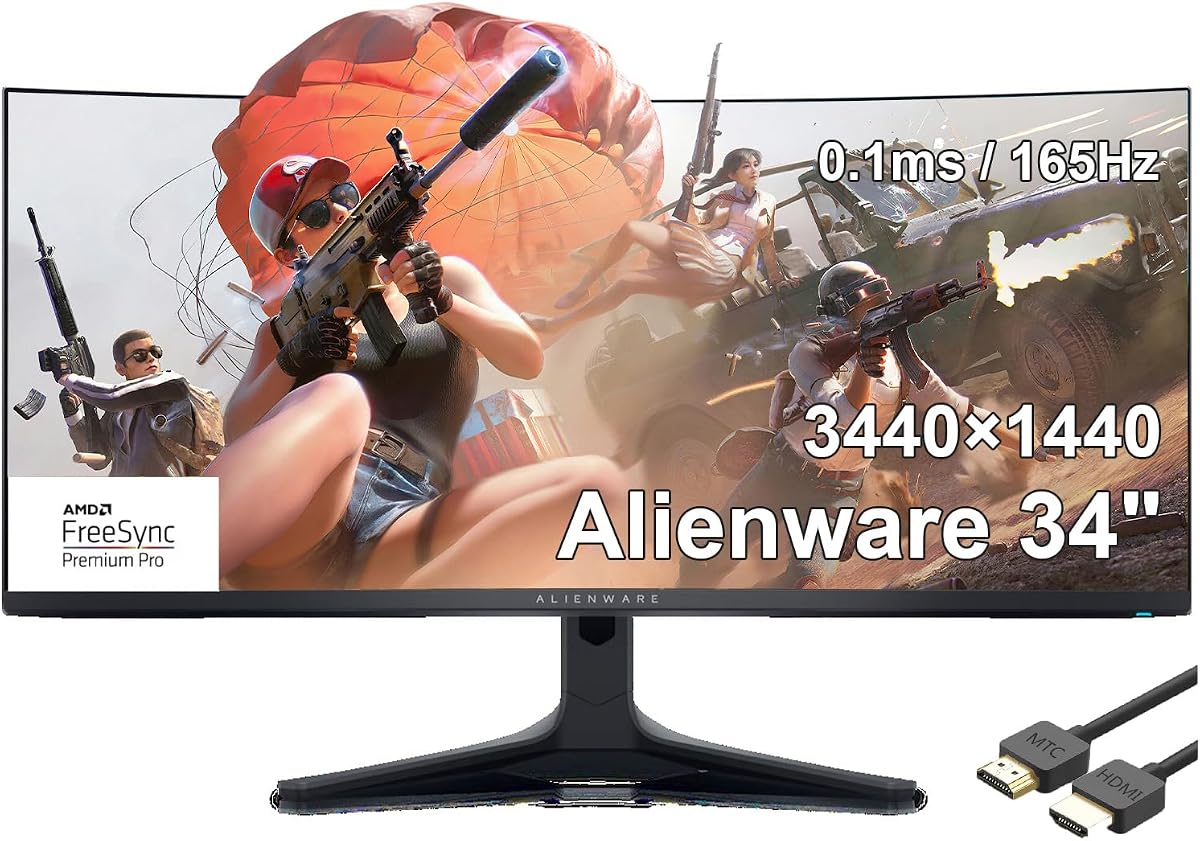
This model offers an accessible entry into QD-OLED technology. It provides 165Hz refresh rates and ultra-low latency gameplay for smooth motion. The panel supports AMD FreeSync Premium Pro to minimize tearing during intense sessions.
We may earn a commission when you buy through this link, at no additional cost to you.
The 1.07 billion colors ensure vivid and detailed visuals. A 0.1ms response time helps with fast-paced games. It is a solid choice for gamers seeking high-end panels without the premium price tag.
While it lacks some certifications found in newer models, the performance remains impressive. The included MTC HDMI cable ensures immediate connectivity. For many users, this balances cost and quality effectively.
This monitor suits those wanting OLED visuals on a budget. If you value high refresh rates and accuracy over brand certifications, it fits well. It is a practical option for competitive and casual play.
QD-OLED technology provides exceptional color purity and deep blacks for immersion.
165Hz and 0.1ms response ensure fluid visuals during rapid camera movement.
We may earn a commission when you buy through this link, at no additional cost to you.
This monitor brings 4K resolution to the OLED curved gaming space. It covers a 32-inch canvas with 3840 x 2160 pixels for stunning clarity. The curved panel design wraps around your field of view for a cinematic experience.
We may earn a commission when you buy through this link, at no additional cost to you.
QD-OLED technology delivers rich colors and deep blacks in equal measure. You get a level of detail that flat panels cannot match. It is ideal for media consumption and gaming where visual fidelity matters most.
The combination of high pixel count and HDR capabilities creates a lifelike image. Users report sharp text and vibrant colors even in dark environments. It requires a powerful graphics card to drive the resolution at high frame rates.
If you seek the sharpest possible image on a curved display, this fits. It stands out for quality and detail in both games and media. This monitor suits users who prioritize resolution over refresh rates.
The 3840 x 2160 resolution delivers stunning detail and sharpness on a 32-inch screen.
The curved design wraps the screen around your vision for a cinematic effect.
We may earn a commission when you buy through this link, at no additional cost to you.
This model delivers unmatched speed with a 280Hz refresh rate via DisplayPort. The 1ms response time ensures fast action stays sharp. You can overclock to 280Hz for an edge in competitive shooters.
We may earn a commission when you buy through this link, at no additional cost to you.
It includes hardware-based overlays like Night Vision and Clear Vision for real-time enhancement. An integrated USB hub provides four USB-A ports for peripherals. This setup improves workflow and device organization.
The Legend 2.0 design with RGB lighting makes it a standout on any desk. 360° ventilation keeps the monitor cool during intense sessions. The included cleaning kit and cables add convenience to the package.
This pick is for those prioritizing speed over screen size. If you play fast-paced titles like FPS games, this will meet your needs. It is a high-performance choice for competitive gaming setups.
Refresh rates up to 280Hz ensure fluid visuals even in the fastest games.
Custom overlays like Night Vision and Clear Vision enhance your visual edge.
We may earn a commission when you buy through this link, at no additional cost to you.
This monitor offers a massive 40-inch WUHD screen for next-level gaming. The 1000R curve wraps tightly around your vision. With 180Hz refresh rates and 1ms response times, motion stays smooth and sharp.
We may earn a commission when you buy through this link, at no additional cost to you.
VESA DisplayHDR 600 delivers deep blacks and bright whites for clarity in dark scenes. The 21:9 screen ratio enhances immersion significantly. It is a powerful option for those wanting a huge display.
While it is not an Alienware branded product, it fits the keyword theme. It suits users who prefer larger screens over standard ultrawide sizes. The performance specs match high-end gaming needs well.
If you want a giant immersive experience without sacrificing refresh rate, this works. It is best for large desks and dedicated gaming spaces. This choice suits those who prioritize size and immersion above all.
The 40-inch WUHD screen wraps around your vision for next-level immersion.
DisplayHDR 600 delivers deep blacks and bright whites for better clarity.
We may earn a commission when you buy through this link, at no additional cost to you.
Selecting the right monitor involves balancing performance, size, and budget. Here are key factors to consider when making your decision.
OLED and QD-OLED panels offer deeper blacks and faster response times than traditional LCDs. They are ideal for immersion but come at a higher cost. LCDs like IPS offer better longevity and lower prices.
Choose OLED for color and speed or IPS for budget and durability depending on your needs.
Higher refresh rates like 180Hz or 240Hz provide smoother motion and reduced blur. They benefit competitive gamers significantly. For casual play, 120Hz to 144Hz is often sufficient.
Prioritize higher refresh rates if you play fast-paced shooters or action games regularly.
A faster response time like 1ms or less minimizes motion blur. It ensures crisp visuals in quick scenes. Most modern gaming monitors offer low response times.
Look for 1ms or lower to ensure smooth motion in fast-paced gameplay scenarios.
WQHD provides a balance of detail and performance. 4K offers sharper images but requires more GPU power. Consider your hardware capabilities before choosing resolution.
Match the resolution to your graphics card to maintain stable and smooth frame rates.
A tighter curve like 1000R or 1500R enhances immersion by wrapping the screen. 1800R is common for 34-inch ultrawides. Larger screens benefit from tighter curves.
Select a curve that matches the screen size and desired immersion level for your setup.
FreeSync and G-Sync prevent screen tearing by syncing the refresh rate with the GPU. Check compatibility with your graphics card. Adaptive sync ensures smooth gameplay.
Ensure the monitor supports the sync technology compatible with your graphics card.
Adjustable stands with height and tilt features reduce strain. Built-in cable management keeps your setup tidy. Ergonomics help during long gaming sessions.
Look for height and tilt adjustments to keep the monitor at a comfortable viewing angle.
Ensure the monitor has enough DisplayPort and HDMI inputs. USB hubs and audio jacks add convenience. Check for the latest standards like HDMI 2.1.
Verify you have the right cables and ports for all your gaming devices.
Calibrate your display using built-in tools for accurate colors. Use Creator Mode or standard profiles based on your tasks. Proper calibration ensures you see games and content as intended.
Keep the screen clean with a soft microfiber cloth. Avoid harsh chemicals or rough materials. Clean the stand and vents regularly to maintain airflow and appearance.
Enable features like ComfortView Plus to reduce eye strain. Adjust brightness based on ambient light. Proper settings help you enjoy longer sessions without fatigue.
For competitive gaming, 180Hz to 240Hz is ideal. For casual play, 144Hz or higher is sufficient. Higher rates provide smoother motion and lower latency. Choose based on your game types and hardware.
All OLED panels risk burn-in with static content. Modern monitors include protection features to reduce this. Avoid leaving static images for hours. Follow usage guidelines to extend panel life.
Use a soft microfiber cloth to wipe the screen. Avoid spraying liquid directly on the display. Use a cleaning kit designed for LCDs. Turn off the monitor to see smudges better.
Monitors with G-SYNC certification ensure smooth gameplay. Look for models labeled G-SYNC Ultimate. They synchronize refresh rates to reduce tearing. Check specs for specific compatibility details.
4K provides sharper images but requires more GPU power. 1440p offers a balance of speed and detail. Choose 4K for media and 1440p for gaming. Match your budget and hardware.
Curved monitors enhance immersion by wrapping the screen. They reduce edge distortion for a better experience. Flat screens are fine for desk work. Curved suits immersive gaming setups best.
Yes, ultrawide panels offer great multitasking space. Creator modes provide accurate color for design. Use height adjustments for comfort. These monitors suit both gaming and work.
Yes, they come with manufacturer warranties covering defects. Terms vary by model and region. Check the product page for specific details. Register your purchase to activate warranty.
We have explored ten top models ranging from budget to premium. Each offers unique strengths for different players and needs. From speed to color accuracy, there is a match for everyone.
Prioritize what matters most to you like refresh rate or immersion. Consider your hardware capabilities before making a final choice. Balancing these factors ensures a satisfying experience.
Prices and availability can change over time. Check current listings and configurations before buying. We hope this guide helps you find the perfect monitor for your gaming journey.