
TP-Link Archer A8
4.5Editor score
OneMesh compatible support
Beamforming technology
Easy app control
This guide compares the top AC1900 wireless routers for speed, coverage, and security features to help you choose the right device for your home network needs
Finding a reliable wireless router is essential for modern home connectivity. AC1900 models offer a balance of speed and coverage suitable for streaming and gaming without breaking the bank.
We evaluated ten top-rated AC1900 routers based on performance, features, and user feedback. Our comparison highlights key specs like dual-band support, antenna design, and security tools.
Each pick details specific strengths and ideal use cases for your setup. Prices and availability can change frequently so check current listings before making your final purchase decision online.
4.5Editor score

4.5Editor score

4.3Editor score
This side-by-side table compares the top ten AC1900 wireless routers across key specifications and features to help you find the ideal model for your specific home network requirements.




The ASUS RT-AC68U stands out as a top choice for home networks needing reliable speed and security. It maintains a high user rating due to consistent performance and advanced features.
We may earn a commission when you buy through this link, at no additional cost to you.
Its dual-core CPU handles multiple tasks smoothly while the AiProtection suite defends against online threats automatically without extra subscription fees for basic protection.
While it is pricier than budget models, the extra ports and security justify the cost for families with many connected devices needing stable connections throughout the house.
Buy this if you want a powerful router that grows with your network needs and offers long-term value through robust security and flexible connectivity options.
AiProtection powered by Trend Micro provides multi-stage protection from vulnerability detection to blocking malicious sites across all devices.
Five gigabit LAN ports allow direct wired connections for consoles and PCs while MU-MIMO improves efficiency for wireless users.
We may earn a commission when you buy through this link, at no additional cost to you.
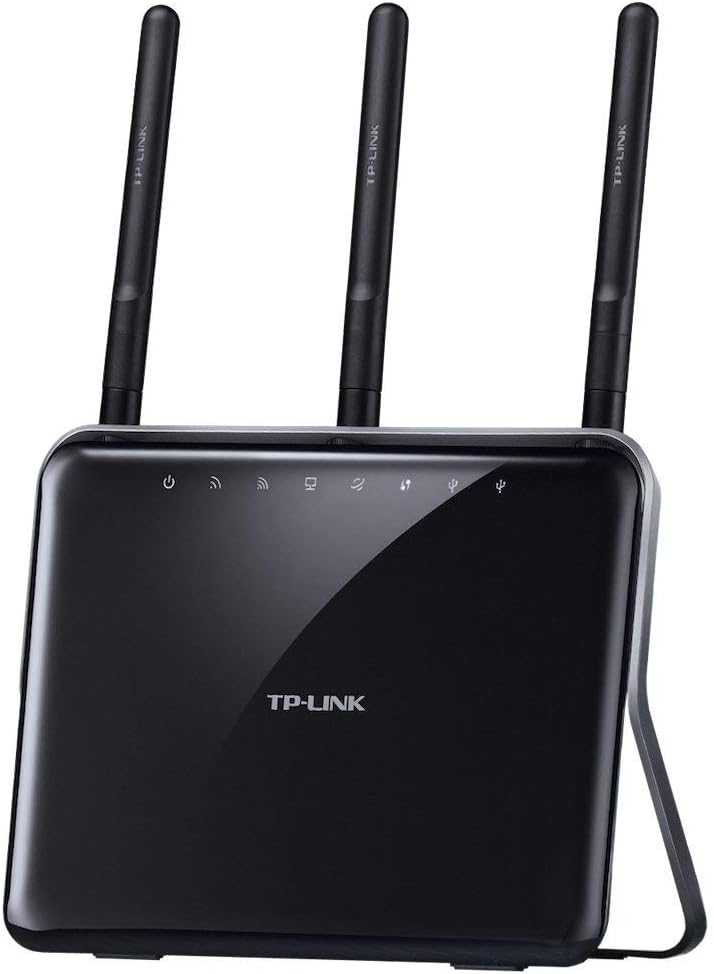
The TP-Link Archer A8 offers exceptional value for users seeking solid AC1900 performance without high costs. It delivers fast dual-band speeds suitable for streaming and casual gaming.
We may earn a commission when you buy through this link, at no additional cost to you.
Its OneMesh compatibility means you can expand coverage later with TP-Link extenders seamlessly. The Tether app simplifies setup and ongoing management significantly for non-technical users.
Limitations include the lack of USB storage sharing which matters if you need media server functions. Security relies on standard tools rather than premium protection suites.
Choose this router if budget is your main priority and you value flexibility to grow your network easily using OneMesh technology for better whole-home coverage.
Form a seamless WiFi network when working with TP-Link OneMesh WiFi Extenders to cover larger homes without signal dead zones.
Manage your network and parental controls easily with the free Tether App which keeps firmware updated automatically.
We may earn a commission when you buy through this link, at no additional cost to you.
NETGEAR Nighthawk R7000 is a robust router designed for performance and safety. It supports up to thirty devices making it ideal for busy households with smart home gear.
We may earn a commission when you buy through this link, at no additional cost to you.
Armor security powered by BitDefender adds a layer of protection against malware and data theft which is valuable for privacy-conscious users. The dual USB ports allow network storage access.
The price reflects its premium features but may exceed needs for small homes. Voice controls via Alexa add convenience but depend on ecosystem compatibility.
Invest in this if you need maximum coverage and top-tier security for many devices and want reliable wired USB storage capabilities for personal files.
Netgear Armor powered by BitDefender protects all home devices from viruses malware and data theft with a free trial period.
Share storage drives and printers via USB 3.0 and 2.0 ports to create a personal cloud accessible from anywhere.
We may earn a commission when you buy through this link, at no additional cost to you.
The R6900P offers similar coverage to the R7000 with a focus on streamlined performance. It handles high traffic well with Dynamic QoS prioritizing important traffic like streaming.
We may earn a commission when you buy through this link, at no additional cost to you.
Beamforming+ improves signal stability by focusing data streams directly to connected devices instead of broadcasting broadly. This helps reduce lag during peak usage times significantly.
While Armor security is included trials require subscriptions for full protection. The single USB 3.0 port limits storage expansion compared to models with multiple ports.
Select this model if you want reliable high-speed internet for a standard home size and value strong parental controls alongside solid security basics.
Dynamic QoS manages internet traffic to ensure smooth streaming and gaming by prioritizing data streams for active apps.
Smart Parental Controls help set healthy internet habits by filtering sites and scheduling access limits for different devices.
We may earn a commission when you buy through this link, at no additional cost to you.
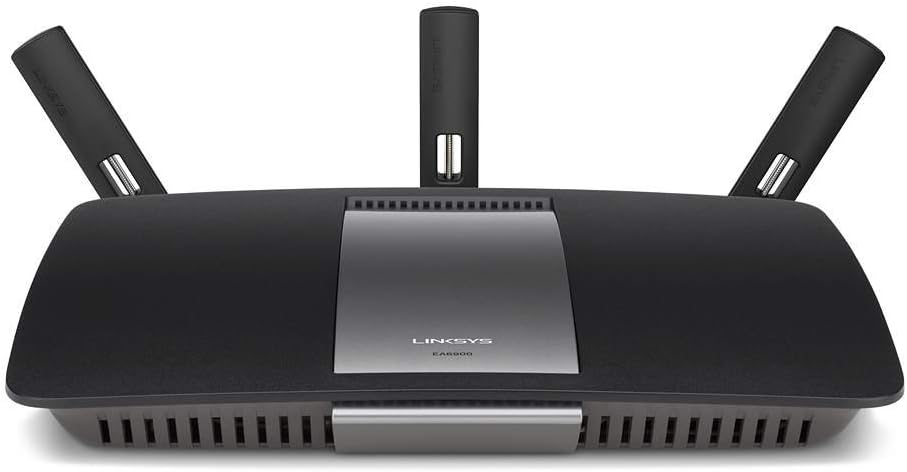
The Linksys EA6900 provides a straightforward dual-band experience with good wired connectivity. Its dual USB ports support flexible file sharing and printing tasks around your house.
We may earn a commission when you buy through this link, at no additional cost to you.
DLNA certification makes it simple to stream media files stored on connected drives to compatible devices on the network without needing extra hardware or complex setups.
Setup is straightforward though the interface is dated compared to newer mesh systems. Range relies on beam forming technology which works well for average-sized homes.
Choose this router if you need straightforward USB storage access and prefer a simple setup without advanced mesh requirements or complex security suites.
DLNA certification allows you to stream media from connected storage devices directly to compatible TVs and media players.
Control your network from anywhere using the Linksys Smart Wi-Fi App to manage settings and monitor usage.
We may earn a commission when you buy through this link, at no additional cost to you.
The Archer C80 delivers solid AC1900 speeds with a focus on efficient wireless data delivery. Four fixed antennas boost signal range to cover three bedroom houses effectively.
We may earn a commission when you buy through this link, at no additional cost to you.
MU-MIMO allows simultaneous communication with multiple clients reducing congestion when many devices connect. Airtime fairness improves efficiency by limiting excessive occupation by single devices.
Buying renewed offers cost savings but check warranty terms carefully. The OneMesh compatibility ensures future expansion options remain open if your home grows over time.
Select this router if you want dependable performance and flexible expandability via OneMesh while keeping costs lower than premium new models.
3×3 MU-MIMO technology communicates simultaneously with multiple MU-MIMO clients improving overall network throughput efficiency.
OneMesh support allows flexible network expansion by connecting with TP-Link OneMesh products without replacing existing devices.
We may earn a commission when you buy through this link, at no additional cost to you.
The Archer C1900 is designed specifically to support gaming and high-bandwidth streaming tasks. High-power amplifiers in its antennas boost signal strength significantly for stable connections.
We may earn a commission when you buy through this link, at no additional cost to you.
A 1GHz dual-core processor ensures wired and wireless connections run smoothly without interruption. This processing power helps maintain low latency even when other devices are active.
Smart features are minimal compared to modern rivals but raw speed remains strong. Gigabit wired ports ensure fast connections for consoles and PCs directly.
Buy this router if your primary goal is gaming performance and you prioritize raw speed and signal strength over smart apps and security suites.
Stream 4K video and game online with 1900Mbps total bandwidth ensuring smooth experiences across multiple high-demand tasks.
Dual band antennas with 900mW high-powered amplifiers supercharge coverage and maintain stability in larger areas.
We may earn a commission when you buy through this link, at no additional cost to you.
The RT-AC68P offers robust connectivity with five gigabit Ethernet ports ideal for offices or gaming setups needing multiple wired links. AiRadar beamforming enhances signal stability and range.
We may earn a commission when you buy through this link, at no additional cost to you.
AiCloud service allows syncing and streaming data anywhere though its utility depends on usage habits. Dual USB ports provide flexibility for printers or network storage drives.
While older than current models it remains reliable for standard home needs. The interface is intuitive for basic setups but lacks newer smart home integration features.
Choose this router if you need multiple wired ports and basic cloud syncing without complex mesh or smart app requirements.
Five Gigabit Ethernet ports provide fast stable wired connections for multiple PCs and gaming consoles.
AiCloud service lets you access sync share and stream your data anywhere using compatible routers.
We may earn a commission when you buy through this link, at no additional cost to you.
The RT-AC67P is recognized for its wide coverage and robust security. It supports up to 3000 square feet with beamforming technology enhancing stability across larger spaces.
We may earn a commission when you buy through this link, at no additional cost to you.
Six layers of network security offer reliable protection against common online threats without needing extra software. Setup takes less than thirty seconds through the simple interface.
MU-MIMO ensures full speeds for multiple connected devices simultaneously. However advanced VPN features may have limitations compared to enterprise-level routers.
Opt for this router if security and coverage are top priorities and you prefer a quick setup with strong mobile app management tools.
Six layers of advanced network security ensure safe high-speed Wi-Fi internet access for all connected home devices.
AiRadar Beamforming extends coverage up to 3000 square feet and enhances dynamic data speed and stability.
We may earn a commission when you buy through this link, at no additional cost to you.
The RT-AC1900P stands out for offering free lifetime security included with the router. It supports AiMesh for building a flexible whole-home network without replacing older devices.
We may earn a commission when you buy through this link, at no additional cost to you.
Five gigabit Ethernet ports offer excellent wired connectivity for offices or gaming stations. High-performance antennas eliminate dead spots ensuring strong signal coverage throughout the home.
While it is an older model its reliability remains high. The parental controls are comprehensive and integrate well with standard security protocols for safety.
Choose this router if you want long-term security value and multiple wired ports for a stable home office or media setup.
AiProtection powered by Trend Micro blocks security threats for all smart devices with free lifetime internet security included.
Connect to other compatible ASUS routers to create a powerful flexible whole-home Wi-Fi network using AiMesh.
We may earn a commission when you buy through this link, at no additional cost to you.
Selecting the right AC1900 router requires balancing speed, coverage, and features to match your home's specific needs and budget constraints.
AC1900 routers combine 2.4GHz and 5GHz bands to reach up to 1900Mbps total speed. Ensure the router supports 802.11ac for efficient dual-band performance and minimal interference.
Look for 600Mbps on 2.4GHz and 1300Mbps on 5GHz to handle streaming and gaming simultaneously without slowdowns.
Coverage depends on antenna count and beamforming technology. Aim for routers supporting at least 1500 sq ft to avoid dead zones in medium-sized homes.
Higher antenna counts and external designs improve signal stability through walls compared to internal antenna units.
Check for gigabit Ethernet ports for wired devices like consoles and PCs. USB ports allow storage sharing but verify versions for speed needs.
Four to five LAN ports provide flexibility for multiple wired devices without extra switches.
Built-in security suites protect against malware without extra software. Subscription-based vs included protection varies by brand and impacts total cost.
Choose routers with firewall and parental controls to manage access and block harmful sites automatically.
MU-MIMO allows simultaneous data streams to multiple devices reducing congestion when several devices connect. It improves overall network efficiency significantly.
Prioritize routers with 3×3 MU-MIMO to ensure smoother performance in busy household environments.
User-friendly mobile apps and web interfaces simplify initial configuration and ongoing management. Look for QR code setup or guided wizards for quick deployment.
Automatic firmware updates keep the router secure without requiring manual intervention from users regularly.
Support for voice assistants like Alexa adds convenience to manage networks or pause internet access. Compatible apps provide remote monitoring of connected devices.
Ensure the router supports relevant APIs for your existing smart home ecosystem for seamless control.
Prices range widely based on features and brand reputation. Balance cost against long-term needs like security and expandability through mesh compatibility.
Renewed options offer savings but require checking warranty terms for reliable long-term performance.
Place your router in a central elevated location to maximize signal range and reduce obstruction from walls or large furniture.
Keep firmware updated through the admin interface or mobile app to maintain security and performance improvements over time.
Use wired Ethernet connections for stationary devices like PCs and consoles to reserve wireless bandwidth for mobile usage.
AC1900 indicates combined dual-band speeds reaching 1900Mbps. Typically 600Mbps on 2.4GHz and 1300Mbps on 5GHz bands offering balanced performance for modern home needs.
Yes AC1900 routers work with fiber connections provided your modem supports them. Gigabit Ethernet ports ensure speeds are delivered efficiently to wired devices in your network.
MU-MIMO allows simultaneous data transmission to multiple devices improving efficiency. It prevents bottlenecks when many devices connect actively to the network at once.
Some models like TP-Link OneMesh or ASUS AiMesh support mesh networking. Check compatibility before buying if you plan to expand coverage across a large home.
Typically AC1900 routers support 30 to 50 devices depending on traffic levels. Models with MU-MIMO and strong processors manage larger numbers more efficiently without slowdowns.
USB ports allow sharing storage drives or printers across the network. USB 3.0 provides faster speeds for media streaming while 2.0 is adequate for basic printing.
The ASUS RT-AC68U and TP-Link Archer A8 offer excellent value for budget and performance focused buyers respectively. Each delivers strong coverage and features tailored to modern home needs.
Prioritize routers with security and MU-MIMO to ensure reliability as your device count grows. Flexibility with mesh support allows easy upgrades as technology advances.
Check current listings before buying as availability and pricing fluctuate. A reliable AC1900 router secures your digital home connectivity for years.