
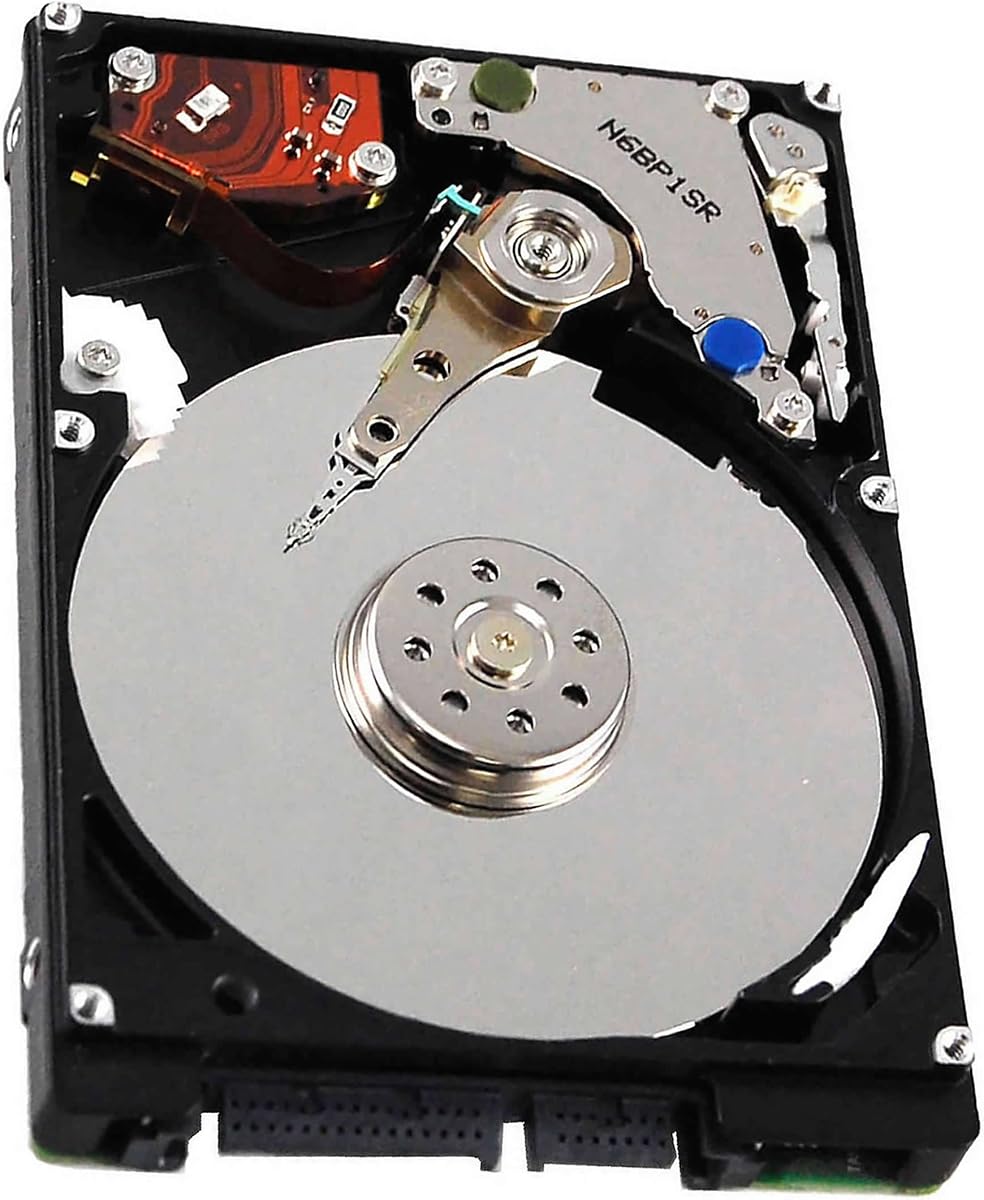
Western Digital WD Blue 2TB PC Hard Drive
4.5Editor score
Factory renewed with zero hours
Affordable storage for basic needs
Reliable performance for daily use
Finding the right storage solution is essential for modern computing needs. A 5400 Rpm HDD Hard Drive offers a balance of capacity and efficiency for everyday tasks.
We evaluated ten top models based on performance, reliability, and value. Each product was analyzed for its specific use case in desktops or laptops.
Our picks highlight key features and real-world benefits. Prices fluctuate frequently, so verify current deals before making your final purchase decision.
4.5Editor score

4.7Editor score

4.5Editor score
As an Amazon Associate we earn from qualifying purchases.
This table provides a side-by-side look at the top ten drives to help you compare specifications quickly.




The Seagate BarraCuda 2TB is a top choice for desktop users needing reliable storage. It offers a solid balance of speed and capacity for everyday computing tasks.
We may earn a commission when you buy through this link, at no additional cost to you.
Its 5400 RPM speed ensures smooth operation for media editing and gaming. The 128MB cache helps manage data flow efficiently during heavy usage.
While it is not built for extreme enterprise workloads, it excels in personal computing. The form factor makes it versatile for various desktop configurations.
You should buy this if you need a dependable drive for PC upgrades. It stands out as a versatile solution for most home office needs.
Backed by 20 years of innovation, this drive offers confidence for long term storage needs.
From music to video editing, this drive handles diverse applications without bottlenecks.
We may earn a commission when you buy through this link, at no additional cost to you.
This drive is designed for those who need substantial storage space for desktops. It supports large media collections and project files comfortably.
We may earn a commission when you buy through this link, at no additional cost to you.
The 256MB cache allows for better performance when handling large files. It is an excellent choice for users with extensive photo or video libraries.
The 3.5 inch size means it is strictly for desktop towers. Ensure your case has the necessary space for installation.
Buy this if you need maximum capacity without breaking the bank. It is a solid choice for bulk data storage solutions.
Store more photos and videos with the massive 6TB capacity designed for media enthusiasts.
Enjoy long term peace of mind with the included two year limited warranty protection.
We may earn a commission when you buy through this link, at no additional cost to you.
This model offers a rare combination of high capacity and a small 2.5 inch form factor. It is perfect for compact desktop builds or external enclosures.
We may earn a commission when you buy through this link, at no additional cost to you.
The 5TB storage allows you to keep extensive datasets locally without bulk. It maintains the reliability expected from the BarraCuda line.
Installation is straightforward, and it works well in many standard PC setups. It bridges the gap between laptop and desktop storage needs.
Choose this if you need space but have limited room in your system. It is a versatile option for modern computing environments.
Get big capacity in a small form factor suitable for various PC applications.
Confidently rely on internal hard drive technology backed by 20 years of innovation.
We may earn a commission when you buy through this link, at no additional cost to you.
This drive is designed specifically for laptop PC and gaming systems needing reliable internal storage. It balances performance with battery efficiency effectively.
We may earn a commission when you buy through this link, at no additional cost to you.
The low power profile helps optimize the device's battery life during mobile use. Shock sensors protect data integrity during transport.
The 9.5mm height ensures it fits most standard laptop drive bays. It is a practical choice for upgrading older notebook computers.
Buy this if you need to upgrade a laptop with a durable internal drive. It offers robustness for mobile environments and daily computing.
Low power profile helps optimize device battery life during extended mobile sessions.
Built in shock sensors protect your data against physical impacts during travel.
We may earn a commission when you buy through this link, at no additional cost to you.
The BarraCuda mobile internal hard drive is the go-to upgrade for on-the-go computing. It brings big capacity to portable devices efficiently.
We may earn a commission when you buy through this link, at no additional cost to you.
Specialized caching technology optimizes data flow and faster loading times. This helps multitask like a pro on the move.
The two year limited warranty provides long term peace of mind. It is a solid investment for laptop users needing reliability.
Choose this if you want to upgrade your laptop storage easily. It ensures your portable computing power matches your work demands.
Features specialized caching technology for optimized data flow and faster loading times.
Enjoy long-term peace of mind with the included two-year limited warranty protection.
We may earn a commission when you buy through this link, at no additional cost to you.
This factory renewed drive offers a smart way to get reliable storage at a lower cost. It is a great choice for budget-conscious desktop users.
We may earn a commission when you buy through this link, at no additional cost to you.
Zero power on hours indicate it is like new, ensuring you get fresh life. Western Digital factory recertification adds confidence to the purchase.
While it is renewed, it performs well for daily computing tasks. It saves money without sacrificing the necessary storage capacity.
Buy this if you are looking for value over brand new packaging. It is an excellent budget pick for PC upgrades.
The drive comes with zero power on hours for a fresh usage start.
Western Digital Factory Renewed standards ensure quality and reliability for users.
We may earn a commission when you buy through this link, at no additional cost to you.
This drive is built for rugged operating environments and industrial applications. It offers high shock tolerance for mobile needs.
We may earn a commission when you buy through this link, at no additional cost to you.
With 1000 Gs of nonoperating shock resistance, it is ideal for notebook PCs. The G-Force Protection adds robustness to data storage.
The capacity is lower than modern standards, but it serves well for legacy systems. It is a durable option for specific hardware upgrades.
Choose this if you need a rugged drive for specific industrial or older notebook use. It handles tough conditions better than many consumer drives.
Robust design and high shock tolerance enable mobility in rugged operating environments.
G-Force Protection feature available for added robustness in mobile environments.
We may earn a commission when you buy through this link, at no additional cost to you.
IronWolf internal hard drives are the ideal solution for up to 8-bay, multi-user NAS environments. They offer ultra-high capacity for shared storage.
We may earn a commission when you buy through this link, at no additional cost to you.
The integrated IronWolf Health Management system helps monitor drive health easily. You get three year Rescue Data Recovery Services included.
It delivers increased file-sharing performance and less wear and tear. It is built specifically for the demands of a network attached storage.
Buy this if you run a home or office NAS server. It ensures your shared data remains secure and accessible.
Easily monitor the health of drives using the integrated IronWolf Health Management system.
Three year Rescue Data Recovery Services included for added peace of mind.
We may earn a commission when you buy through this link, at no additional cost to you.
This drive helps build a powerhouse gaming computer or desktop setup. It supports a variety of capacities and form factors.
We may earn a commission when you buy through this link, at no additional cost to you.
You can migrate and clone data from old drives with ease using the free DiscWizard software. The max sustained transfer rate reaches 190 MB/s.
It is the go-to SATA hard drive solution for nearly every PC application. From photo editing to gaming, it handles it all.
Choose this if you need a reliable 4TB drive for your desktop. It offers a balanced mix of speed and capacity.
Migrate and clone data from old drives with ease using our free Seagate DiscWizard software tool.
Max sustained transfer rate reaches 190 MB/s for efficient data handling.
We may earn a commission when you buy through this link, at no additional cost to you.
WD Red Plus drives are designed for RAID-optimized NAS systems with up to 8 bays. They are backed by world-class support and warranty.
We may earn a commission when you buy through this link, at no additional cost to you.
Tuned for NAS with NASware, they handle 24/7 operation better than standard drives. It is designed for continuous operation reliability.
Available in capacities ranging from 2TB to 12TB, you can scale as needed. It ensures smooth file access for multiple users.
Buy this if you need a reliable drive for a home NAS. It offers peace of mind for your stored data.
Designed for continuous operation to handle 24/7 NAS workload effectively.
Tuned for NAS with NASware for better performance in storage arrays.
We may earn a commission when you buy through this link, at no additional cost to you.
Selecting the right hard drive requires understanding your specific storage needs and hardware compatibility.
Determine how much space you need based on your files. A 5400 Rpm HDD Hard Drive comes in various sizes from 320GB to 6TB.
Choose a capacity that allows room for future growth.
Check whether your device supports 2.5 inch or 3.5 inch drives. Laptops usually require the smaller 2.5 inch form factor.
Desktops can accommodate larger drives with more storage density.
Larger cache helps data flow smoothly during intense tasks. Models offer ranges like 8MB to 256MB for efficiency.
Higher cache values generally improve system responsiveness.
Most modern drives use SATA 6 Gb/s for reliable transfer speeds. This ensures your drive does not bottleneck your system.
Ensure your motherboard supports the same standard.
NAS drives are optimized for 24/7 operation while desktop drives are for general use. Match the drive type to your workload.
Using the wrong type may shorten drive life.
Look for a warranty that matches your confidence in the product. Some come with two-year or three-year protection.
Good support ensures help when you need it.
If you move your device often, shock resistance is vital. Drives with built-in sensors protect data during transport.
This is key for mobile and laptop computing.
Power profile impacts battery life in laptops. Low power drives help optimize device battery life significantly.
Consider energy use for mobile deployments.
Install the drive securely to avoid vibrations that affect performance. Ensure all cables are connected firmly.
Avoid moving the device while the drive is running to prevent damage. The mechanical parts need stable operation.
Keep the system clean to prevent overheating. Dust can build up and harm the drive over time.
It refers to the disk rotation speed. This speed offers a balance between noise and performance for general use. Higher RPMs are faster but consume more power.
It is adequate for storing large game libraries but may load slower than SSDs. For best speeds, pair it with a solid-state drive for the OS.
Generally no, laptops need 2.5 inch drives. Check your laptop's manual to confirm the supported form factor before buying.
Cache is a buffer that helps data flow faster between the drive and computer. More cache usually means better performance under load.
They are compatible if formatted correctly. You may need to reformat them using Disk Utility to work with macOS systems.
Typically several years under normal conditions. Proper care and avoiding shocks can extend the lifespan significantly beyond average use.
We hope this guide helps you find the perfect storage solution. The top picks offer a range of options for all users.
Prioritize capacity and form factor when making your choice. Matching your needs ensures you get the best value.
Always check current prices before buying to save money. Deals change often, so act when you find a great price.