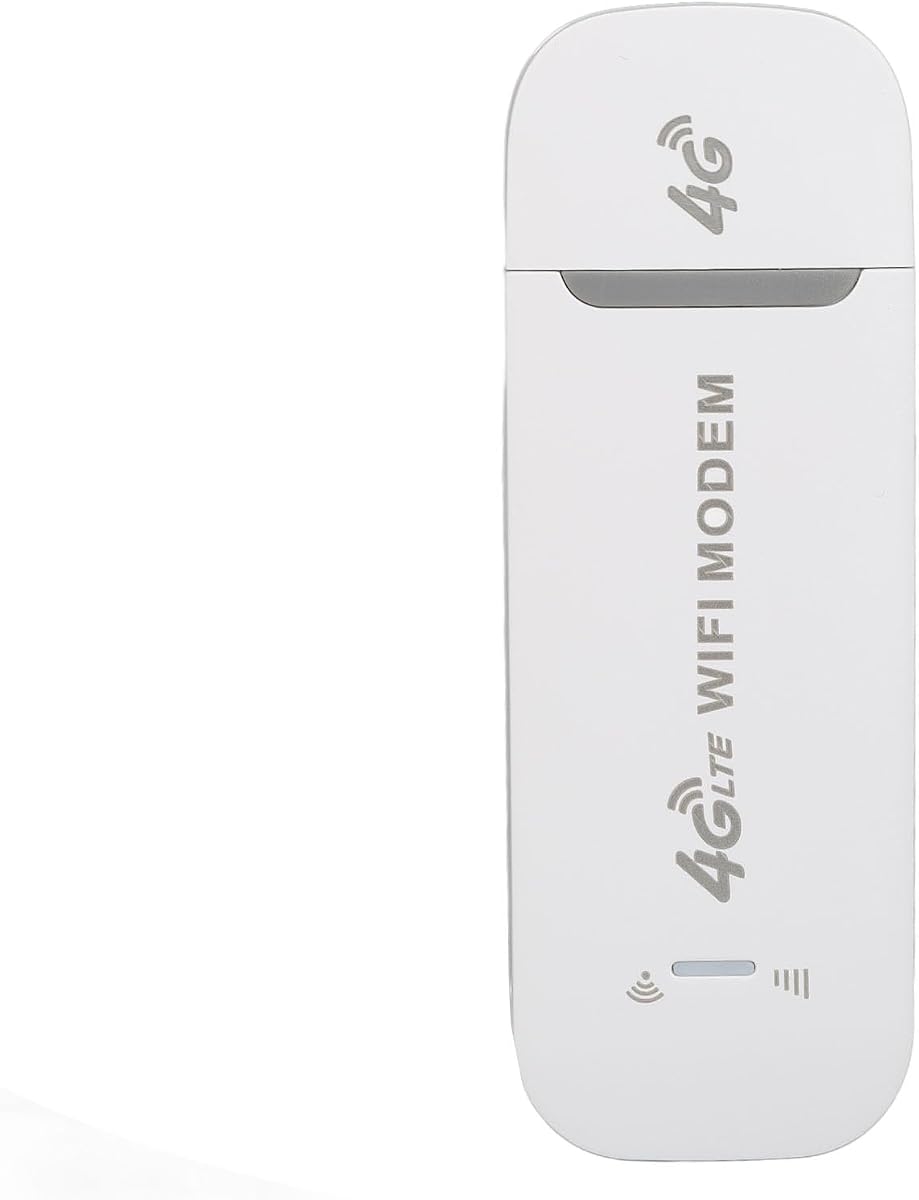
Dpofirs 4G 150Mbps USB WiFi Dongle
4.0Editor score
High-speed internet access
Support up to 8 users
Secure WPA encryption
Plug and play setup
Discover the top 4G LTE USB WiFi Network Adapter Dongle models for reliable mobile internet. This guide compares features, speed, and compatibility.
Finding reliable internet on the go can be challenging without the right hardware. A 4G LTE USB WiFi Network Adapter Dongle offers a portable solution to connect multiple devices to cellular networks. These devices turn any USB port into a hotspot, ensuring you stay connected during travel or work.
We evaluated ten top models based on speed, compatibility, ease of use, and portability. Our analysis focused on real-world performance for users needing stable connections away from traditional Wi-Fi. Each product was reviewed for its ability to support multiple devices and connect seamlessly across different operating systems.
Each pick highlights key strengths and potential limitations to help you choose wisely. Whether you need a budget option or a premium performer, this list covers the essentials. Note that availability and specifications may change, so verify details before purchasing.
4.0Editor score

3.5Editor score

4.0Editor score
This side-by-side comparison breaks down the essential specifications of all ten products. You will see clear distinctions in supported networks, user capacity, and design features to guide your selection.


The MIRO UF1 stands out as a versatile 2-in-1 solution that doubles as a card reader. It offers a practical approach to mobile connectivity with dual SIM support. Its design ensures you stay connected anywhere with a simple plug-and-play experience.
We may earn a commission when you buy through this link, at no additional cost to you.
This dongle supports three major operating systems without complex setups. It connects up to ten devices simultaneously, making it great for small teams or families. The wide carrier compatibility ensures you can use it across different regions.
While performance is stable, the moderate rating suggests some users may have experienced connectivity issues. The speed caps at 150 Mbps which is standard for this category but not cutting edge.
Ideal for travelers who value portability and dual functionality. It is a strong contender if you need a basic reliable hotspot that is easy to carry and use.
The dual functionality allows you to use it as a mobile hotspot or a card reader instantly.
Compatible with Windows, macOS, and Linux systems for seamless use across all your devices.
We may earn a commission when you buy through this link, at no additional cost to you.
The EIOTCLUB 4G LTE USB WiFi 6 Dongle offers a premium start with a pre-installed SIM card. It is designed for quick setup without needing extra configuration. The trial plan helps you test speeds immediately upon purchase.
We may earn a commission when you buy through this link, at no additional cost to you.
It supports up to ten devices simultaneously with robust band compatibility for North America. The USB power feature makes it easy to run from a laptop or power bank. Performance is generally strong with up to 150 Mbps speeds.
Users must ensure their operating system meets the minimum version requirements. Regional compatibility is limited to specific countries so international travelers should verify beforehand.
Best for users in the US, Canada, Mexico needing a reliable hotspot. The included SIM card and trial data make it an excellent premium starter option.
The pre-installed SIM card and trial plan allow you to start using the device immediately without extra steps.
This model is tested specifically for use in the U.S., Canada, Mexico, and select Latin American countries.
We may earn a commission when you buy through this link, at no additional cost to you.
The Dpofirs 4G 150Mbps USB WiFi Dongle offers high-speed internet access at a budget-friendly price. It supports up to eight users making it practical for small gatherings. The device is easy to install with standard plug-and-play setup.
We may earn a commission when you buy through this link, at no additional cost to you.
It includes essential security features like WEP WPA2 encryption to protect your data. The wide temperature range ensures it works in various environments. Performance is reliable for browsing streaming or online gaming.
It lacks advanced features like dual SIM support or SD card slots. The user capacity is slightly lower than some other models but sufficient for personal use.
Best for budget-conscious users needing a reliable mobile hotspot. Its simplicity and speed make it a top pick for those wanting value without unnecessary complexity.
With 150 Mbps downstream speed you can enjoy smooth streaming and quick downloads on your devices.
Protect your connection with WEP WPA and WPA2 encryption methods against unauthorized access.
We may earn a commission when you buy through this link, at no additional cost to you.
The HOSAYA HF26 Portable WiFi 4G Router is a compact modem that works with a USB port. It supports up to ten users making it suitable for small groups. The router works in most American countries with wide network band support.
We may earn a commission when you buy through this link, at no additional cost to you.
It is designed for travel and car use with USB power input. The device automatically recognizes most SIM cards and APN settings. Setup is simple requiring no CD driver installation if your firewall allows it.
SIM card not included so you must purchase one from a local operator. Some locked SIM cards may not work with this router so check compatibility first.
Ideal for travelers needing a reliable hotspot for multiple devices. Its small size and American version bands make it a great choice for North American road trips.
The 4G LTE chipset ensures fast data speeds for browsing streaming and online activities.
This router supports valid universal SIM cards making it easy to switch carriers as needed.
We may earn a commission when you buy through this link, at no additional cost to you.
The USB WiFi Hotspot adapter offers superior coverage with a built-in 4G/3G+ antenna. It supports speeds up to 150 Mbps for web browsing video streaming and chatting. The device is easy to plug into a computer USB port to connect wirelessly.
We may earn a commission when you buy through this link, at no additional cost to you.
It allows sharing with up to eight users making it suitable for small groups. The design is simple and reliable for everyday use. Users praise its stable connection and ease of setup.
This model is basic compared to more complex routers. It does not support more than eight users which limits larger group use.
Best for individuals or small families needing a simple reliable hotspot. Its strong antenna and simple operation make it a solid choice for general use.
Built-in 4G/3G+WiFi antenna ensures optimal coverage and reliability for stable internet anywhere.
Share up to 8 WiFi users on the Internet connection and enjoy sharing fun with family.
We may earn a commission when you buy through this link, at no additional cost to you.
The 4G LTE USB Network Adapter is designed for reliable connectivity on the go. It supports speeds up to 150 Mbps for seamless web browsing and video streaming. The device is lightweight and compact making it easy to carry around.
We may earn a commission when you buy through this link, at no additional cost to you.
It allows up to ten WiFi users to connect simultaneously. The excellent coverage ensures optimal signal strength for reliable wireless connectivity. Setup is simple with no complicated instructions required.
Specific details about band support or carrier compatibility are not provided. Users should verify compatibility with their local networks before purchase.
Best for mobile users needing a lightweight solution for internet access. The simplicity and high user count make it a versatile tool for travel.
Simply plug the adapter into your computer USB port to connect wirelessly without complicated setup.
Connect up to 10 WiFi users and share your internet connection with family and friends.
We may earn a commission when you buy through this link, at no additional cost to you.
The VBESTLIFE 4G LTE USB WiFi Dongle offers fast internet with 150 Mbps downstream. It supports three built-in 4G networks for versatile connectivity options. The device allows simultaneous connection of eight users to meet diverse network needs.
We may earn a commission when you buy through this link, at no additional cost to you.
Security is enhanced with multiple encryption methods including WEP WPA and WPA2 PSK. It works with multiple operating systems making it convenient for various devices. The wide operating temperature range ensures reliability in different environments.
It is a straightforward modem without advanced features like SD card slots. The user limit is lower than some alternatives but sufficient for most personal use.
Best for travelers needing a secure reliable hotspot with good speed. The multi-network support and encryption make it a solid choice for secure connections.
Mobile WiFi hotspot has three built-in 4G networks to meet your diverse network needs.
4G USB mobile WiFi supports multiple encryption methods to ensure your network security.
We may earn a commission when you buy through this link, at no additional cost to you.
The Chrees 4G LTE Router supports up to ten users making it ideal for small groups. It requires a micro SIM card and powers via USB from a charger or power bank. Setup is easy with plug and play functionality.
We may earn a commission when you buy through this link, at no additional cost to you.
It offers high safety with WPA WPA2 WiFi encryption to provide reliable security. The device is small and portable for fast stable signals. It works with phones tablets laptops and TVs.
Limited to micro SIM cards which may require adapters for newer cards. The feature set is basic without additional storage or advanced settings.
Best for users needing a simple router for multiple devices. The small size and support for ten users make it a practical choice for travel or office use.
This 4G WiFi router supports up to 10 users suitable for phone laptop tablet PC and TV.
This 4G LTE router only needs to be inserted with micro SIM card to search and connect.
We may earn a commission when you buy through this link, at no additional cost to you.
The 4G LTE USB Modem Stick delivers download speeds up to 100 Mbps for seamless browsing and gaming. It transforms your laptop into a portable hotspot for up to ten devices. The device supports memory cards up to 32GB for extra storage.
We may earn a commission when you buy through this link, at no additional cost to you.
Signal coverage is robust with built-in 4G/3G+ antenna reducing dropouts in weak areas. It is compatible with Windows Mac and Linux systems without software installation. Simply insert a SIM card to use.
Speeds are slightly lower than 150 Mbps models but still practical for most tasks. The expandable memory is a unique feature for storing media or data.
Best for users needing both connectivity and extra storage. The universal compatibility and memory slot make it a versatile tool for tech-savvy travelers.
Delivers download speeds up to 100 Mbps enabling seamless web browsing video streaming and online gaming.
Supports cards up to 32GB for extra storage capacity allowing you to save files and share media.
We may earn a commission when you buy through this link, at no additional cost to you.
The 4G LTE Wireless USB Dongle offers high-speed internet access for work and home. It supports 3G 4G and Wi-Fi networks for flexible connectivity. The device is easy to insert with a SIM card to act as a wireless router.
We may earn a commission when you buy through this link, at no additional cost to you.
It is portable and stylish weighing only 26 grams making it easy to carry. The standard USB interface ensures compatibility with laptops UMPCs and MID devices. Setup requires no extra steps.
Specifications are limited so band support may vary by region. It is a basic dongle suitable for general use without advanced features.
Best for individuals needing a simple lightweight modem for internet access. Its versatility with multiple networks and easy setup make it a practical choice for office or car use.
It can also be used with laptops UMPCs and MID devices for work and home.
Wireless access works on 3G, 4G and Wi-Fi networks convenient and portable.
We may earn a commission when you buy through this link, at no additional cost to you.
Choosing the right dongle depends on your connectivity needs and device compatibility. Here are key factors to consider before making your purchase.
Check which LTE and 3G bands the dongle supports to ensure it works in your region. Models vary by country and carrier so verify bands before buying.
Always confirm band compatibility with your local carrier to avoid connection issues.
Most dongles offer speeds up to 150 Mbps which is sufficient for streaming and browsing. If you need faster data look for models supporting newer LTE-A technology.
Higher speeds ensure smoother streaming and faster downloads for multiple users.
Decide how many devices will connect simultaneously. Options range from 8 to 10 users depending on the model.
More supported users mean better performance for small groups or teams.
Ensure the dongle works with your computer or mobile operating system. Most support Windows and Linux but macOS support varies.
Check system requirements to avoid driver or installation issues.
Some dongles use standard SIM while others require micro or nano SIM. Verify the required SIM type before purchasing.
Correct SIM size ensures the device fits and functions properly.
USB powered dongles can run from laptop ports power banks or car chargers. Ensure your chosen dongle has reliable power options.
Flexible power sources make it easier to use on the go.
Look for compact lightweight designs if you travel frequently. Small dongles are easier to carry and hide in pockets.
A portable design ensures you can take your connection anywhere.
Security protocols like WPA2 protect your data from unauthorized access. Ensure your dongle supports modern encryption.
Strong security keeps your connection safe on public networks.
Insert a valid SIM card into the slot on the dongle ensuring it matches the device type. Plug the dongle into a powered USB port on your computer or power bank. Wait a few seconds for the device to establish a connection.
If needed install any required drivers for your operating system. Access your network settings to connect to the hotspot network created by the dongle. Ensure Wi-Fi is enabled on your devices to browse the internet.
To maintain performance keep the dongle in a cool dry place when not in use. Avoid bending or exposing it to moisture or extreme temperatures. Regularly check for firmware updates to improve stability and speed.
Yes, most dongles require a valid SIM card to connect to cellular networks. Ensure the card is active with a data plan. Some models include a trial SIM but you must purchase your own for long-term use.
Most models support between 8 and 10 devices simultaneously. This varies by manufacturer and model so check specs before buying. Too many devices may reduce speed for each connected user.
Many dongles support Windows but macOS and Linux support varies. Check the product page for system compatibility lists. Some models require manual configuration on non-Windows systems.
Weak signals reduce speed and stability. Try moving to a location with better coverage or using an external antenna if supported. Ensure the dongle has a good antenna for better reception.
Most models are unlocked meaning you can use any carrier's SIM card. However some may be locked to specific networks so verify before buying. Unlocked dongles offer more flexibility when traveling.
Many dongles work with plug-and-play setup requiring no driver installation. However some systems may need specific drivers to function. Check the user manual for your operating system.
We reviewed ten top models offering reliable connectivity for mobile users. Each has unique features suited for travel work or general use. Selecting the right one ensures stable internet anywhere you go.
Prioritize speed and user capacity based on your needs. Consider compatibility with your devices and local carriers before buying. A well-matched dongle simplifies your digital life.
Remember to verify current availability and specs as they may change. We recommend checking the latest prices and user reviews for updated information.