
3DMakerpro Fox Entry-Level Medium-Format
3.2Editor score
0.07mm Accuracy
Markerless AI Visual Tracking
Entry-Level Medium Format
3D scanning technology has evolved rapidly, bringing professional-grade tools to hobbyists and industries alike. Whether you need to capture intricate details for printing or inspect mechanical parts, finding the right scanner matters.
We evaluated ten leading models based on accuracy, scanning speed, software capabilities, and versatility. Our analysis covers handheld devices, desktop units, and all-in-one systems to ensure you find the best fit for your workflow.
Each recommendation highlights unique strengths, from wireless freedom to high-resolution color capture. Please note that availability and specific configurations may change over time, so check current listings before purchasing.
3.2Editor score

5.0Editor score

4.5Editor score
As an Amazon Associate we earn from qualifying purchases.
This table provides a side-by-side comparison of all ten selected scanners. Review key specifications like accuracy, scanning modes, and connectivity to quickly identify the device that matches your specific needs.
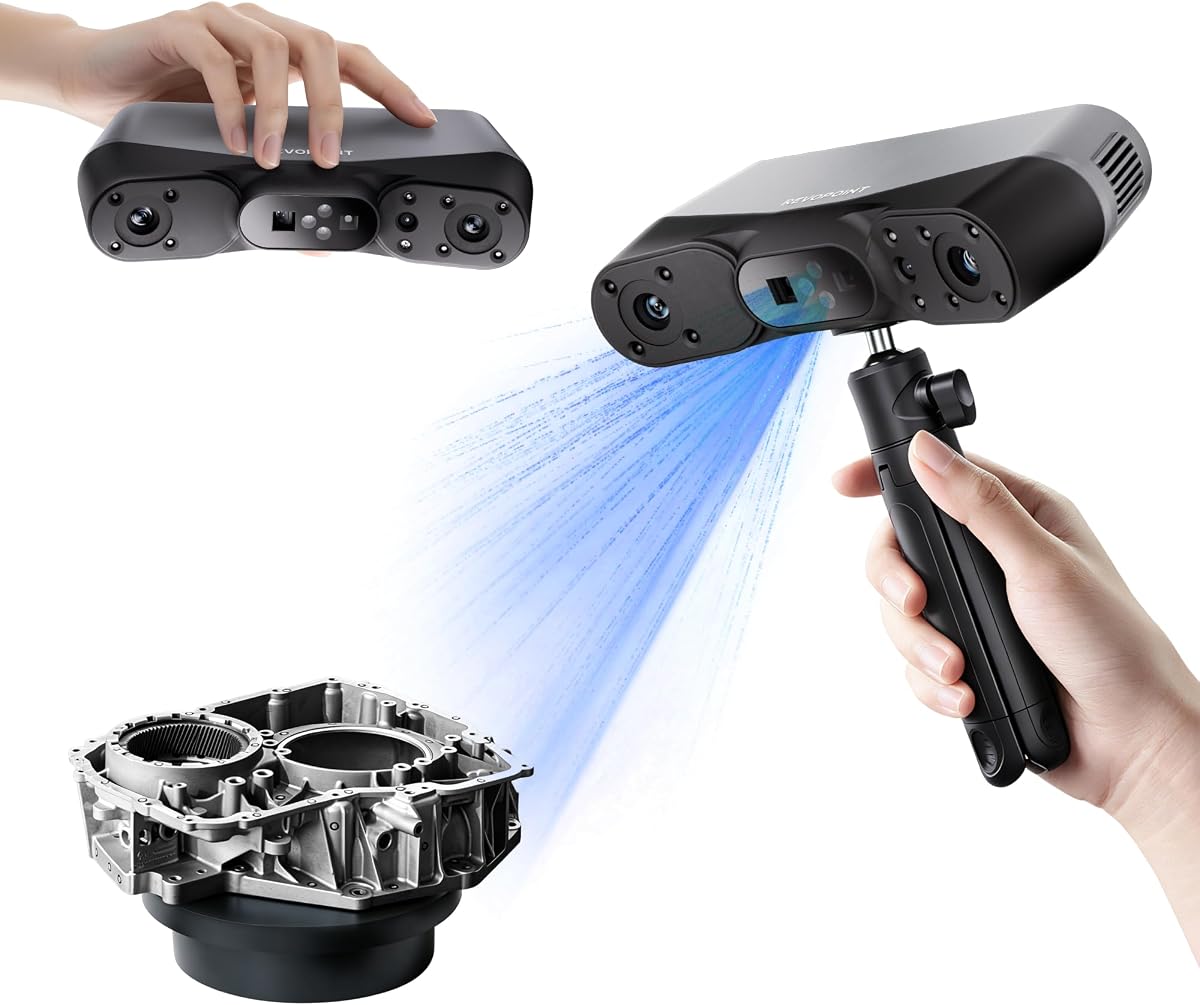


The Creality Pika stands out as the top choice for users needing professional precision in a portable form factor. Its 0.03mm accuracy and dual-mode scanning capabilities ensure exceptional results for both small parts and full-body scans.
We may earn a commission when you buy through this link, at no additional cost to you.
Dual-mode technology allows switching between blue laser for fine details and NIR structured light for larger objects. This flexibility makes it suitable for reverse engineering, 3D printing prep, and digital archiving without needing multiple devices.
While the price reflects its high-end specs, the time saved by AI-powered hole filling and retexturing justifies the investment. Users appreciate the lack of spray requirement for dark surfaces, streamlining the workflow significantly.
Ideal for professionals and serious hobbyists, the Pika balances power and portability effectively. If you require reliable, high-fidelity scans for critical applications, this model offers the best overall value in our lineup.
Switch between seven blue laser lines for detail and NIR light for speed. This ensures you can tackle diverse projects efficiently without compromising quality.
Built-in AI repairs holes and maps textures automatically. This reduces post-processing time, letting you move from scan to print faster.
We may earn a commission when you buy through this link, at no additional cost to you.
The POP 4 delivers industrial-grade accuracy that appeals to engineers and design professionals. With single-frame accuracy up to 0.03mm, it captures fine geometries essential for reverse engineering tasks.
We may earn a commission when you buy through this link, at no additional cost to you.
Its multi-line laser mode reaches 105 frames per second, ensuring smooth scanning of complex shapes. The inclusion of AI segmentation helps isolate targets quickly, saving valuable post-processing time during busy sessions.
Outdoor capability is a standout feature, functioning reliably under bright sunlight where many scanners fail. This makes it ideal for construction sites or fieldwork where portable power is often limited.
Choose the POP 4 if you need robust performance for professional projects. While the ecosystem includes some paid tools, the core hardware delivers consistent results that justify its place in the market.
Built to handle up to 100,000 lux light. This ensures stable data capture even in harsh outdoor environments without signal interference.
Identifies your target instantly and filters background noise. This streamlines the workflow and ensures clean data ready for CAD integration.
We may earn a commission when you buy through this link, at no additional cost to you.
At just 190 grams, the INSPIRE 2 offers remarkable portability for handheld scanning. It balances ease of use with professional features like wireless streaming and optical zoom for detailed inspections.
We may earn a commission when you buy through this link, at no additional cost to you.
Dual scanning modules allow adaptation to various materials, including reflective or dark surfaces. This versatility means you can handle diverse project types without needing additional hardware attachments or sprays.
The color capture capability ensures textures are preserved accurately, which is crucial for visual modeling and heritage preservation. Real-time streaming lets you control the process remotely, enhancing flexibility.
Best suited for users needing a balance of weight and performance, the INSPIRE 2 is a strong contender. Its unique combination of features makes it accessible for both professionals and advanced hobbyists.
Connect via Wi-Fi 6.0 for real-time mobile control. See your scan taking shape instantly on your phone or tablet screen.
Adjustable zoom magnifies projected light for better coverage. This ensures intricate surfaces get captured clearly without losing resolution.
We may earn a commission when you buy through this link, at no additional cost to you.
MetroY Ultra sets a high bar for precision with 0.01mm accuracy. This level of detail is essential for industries demanding strict tolerance measurements and high-fidelity reverse engineering.
We may earn a commission when you buy through this link, at no additional cost to you.
With up to 90 frames per second, large objects can be scanned quickly without losing fidelity. The no-spray capability for metallic parts saves preparation time and keeps sensitive equipment clean.
Its five scanning modes ensure adaptability to any scenario, from deep holes to large surfaces. Users benefit from seamless integration into professional CAD and inspection software ecosystems.
For those prioritizing absolute precision and speed, this model delivers. While investment costs are higher, the efficiency gains and accuracy justify the purchase for serious engineering applications.
Scan black and metallic parts directly. This eliminates messy preparation and speeds up inspection workflows significantly.
Choose from cross-lines, parallel lines, or full-field modes. Flexibility ensures every object type gets handled correctly and efficiently.
We may earn a commission when you buy through this link, at no additional cost to you.
The MetroX Pro combines industrial precision with intuitive workflow features like automatic turntable scanning. This makes it easy to create complete models of complex parts without manual alignment hassles.
We may earn a commission when you buy through this link, at no additional cost to you.
Its blue laser technology excels at handling high-reflectivity metals and dark objects without needing sprays. The ability to stream to mobile devices allows flexible monitoring during long sessions.
Three tracking modes ensure you can handle objects of any shape or texture. Whether using feature tracking or markers, the system provides robust stability for data capture.
Ideal for professionals needing reliable industrial measurements, the MetroX Pro offers a complete solution. Its balance of hardware power and smart software features supports complex reverse engineering needs effectively.
One-click scanning for complex geometries. This automates the process and ensures consistent, high-quality data capture.
Preview your scan on a phone or tablet instantly. Move around freely while maintaining full control over the workflow.
We may earn a commission when you buy through this link, at no additional cost to you.
The Fox provides an accessible entry point for those needing medium-format precision without a steep price tag. Its 0.07mm accuracy is sufficient for many modeling and printing needs.
We may earn a commission when you buy through this link, at no additional cost to you.
Markerless AI tracking is a significant convenience, allowing users to recover quickly from accidental movements during a scan. This reduces frustration and makes the learning curve much smoother.
Software integration is seamless, handling editing and optimization in one place. For hobbyists or small studios, this all-in-one approach saves time and technical overhead.
Choose this scanner if you need reliable results on a budget. It is an excellent bridge between casual tools and professional-grade equipment, offering great value for money.
AI recognizes your object even after you move. Just point back to where you left off and let the software handle it.
JMStudio integrates scanning and editing tools. This ensures your workflow remains smooth from start to finish.
We may earn a commission when you buy through this link, at no additional cost to you.
The Otter Lite covers a vast size range, from coins to cars, thanks to its quad-camera design. This versatility makes it ideal for automotive or industrial applications requiring large-scale scanning.
We may earn a commission when you buy through this link, at no additional cost to you.
Full 24-bit color capture ensures textures are preserved accurately for e-commerce or artistic purposes. Eye-safe infrared allows for face and body scans without discomfort or safety concerns.
Its structured light technology handles dark and metallic surfaces well, reducing the need for surface preparation. The system outputs to major formats, ensuring compatibility with existing workflows.
For those needing to scan large objects with good color fidelity, this is a strong choice. It balances performance and size effectively, making it a versatile tool for various industries.
Two lenses for detail, two for wide coverage. This ensures you capture everything from tiny textures to large structures in one setup.
Scan objects up to 78 inches wide. This flexibility suits automotive parts or industrial machinery without needing multiple setups.
We may earn a commission when you buy through this link, at no additional cost to you.
Designed for ease of use, the Ferret SE features anti-shake technology that helps beginners capture stable data. This reduces the frustration often associated with handheld scanning setups.
We may earn a commission when you buy through this link, at no additional cost to you.
It delivers full-color textures efficiently, bringing models to life quickly. Its flexible range covers small to medium objects well, making it suitable for general prototyping and design work.
Dark and metal objects can be scanned without sprays, simplifying prep. While it lacks the highest precision, it offers great value for those just starting with 3D digitization.
Ideal for casual users or students, the SE provides a straightforward path into scanning. Its user-friendly design and cost make it an excellent starting point for learning the technology.
New one-shot imaging improves success rates. This ensures smooth results even with minor hand movements or rapid shifts.
Built-in 2MP camera captures original colors. This brings every detail to life with true-to-life texture mapping.
We may earn a commission when you buy through this link, at no additional cost to you.
The Ferret Pro enhances mobility with its Wi-Fi 6 bridge, supporting both PCs and mobile devices. This flexibility allows scanning without being tethered to a laptop for data transfer.
We may earn a commission when you buy through this link, at no additional cost to you.
It maintains 0.1mm accuracy, which is sufficient for many prototyping and hobbyist needs. The wireless connection ensures stable data transfer, improving the workflow for users on the go.
Full color capture and anti-shake technology keep results vibrant and reliable. It is a versatile tool for those who need to move around freely while maintaining good scan quality.
Choose this for its connectivity options and ease of use. It bridges the gap between desktop convenience and handheld mobility, offering a modern scanning experience for many users.
Three times faster than older standards. This ensures stable, efficient data transfer for precise scanning workflows.
Works with Windows, Mac, iOS, and Android. This ensures seamless integration with your existing tech stack.
We may earn a commission when you buy through this link, at no additional cost to you.
MIRACO Plus integrates high processing power directly into the scanner. With 32GB RAM and 256GB storage, it handles complex datasets without needing an external PC for initial processing.
We may earn a commission when you buy through this link, at no additional cost to you.
The included photogrammetric kit ensures precise length accuracy for large objects. This combination of hardware and metrology features makes it a powerhouse for professional inspection and design.
A large flip screen provides real-time feedback, enhancing control during scanning. Fast charging ensures long fieldwork days without interruptions, supporting continuous professional workflows effectively.
Best for professionals who need independence and power in one unit. While heavy, its all-in-one nature makes it invaluable for field inspections and complex reverse engineering tasks.
Scale bars and targets ensure length accuracy. This guarantees precise measurements for large industrial components.
8-core processor handles large datasets quickly. This ensures smooth operation without lag even during complex scans.
We may earn a commission when you buy through this link, at no additional cost to you.
Selecting the right 3D scanner involves balancing accuracy, speed, and workflow needs. Consider these factors to match a device with your specific applications.
Accuracy defines how closely the scan matches the real object. For engineering and precision printing, look for sub-0.05mm specs. Hobbyists might find 0.1mm sufficient.
Prioritize high accuracy if you need exact part measurements or tight tolerances in your workflow.
Scanning speed is measured in frames per second or points per second. Faster speeds reduce motion artifacts and improve workflow efficiency. Look for models that match your project scale.
Choose higher speeds for large or complex objects to minimize time spent capturing data.
Scanning software affects usability and post-processing ease. Ensure the device supports your operating system and offers features like automatic alignment or export formats you need.
Verify software compatibility to avoid costly upgrades or workflow disruptions after purchase.
Some scanners struggle with dark or reflective surfaces. Look for models with infrared lasers or specialized modes that handle these materials without requiring sprays.
Choose technology that matches your target objects to ensure successful scans every time.
If you work in multiple locations, consider weight and battery life. Wireless models offer more freedom but may require additional accessories for best results.
Select a portable design if you need to move between sites or work outdoors frequently.
Outdoor scanning requires resistance to bright light. Look for scanners rated for specific lux levels to ensure stable performance in sunlight or variable lighting conditions.
Prioritize high-light tolerance if your workflow includes fieldwork or open-air projects.
High-resolution RGB cameras allow for full-color texturing. This is vital for product display or heritage preservation where visual detail matters.
Ensure the camera quality matches your visual fidelity requirements for realistic model rendering.
Prices vary widely based on specs. Calculate return on investment by considering how much time the device saves versus its cost.
Invest in higher-end models if professional output justifies the expense over time.
Start by calibrating the scanner using the provided board to ensure accuracy. Follow the manufacturer's instructions carefully for initial setup and lighting conditions.
Maintain clean lenses and sensor areas to prevent data loss. Store the device in a dry, protected case when not in use to avoid dust accumulation.
Update software regularly to access new features and performance improvements. This ensures your scanner remains compatible with the latest file formats and tools.
Many modern scanners use infrared or blue laser technology that can handle dark or reflective surfaces without spray. Check device specs for spray-free capabilities. If spray is needed, use matte finishes to improve data capture.
Most support common formats like OBJ, STL, and PLY. Some offer proprietary formats for higher detail. Ensure your target software supports the export type you need.
Devices with eye-safe infrared and appropriate power ratings can scan people safely. Always check manufacturer guidelines for face or body scanning safety protocols.
Wi-Fi 6 offers faster data transfer and lower latency. This allows for smoother real-time streaming and quicker data export compared to older wireless standards.
Large scans benefit from GPUs and sufficient RAM. Some devices include onboard processing, reducing external hardware needs. Check system requirements for your chosen scanner.
Many models include outdoor modes or filters for sunlight. Ensure the device specifies light tolerance levels for your intended outdoor environment to avoid signal loss.
The Creality Pika leads our list with its balance of accuracy and AI features. It suits professionals and enthusiasts needing reliable, high-quality results across various applications.
For those on a budget, the 3DMakerpro Fox offers strong value. It provides solid entry-level specs that grow with your skills and project complexity.
Always verify current availability and specs before purchasing. Prices and features can change, so checking latest listings ensures you get the best deal for your needs.