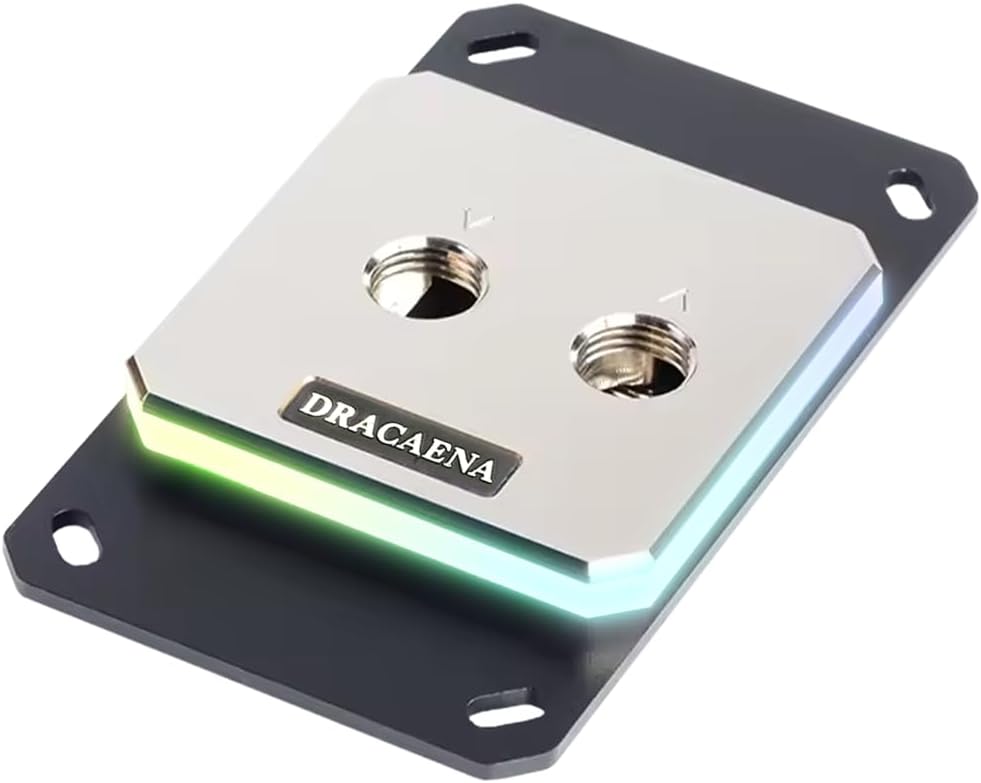
Dracaena.io CPU Water Block for AM5/AM4
4.6Editor score
Full copper internal channels
Compatible with AM5 and AM4
5V ARGB sync support
Choosing the right CPU water block is essential for effective custom loop cooling and maintaining optimal processor temperatures. High performance blocks combine superior thermal conductivity with precise engineering to ensure reliable heat dissipation under heavy workloads.
We evaluated ten top ranked models based on thermal efficiency socket compatibility build quality and aesthetic features. This list covers diverse options from budget friendly aluminum designs to premium blocks with integrated screens and advanced flow engineering.
Each pick highlights specific strengths such as microfin density lighting integration or ease of installation. Keep in mind that product availability and pricing can shift so verify current details before finalizing your build components purchase.
4.6Editor score

4.6Editor score

3.6Editor score
As an Amazon Associate we earn from qualifying purchases.
This side by side comparison outlines key specifications and features for each ranked water block to help you select the ideal component for your specific cooling loop and aesthetic preferences.




The EKWB EK-Quantum Velocity 3 is a high performance CPU water block designed for AMD AM5 and Intel LGA 1700/1851 platforms. With a rating of 4.6 it stands out for its optimized internal geometry and precise mounting pressure that ensure maximum heat transfer efficiency.
We may earn a commission when you buy through this link, at no additional cost to you.
Crafted with a nickel plated copper cold plate this block achieves up to 2 degrees C improvement over its predecessor. The superior thermal conductivity and tailored microfin structure allow it to handle demanding workloads while maintaining low operating temperatures.
While it comes at a higher price than standard models the performance gains justify the investment for enthusiasts. Users may find installation requires careful attention to mounting torque to avoid damaging the cold plate.
This block is ideal for builders seeking top tier cooling and modern socket compatibility. It delivers reliable performance and fits seamlessly into professional or gaming custom loops.
The optimized internal geometry ensures even flow distribution across the CPU surface.
Full compatibility with AM5 and LGA 1700 platforms covers latest hardware.
We may earn a commission when you buy through this link, at no additional cost to you.
The CORSAIR XC7 RGB Elite LCD combines advanced cooling with visual flair featuring a 480×480 IPS LCD screen and 31 RGB LEDs. It supports Intel LGA 1700 AMD AM5 and older platforms with a stealth gray finish.
We may earn a commission when you buy through this link, at no additional cost to you.
Its Hexa-Flow cooling engine mitigates laminar flow ensuring all CPU cores are evenly cooled. The ultra fine copper cold plate with over 120 micro-cooling fins keeps the CPU cool for maximum overclocking potential.
USB-C connectivity simplifies installation and enables automatic iCUE setup without a separate controller. However the added complexity and cost make it best suited for builds prioritizing aesthetics and ecosystem integration.
This block offers a unique balance of performance and personalization. It is perfect for users who want to showcase CPU data or animated content while maintaining solid thermal results.
Display real time CPU temperature or custom graphics on the IPS screen.
USB-C links to iCUE for simplified control and configuration.
We may earn a commission when you buy through this link, at no additional cost to you.
Dracaena.io offers a cost effective water block designed for AM5 and AM4 sockets. It features full copper internal water channels and a 0.4mm microfin base plate for maximum thermal conductivity.
We may earn a commission when you buy through this link, at no additional cost to you.
The block covers virtually every AMD platform for the last 15 years without adapters. Its compact 63mm by 63mm form factor fits well in tight cases while maintaining pressure tested reliability.
Users receive a complete install kit including ARGB controller and mounting hardware. The 5V ARGB header syncs with major motherboard software for seamless lighting control.
This is an ideal choice for AMD builders seeking performance without premium pricing. The all copper construction ensures durability and efficiency in standard custom loop setups.
No aluminum in the water path ensures consistent thermal performance.
Complete kit and broad compatibility make installation straightforward and cheap.
We may earn a commission when you buy through this link, at no additional cost to you.
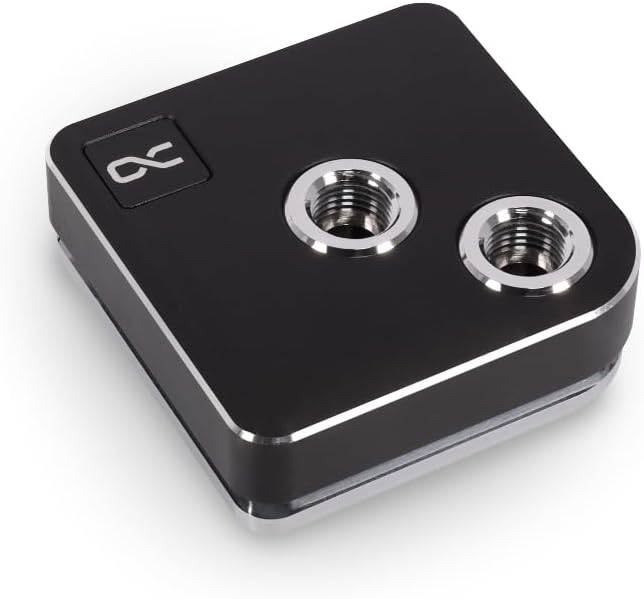
The Alphacool Core 1 is a straightforward CPU water block compatible with Intel LGA 1700 and AMD AM4/AM5. It delivers a solid black finish and standard dimensions of 72x72x26.50mm.
We may earn a commission when you buy through this link, at no additional cost to you.
Its nickel plated copper construction ensures reliable heat transfer for gaming or workstation workloads. The compact form factor makes it suitable for most standard ATX and microATX cases.
This model focuses on performance rather than visual flair. It avoids RGB lighting or screens to offer a clean look and dependable cooling at a mid range price point.
Builders seeking a no fuss high performance block will find this a practical choice. It integrates well into existing loops and offers stable temperature control.
Focuses on cooling efficiency without unnecessary visual complications.
Supports most modern Intel and AMD platforms out of the box.
We may earn a commission when you buy through this link, at no additional cost to you.
This generic water block features a 50mm copper base with a large inner water channel for efficient heat carry. It supports older sockets like Intel LGA 1150 and AMD AM3 or AM4.
We may earn a commission when you buy through this link, at no additional cost to you.
The chrome plated copper faucets and 5mm base provide decent thermal conductivity for light use. It includes one set of accessory screws to secure the block to the CPU.
While it lacks modern RGB or optimized microfin structures it offers basic cooling for budget or retro builds. The low price makes it accessible for entry level custom loopers.
This block is best for hobbyists working with older hardware. It delivers functional cooling without extra frills and fits tight budgets.
The copper base and channel enable fundamental heat removal.
Supports many legacy CPUs found in older systems.
We may earn a commission when you buy through this link, at no additional cost to you.
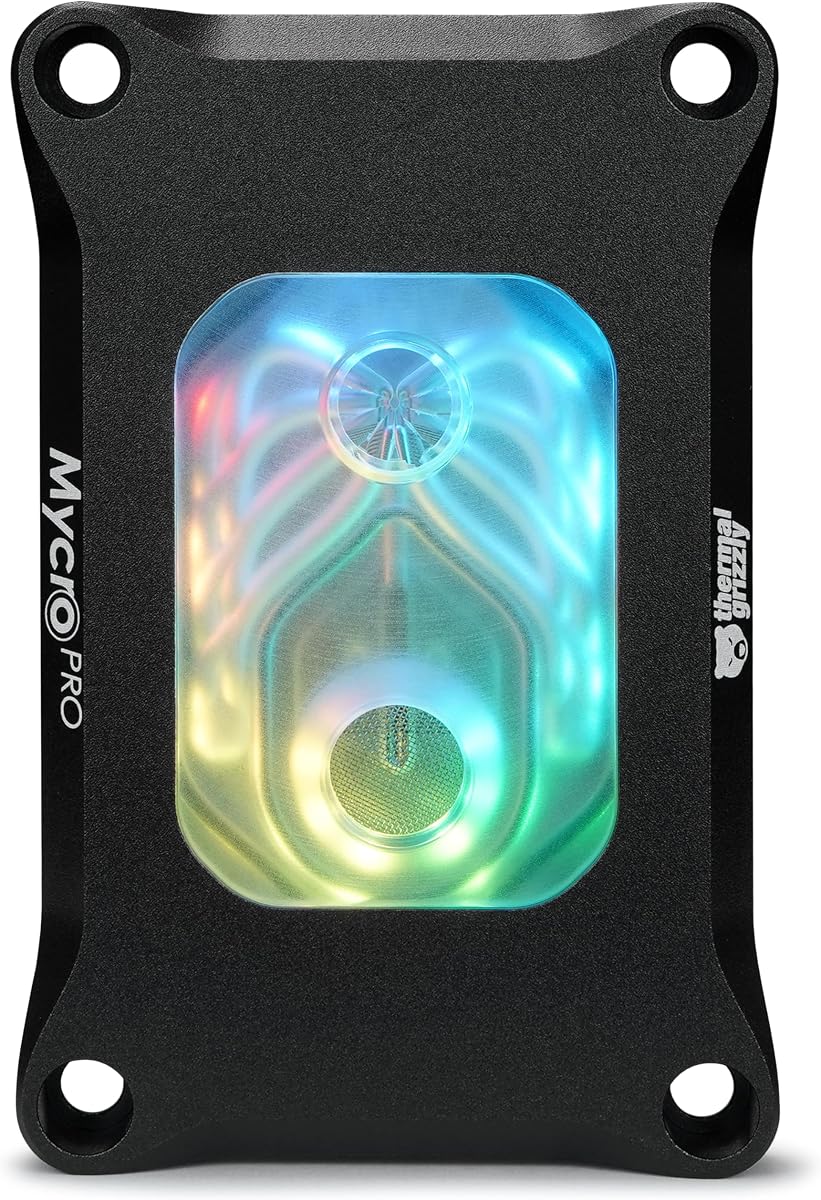
Thermal Grizzly Mycro Pro RGB is designed for AMD AM5 and AM4 high end custom liquid cooling systems. It features a nickel plated copper cold plate with 68 microfins and a 0.2mm structure.
We may earn a commission when you buy through this link, at no additional cost to you.
The integrated fine mesh filter traps particles to maintain consistent coolant flow. Standard G1/4 threads ensure easy loop integration for most tubing and fittings.
Its acrylic and aluminum construction provides stability and durability. The RGB window adds a clean illuminated look without complex internal electronics.
This block suits users who prioritize thermal density and reliability. It is excellent for demanding overclocking tasks and precise loop maintenance.
High fin count increases surface area for rapid heat exchange.
Built in filter protects microfins from debris and clogging.
We may earn a commission when you buy through this link, at no additional cost to you.
The TRYX Panorama WB features a curved 6.67 inch 2K AMOLED screen with GIPHY built-in. It supports Intel LGA 1851/1700/1200/115X and AMD AM4/AM5 with a premium design.
We may earn a commission when you buy through this link, at no additional cost to you.
Its KANALI software provides intuitive screen adjustments and preset anamorphic materials. A built-in 4-Pin PWM VRM fan cools voltage regulators during heavy overclocking.
The screen offers vivid color reproduction and immersive visual effects. It connects via standard G1/4 fittings and includes all metal mounting frames.
This premium block suits users seeking ultimate customization and visual impact. It justifies its cost with unique display capabilities and targeted component cooling.
Curved screen delivers immersive anamorphic visuals for builds.
Targeted fan reduces heat on motherboard voltage regulators.
We may earn a commission when you buy through this link, at no additional cost to you.
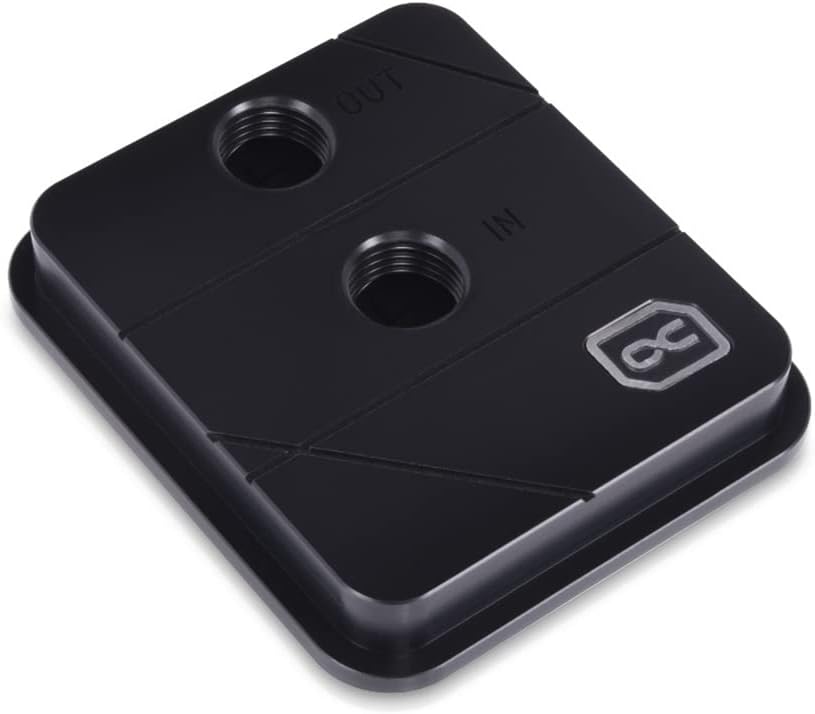
Alphacool Core XP3 is a CPU water block for Intel and AMD with an Acetal top. It features nickel plated copper cooling and 2 x G1/4" threads.
We may earn a commission when you buy through this link, at no additional cost to you.
The maximum working temperature is 60 Degree C making it suitable for most custom loop use. Dimensions measure 73x63x21mm fitting standard cases easily.
This block emphasizes durability and simplicity. It avoids extra electronics to maintain a robust mechanical structure for long term use.
Builders preferring classic reliable components will appreciate this model. It delivers consistent performance with minimal installation complexity.
Acetal top provides durability and resistance to wear.
G1/4 threads match most custom loop fittings.
We may earn a commission when you buy through this link, at no additional cost to you.
The CORSAIR iCUE Link XC7 Elite includes a transparent flow chamber and 24 RGB LEDs. It uses Hexa-Flow cooling and a patent pending iCUE LINK ecosystem for cable reduction.
We may earn a commission when you buy through this link, at no additional cost to you.
A built-in cold plate temperature sensor enables precise cooling control through iCUE. It fits Intel LGA 1700 AMD AM5 and older CPUs with a stealth gray finish.
Universal connectors daisy-chain components for a cohesive setup. This requires the iCUE LINK System Hub sold separately for full functionality.
This block is perfect for CORSAIR ecosystem users. It simplifies cabling and enhances lighting synchronization across the build.
Universal connectors reduce clutter and improve organization.
Temperature sensor provides precise control over cooling.
We may earn a commission when you buy through this link, at no additional cost to you.
Alphacool Core 1 LT features an acrylic color finish and digital RGB lighting. It is compatible with Intel LGA 1700 and AMD AM4/AM5 sockets.
We may earn a commission when you buy through this link, at no additional cost to you.
Dimensions are 71.80 x 71.80 x 28.05mm providing a clear view of the coolant flow. The acrylic material offers a unique transparent aesthetic compared to metal.
This model balances visibility and performance for builders wanting visual depth. It requires careful handling to avoid scratches on the acrylic surface.
Ideal for custom loopers who value transparency and light diffusion. It brings a distinct style to standard cooling architectures.
Acrylic allows coolant flow to be visible and highlighted.
Digital RGB enhances the clear design with color.
We may earn a commission when you buy through this link, at no additional cost to you.
Selecting the right water block involves evaluating socket compatibility thermal performance build materials and aesthetic features to match your specific cooling needs.
Ensure the block supports your current CPU socket such as AM5 LGA 1700 or legacy options. Modern blocks offer broad support but always verify the manufacturer listing.
Check compatibility with your motherboard and case before purchase to avoid mounting issues.
Look for nickel plated copper cold plates and optimized internal geometry for maximum heat transfer. Microfin density and flow engineering significantly impact cooling efficiency.
Prioritize blocks tested for your specific workload such as overclocking or sustained rendering.
Full copper water paths prevent corrosion and ensure consistent thermal conductivity. Acrylic or acetal tops offer different aesthetic and durability trade-offs.
Choose materials that align with your loop chemistry and visual preferences.
Blocks with integrated RGB allow for visual customization through 5V ARGB headers or proprietary software. Evaluate lighting density and control options.
Decide if you want simple lighting or advanced displays with animations.
Look for included mounting hardware backplates and G1/4 standard threads. Some blocks offer USB-C or iCUE LINK to simplify setup and reduce cables.
Review instructions for torque requirements and adapter needs.
Some blocks include fine mesh filters to trap particles and protect microfins. This reduces debris and maintains flow over time.
Select designs that allow easy access for cleaning and coolant replacement.
Measure your case clearance around the CPU socket for block height and width. Larger blocks may interfere with adjacent components or RAM.
Verify the total profile size including fittings before finalizing your selection.
Prices vary widely from budget copper blocks to premium models with screens. Determine your priority between performance and aesthetic features.
Review what is included in the package to ensure full compatibility.
Before installation clean the CPU surface and apply quality thermal paste to ensure optimal contact with the water block. Mount the block carefully using provided hardware and torque specifications.
Fill the loop with compatible coolant and purge air bubbles by tilting the system. Check all connections for leaks and run the pump to stabilize flow.
Periodically inspect filters and clean microfins if performance drops. Replace coolant and O-rings as recommended to maintain long term reliability.
Yes a pump is required to circulate coolant through the block and radiator. Most custom loops include a dedicated reservoir pump combo to move fluid effectively.
No blocks vary in dimensions height and thickness. Always check the product specs and your case clearance to ensure a proper fit.
You can combine blocks with GPU radiators and reservoirs using G1/4 fittings. Compatibility depends on the tubing size and loop configuration.
Use distilled water with corrosion inhibitors designed for copper nickel and brass. Avoid mixing types of coolant to prevent chemical reactions.
Inspect filters and flow annually. Clean microfins if performance drops and replace O-rings every two to three years.
RGB blocks typically use 5V ARGB headers found on modern motherboards. Verify your board supports the correct voltage and protocol.
The EKWB EK-Quantum Velocity 3 stands out for thermal performance while Dracaena.io offers excellent budget value. TRYX leads in visual customization for premium builds.
Prioritize socket compatibility and material quality when selecting your block. Consider RGB features if aesthetics are important to your build design.
Remember to verify current pricing and availability before purchase. Cooling needs vary so choose the block that best matches your system goals.