
InnoGear Gaming Mic USB Computer Microphone
4.4Editor score
Noise cancellation
RGB lighting
Touch mute button
This guide compares the top ten cheap boom microphone options for streamers and podcasters, evaluating sound quality, build, and features to help you choose
Finding a cheap boom microphone does not mean compromising on audio quality. This guide explores ten affordable options that deliver clear voice capture for gaming and streaming without breaking the bank.
We compared products based on connectivity, noise cancellation, build quality, and user feedback. Each pick offers a unique balance of performance and value to suit different setup needs.
Every review highlights key features and potential trade-offs. Prices and availability change frequently, so verify current details before purchasing to ensure you get the best deal available now.
4.4Editor score
4.5Editor score

4.5Editor score
The following table compares all ten products side by side. It highlights key specifications to help you quickly identify which microphone fits your specific budget and setup requirements.


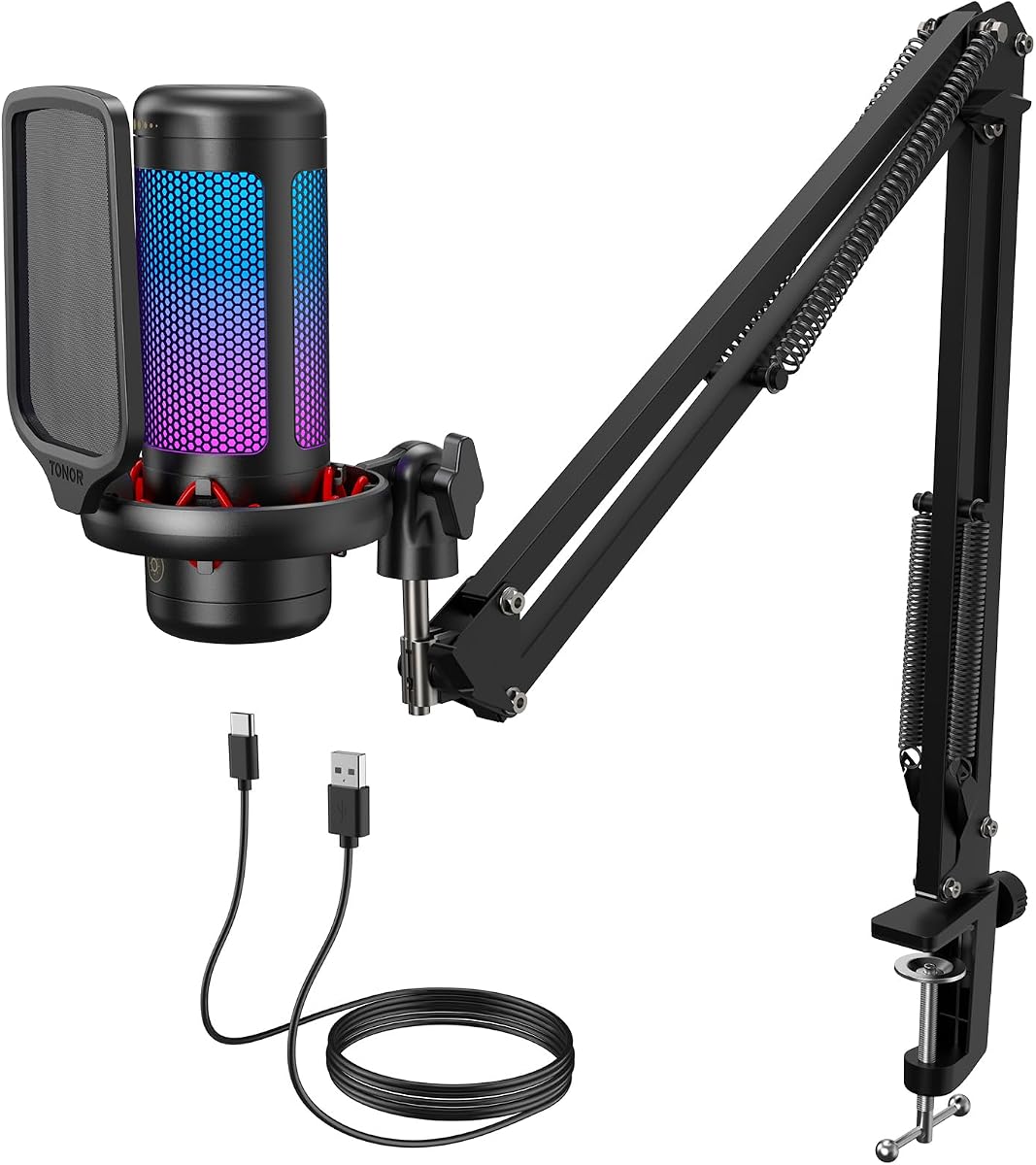
The TONOR TC310+ stands out as a top choice for streamers needing clear audio without high costs. It delivers a clean, pure sound suitable for team communication and gaming sessions.
We may earn a commission when you buy through this link, at no additional cost to you.
Its premium chips and expert tuning ensure high fidelity. The RGB lighting adds a vibrant gaming vibe with four distinct modes that you can cycle through with a simple tap.
While the boom arm is sturdy, some users might find the cable length limiting in larger setups. Also, it is not compatible with Xbox which limits console gamers.
This kit is ideal for PC users looking for an all-in-one solution. The tap mute and gain control allow quick adjustments during live streams without interrupting your gameplay.
The vibrant RGB lighting offers four modes including static color and breathing effects to match your setup vibe.
Rotate the top of the microphone to adjust gain and tap the top to mute instantly during streaming.
We may earn a commission when you buy through this link, at no additional cost to you.
The FIFINE AM8T offers exceptional versatility with both USB and XLR connectivity options for future growth. Its dynamic capsule ensures clear audio while rejecting background noise effectively.
We may earn a commission when you buy through this link, at no additional cost to you.
Streamers will appreciate the headphone jack for real-time monitoring and the RGB lighting to enhance their visual setup. The arm stand is sturdy and holds the mic securely during use.
However, the XLR cable is not included which means extra cost for users wanting full XLR capabilities. The desk clamp fits tables up to two inches thick which might not suit all desks.
This set is perfect for gamers who want one to upgrade to a mixer later. The included boom arm and windscreen make it ready to use right out of the box.
Connect via USB for plug and play or use XLR for higher quality studio connections when ready.
The -50dB sensitivity and cardioid pattern help pick up your voice while reducing ambient noise.
We may earn a commission when you buy through this link, at no additional cost to you.
The MAONO A04 delivers professional sound quality with its 192kHz 24Bit sampling rate and smooth frequency response. It is excellent for podcasting and voice overs requiring detailed audio.
We may earn a commission when you buy through this link, at no additional cost to you.
Its 16mm condenser transducer provides a strong bass response while keeping the voice crystal clear. The complete kit includes a shock mount and pop filter to improve recording quality.
Users need to speak close to the mic for optimal results and it does not support Xbox connections. The anti interference magnet ring on the cable helps maintain signal integrity.
This is a great pick for content creators focused on audio quality. The easy plug and play setup means you can start recording on your laptop immediately without drivers.
The professional sound chipset allows high resolution sampling ensuring smooth and flat frequency response.
Get a complete set with mic, arm stand, shock mount, and pop filter for clear voice recordings.
We may earn a commission when you buy through this link, at no additional cost to you.
The InnoGear Gaming Mic is an affordable option for team who need clear voice capture. Its advanced noise cancellation minimizes background noise for unmatched voice clarity during gaming.
We may earn a commission when you buy through this link, at no additional cost to you.
You can easily manage audio with a touch-sensitive mute button and a gain knob at the base. The RGB lighting adds a cool vibe to your gaming station with four unique modes.
It does not work with Xbox which is a limitation for console players. The zero-latency monitoring helps you keep your voice levels accurate without delay.
This microphone is ideal for budget-conscious streamers and gamers. The USB-C interface ensures flexibility and convenience for modern setups and reliable performance.
Cutting-edge noise cancellation minimizes background noise ensuring your teammates hear every word clearly.
The upgraded cardioid condenser capsule amplifies sound clarity by up to 600 percent for clear voice.
We may earn a commission when you buy through this link, at no additional cost to you.
The V-Moda BoomPro is a versatile detachable mic designed for communication and gaming. It offers first-class voice quality with reduced background noise for clear interactions.
We may earn a commission when you buy through this link, at no additional cost to you.
Its reinforced lightweight cable and gold-plated connector ensure durability and reliable connection. The clip-on controller with volume wheel makes adjustments easy without reaching for the computer.
It is not a standalone boom arm mic but connects to headphones. Compatibility may vary so check specific headphone models before buying to ensure it fits your setup.
This is a great addition for gamers using V-Moda Crossfade series headphones. It upgrades your audio for voice chats and online meetings with simple plug and play connectivity.
First-class mic for communication and gaming delivers improved voice clarity and reduced background noise.
The detachable design offers maximum compatibility and a flexible boom for precise microphone positioning.
We may earn a commission when you buy through this link, at no additional cost to you.
The FIFINE T669 is perfect for home studio applications needing wide frequency response and high sound pressure levels. Its cardioid capsule captures clear audio from the front while rejecting side noise.
We may earn a commission when you buy through this link, at no additional cost to you.
The podcast microphone bundle includes a versatile broadcast suspension boom scissor arm for optimal positioning. A double pop filter provides two layers of dissipation to minimize popping sounds effectively.
It comes with all necessary accessories including a heavy-duty arm and shock mount for ready to go use. It does not work with Xbox consoles which limits gaming use for console owners.
This mic is a top choice for podcasters and voice actors. The sturdy steel construction and easy attach features make it a reliable long-term tool for quality recordings.
Wide frequency response and cardioid capsule deliver crystal-clear audio while avoiding ambient noise.
The scissor arm offers up down rotation and forward backward extension for optimal voice capture.
We may earn a commission when you buy through this link, at no additional cost to you.
The Cable Boom Microphone acts as a replacement audio cord that upgrades existing headphones into a professional headset. It includes a flexible boom mic with volume control and mute switch for convenience.
We may earn a commission when you buy through this link, at no additional cost to you.
It fits many headphones with a 3.5mm input port including V-Moda and Beats models. The included Y-adapter helps devices requiring separate mic and headphone inputs to work smoothly.
This is not a standalone mic but rather an accessory for existing gear. It offers simple flexible purposes for gaming and business calls without needing a new full headset.
Buyers looking for a cheap way to add mic functionality to headphones will find this useful. The steelflex arm ensures perfect positioning for your voice during calls and gameplay.
The upgraded flexible detachable boom mic enables rotary volume control and mute switch for better management.
Devices supporting 3.5mm audio output like PS4 Xbox and PC are fully compatible with this adapter.
We may earn a commission when you buy through this link, at no additional cost to you.
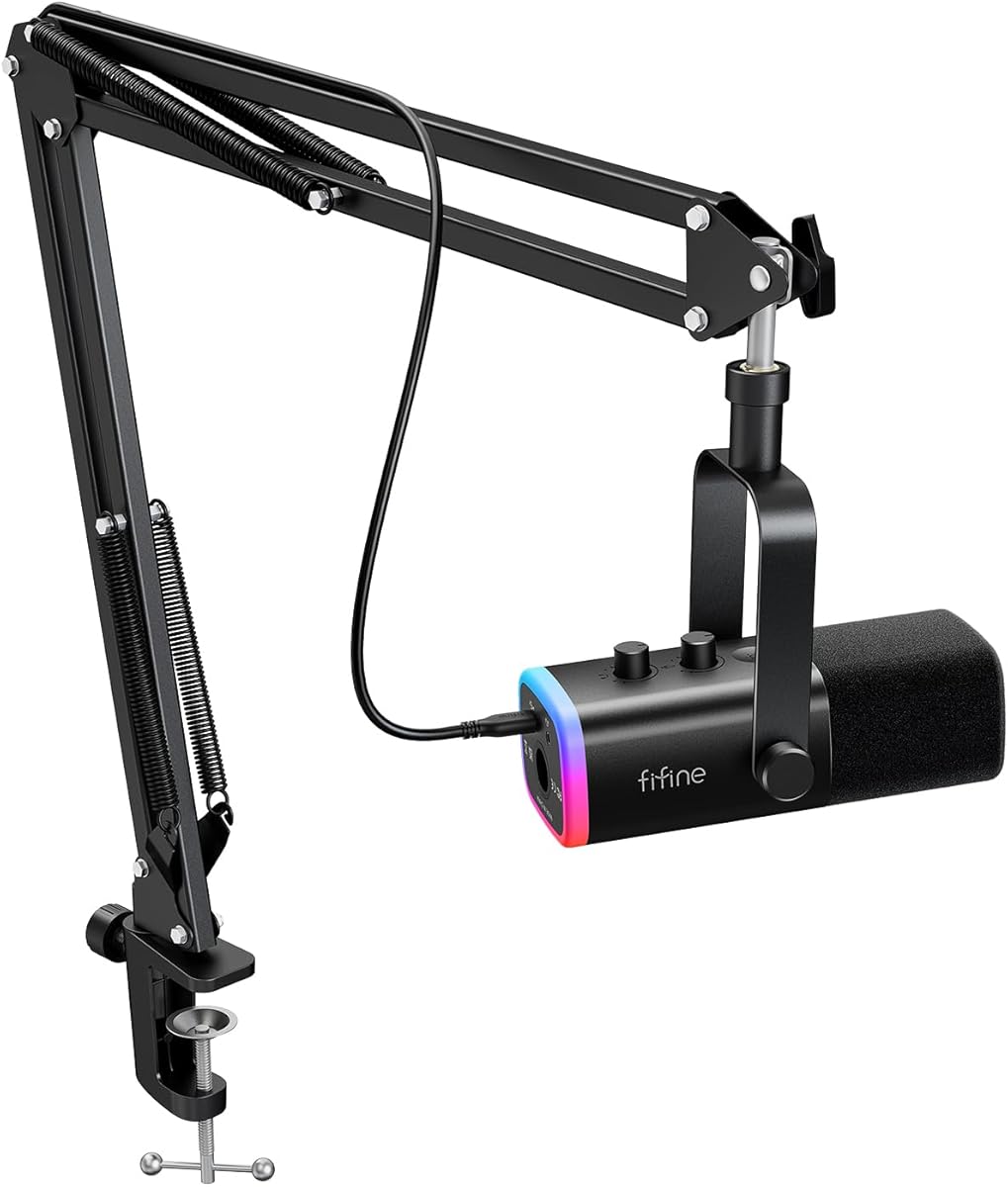
The FIFINE K688CT offers authentic sound integrity with a dynamic capsule that supports up to 130dB SPL. It is versatile for streaming and podcasting with both USB and XLR connectivity.
We may earn a commission when you buy through this link, at no additional cost to you.
Its robust metal boom arm ensures secure placement and reduces collisions for smooth audio quality. Intuitive controls include a tap-to-mute button and gain knob for effective session management.
Note that function keys on the mic are invalid when using XLR connection so control must happen via mixer. The included windscreen and shock mount help suppress harsh noises effectively.
This is a top choice for podcasters wanting high fidelity dynamic audio. The heavy-duty boom arm prevents desk noise interference giving you clearer vocals during recording.
Equip with both USB and XLR connections to suit your streaming or gaming needs seamlessly.
Manage sessions with tap-to-mute and gain knob while monitoring audio through the headphone jack.
We may earn a commission when you buy through this link, at no additional cost to you.
The TONOR Dynamic Gaming Microphone features triple AI noise cancellation to eliminate distracting background sounds like keyboard clatter. Its premium capsule delivers crystal-clear audio streams and voice chats.
We may earn a commission when you buy through this link, at no additional cost to you.
Dual interfaces support future upgrades with sound cards and XLR cables without replacing the mic. Customizable RGB ambient lighting adds a touch of gaming flair to your setup.
It does not work with Xbox and does not include XLR cables so you may need to buy those separately. The quick adjustment support allows microphone and headphone volume control.
This is a strong pick for competitive gamers needing clear voice comms. The superior compatibility with USB mode ensures direct connection to computers and consoles for immediate use.
AI noise reduction technology makes gaming streams and voice chats effortless by eliminating background sounds.
Dual interfaces support future upgrades with sound cards and XLR cables for enhanced audio quality.
We may earn a commission when you buy through this link, at no additional cost to you.
The ZealSound Podcast Microphone delivers studio-quality recording with a condenser capsule and cardioid pattern. Its built-in noise reduction helps achieve clearer speech during recording and meetings.
We may earn a commission when you buy through this link, at no additional cost to you.
You can adjust input volume monitoring volume and echo directly with three front-mounted knobs without opening software. It is easy to use across PC iPhone and Android with included adapters.
The adjustable echo knob lets you fine-tune vocal depth for expressive effects. However the desk clamp fits desks up to 1.8 inches thick which might limit some setups.
This kit is ready to use with a heavy-duty metal boom arm and windscreen. Its zero-latency monitoring helps maintain consistent audio while you record or stream.
Long-press mute button to switch noise reduction on or off for clearer speech in any environment.
Turn the echo knob to fine-tune vocal depth without opening software for expressive audio.
We may earn a commission when you buy through this link, at no additional cost to you.
Choosing the right cheap boom microphone depends on your specific needs and setup. This guide breaks down the essential factors to consider before making a purchase.
There are mainly two types: condenser and dynamic. Condenser mics are more sensitive and capture more detail making them great for studio environments. Dynamic mics are more durable and reject background noise better which is useful for noisy rooms.
Choose condenser for quiet setups and dynamic for noisy environments.
USB microphones offer plug and play simplicity perfect for beginners. XLR connections provide higher quality and more control but need an audio interface. Some models offer both giving you future upgrade flexibility.
Select USB for simplicity or dual options for future growth.
Look for built-in noise reduction or AI cancellation features if you stream in noisy areas. This helps filter out keyboard clicks and fans keeping your voice clear. Always check user reviews for real-world performance.
Prioritize noise cancellation if background noise is a concern.
A sturdy metal boom arm ensures the mic stays in place during intense sessions. Check for adjustable joints and clamps that fit your desk thickness. A flexible arm reduces vibration and improves positioning.
Ensure the arm is durable and fits your desk thickness.
Features like tap mute gain knobs and headphone monitoring add convenience. A 3.5mm jack allows real-time monitoring to check your volume instantly. These features save time and improve your streaming experience.
Look for convenient on-mic controls for faster adjustments.
Check if the mic works with your operating system and gaming console. Some USB mics do not support Xbox. Ensure it connects seamlessly with your preferred software like OBS or Discord.
Verify compatibility with your devices and software before buying.
Durability is key for long-term use. Metal components and reinforced cables tend to last longer than plastic. A solid build ensures the mic withstands frequent adjustments and daily use.
Choose robust materials like metal for better longevity.
Complete kits often include pop filters and windshields which improve sound quality. Check what comes in the box to avoid buying extras later. A full setup saves time and extra costs.
Prefer kits that include essential accessories for ready use.
Start by connecting the microphone to your computer using the provided USB or XLR cable. Ensure the connection is secure to avoid signal dropouts during recording or streaming sessions.
Position the boom arm so the mic is about six to twelve inches from your mouth. Adjust the angle to capture your voice clearly while reducing unwanted background noise and room reverberation.
Regularly clean the pop filter and windscreen to remove dust and moisture. Store the cable loosely without tight bends to prevent internal wire damage over extended periods of use.
A good cheap boom microphone provides clear audio quality with effective noise rejection. It should have a sturdy build and convenient controls like mute buttons and gain knobs.
Most of these options work directly via USB without an interface. Only if you choose XLR mode will you need an audio interface to connect to your computer.
Many USB mics are not compatible with Xbox directly. For console gaming, check specific product details or look for 3.5mm options that connect to the controller.
Use mics with noise cancellation features and position them close to your mouth. Turning on physical barriers and using a pop filter also helps reduce unwanted sounds effectively.
Most kits in this list include a boom arm stand. Always check the product specs to ensure the arm is part of the package you are purchasing.
USB connects directly to your computer for simple plug and play. XLR requires an audio interface but offers higher quality sound and more control for advanced setups.
Use a soft cloth to wipe the body gently and wash the pop filter with warm water. Avoid spraying liquids directly on the capsule to protect internal components.
This guide reviewed ten excellent options that balance affordability with performance. Each pick offers unique strengths whether you need RGB lighting or dynamic capsules.
Prioritize your main use case such as streaming or podcasting to choose the right features. Sound quality and compatibility with your current setup should drive your final decision.
Prices and availability fluctuate so verify the current details before you buy. Always check for latest reviews to ensure you get the best value today.