
Dell Optiplex 3050 SFF
4.2Editor score
Affordable price point
16GB DDR4 RAM
4K dual display support
Discover the top 10 Desktop PC for Teens for 2026. This guide compares performance, storage, and connectivity to help you find the perfect computer for school
Choosing the right Desktop PC for Teens requires balancing performance, durability, and budget. Modern students need reliable machines for homework, creative projects, and entertainment. A good system ensures smooth multitasking and long-term usability without breaking the bank.
We evaluated ten desktop computers based on processor speed, memory capacity, and storage options. Our analysis focuses on value, connectivity features, and real-world usability for teenage users. Each pick offers unique benefits tailored to different needs and preferences.
Each selection highlights key strengths, potential limitations, and ideal use cases. Prices fluctuate frequently, so verify current listings before purchasing. Use this guide to narrow down options and find a system that grows with your needs.
4.2Editor score
4.3Editor score

4.1Editor score
This side-by-side comparison highlights key specifications across all ten desktop options. Review processor generations, memory sizes, and storage types to identify which system aligns with your performance expectations and usage habits.





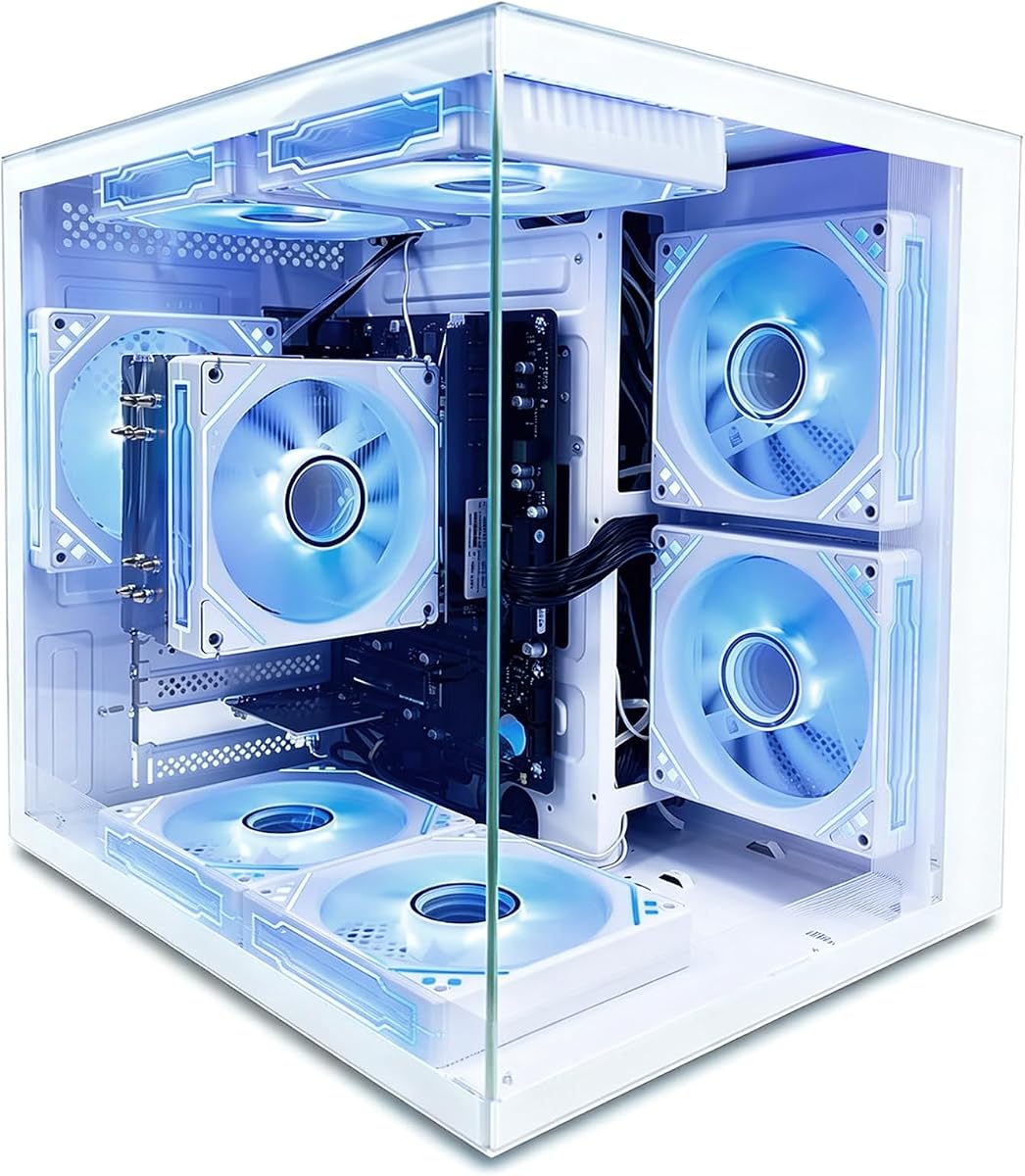
The suevery Prebuilt Desktop PC Tower offers balanced performance for everyday schoolwork and light gaming. With a 4.3 rating, users appreciate its reliable startup times and smooth multitasking capabilities out of the box.
We may earn a commission when you buy through this link, at no additional cost to you.
Equipped with an AMD Ryzen 5 APU, this system handles video editing and browser tabs effortlessly. The included 16GB RAM ensures lag-free switching between applications, while Wi-Fi 6 keeps connections stable during online classes.
While the 256GB SSD is fast, it may require external storage for large media libraries. RGB lighting adds visual appeal but can be adjusted to minimal settings if preferred for study environments.
This desktop suits teens needing a plug-and-play solution with solid performance. Its blend of connectivity, storage speed, and graphics capability makes it a top recommendation for mixed usage scenarios.
The 16GB RAM and quad-core processor allow seamless switching between study apps and streaming services without slowdowns.
Wi-Fi 6 ensures faster downloads and stable video calls, essential for remote learning and multiplayer gaming sessions.
We may earn a commission when you buy through this link, at no additional cost to you.
This Dell Optiplex 3050 SFF delivers exceptional value for budget-conscious buyers seeking a reliable student PC. It handles document editing, web research, and media streaming with ease thanks to ample memory and fast SSD storage.
We may earn a commission when you buy through this link, at no additional cost to you.
The 16GB of DDR4 RAM ensures the system remains responsive during multi-tasking sessions. Users can connect two 4K displays simultaneously, which is ideal for reference work while writing assignments or coding projects.
Being a certified refurbished unit, it comes with a warranty but may show minor cosmetic wear. The processor is older, so heavy video rendering or modern gaming might strain the integrated graphics beyond casual use.
It is an ideal choice for teens needing a no-frills workstation for school tasks. The combination of low cost, decent RAM, and modern display support makes it a standout budget option.
At a low price point, it offers 16GB RAM and SSD storage, features often reserved for much more expensive systems today.
Support for dual 4K displays allows efficient multitasking, such as keeping research open while writing essays on a second screen.
We may earn a commission when you buy through this link, at no additional cost to you.
For demanding users, the Dell OptiPlex 7070 SFF provides top-tier processing power and storage. Its 8-core i7 CPU and 32GB RAM enable smooth editing of 4K video and handling of complex engineering software without stuttering.
We may earn a commission when you buy through this link, at no additional cost to you.
The 1TB NVMe SSD ensures quick file access and system responsiveness, making it excellent for storing large project files. Wi-Fi 6E delivers cutting-edge wireless speeds, ensuring stable connections even in crowded networks.
The small form factor design saves desk space but restricts physical expansion options for dedicated graphics cards. While excellent for productivity, gamers may prefer a larger case for better thermal headroom and GPU flexibility.
This PC is perfect for tech-savvy teens pursuing content creation or advanced coding. The combination of high-end specs and compact design justifies the higher cost for serious users.
With 32GB RAM, users can run multiple virtual machines, browsers, and creative apps simultaneously without system slowdown.
Wi-Fi 6E ensures compatibility with next-gen routers, providing lower latency and faster speeds for online collaboration.
We may earn a commission when you buy through this link, at no additional cost to you.
The Dell Optiplex 7060 SFF balances high memory capacity with a robust 6-core processor for efficient workflow. It is suitable for students handling large datasets or multiple virtual environments simultaneously.
We may earn a commission when you buy through this link, at no additional cost to you.
Featuring 32GB of RAM, this system remains snappy even with heavy browser usage and background tasks. The 512GB NVMe SSD provides quick boot times and responsive application launches.
While reliable, refurbished units may vary slightly in cosmetic condition. The smaller 512GB storage compared to other models might require external drives for extensive media libraries.
This desktop is an excellent choice for users prioritizing memory speed over massive storage. It offers a professional-grade experience in a small, tidy package suitable for any desk.
32GB RAM allows for running complex software suites and large datasets without performance bottlenecks.
The 6-core i7 processor ensures stable performance during prolonged tasks like compiling code or rendering images.
We may earn a commission when you buy through this link, at no additional cost to you.
This Dell Optiplex 3060 combines a 6-core CPU with 32GB RAM for solid productivity. It handles everyday tasks and media streaming smoothly, making it a versatile option for mixed usage scenarios.
We may earn a commission when you buy through this link, at no additional cost to you.
The 1TB SSD offers ample space for storing apps, photos, and documents without immediate need for external drives. This storage capacity ensures longevity as the user accumulates more files over time.
While the processor is capable, it lacks the raw speed of higher-end models for intensive tasks. Integrated graphics may struggle with graphically demanding games or heavy video rendering workflows.
Ideal for students needing reliable storage and multitasking performance, this PC provides consistent daily utility. The inclusion of Bluetooth adds convenience for connecting peripherals like headphones or controllers.
With 1TB of fast SSD storage, users can keep all school projects and media files locally without cloud dependency.
Integrated Bluetooth and WiFi simplify connecting wireless devices, reducing cable clutter on the workspace.
We may earn a commission when you buy through this link, at no additional cost to you.
The Dell OptiPlex 7050 Desktop offers steady performance for general computing needs. With 16GB RAM and a 512GB SSD, it ensures responsive performance for typical student workloads.
We may earn a commission when you buy through this link, at no additional cost to you.
Its 4K support allows sharp visuals on modern monitors, enhancing media consumption and detailed editing work. The system includes built-in Wi-Fi and Bluetooth for convenient peripheral connections.
The TPM 1.2 chip might limit specific security features compared to newer hardware standards. While sufficient for most tasks, advanced security features may require manual configuration or updates.
This model is a dependable choice for users prioritizing stability and standard productivity tools. It balances cost with performance, making it a good fit for home and school environments.
4K support ensures crisp text and images on high-resolution displays, reducing eye strain during long study sessions.
Built-in Wi-Fi and Bluetooth eliminate the need for dongles, keeping the desk tidy and organized.
We may earn a commission when you buy through this link, at no additional cost to you.
This Dell Optiplex 5050 SFF combines a powerful i7 CPU with a compact design. It is ideal for users with limited desk space who still need high performance for demanding applications.
We may earn a commission when you buy through this link, at no additional cost to you.
The included 512G NVMe SSD provides rapid boot times and smooth application launching. Paired with 16GB of RAM, the system handles multi-tasking with ease.
Due to its slim form factor, internal expansion is restricted compared to larger towers. Users looking for significant future upgrades may find this a limitation for long-term flexibility.
A great option for compact workspaces, this PC delivers professional reliability. Its balance of size and power makes it suitable for home offices and student dorms.
The Small Form Factor design saves desk real estate without compromising core performance capabilities.
NVMe SSD technology ensures instant system boot and rapid file access for improved productivity.
We may earn a commission when you buy through this link, at no additional cost to you.
This Dell OptiPlex Desktop RGB comes with a monitor and RGB lighting, appealing to teens wanting a visually striking setup. It handles school tasks well with an i7 processor and adequate RAM.
We may earn a commission when you buy through this link, at no additional cost to you.
The bundle includes a monitor, keyboard, and headset, reducing the need for separate purchases. The front panel RGB lights add personalization and flair to the workspace.
However, performance is average compared to dedicated gaming PCs due to integrated graphics. Users might notice limitations during graphically intensive activities compared to higher-end systems.
Perfect for casual users wanting an all-in-one look, this PC offers style and basic functionality. The included accessories make it a convenient, quick setup choice.
Receiving a complete setup with monitor and headset simplifies assembly and gets you started immediately.
RGB lighting allows customization of the setup's appearance, matching personal style preferences.
We may earn a commission when you buy through this link, at no additional cost to you.
The Dell Gaming OptiPlex RGB includes a dedicated GT 1030 graphics card, allowing light gaming at decent frame rates. It supports titles like CS GO and DOTA 2 effectively for casual play.
We may earn a commission when you buy through this link, at no additional cost to you.
The package comes with a monitor and peripherals, offering a complete gaming start without extra purchases. The RGB lighting panel adds a gamer aesthetic to the desk setup.
Graphics performance is modest, limiting high-end gaming or 4K gaming capabilities. It serves as an entry point rather than a serious upgrade for competitive players.
This bundle is suitable for beginners interested in gaming on a budget. The included accessories and dedicated GPU provide better value than systems relying solely on integrated graphics.
The GeForce GT 1030 handles esports titles at medium settings, providing a smooth experience for casual gamers.
A bundled monitor and headset ensure everything needed for immediate use is included in the box.
We may earn a commission when you buy through this link, at no additional cost to you.
This Dell Optiplex 9020 offers a basic bundle with a 20-inch monitor, ideal for simple office and school tasks. It is one of the most affordable options reviewed with all necessary components included.
We may earn a commission when you buy through this link, at no additional cost to you.
The system features 8GB of RAM and a 500GB HDD, which may feel slower than SSDs for booting apps. It handles basic word processing and web browsing but may lag with heavy multitasking.
HDD storage and older RAM technology limit performance longevity. Users might experience slower load times compared to modern SSD-equipped systems.
Suitable for very tight budgets, this bundle covers fundamental needs without extra costs. It is a practical choice for basic homework and email access.
A low cost option providing a complete bundle including monitor, suitable for minimal usage needs.
Designed for simple tasks like document writing and web browsing without demanding performance requirements.
We may earn a commission when you buy through this link, at no additional cost to you.
Selecting the right desktop requires analyzing hardware specs against intended use cases. Below are key factors to consider before making a purchase.
Processors with higher clock speeds and more cores ensure smoother performance when running multiple applications. Teens doing video editing or gaming should look for at least a quad-core processor to avoid slowdowns.
Prioritize newer generations like Intel 8th gen or AMD Ryzen for better efficiency and longevity.
RAM determines how many apps can run simultaneously without lag. 16GB is the sweet spot for general use, while 32GB is beneficial for power users handling heavy workflows.
Always choose a system with 16GB RAM or higher for future-proofing daily tasks.
SSDs provide much faster boot times and file access compared to traditional HDDs. Look for at least 512GB NVMe storage to ensure responsive performance.
An SSD is non-negotiable for modern usability and speed.
Wi-Fi 6 or 6E support ensures stable internet connections for online classes and gaming. Multiple USB ports are necessary for peripherals like printers and controllers.
Confirm the presence of modern wireless standards and sufficient ports.
Integrated graphics are sufficient for schoolwork, but dedicated GPUs are needed for gaming or rendering. Check if the system supports adding a graphics card later.
Consider dedicated GPU models if gaming is a primary use case.
Small form factors save desk space but limit upgrades. Full towers offer more flexibility for adding storage or better cooling.
Choose based on desk availability and future expansion needs.
Certified refurbished PCs offer significant savings and usually include warranties. Inspect seller ratings to ensure quality and reliability before buying.
Refurbished models are a smart choice for budget-friendly performance.
Windows 11 Pro provides professional features like BitLocker encryption and remote desktop. Ensure the OS is activated and up to date for security.
Windows 11 compatibility is essential for current software support.
Connect all peripherals securely to the rear ports before powering on the system. Ensure the monitor is connected via HDMI or DisplayPort to the correct video output.
Keep the computer in a well-ventilated area to prevent overheating during long sessions. Use a surge protector to safeguard against power fluctuations that could damage components.
Regularly update drivers and OS software to maintain performance and security. Clean dust from vents every few months using compressed air to ensure optimal cooling efficiency.
The Dell Optiplex 3050 SFF is ideal for schoolwork due to its affordable price, 16GB RAM, and SSD storage. It handles document editing and research efficiently.
Yes, systems with dedicated GPUs like the Dell Gaming OptiPlex RGB can run games like Minecraft and Fortnite at medium settings. Integrated graphics handle lighter titles effectively.
Yes, 16GB RAM is sufficient for multitasking, online classes, and light media editing. It provides a good balance of performance and cost for most users.
Only specific bundles like the Dell OptiPlex RGB come with a monitor included. Most models require you to purchase a separate display.
Refurbished PCs offer professional-grade hardware at lower prices with warranties. They are rigorously tested to function like new units.
The Dell OptiPlex 7070 SFF features a 1TB NVMe SSD, which offers the fastest boot and file access speeds among the listed options.
Most small form factor desktops allow RAM upgrades if free slots are available. Larger towers generally offer more flexibility for storage and component upgrades.
Yes, most models are pre-installed with Windows 11 Pro. Older models may require a check on TPM compatibility for full security features.
The top picks like the suevery Prebuilt PC and Dell OptiPlex 7070 offer excellent performance for varying needs. Choosing the right balance of RAM and storage is key.
Focus on future-proofing with SSDs and sufficient RAM to ensure longevity as software demands increase. Avoid settling for slower storage if you want responsive performance.
Always verify current prices and warranty terms before purchasing to ensure you get the best value. Regular checks on deals can lead to significant savings.