
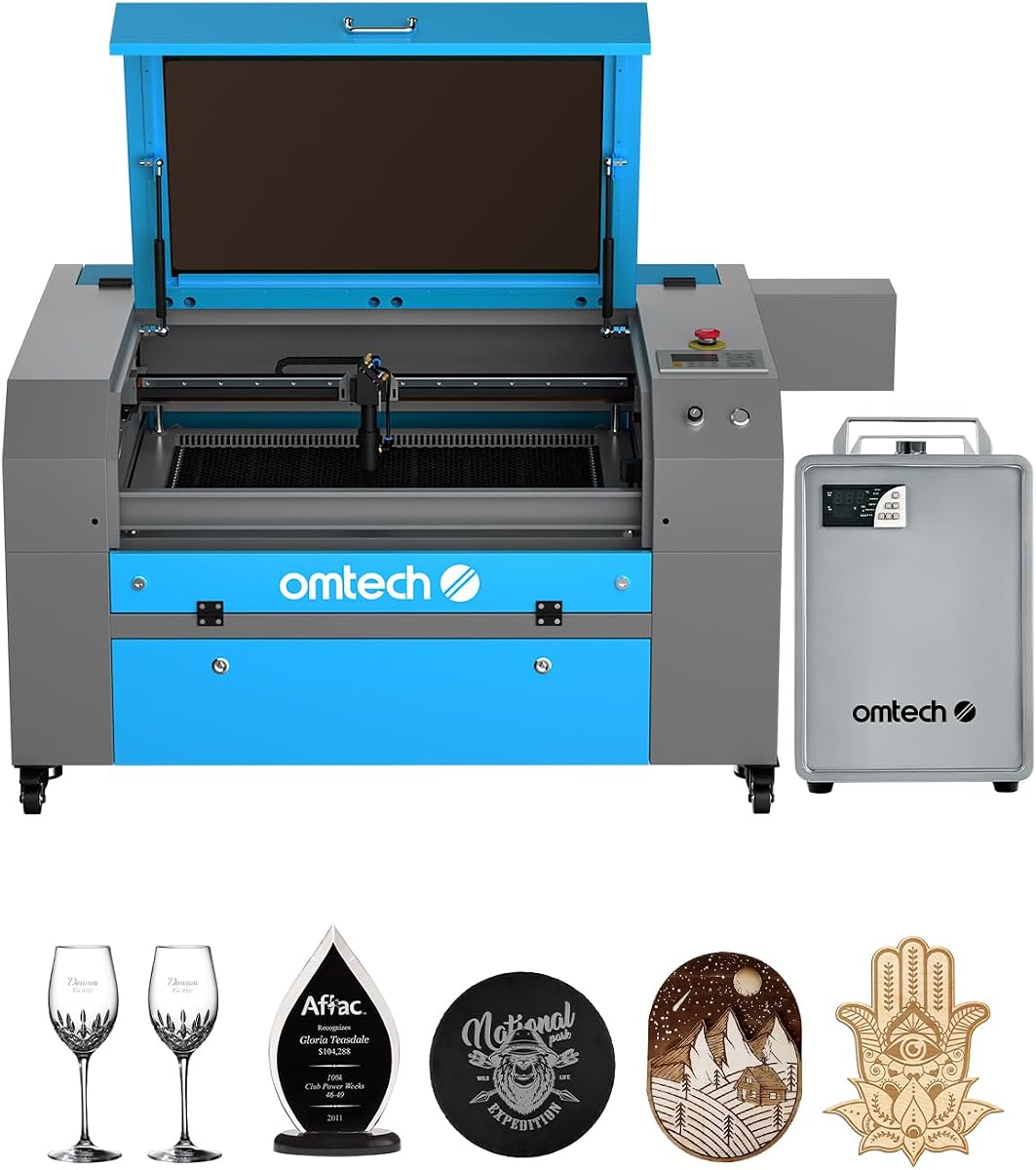
OMTech K40+ 45W Desktop CO2 Laser Engraver & Cutter
4.4Editor score
45W upgraded laser performance
Compact 12 by 8 workspace
Integrated air assist system
Compare the top 10 CO2 laser cutters for professionals and makers. This guide reviews power, speed, safety, and features to help you choose the right machine
Choosing the right CO2 laser cutter is essential for anyone looking to turn creative ideas into physical reality. These machines offer precision cutting and engraving capabilities that are unmatched by traditional tools. Whether you are a hobbyist or a small business owner, finding a model that balances power, speed, and safety is key to success.
This guide evaluates ten of the most notable CO2 laser cutters available on the market today. We have examined their power output, working areas, software compatibility, and safety features to provide a comprehensive overview. Each product offers unique strengths tailored to different budgets and project requirements, ensuring you can find the perfect fit for your workshop.
Every selection in this list highlights specific advantages and potential trade-offs to help you make an informed decision. We have focused on real-world performance metrics and user feedback to ensure accuracy. Please note that prices and availability can change frequently, so verify the latest details before making a purchase.
4.4Editor score

4.5Editor score

5.0Editor score
This table provides a side-by-side look at the key specifications and features of the ten selected CO2 laser cutters. It helps you quickly compare power levels, working areas, and compatibility to identify the best match for your specific production needs.



The xTool P3 stands out as the top choice for professionals seeking a high-performance CO2 laser cutter. With an 80W laser power and intelligent automation features, it delivers industrial-grade results in a desktop-friendly form factor. Its Class 1 safety rating and dual camera system ensure precision and safety for all users.
We may earn a commission when you buy through this link, at no additional cost to you.
This machine excels with its Revolutionary Automated Creation System that integrates LiDAR ranging for perfect autofocus. The large 36 by 18 inch workspace allows for extensive projects without needing to resize files. The AI-powered Smart Nesting feature maximizes material utilization, reducing waste and saving money on raw materials.
While the xTool P3 is an investment, its efficiency gains justify the cost for serious makers. The main trade-off is the additional cost for accessories like the conveyor feeder or air purifier. However, the modular design allows you to upgrade components as your production needs grow over time.
If you need a reliable and fast CO2 laser cutter for commercial production, the xTool P3 is the clear winner. It balances power, safety, and smart features better than any other model on this list. This machine is ideal for businesses that require consistent quality and minimal downtime.
The ACS system automatically handles focusing and positioning, allowing you to start cutting immediately after placing materials.
Fully enclosed design with interlocks and active suppression systems ensures safe operation even in busy workshop environments.
We may earn a commission when you buy through this link, at no additional cost to you.
The OMTech K40+ offers an excellent entry point for those new to CO2 laser cutting. Its 45W power rating allows it to handle acrylic and wood with ease. This model is perfect for hobbyists who want professional results without breaking the bank on expensive machinery.
We may earn a commission when you buy through this link, at no additional cost to you.
Users appreciate the integrated air assist system that clears debris and protects the lens. The compact 12 by 8 inch workspace is ideal for desktop use where space is limited. Compatibility with popular software like LightBurn ensures you can use the design tools you already know.
While it lacks the raw power of larger machines, the K40+ is fast enough for most personal projects. The main limitation is the workspace size which restricts larger production runs. However, for small batches or custom gifts, this machine performs admirably.
For anyone looking to start their laser cutting journey, the OMTech K40+ is the best value option. It provides a balanced mix of features and price that is hard to beat. This machine is recommended for students, hobbyists, and small creative shops.
The compact design fits easily on a standard desk making it accessible for home users with limited floor space.
24/7 global support ensures you get help quickly if you run into technical issues during setup or use.
We may earn a commission when you buy through this link, at no additional cost to you.
The OMTech Pronto 130W is a powerhouse designed for serious production environments. Its 130W laser tube can cut through thick acrylic and wood with speed that rivals industrial machines. The large working area ensures you can handle large format projects without multiple setups.
We may earn a commission when you buy through this link, at no additional cost to you.
Autofocus technology simplifies operation by automatically adjusting the focal distance. This reduces human error and speeds up the workflow significantly. The high-speed engraving capability means you can complete bulk orders much faster than with standard models.
While the size and power are impressive, this machine needs a dedicated space and proper ventilation. The investment is substantial but pays off for businesses with high volume needs. It is built to last with a tube rated for up to 12000 hours of usage.
If you need a professional-grade CO2 laser cutter for heavy use, this model is unmatched. It combines speed power and reliability in a single package. This machine is best suited for established businesses and industrial workshops.
Achieve speeds up to 1000mm per second to drastically reduce production time for large batches of items.
From thin acrylic to thick wood this machine handles a wide range of materials with consistent precision.
We may earn a commission when you buy through this link, at no additional cost to you.
The VEVOR 100W CO2 laser engraver offers a spacious working area that accommodates large projects easily. Its 100W power output is sufficient for cutting most common materials in a single pass. The 19.7 inches per second speed ensures that you do not wait too long for your designs to be processed.
We may earn a commission when you buy through this link, at no additional cost to you.
Features like the two-way pass-through doors make it easy to load long materials without stopping the machine. The digital control panel works with major software packages like LightBurn and CorelDRAW. This flexibility allows you to integrate the machine into your existing workflow seamlessly.
While the machine is robust, the assembly process can be complex due to its size. Ensuring proper ventilation is also critical since it produces smoke during operation. However, the price point makes it an attractive option for those needing more space than entry-level models provide.
For makers who frequently work with large sheets or need to cut multiple layers at once, this is a great choice. It balances performance and cost effectively for mid-range users. We recommend this for small businesses looking to expand their capabilities.
The 24 by 35 inch bed allows for cutting standard-sized panels without needing to piece them together.
High power output ensures that you can cut through thicker materials in fewer passes saving time overall.
We may earn a commission when you buy through this link, at no additional cost to you.
The OMTech Maker 90W provides a solid balance of power and features for semi-professional use. Its 90W laser tube delivers consistent results on various non-metallic materials. The included water chiller ensures the tube stays cool during extended sessions which prolongs the life of the machine.
We may earn a commission when you buy through this link, at no additional cost to you.
Safety is a priority with the widened viewing window made from flame retardant material. This allows you to monitor progress without exposing your eyes to the laser beam. The four-way pass-through doors offer great flexibility when working with long materials that need to pass through the machine.
While this model is highly capable, users may need to spend time calibrating the laser head for best results. The workspace is smaller than the larger Pronto models but sufficient for most standard items. The build quality feels sturdy and reliable for daily use.
If you want a reliable workhorse without the highest premium price, this is a strong contender. It offers features like the water chiller that are often sold separately. We suggest this for makers who need consistent performance for their small business.
The water chiller maintains optimal temperature to prevent overheating and extend the operational lifespan of the laser tube.
Four-way doors allow you to load materials from multiple angles which is convenient for long or irregular shapes.
We may earn a commission when you buy through this link, at no additional cost to you.
The OMTech Maker 60W comes bundled with LightBurn software and a water chiller which adds significant value. This 60W unit is perfect for engraving and cutting medium thickness materials with ease. The autofocus system simplifies setup by finding the right focal distance automatically.
We may earn a commission when you buy through this link, at no additional cost to you.
Users can enjoy a safe workspace thanks to the flame retardant viewing window. The built-in air assist removes smoke and dust to protect your lenses. This model is designed to get you working immediately without needing extra purchases for essential tools.
The main trade-off is the lower power compared to higher wattage models. It may take longer to cut thicker materials or require multiple passes. However, for most hobbyist and light commercial projects, 60W is plenty of power.
For those who want a ready-to-use solution, this bundle is highly recommended. It saves you the hassle of buying software and cooling separately. We recommend this for beginners who want to start fast.
Getting LightBurn software and a chiller included means you have everything needed to start cutting right out of the box.
The autofocus adjusts the bed automatically which saves time on manual measurement and alignment tasks.
We may earn a commission when you buy through this link, at no additional cost to you.
This variant of the OMTech K40+ maintains the compact design ideal for small spaces. It includes essential safety features like an emergency stop function and water protection. The global support team ensures you can get help whenever you need it during your project.
We may earn a commission when you buy through this link, at no additional cost to you.
The workspace is limited to 12 by 8 inches which is fine for small items but not large sheets. The 45W laser handles acrylic up to 0.4 inches thick and wood up to 0.31 inches thick. This is sufficient for jewelry, keychains, and small custom gifts.
While it is not built for heavy industrial use, it is excellent for personal projects. The honeycomb bed supports flat items well while optional rotary axes expand your capabilities. It is a practical choice for home enthusiasts.
If you need a machine that fits on a desk and offers safety features, this is a great option. It is user-friendly and reliable for basic needs. We suggest this for individuals who want to try laser cutting without a large investment.
Emergency stop and water protection give you peace of mind when operating the laser in a home environment.
Two years of comprehensive service and global support ensure you are not left alone if issues arise.
We may earn a commission when you buy through this link, at no additional cost to you.
The OMTech Pronto 100W focuses on efficiency with engraving speeds up to 39.4 inches per second. This high throughput makes it ideal for businesses that need to complete orders quickly. The 100W power ensures that it handles thick materials without sacrificing speed.
We may earn a commission when you buy through this link, at no additional cost to you.
Equipped with a powerful air pump and fan the machine keeps cuts clean and free of burn marks. This improves the final quality of your products significantly. The two-way pass-through doors make it easy to load long materials for uninterrupted operation.
While it does not have the largest workspace in its class, it is designed for high productivity. The autofocus technology ensures precision without manual adjustments. It is a reliable choice for those valuing speed over size.
For small businesses needing to scale up production, this model offers the necessary tools. It minimizes idle time and maximizes output effectively. We recommend this for commercial users focused on throughput.
Revolutionary speeds allow you to transform creative visions into reality in record time giving you a competitive edge.
Superior airflow reduces material burn ensuring that every cut is clean and ready for finishing.
We may earn a commission when you buy through this link, at no additional cost to you.
This version of the OMTech K40+ is designed for those with minimal space requirements. It offers standard safety features and a straightforward design that is easy to understand. The 45W laser is sufficient for cutting and engraving common materials.
We may earn a commission when you buy through this link, at no additional cost to you.
The compact design fits into tight spaces making it ideal for apartments or small workshops. It is a no-fuss machine that gets the job done without complex settings. Users appreciate its simplicity and ease of use for casual projects.
While it lacks advanced features like autofocus or large beds, it covers the basics well. The main limitation is the size which restricts the complexity of projects. It is best used for small detailed work.
For hobbyists looking for a simple entry point, this machine is effective. It avoids unnecessary complexity and focuses on core functionality. We suggest this for casual users who need occasional cutting capabilities.
Basic controls and setup make it easy for new users to start creating without extensive training.
The small footprint ensures it can fit on a table or desk without taking up valuable floor space.
We may earn a commission when you buy through this link, at no additional cost to you.
The OMTech Pro 130W is designed for heavy-duty industrial applications. Its massive 35 by 55 inch workspace allows for large format production runs. The built-in water chiller ensures consistent cooling for continuous operation without overheating risks.
We may earn a commission when you buy through this link, at no additional cost to you.
Upgraded servo motors and ball-bearing guide rails provide high precision and speed. You can control the machine via WiFi using the Ruida touchscreen interface. This modern connectivity makes it easy to integrate into a digital workflow.
While this machine is powerful, it is also expensive and requires a dedicated setup area. The investment is justified if you need daily production of large items. It is built to handle the rigors of commercial use.
If you run a large workshop and need top-tier performance, this is the ideal choice. It offers advanced features that boost productivity and quality significantly. We recommend this for established manufacturers and industrial designers.
WiFi control and touchscreen interface provide modern workflow options for easy file transfer and monitoring.
Servo motors and ball-bearing rails ensure that cuts are smooth and accurate even at high speeds.
We may earn a commission when you buy through this link, at no additional cost to you.
Selecting the right CO2 laser cutter requires understanding your specific needs and the capabilities of different models. This section breaks down the critical factors to consider before making a purchase.
Laser power measured in watts determines how quickly and how thick of materials your machine can cut. Higher wattage like 100W or 130W allows for faster cutting speeds and the ability to handle thicker acrylic or wood. Lower wattage models around 45W to 60W are suitable for hobbyists and thinner materials.
Look for a power level that matches your material thickness needs to avoid wasting time on multiple passes.
The working area is the maximum size of material you can cut in one pass. Desktop models might offer 12 by 8 inches while larger industrial machines can go up to 55 inches or more. Consider the size of your typical projects to ensure the machine fits your workflow.
Choose a working area that accommodates your largest standard materials to reduce the need for manual resizing.
Safety is paramount when working with lasers. Look for features like Class 1 or Class 2 ratings enclosed cabinets and interlocks that stop the laser when the door is open. Also check for fire suppression systems and proper ventilation options to protect your workspace.
Prioritize machines with robust safety interlocks and warning systems to prevent accidents in your workshop.
Your laser cutter should work seamlessly with the design software you prefer. Many models support LightBurn LaserGRBL or proprietary software. Ensure the machine has the right drivers and connections like USB or WiFi for smooth file transfer.
Check compatibility with popular vector software to avoid workflow interruptions when sending designs to the machine.
A water chiller is essential for protecting the laser tube from overheating especially during long sessions. Some machines come with built-in chillers while others require you to purchase one separately. Proper cooling extends the lifespan of the tube and ensures consistent performance.
Invest in a reliable chiller system to maintain stable temperature and prolong the life of your laser tube.
Air assist uses compressed air to clear smoke and debris from the cut area. This improves edge quality and prevents flaring by keeping the lens clean. Look for integrated air assist systems that adjust automatically based on laser power.
Ensure your machine has a strong air assist feature to achieve clean cuts and protect optical components.
Reliable customer support is crucial when dealing with complex machinery. Check the warranty length and availability of technical assistance. Some brands offer global support and demo services which can be very helpful for troubleshooting.
Verify warranty terms and support options to ensure you can get help quickly if you encounter issues.
Determine your budget early and compare the features offered at that price point. While high-end models offer more power they may not be necessary for casual use. Consider the total cost including accessories like chiller and software bundles.
Focus on value rather than just price by choosing a model that offers the features you actually need.
Begin by familiarizing yourself with the software settings and safety protocols. Always ensure the workspace is clear of flammable materials and that the ventilation system is running before starting any job.
Position your materials carefully on the bed and secure them to prevent movement during operation. Use the autofocus or manual measurement tools to set the correct focal distance for the material thickness you are working with.
After each session clean the lens and mirrors to maintain optical quality. Regular maintenance such as checking rail lubrication and belt tension will keep your machine running smoothly for years.
Generally CO2 lasers are used for non-metallic materials like wood acrylic and leather. While they can mark some metals they do not have the power to cut through them effectively. For metal cutting you would typically need a fiber laser machine instead.
A typical CO2 laser tube lasts between 6000 and 12000 hours of use depending on power settings. Regular maintenance like cooling and lens cleaning can help extend this lifespan. If the beam weakens significantly over time the tube may need replacement.
Yes proper ventilation is essential to remove smoke and fumes generated during cutting. Many machines come with exhaust fans but using an external air purifier helps keep indoor air safe. Always operate the machine in a well-ventilated area to ensure health and safety.
CO2 lasers can engrave a wide range of materials including wood acrylic leather glass leather and certain plastics. Avoid engraving PVC or vinyl as they release toxic chlorine gas. Always check material safety guides before starting a new project.
Clean the lens regularly with a microfiber cloth and isopropyl alcohol to remove dust and residue. Handle the lens by the edges to avoid fingerprints and store it in a protective case when not in use. A clean lens ensures optimal cutting quality.
Always wear laser safety glasses rated for the specific wavelength of your machine. Keep a fire extinguisher nearby and ensure that the area is free of flammable items. Never leave the machine running unattended during operation to prevent potential hazards.
We have reviewed ten top CO2 laser cutters ranging from budget-friendly desktop units to powerful industrial machines. Each offers unique strengths tailored to different users including hobbyists and professionals.
When choosing prioritize the factors that matter most to your workflow such as power output workspace size and safety features. Investing in a machine that grows with your needs will save you money in the long run.
Remember to check current prices and availability before purchasing as deals change frequently. We hope this guide helps you find the perfect laser cutter for your creative projects.