
HP 17.3 Touchscreen HD+ Business Laptop
5.0Editor score
Intel Core i7 Processor
Large 17.3 Inch Screen
Fast Memory and Storage
Finding a laptop with a keypad and touchscreen combines traditional typing comfort with modern interactive control. This setup is ideal for professionals, students, and creators who need precise input methods alongside touch navigation for efficiency.
We evaluated ten models based on processor speed, memory capacity, display clarity, and build quality. Each device offers unique strengths tailored to different workflows, ensuring you find a machine that meets your specific daily computing needs effectively.
Every pick highlights key features, pros, cons, and real-world performance insights to simplify your decision. Note that availability and pricing change frequently, so verify current details before purchasing to ensure you get the best value today.
5.0Editor score

4.0Editor score

4.7Editor score
As an Amazon Associate we earn from qualifying purchases.
This table provides a side-by-side look at the most important technical specifications for each laptop to help you quickly identify which model matches your performance and portability requirements.


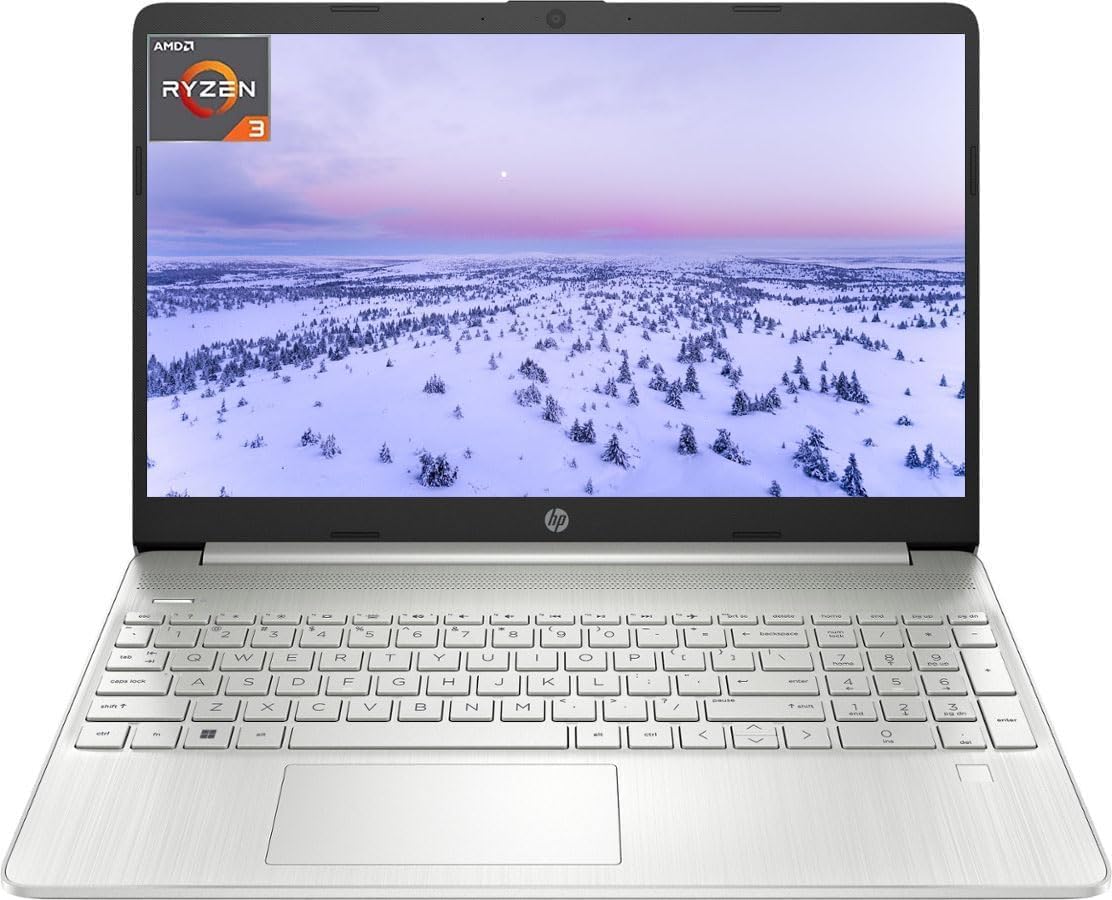



This HP model stands out as a top choice for users needing serious multitasking power. It combines a robust AMD processor with generous memory and storage, making it ideal for heavy workloads without lag.
We may earn a commission when you buy through this link, at no additional cost to you.
The 32GB of RAM ensures you can run multiple applications simultaneously without slowdowns. The 1TB SSD provides ample space for files and quick access times. The Full HD touchscreen is responsive and bright for daily tasks.
While the price is higher than entry-level options, the performance justifies the cost. The battery life supports a full day of work, and the lightweight design helps with portability between home and office environments.
Buy this if you need a reliable machine for professional use or intensive study. The combination of hardware and software features ensures longevity and productivity throughout the day.
The AMD Ryzen 7 processor handles complex tasks like video editing and data analysis with ease.
Windows 11 Pro offers enhanced security features and management tools for business environments.
We may earn a commission when you buy through this link, at no additional cost to you.
This premium laptop delivers an immersive experience with its large display and high-end components. The Intel Core i7 processor ensures smooth performance for demanding professional applications and creative software.
We may earn a commission when you buy through this link, at no additional cost to you.
Users will appreciate the 17.3 inch screen which provides extra real estate for productivity tasks. The integration of AI features helps streamline workflows and optimize system resources automatically for better efficiency.
The larger chassis means it is less portable than smaller models, but it offers a superior viewing experience. Battery life is decent for such a powerful machine, supporting extended use without constant charging.
Choose this if you need a desktop replacement with superior visuals and performance. It is perfect for power users who prioritize screen space and processing power over portability.
The HD+ resolution offers sharper details for video editing and design work compared to standard HD.
Built-in AI tools assist in managing tasks and improving system responsiveness during complex operations.
We may earn a commission when you buy through this link, at no additional cost to you.
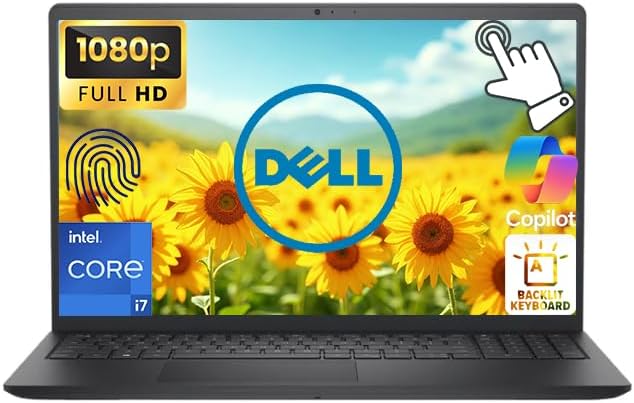
This Dell model offers great value for those seeking essential features without a high price tag. The 10-core processor provides solid speed for everyday tasks and light multitasking needs.
We may earn a commission when you buy through this link, at no additional cost to you.
The FHD touchscreen is clear and responsive, allowing for intuitive navigation. A numeric keypad is included which is crucial for accounting or data entry roles. The AI Copilot integration adds modern productivity tools.
While RAM and storage are lower than premium models, they suffice for general use. Upgrading options may be available later to expand capabilities. The build quality remains sturdy for daily handling.
Select this if you are a student or casual user on a budget. It delivers reliable performance for basic computing while keeping costs accessible for many buyers.
You get essential specs like a full HD screen and a modern processor at a very competitive price.
AI Copilot helps streamline tasks and offers quick access to digital assistant features.
We may earn a commission when you buy through this link, at no additional cost to you.
The Dell Inspiron 15 3000 is a dependable workhorse for business environments. It balances performance and cost effectively, making it a safe choice for office tasks and student assignments.
We may earn a commission when you buy through this link, at no additional cost to you.
Windows 11 Pro adds security and management tools valuable for enterprise users. The 16GB RAM and 1TB SSD ensure smooth operation and enough space for documents. Express charge capability minimizes downtime.
While the processor is older, it remains sufficient for most productivity apps. The display is functional but not the brightest on the market. Overall reliability makes it a strong contender in its category.
Choose this for general business use where security and reliability matter. It offers a stable platform for daily operations without unnecessary complexity or high costs.
Windows 11 Pro offers domain joining and advanced encryption not found in Home editions.
Express Charge technology helps you get back to work quickly after a quick battery top up.
We may earn a commission when you buy through this link, at no additional cost to you.
This HP model focuses on essential productivity with a large screen and included software. The 17.3 inch display is great for reading documents or watching media comfortably. Microsoft 365 adds immediate value.
We may earn a commission when you buy through this link, at no additional cost to you.
The fingerprint reader enhances security by allowing quick login. The backlit keyboard helps with typing in dim lighting conditions. It is lightweight enough for casual travel despite the larger size.
Storage is limited so external drives may be needed for extensive media libraries. The processor handles basic tasks well but struggles with heavy multitasking. It suits casual users or light business work.
Pick this if you need a screen and office apps without a huge expense. It is a functional tool for browsing and writing without advanced performance requirements.
Microsoft 365 provides access to Word, Excel, and PowerPoint for immediate use.
The fingerprint reader offers a secure and fast way to unlock your laptop.
We may earn a commission when you buy through this link, at no additional cost to you.
This HP laptop is designed for budget-conscious users who need basic functionality. The i3 processor provides adequate speed for web browsing and simple applications. S Mode ensures security through restricted app sources.
We may earn a commission when you buy through this link, at no additional cost to you.
The privacy shutter on the webcam protects your identity during offline times. A numeric keypad supports data entry tasks effectively. The silver finish gives it a clean professional look.
S Mode can be exited for full app freedom if needed. The SSD ensures fast boot times and responsiveness for daily tasks. It is a good entry point for new laptop owners.
Buy this for casual home use or light school work. It keeps costs low while offering essential features like a touchscreen and full keyboard.
S Mode limits app installation to trusted sources to prevent malware risks.
The camera shutter lets you physically block the lens when not in use.
We may earn a commission when you buy through this link, at no additional cost to you.
The OmniBook 3 brings modern design and clarity with its 2K screen. It is slim and light making it easy to carry between meetings or classes. The AMD processor handles everyday tasks smoothly.
We may earn a commission when you buy through this link, at no additional cost to you.
AI noise reduction improves call quality by filtering background noise effectively. Windows 11 Pro adds enterprise features for professional environments. The GaN charger is compact and efficient for travel.
Performance is balanced for general productivity rather than heavy gaming. The display offers rich colors which benefits media consumption. Battery life supports all day use with moderate settings.
Choose this for a portable solution that does not compromise on screen quality. It is ideal for students and professionals who move frequently and need reliable performance.
The 2K resolution delivers sharper text and images than standard Full HD panels.
AI noise reduction ensures your voice is clear during virtual meetings and calls.
We may earn a commission when you buy through this link, at no additional cost to you.
This Dell model is built for robust business tasks with strong processing power. The i7 processor supports demanding software and multitasking efficiently. A fingerprint reader adds an extra layer of security.
We may earn a commission when you buy through this link, at no additional cost to you.
The 1TB SSD ensures you have plenty of space for large files. AI Copilot helps optimize workflows and manage tasks quickly. The backlit keyboard is useful for working in low light.
Build quality is solid with a professional carbon black finish. It balances performance and reliability well for corporate environments. Battery life is adequate for standard work hours.
Select this if you need a reliable workhorse for business. It offers strong specs and security features without reaching premium price points.
The fingerprint reader allows quick and secure access to your system without passwords.
AI Copilot assists in managing tasks and finding information more efficiently.
We may earn a commission when you buy through this link, at no additional cost to you.
This Inspiron model focuses on memory and storage for academic or business needs. The 32GB RAM allows running many apps at once. Windows 11 Pro supports secure and flexible work environments.
We may earn a commission when you buy through this link, at no additional cost to you.
The IPS display offers wide viewing angles for presentations. HDMI connectivity supports external monitors easily. The design is functional with a carbon black finish suitable for offices.
While the processor is older, the high RAM compensates for daily load. It handles spreadsheets and research tasks without issue. Durability is good for regular campus or office use.
Choose this for education or entry level business work. The RAM and OS features provide a solid foundation for learning and professional tasks.
32GB RAM ensures smooth switching between dozens of browser tabs and apps.
HDMI and USB ports make it easy to connect to projectors or secondary screens.
We may earn a commission when you buy through this link, at no additional cost to you.
This HP laptop provides a balance of connectivity and value for daily tasks. WiFi 6 offers faster and more stable wireless connections. The Octa-Core processor handles general workloads efficiently.
We may earn a commission when you buy through this link, at no additional cost to you.
The design includes a nice Moonlight Blue finish for personal style. A numeric keypad is present for convenient data entry. The display is sharp and color consistent for media.
RAM and storage are adequate for basic use. The keyboard feels comfortable for extended typing sessions. It is a good choice for home users seeking a functional and affordable device.
Buy this for casual home use or light office work. The connectivity options and design make it a pleasant everyday companion for most users.
WiFi 6 provides faster speeds and better performance in crowded network environments.
The Moonlight Blue color adds a unique touch to the standard laptop design.
We may earn a commission when you buy through this link, at no additional cost to you.
Selecting the right laptop involves balancing several factors to meet your specific workflow requirements and preferences.
The processor determines how fast your device handles tasks. Look for multi-core CPUs if you run multiple applications simultaneously. Higher clock speeds help with complex calculations and rendering.
Choose a recent generation processor for better efficiency and longevity.
RAM allows your system to manage active programs. 16GB or more is recommended for heavy multitasking. Storage capacity affects how many files you can keep locally.
Prioritize SSDs over HDDs for faster boot times and responsiveness.
A touchscreen is essential for intuitive interaction. Ensure the resolution is sharp enough for text clarity. Brightness levels impact usability in bright environments.
Opt for IPS panels to get wider viewing angles and accurate colors.
Not all compact laptops include a numeric keypad. If you work with numbers or accounting software, ensure the keyboard layout fits your needs. This impacts typing speed and comfort.
Check the physical dimensions to confirm a full number pad is included.
Battery life determines how long you can work away from a power source. Look for models with efficient processors to extend runtime. Portable devices often trade performance for battery life.
Aim for at least eight hours for a full day of unplugged work.
Modern laptops need diverse ports for peripherals. USB Type C and HDMI ports support external monitors and data transfer. Wireless capabilities like WiFi 6 ensure stable internet access.
Verify that the available ports meet your device and accessory requirements.
The chassis material affects durability and portability. Lightweight laptops are easier to carry daily. A sturdy hinge ensures screen stability over time.
Choose a design that fits your travel needs and aesthetic preferences.
Windows provides broad software compatibility for business and home. Ensure the version supports the security features you need. Pro versions often offer better management for enterprise users.
Verify that the OS includes necessary productivity tools or upgrade paths.
Keep the touchscreen clean by using a soft microfiber cloth and approved cleaner to avoid scratches and smudges. Avoid using harsh chemicals that can damage the screen coating.
Protect the numeric keypad by using a keyboard cover when not in use to prevent dust accumulation. This extends the life of the key switches and maintains tactile feel.
Ensure proper airflow by using the laptop on hard flat surfaces to prevent overheating. Regularly update software to maintain security and performance stability over time.
Not all laptops with touchscreens include a numeric keypad especially compact models. It is important to check the product specifications before buying if you need that layout for specific tasks.
Windows 11 Pro is preferred for business due to advanced security and management tools. It offers features like BitLocker and remote desktop which are useful for enterprise environments.
Use a soft dry microfiber cloth for daily cleaning. Avoid spraying liquid directly on the screen and use a screen-safe cleaner if needed to prevent damage.
Some models allow RAM upgrades while others have soldered memory. Check the specific product documentation to confirm upgradeability before purchasing.
Intel Core i5 or AMD Ryzen 5 processors are ideal for general tasks. They provide a balance of speed and efficiency for everyday workloads.
SSDs offer faster data transfer speeds and boot times than hard drives. They also have no moving parts making them more durable and energy efficient.
WiFi 6 offers faster speeds and better performance in crowded environments. It provides more stable connections and lower latency for online meetings.
A numeric keypad is essential for data entry and accounting roles. It speeds up number input significantly compared to using the top row numbers.
We reviewed ten models offering a range of performance and price points. Each device brings unique strengths to meet different user needs effectively.
Prioritize memory and processor speed for long-term reliability. A good numeric keypad and responsive screen improve daily productivity significantly.
Check current availability and details before purchasing to ensure you get the best value for your specific requirements today.