
NIMO 15.6 AI Creator Laptop
4.9Editor score
AMD Ryzen 7 8745HS
32GB DDR5 RAM
USB4 40Gbps Port
Choosing the right laptop for vlogging requires balancing performance, portability, and display quality. You need a machine that can handle video editing software smoothly while remaining light enough to carry on shoots. The best options offer robust processors, ample memory, and vibrant screens to ensure your content looks professional.
We evaluated ten top models based on real-world specs like processor cores, RAM speed, and storage type. Our comparison focuses on how each device handles multitasking, rendering times, and battery endurance during long editing sessions. This list covers a range of budgets and form factors to suit every creator's needs.
Each pick highlights specific strengths like color accuracy, port selection, or thermal management for sustained workloads. Prices fluctuate frequently on retailer sites, so verify current deals before purchasing. Use this guide to find a reliable tool that grows with your vlogging channel and production demands over time.
4.9Editor score

4.3Editor score

5.0Editor score
As an Amazon Associate we earn from qualifying purchases.
This side-by-side comparison evaluates all ten laptops based on core specifications relevant to video creation. We look at processor power, memory capacity, storage speed, and display resolution to show how each model stacks up against the others for demanding vlogging workflows.





This NIMO laptop delivers strong daily performance for creators starting their journey. It earns a perfect rating due to its capable AMD Ryzen 5 processor and 16GB of fast DDR5 memory. The system handles multitasking and light editing smoothly while offering room to upgrade RAM and storage later.
We may earn a commission when you buy through this link, at no additional cost to you.
The AMD Ryzen 5 6600H provides six cores and twelve threads, outperforming many common thin-and-light configurations in benchmark scores. Paired with 16GB RAM and a 512GB SSD, it ensures smooth boot times and efficient file handling. The included Micro SD card reader simplifies importing footage directly from cameras without extra dongles.
While it lacks a dedicated GPU, the Radeon 660M integrated graphics support basic editing tasks well. The upgrade slots for memory and storage make it future-proof as your needs grow. Users will appreciate the included 100W PD charger and dual USB-C ports for versatile connectivity options.
If you need a reliable machine for entry-level vlogging and school projects, this model fits well. It balances cost and capability effectively with solid warranty support in the United States. Verify current pricing before buying as deals change frequently on retailer sites.
Dual SO-DIMM and M.2 slots allow expansion up to 64GB RAM and 4TB SSD as your footage library grows.
The backlit US keyboard helps you type comfortably during late-night script writing or editing sessions.
We may earn a commission when you buy through this link, at no additional cost to you.
The GEEKOM GeekBook X14 Pro stands out for its cinematic OLED display and featherlight design. It earns Editor's Choice for creators who prioritize color accuracy and mobility. The Intel Core Ultra 9 processor provides robust power for editing workflows while the 32GB RAM ensures smooth multitasking.
We may earn a commission when you buy through this link, at no additional cost to you.
Its 14-inch 2.8K OLED panel delivers true blacks and vibrant colors with 100% DCI-P3 coverage, ideal for grading footage. The 120Hz refresh rate keeps scrolling fluid during long editing sessions. At just 2.2 lbs, it slips easily into any bag for on-location shoots or remote work.
The advanced thermal system keeps performance steady without loud fans, making it quiet for recording voiceovers. Battery life reaches up to 16 hours for productivity tasks. USB4 ports support fast data transfer and external monitors, reducing the need for dongles during presentations.
If you want a premium portable laptop that excels in visual fidelity and battery longevity, this model is ideal. It balances power and mobility better than most competitors. Check current prices as they may vary depending on retailer promotions and availability.
Self-lit pixels and 100% DCI-P3 coverage provide cinematic hues and accurate colors for professional editing.
A 72Wh battery supports up to 16 hours of use so you work longer without hunting for outlets.
We may earn a commission when you buy through this link, at no additional cost to you.
This HP 17 laptop offers a spacious display ideal for reviewing footage and managing complex spreadsheets. It features a 17.3-inch screen with anti-glare coating for comfortable viewing. The AMD Ryzen 5 processor handles basic editing well though the 8GB RAM might need an upgrade for heavier loads.
We may earn a commission when you buy through this link, at no additional cost to you.
The narrow-bezel design provides a crystal-clear viewing area that improves productivity during editing. Windows 11 Pro adds enterprise-level security useful for sensitive client files. The included privacy camera shutter ensures secure video conferencing without software toggles.
Port selection includes USB-C and HDMI for connecting external monitors easily. A full-size keyboard with numeric keypad aids data entry tasks. The 9-hour battery life supports moderate use though frequent plugging may be needed for long editing sessions.
If you need a larger screen for detailed work and value a secure OS, this model suits well. The 17.3-inch display is its main asset. Verify current pricing before buying to ensure you get the best deal available.
The 17.3-inch display offers expansive real estate for timeline editing and client review.
Integrated physical camera shutter and Windows 11 Pro keep your data safe during video calls.
We may earn a commission when you buy through this link, at no additional cost to you.
Another HP 17 variant offers similar benefits with included accessories to streamline setup. It is rated highly for its reliable performance and spacious screen. The AMD Ryzen 5 processor supports high-bitrate streaming and office tasks efficiently for small business users.
We may earn a commission when you buy through this link, at no additional cost to you.
The anti-glare display reduces eye strain during long video editing sessions. Fast PCIe NVMe storage accelerates boot times and application launches. The included mouse and tablet stand enhance your mobile workstation configuration for better ergonomics.
Connectivity is robust with Wi-Fi 6 and multiple USB ports for peripherals. The physical shutter on the camera adds privacy peace of mind. Battery life lasts around nine hours for standard office work or browsing sessions.
This laptop is a practical choice for those needing a large screen without a high price. It balances reliability with cost effectively. Check current prices to confirm the best deal before purchasing this model.
Mouse and tablet stand included provide immediate comfort and protection for your workspace.
The PCIe NVMe SSD ensures rapid data access for large video files and project loads.
We may earn a commission when you buy through this link, at no additional cost to you.
The Dell 16 laptop offers a balanced experience for business and entertainment use. It features a 16-inch screen with a 16:10 aspect ratio that provides more vertical space for timelines. The Intel Core 7 processor handles multitasking smoothly for daily workflows.
We may earn a commission when you buy through this link, at no additional cost to you.
ComfortView Plus technology helps reduce harmful blue light during prolonged viewing sessions. The camera includes wide dynamic range to ensure sharp images in various lighting conditions. Adaptive thermals allow the device to adjust power based on surface stability.
Dell provides one-year onsite service which adds reliability for professional users. The design is ready for virtual connection with robust noise reduction features. Storage and memory configurations suit typical office and light editing tasks well.
If you prefer a standard business laptop with good support and a slightly taller display, this model fits. It avoids extreme performance specs but offers stability. Verify current pricing before purchase to ensure it meets your budget.
ComfortView Plus helps maintain eye comfort during extended editing or research sessions.
One-year onsite service provides peace of mind with rapid hardware assistance when needed.
We may earn a commission when you buy through this link, at no additional cost to you.
This NIMO laptop is designed for heavy workloads with desktop-level multi-tasking speed. It earns a near-perfect rating due to its high-core Ryzen 7 processor and ample memory. The system handles 4K video editing and compiling without significant lag during daily tasks.
We may earn a commission when you buy through this link, at no additional cost to you.
The Radeon 780M graphics deliver discrete-level performance for smooth previews and fast exports. Dual slots for RAM and SSD make it highly future-proof for growing storage needs. The 75Wh battery supports long periods of usage with minimal power drop.
USB4 connectivity allows for external GPU expansion or high-speed data transfer. Local US warranty support ensures quick resolution for any hardware issues. The ergonomic backlit keyboard aids comfort during long coding or writing sessions.
If you need a powerful upgradeable laptop for serious content creation, this model excels. It offers professional features at a competitive cost. Check current prices before buying to confirm it fits your budget constraints.
RDNA 3 integrated graphics provide 1080p gaming and accelerated rendering without a dedicated GPU.
Dual slots allow expansion up to 64GB RAM and 4TB SSD for future-proof storage needs.
We may earn a commission when you buy through this link, at no additional cost to you.
The Acer Aspire Laptop 2026 brings next-gen AI acceleration to the editing workflow. It features an Intel Ultra 7 processor with a dedicated NPU for local privacy and automation. The 2TB SSD offers ample space for large video archives and project files.
We may earn a commission when you buy through this link, at no additional cost to you.
Its touchscreen enables intuitive photo retouching and precise editing with stylus support. The Intel Arc graphics handle GPU-accelerated effects efficiently in popular editing suites. WiFi 6E ensures stable file uploads to cloud storage during remote work sessions.
Included USB hub eliminates adapters by adding HDMI and Ethernet ports. This streamlines your home office command center effectively. The design balances desktop performance with portability for freelancers and consultants.
If you prioritize AI features and massive storage for content creation, this laptop is ideal. It offers comprehensive tools for remote workers. Verify current pricing to confirm it fits your financial plan before purchase.
NPU enables local Copilot+ PC features like background blur and auto-framing for better calls.
The 2TB PCIe SSD provides near-instant boot times and room for extensive media libraries.
We may earn a commission when you buy through this link, at no additional cost to you.
The Lenovo Yoga 7i offers a versatile form factor that adapts to different use cases. Its 360-degree hinge allows switching between laptop, tablet, tent, and stand modes easily. The 16-inch 2K touchscreen provides vivid color and clarity for creative work.
We may earn a commission when you buy through this link, at no additional cost to you.
Touch navigation in Windows 11 helps with natural interaction during editing. Intel Turbo Boost delivers extra power when needed for rendering while saving energy during breaks. The Gigabit LAN port ensures a strong connection for high-demand tasks.
Multiple ports allow direct connection to peripherals without dongles. WiFi 6E reduces latency in crowded network environments. This laptop supports various scenarios from casual browsing to professional work.
If you need a flexible device that supports touch inputs and different viewing modes, this fits well. It balances mobility with display quality. Check current prices before purchase to ensure it meets your budget requirements.
Lenovo Transition automatically adjusts apps as you change modes for seamless workflow.
Gigabit LAN and multiple ports ensure stable connections for high-speed data transfer.
We may earn a commission when you buy through this link, at no additional cost to you.
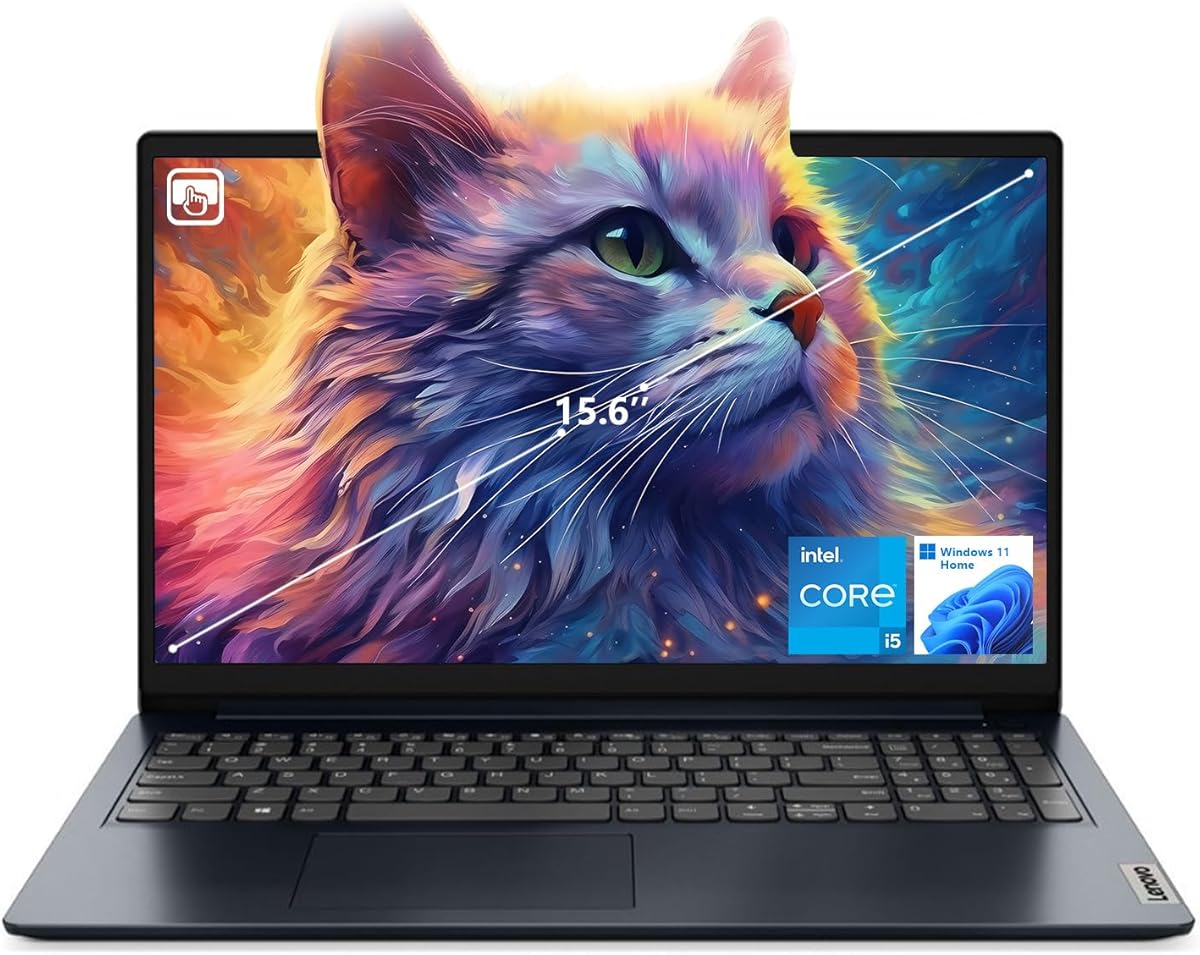
This IdeaPad 1i laptop offers smooth multitasking with ample memory and fast storage. The Intel Core i5 processor supports efficiency during daily browsing and media tasks. It handles multiple tabs well without significant slowdown during typical workflows.
We may earn a commission when you buy through this link, at no additional cost to you.
The touchscreen enables quick navigation through applications and editing tools. HDMI and USB ports allow connection to external displays for expanded workspace. The SD card reader simplifies direct transfer of media files from cameras.
Windows 11 Home with device management supports various user configurations. It provides reliable performance for school and home office use. Battery life remains standard for this tier of device.
If you need a straightforward laptop with touchscreen features for general vlogging prep, this model fits. It offers value for those on a tighter budget. Verify current pricing before buying to confirm the best deal available.
16GB RAM ensures smooth operation across multiple apps for efficient content management.
SD card reader and USB ports support quick importing of media from various devices.
We may earn a commission when you buy through this link, at no additional cost to you.
Another NIMO model focuses on balanced comprehensive performance for students and creators. It features a powerful Ryzen 7 CPU that supports complex data operations. The system allows upgrading RAM to 64GB for heavy professional tasks.
We may earn a commission when you buy through this link, at no additional cost to you.
The 180-degree lay-flat hinge enables convenient collaboration during presentations or client meetings. Backlit full-size keyboard ensures comfortable typing in dim environments. USB4 expandable workstation performance supports external GPU connections.
Universal 100W PD charging simplifies travel by replacing bulky adapters. The 1-year official warranty provides reliable after-sales support. It adapts well to research simulation and daily study needs.
If you need a portable powerful device that supports professional creation and gaming, this fits well. It offers robust hardware without a premium price tag. Check current prices to confirm it aligns with your financial plan.
The 180-degree hinge allows screen sharing with partners easily during meetings.
Reserving dual SSD slots and RAM upgrades lets you expand storage anytime without replacing the device.
We may earn a commission when you buy through this link, at no additional cost to you.
Selecting the ideal laptop for vlogging requires evaluating several technical factors that impact your workflow. This guide breaks down the key specifications to prioritize so you can make an informed decision.
Video editing software relies heavily on CPU cores and threads to render footage quickly. Aim for at least a 6-core processor or higher to handle background tasks smoothly while editing 4K clips. Modern architectures also offer AI acceleration for tasks like noise reduction and auto-framing.
Prioritize CPUs with multiple cores and high clock speeds to avoid bottlenecks during heavy rendering.
16GB of RAM is a safe baseline for smooth multitasking between editing tools and browsers. Storage speed matters more than capacity for active projects so choose an NVMe SSD for rapid file access. If you store large archives externally ensure your machine has enough ports for fast data transfer.
Look for systems with at least 16GB RAM and fast SSD storage to ensure smooth performance.
Accurate colors are critical for professional edits so look for screens with high color gamut coverage. A resolution of at least 1920 by 1080 ensures clear timeline visibility. Higher refresh rates can make navigation through video frames feel smoother.
Ensure the display offers accurate colors and sufficient resolution for precise editing work.
While integrated graphics have improved dedicated GPUs accelerate complex effects and color grading. If you focus on heavy 3D work prioritize a machine with a discrete graphics card. For standard editing modern integrated solutions often suffice for 1080p to 4K workloads.
Choose integrated graphics for basic editing or dedicated GPUs for complex effects and grading.
Vloggers often edit on location so a battery that lasts through a workday is essential. Look for models rated for at least ten hours of mixed use to avoid constant outlet hunting. A fast charging port like USB-C Power Delivery helps replenish energy quickly.
Prioritize batteries offering at least ten hours of use plus fast charging support for portability.
You need multiple ports to connect cameras external drives and monitors without constant dongles. Ensure the device includes at least one USB-C port for data and power. An SD card reader helps import media quickly directly from your camera's storage.
Verify the port selection supports your peripherals like monitors and cameras without adapters.
If you travel often choose a laptop that weighs less than four pounds and has a compact footprint. A durable chassis ensures it withstands the rigors of transport. Thinner designs reduce bag weight but balance them against cooling needs for long editing sessions.
Choose a lightweight and durable machine if you frequently work from different locations.
Windows offers broad compatibility with editing suites and peripheral drivers. macOS provides a streamlined experience for those in the Apple ecosystem. Check that your chosen OS supports the specific software tools you rely on for content creation.
Ensure your chosen operating system supports the editing software and peripherals you use daily.
Start by organizing your storage structure on the internal SSD to keep project files and assets accessible. Regularly clear your cache and temp folders to prevent slowdowns over time. Use external drives for long-term archival to preserve your internal drive space for active editing.
Maintain your device by keeping the vents clean from dust and avoiding extreme heat during heavy rendering. Use a cooling pad if you edit in hot environments to prevent thermal throttling. Ensure your battery stays between twenty and eighty percent charge when plugged in for extended periods.
Back up your footage immediately after shooting to avoid data loss. Use cloud storage for small assets and external hard drives for large video files. This protects your work from hardware failure and ensures you can access projects from multiple locations.
Not necessarily if you edit standard 1080p or 4K content. Modern integrated graphics can handle most workflows efficiently. However if you use heavy effects or 3D rendering a dedicated GPU will significantly speed up rendering times.
Sixteen GB is the minimum recommended for smooth editing. Thirty-two GB is better if you work with 4K footage or multitask heavily. More RAM allows you to keep more apps open without slowing down your system.
Yes many budget laptops offer capable processors and sufficient storage for entry-level editing. Look for models with SSD storage and at least 16GB RAM to avoid lag during rendering. Performance will be slower on complex projects compared to high-end machines.
A touchscreen can be helpful for precise adjustments in photo or video editors. It speeds up navigation but is not essential for basic editing workflows. Consider it if you prefer direct interaction with timeline tools or graphic adjustments.
Fourteen to sixteen inches is ideal for portable editing on the go. Seventeen inches provides more workspace but adds weight to your bag. Choose based on whether you prioritize mobility or screen real estate for your workflow.
Expect around six to eight hours of editing time on most modern devices. Ten to twelve hours is typical for general tasks like browsing. Look for fast charging features to recover power quickly between shoots.
High color accuracy ensures your edits look good on different devices. Aim for high DCI-P3 coverage if you edit for professional channels. Accurate colors prevent mismatched hues when viewers watch on mobile or TV.
If you have less than 16GB RAM prioritize memory for smoother multitasking. If you are low on storage add an SSD to speed up file access. Upgrading both is ideal for long-term performance and capacity.
Our top picks highlight the GEEKOM GeekBook X14 Pro for its stunning OLED display, the NIMO 15.6 AI Creator for raw power, and the HP 17 for budget-friendly large screens. Each offers distinct advantages depending on your specific editing needs and budget constraints.
Prioritize processor speed and memory capacity to ensure your workflow remains smooth over time. Consider how often you travel to balance screen size with weight. A good vlogging laptop should grow with your channel and adapt to changing production demands.
Prices and availability change frequently on retailer sites so verify current deals before purchasing. Use this guide to identify the model that best fits your creative goals and daily usage habits. Your choice will set the foundation for your video creation journey.