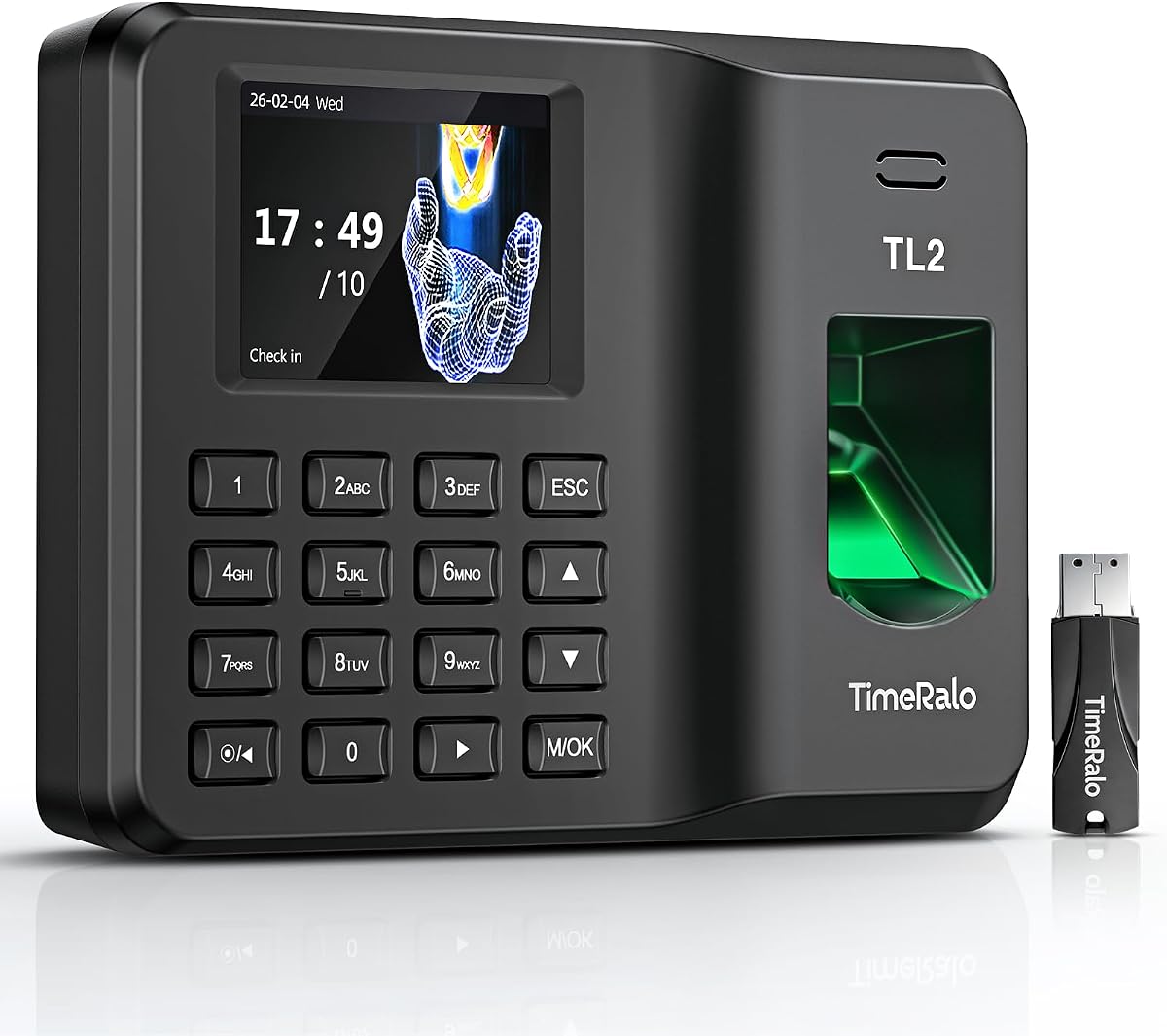
Standalone Time Clock for Employees
4.4Editor score
No monthly fees required
USB export for payroll integration
Supports up to 500 employees
This guide compares the top fingerprint time clocks for employees based on recognition speed, storage capacity, connectivity options, and ease of payroll
Modern businesses need accurate attendance tracking to manage payroll efficiently. Fingerprint time clocks offer secure and fast verification methods that eliminate buddy punching and reduce administrative errors significantly.
We evaluated ten leading models focusing on reliability, user capacity, and setup complexity. Our analysis includes standalone devices and cloud-connected systems to help you choose the right fit.
Each pick highlights key features like backup power and reporting tools. Note that availability and pricing may vary over time so always verify current details before purchasing.
4.4Editor score

4.6Editor score

4.4Editor score
The following table provides a side-by-side comparison of the top ten fingerprint time clocks. We highlight key specifications like capacity, connectivity, and verification methods to help you decide quickly.


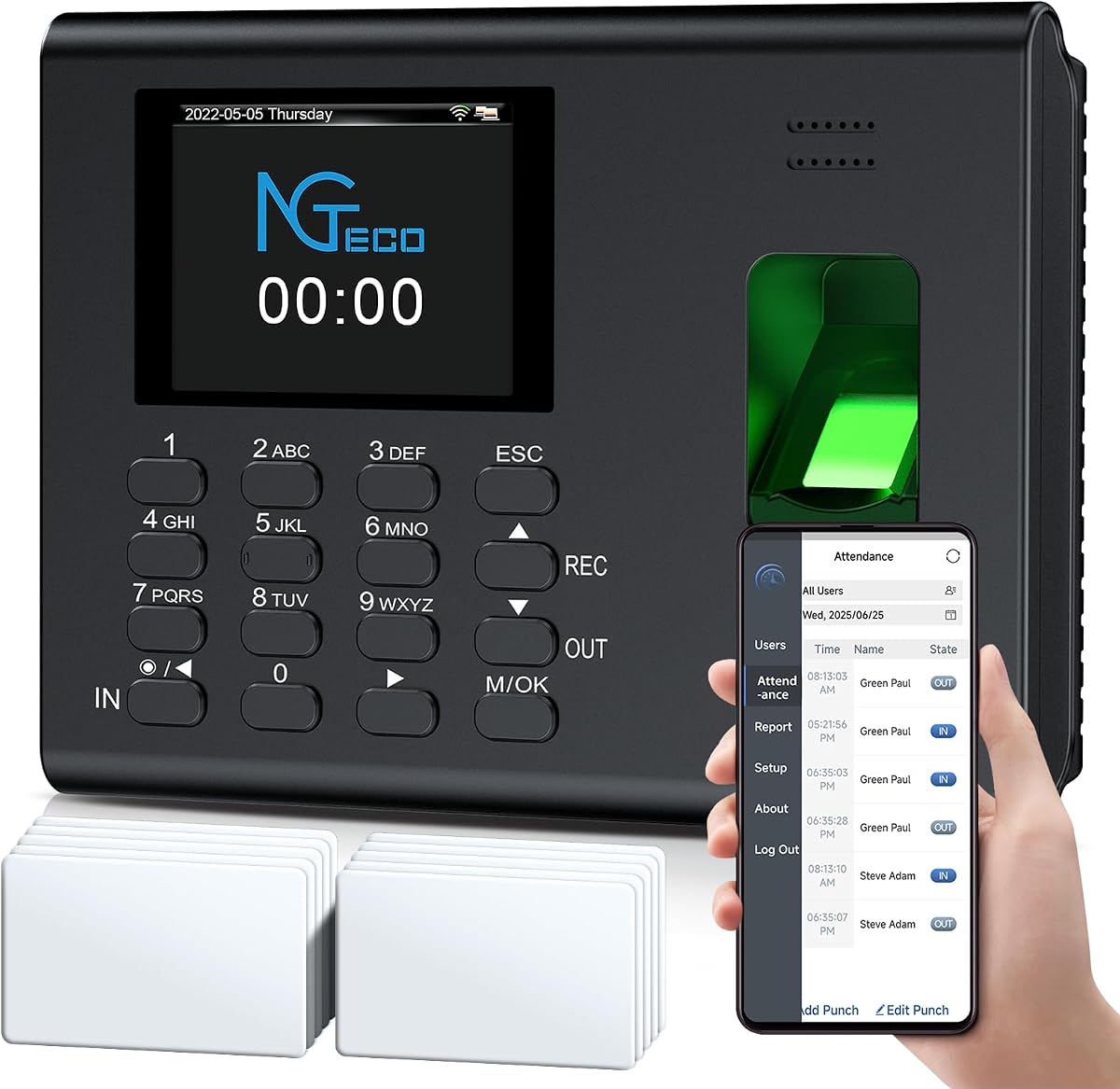
The NGTeco Time Clock for Small Business stands out with its rapid fingerprint recognition and seamless app integration. It is rated highly for its reliability in diverse small business environments.
We may earn a commission when you buy through this link, at no additional cost to you.
Its advanced sensor handles wet or dry fingers in half a second ensuring smooth transitions between shifts. The real-time sync feature allows managers to edit punches instantly via the mobile app.
While it relies on a local network for full app functionality the device includes robust backup protection. This means data remains safe even if power fails unexpectedly during busy periods.
This model is ideal for owners who want accurate tracking without complex setups. It balances speed security and ease of use better than most competitors in its price range.
The 0.5 second authentication speed minimizes queues at clock-in times even during rush hours.
Exporting timesheets via email or USB simplifies the transition to payroll software without manual entry.
We may earn a commission when you buy through this link, at no additional cost to you.
This standalone unit offers a cost-effective solution for businesses that need reliable tracking without internet dependency. Its rating reflects strong performance in basic attendance management tasks.
We may earn a commission when you buy through this link, at no additional cost to you.
The device allows for quick setup with no complex software needed. You can export data directly via USB which fits well with traditional office workflows and accounting practices.
It lacks the real-time connectivity of cloud models but this trade-off ensures privacy and zero subscription costs. The internal backup system prevents data loss during unexpected power interruptions.
For small teams prioritizing budget and simplicity this clock is an excellent choice. It handles up to 500 profiles making it scalable for growing operations without extra expense.
No internet connection is needed to operate the device ensuring functionality even in remote or offline locations.
By eliminating paper cards and ribbons this digital system reduces ongoing supply costs significantly.
We may earn a commission when you buy through this link, at no additional cost to you.
This model combines affordability with essential features needed for efficient time tracking. It receives strong ratings for its simplicity and durability in varied workplace settings.
We may earn a commission when you buy through this link, at no additional cost to you.
The large capacity allows for storing up to 500 employee records which supports growing teams. The power failure backup ensures that critical attendance data is never lost during outages.
While it does not offer cloud features its paperless design saves money on supplies. The ability to mount it on a wall or place it on a desk adds flexibility.
It is perfect for businesses that need a straightforward system without hidden costs. The industrial-grade materials ensure it withstands daily use in demanding environments like warehouses.
Supporting 500 fingerprints and 50,000 records makes it suitable for businesses expecting rapid growth.
Replacing paper cards with digital records reduces waste and supports modern sustainability goals.
We may earn a commission when you buy through this link, at no additional cost to you.
Managers who travel or manage remote teams will appreciate the real-time monitoring capabilities of this device. Its rating highlights the convenience of remote access and reporting tools.
We may earn a commission when you buy through this link, at no additional cost to you.
Dual-band WiFi ensures a stable connection even in crowded networks. The AWS cloud storage provides an extra layer of security for sensitive employee attendance data.
The system allows for detailed overtime configuration which helps align with complex payroll policies. However some advanced features require a separate subscription which adds to the cost.
This clock is best suited for businesses that value flexibility and digital security. It streamlines attendance management significantly for teams that operate outside a single office location.
Use the mobile app to view clock-ins and generate reports without being physically present at the office.
End-to-end encryption and AWS servers keep your workforce information safe from unauthorized access.
We may earn a commission when you buy through this link, at no additional cost to you.
This system offers a complete all-in-one solution for time tracking and payroll tasks. It is designed for businesses that want to automate tax filings and attendance in one place.
We may earn a commission when you buy through this link, at no additional cost to you.
The interface is straightforward making it accessible for users with limited technical skills. You can access data from any device which adds flexibility for management teams.
While the rating is lower the integration features are robust for those needing deep payroll support. The automatic cloud backups ensure that you never lose critical employee information.
It is a strong candidate for businesses prioritizing administrative efficiency. If you need a system that handles more than just clock-ins this model delivers comprehensive tools.
Automate complex payroll tasks including tax filings to save time and reduce manual data entry errors.
Offer fingerprint RFID or PIN options to accommodate different employee preferences and security needs.
We may earn a commission when you buy through this link, at no additional cost to you.
The HapAttend time clock boasts the highest rating in our lineup due to its ease of use and reliability. It excels in environments with no internet access or complex IT needs.
We may earn a commission when you buy through this link, at no additional cost to you.
Its automatic night shift recognition ensures that hours are recorded on the correct day. This feature alone makes it invaluable for businesses operating 24 hours a day.
The device includes three verification methods to prevent buddy punching while remaining simple to manage. With a one-time purchase model you avoid recurring subscription fees entirely.
This is the top recommendation for traditional work environments needing straightforward tracking. It handles up to 500 employees and supports multiple languages for diverse workforces.
Automatically recognizes and adjusts overnight shift hours so payroll calculations remain accurate without manual tweaks.
Get up and running in minutes with a simple process that requires no technical knowledge or IT help.
We may earn a commission when you buy through this link, at no additional cost to you.
This model provides a balance between cloud connectivity and offline reliability. It is designed for teams that need flexibility in shift structures without complex scheduling errors.
We may earn a commission when you buy through this link, at no additional cost to you.
The offline functionality captures punches even when the network is down syncing them once restored. This ensures data integrity even in unstable network environments.
Security is a major focus with bank-grade encryption and AWS servers protecting your data. The free core features make it an affordable option for remote management.
It suits businesses needing secure cloud access without high subscription costs. While capacity is lower than others the security and shift customization options are significant advantages.
Capture attendance data locally when network is down and sync automatically when connection is restored.
End-to-end encryption keeps sensitive workforce records safe from unauthorized access and data breaches.
We may earn a commission when you buy through this link, at no additional cost to you.
The ability for staff to view their own timesheets on mobile devices reduces administrative back-and-forth. This transparency helps build trust and ensures employees can verify hours easily.
We may earn a commission when you buy through this link, at no additional cost to you.
Smart calculation features handle overtime and breaks automatically reducing the risk of manual errors. The setup process is designed to be quick and straightforward for any office.
It supports various shift types including flexible and rotating schedules which fits modern work patterns. The visual reports simplify the review process for HR managers and business owners.
This clock is ideal for businesses valuing transparency and employee autonomy. It streamlines the entire attendance process from clock-in to final payroll report with minimal effort.
Staff can view timesheets and verify logs on their phones eliminating delays in approval processes.
Built-in intelligence calculates working hours and overtime while auto-deducting break time for accuracy.
We may earn a commission when you buy through this link, at no additional cost to you.
This premium unit offers a high-definition touchscreen that simplifies the punch process for all employees. Its rating reflects strong performance in user experience and modern connectivity features.
We may earn a commission when you buy through this link, at no additional cost to you.
The 4-in-1 verification modes allow for facial or fingerprint scans offering flexibility for hygiene or preference. This enhances efficiency by reducing wait times during busy clock-in periods.
You can manage shifts and rules remotely which fits well with distributed teams. The AWS cloud storage ensures data confidentiality while maintaining strict privacy standards.
Ideal for businesses seeking a modern and user-friendly interface this clock stands out. It combines premium hardware with robust cloud security for a seamless attendance experience.
A 4.3-inch touchscreen offers an intuitive experience that makes clocking in simple and fast.
Choose from face fingerprint RFID or PIN to suit different needs and reduce physical contact.
We may earn a commission when you buy through this link, at no additional cost to you.
This model stands out with its 2000mAh backup battery ensuring continuous operation during power outages. It receives solid ratings for reliability and comprehensive data security features.
We may earn a commission when you buy through this link, at no additional cost to you.
The auto clock-in/out recording eliminates manual errors by tracking attendance precisely. This feature is particularly useful for ensuring fair payroll and accurate hour calculations.
With support for up to 100,000 records it handles long-term storage needs efficiently. The durable ABS construction withstands high-frequency use in demanding work environments.
It is a strong choice for businesses needing reliable hardware with a long lifespan. The zero hidden fees policy makes it an attractive option for those watching their budget.
The built-in battery keeps the device running during power cuts so you never lose attendance data.
High-quality wear-resistant materials ensure the device withstands daily use in busy environments.
We may earn a commission when you buy through this link, at no additional cost to you.
Selecting the right time clock involves balancing features like connectivity verification methods and capacity with your specific business needs.
Decide between standalone and cloud-based systems. Standalone devices work without internet and are great for offline areas. Cloud systems allow remote management and real-time reporting but require a stable connection.
Fingerprint is the standard but some models offer PIN RFID or facial recognition. Consider your staff's comfort with biometrics and your specific security needs when choosing a method.
Check how many user profiles and punch records the device can store. Ensure the capacity matches your current team size and allows for future growth to avoid frequent resets.
Look for easy export options like USB or email. Ensure the system produces reports compatible with your existing payroll software to save time on data entry and processing.
If you have rotating or night shifts ensure the device supports them automatically. Some models can distinguish night shifts to prevent day errors in your attendance logs.
Power outages can disrupt tracking so built-in battery backup is a crucial feature. For cloud systems check for encryption and data protection standards to keep employee info safe.
Consider the total cost of ownership including subscription fees. Some models are one-time purchases while others require monthly plans for advanced features or cloud access.
Check for warranty periods and customer service availability. Local support and a solid warranty can save you from major headaches if the device encounters technical issues.
Start by registering employee fingerprints cleanly on a dry hand. Ensure the sensor is clean and positioned correctly to avoid scanning errors during daily use.
Regularly backup your data to a USB drive or cloud location to prevent loss. This habit ensures you have a copy of attendance records even if the device fails unexpectedly.
Keep the device in a consistent environment away from extreme heat or humidity. Dust and moisture can affect sensor performance so clean the unit gently with a soft cloth weekly.
Most modern sensors are designed to recognize wet or dry fingerprints quickly. If you have issues ensure the sensor is clean and your fingers are not overly dirty or damaged.
Standard models usually support up to 500 user profiles and tens of thousands of records. Always check the specs to confirm the device can handle your team size comfortably.
Cloud-based models allow remote access via web portals or apps. Standalone devices do not offer this feature but can still be used without internet connections.
Most time clocks have built-in batteries or backup systems to preserve data. This ensures that your attendance records remain safe until power is restored and the device reboots.
Many models export CSV or Excel files that integrate with popular payroll tools. Verify compatibility with your specific software to ensure smooth data transfer.
Standalone devices typically do not require monthly fees. However cloud-connected models may have subscription costs for advanced features or data hosting services.
Use a soft dry cloth to gently wipe the sensor surface. Avoid harsh chemicals or excessive moisture that could damage the sensitive components of the device.
Fingerprint uses biometric data while RFID uses cards or tags. Fingerprint is harder to fake but RFID is faster if employees already wear ID badges for entry.
We highlighted ten top models that offer reliable attendance tracking for various business sizes. The NGTeco Cloud Time Clock stands out for remote access while the HapAttend H4 is best for offline use.
Prioritize features like backup power and shift flexibility to avoid payroll headaches later. Ensure the device aligns with your budget and whether you need cloud connectivity or simplicity.
Remember that prices and availability change frequently so double check current listings before buying. Investing in a quality time clock now can save you significant time and money over years.