
Tonmom Laptop Stand for Desk
4.5Editor score
Seven level height adjustment
Foldable portable design
Strong anti-slip silicone pads
Keeping your laptop cool is essential for performance and longevity. A good ventilation stand elevates your device to promote airflow while improving your posture. We reviewed the market to find the best options for every budget and setup.
We compared ten top-rated stands based on build quality, cooling efficiency, and ergonomic design. Each product was evaluated for stability, compatibility, and ease of use. This list covers a wide range of styles from simple wedges to adjustable risers.
Each pick highlights key features and real-world performance to help you decide. Note that availability and stock levels change frequently online. Always check the current listing for the latest details before making your final purchase decision.
4.5Editor score

4.7Editor score

4.6Editor score
As an Amazon Associate we earn from qualifying purchases.
This side-by-side comparison highlights the key specifications and design differences across our top ten selections. Use this table to quickly identify which model matches your specific laptop size and cooling requirements.





This ergonomic stand earns the Editor's Choice award for its balanced mix of cooling and stability. With a strong rating from users, it stands out for its dual-rod mechanism that keeps your laptop steady during typing.
We may earn a commission when you buy through this link, at no additional cost to you.
The advanced heat-vent panel on the upper section ensures your laptop stays cool by maximizing airflow. This is crucial for intensive tasks like gaming or video editing where thermal throttling can slow down performance.
While it is heavier than a simple wedge, the trade-off is a rock-solid typing experience that prevents wobbling. The high weight capacity supports even heavy gaming laptops without any risk of tipping or bending.
If you need a reliable stand for long work sessions, this is the top recommendation. It effectively corrects posture while keeping your device cool, making it a valuable investment for home or office use.
The geometric heat-vent design allows continuous heat dissipation preventing thermal throttling during intensive tasks.
The dual-support rod mechanism distributes weight perfectly to ensure a wobble-free typing experience every time.
We may earn a commission when you buy through this link, at no additional cost to you.
This stand is the best budget pick for those seeking affordability without sacrificing essential ventilation features. It offers seven adjustable height levels to help you find a comfortable viewing angle quickly.
We may earn a commission when you buy through this link, at no additional cost to you.
Its lightweight and foldable design makes it perfect for travelers who need a portable solution. You can easily slip it into a backpack to protect your posture while working at cafes or airports.
The triangle support design provides decent stability though it may not be as rigid as heavier aluminum options. Still, the anti-slip silicone pads ensure your laptop stays secure during normal use.
For students or remote workers on a tight budget this stand delivers great value. It effectively reduces neck strain and improves airflow at a fraction of the cost of premium models.
Weighing only zero point five three pounds it folds into a compact size ideal for easy transport.
Seven height levels let you customize the lift to fix posture and reduce neck fatigue effectively.
We may earn a commission when you buy through this link, at no additional cost to you.
This premium stand combines elegance with performance featuring a robust aluminum alloy build that ensures durability. It earns the Best Premium award for its ability to support larger laptops while maintaining excellent airflow.
We may earn a commission when you buy through this link, at no additional cost to you.
The ventilated design promotes optimal cooling to keep your device running efficiently during demanding tasks. Its sturdy structure minimizes vibrations and provides a stable surface for comfortable typing throughout the day.
While it requires simple assembly the process is quick and straightforward without complicated instructions. The result is a high-quality workstation upgrade that looks professional and functions reliably in any office setting.
If you own a large laptop and want a reliable cooling solution this is an excellent choice. It balances premium build quality with effective thermal management for a superior user experience.
Fits laptops up to seventeen point three inches accommodating a wide range of brands and models.
Meticulously crafted from aluminum alloy it ensures unwavering durability while maintaining an elegant minimalist design.
We may earn a commission when you buy through this link, at no additional cost to you.
This cooling pad is unique because it uses five quiet fans to actively cool your laptop rather than relying on passive airflow. It is ideal for users who need extra cooling power for gaming or heavy processing workloads.
We may earn a commission when you buy through this link, at no additional cost to you.
The built-in dual USB hub adds valuable connectivity allowing you to plug in peripherals without using up your laptop ports. This feature enhances workspace functionality and keeps your desk organized while you work.
With six adjustable height settings it offers flexibility in positioning though the active fans mean you need an outlet nearby. The fans run quietly so they do not disturb you during meetings or focused work sessions.
For power users needing maximum thermal management this active stand delivers results. It combines ventilation with practical connectivity features to improve both performance and workflow efficiency.
The five built-in fans work with LED indicators to provide maximum cooling when needed during intensive use.
A built-in dual USB hub enables you to connect additional devices to your laptop easily.
We may earn a commission when you buy through this link, at no additional cost to you.
This slim cooling pad is designed for portability making it easy to carry with your laptop bag. It balances active cooling with a lightweight design that works well for commuters who need extra airflow on the go.
We may earn a commission when you buy through this link, at no additional cost to you.
The metal mesh provides a stable surface while three ultra-quiet fans create a noise-free environment for your tasks. An extra USB port allows for quick connections to peripherals without cluttering your desk setup.
Although it only offers two ergonomic height settings it still helps raise your screen to a better angle. The lightweight build ensures you can protect your investment wherever you go without adding bulk.
Travelers and students who need a portable cooling solution will appreciate this model. It delivers active cooling in a compact package that fits seamlessly into daily workflows.
Slim and light weight allowing you to protect your investment wherever you go with minimal bulk.
Extra USB port and power switch design allows for connecting more USB devices conveniently.
We may earn a commission when you buy through this link, at no additional cost to you.
Amazon Basics delivers a reliable solution with this sturdy stand that focuses on ergonomic improvement and cooling. It is a strong value option for those who want a trusted brand name at a reasonable cost.
We may earn a commission when you buy through this link, at no additional cost to you.
The open hollow design promotes significant airflow to help keep your laptop cool during intensive tasks. With up to seven inches of height adjustment you can easily achieve personalized comfort for extended use.
Constructed from lightweight rust-resistant aluminum it is durable enough for daily use while remaining portable. The non-slip silicone pads hold your device securely to prevent sliding during typing or touchpad use.
This is a great pick for home office users seeking a balanced mix of features. It simplifies your workspace while improving posture and thermal management without complicating your setup.
The open hollow design promotes airflow and heat dissipation helping keep your laptop cool during intensive tasks.
Crafted from lightweight rust-resistant aluminum with a loading capacity of eleven pounds for durability.
We may earn a commission when you buy through this link, at no additional cost to you.
This stand is incredibly lightweight making it one of the most portable options on our list. It is designed to fit easily into tight spaces or bags where weight is a primary concern for travelers.
We may earn a commission when you buy through this link, at no additional cost to you.
The forward-tilt angle and open design offer greater ventilation to cool your laptop during operation. It effectively reduces neck fatigue and back pain by bringing your screen to a better viewing angle.
Users must ensure the support bars are inserted at the same level for stability but this is a minor setup issue. The smooth edges and silicone pads protect your hands and device from scratches during use.
If you need a simple and affordable solution for daily ergonomic needs this is a solid choice. It provides the essential benefits of a stand without unnecessary complexity or weight.
Only weighs zero point four nine pounds and folds into a small size easy to carry anywhere.
The triangle support design makes the laptop stand more stable and secure during daily use.
We may earn a commission when you buy through this link, at no additional cost to you.
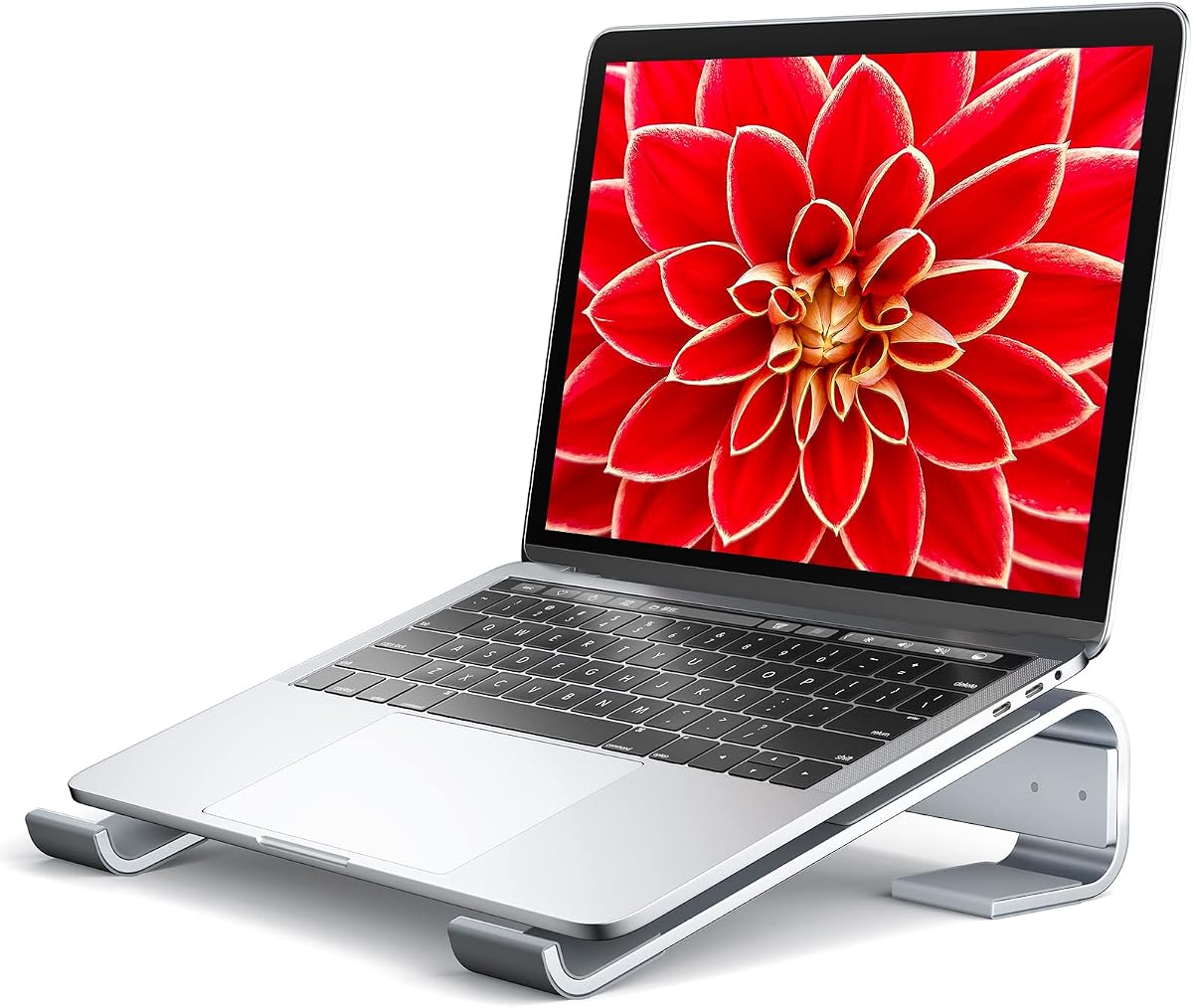
This stand stands out for its detachable design that allows easy assembly and storage when not in use. It earns a high customer rating for its sturdy aluminum build that protects your laptop from scratches.
We may earn a commission when you buy through this link, at no additional cost to you.
The ergonomic design elevates your laptop to a perfect viewing level helping you improve your posture. It supports up to eight point eight pounds which covers most standard laptops used in home offices.
While it is a fixed angle stand the height is optimized for comfort and cooling airflow. The open aluminum design provides good ventilation to prevent overheating while you work or game.
For those who want a clean look on their desk this stand is a reliable option. It combines simple assembly with solid performance to enhance your workspace ergonomics effectively.
Thanks to the detachable design you could assemble it very easily in three steps without tools.
Rubber on the holder hands sticks tightly ensuring your laptop stable on the stand and prevents any scratches.
We may earn a commission when you buy through this link, at no additional cost to you.
This stand is perfect for users who want a slim compact solution that relieves wrist and neck pressure. Its aluminum construction ensures durability while providing a stable surface for daily typing tasks.
We may earn a commission when you buy through this link, at no additional cost to you.
The high-quality aluminum protective hook and rubber anti-skid pad ensure smooth typing without wobble. It is designed for optimal cooling to keep your laptop from overheating while you use it for extended periods.
Although it has a fixed angle it is crafted to maintain a neutral posture and reduce shoulder stiffness. The impeccable ventilating design offers more airflow to cool your laptop and prevent temperature-related crashes.
For those seeking a no-fuss ergonomic improvement this stand is a strong contender. It delivers consistent performance and cooling without requiring complex adjustments or setup.
It helps reduce awkward postures relieving neck and shoulder stiffness during long-term laptop use.
The impeccable ventilating design offers more airflow to cool your laptop and prevents temperature-related crashes.
We may earn a commission when you buy through this link, at no additional cost to you.
This wedge riser offers a simple and effective way to raise your laptop for better airflow and posture. The precision-crafted aluminum alloy provides a durable and elegant surface that complements modern workspaces.
We may earn a commission when you buy through this link, at no additional cost to you.
A built-in dual-scale ruler adds a unique utility turning the stand into a convenient measuring tool for your desk. The non-slip silicone protection keeps your computer securely in place without any sliding during use.
While it does not adjust the height is optimized to reduce heat buildup during work or gaming. Its low-profile design keeps your laptop raised without occupying unnecessary desk space.
If you prefer a minimalist aesthetic with practical features this stand is a great choice. It delivers essential ventilation and stability in a compact and stylish package.
Precision-crafted from durable 6061 aluminum alloy with an ultra-fine sandblasted and anodized finish.
The elongated base distributes weight evenly for dependable support and low-profile stability.
We may earn a commission when you buy through this link, at no additional cost to you.
Choosing the right ventilation stand involves balancing cooling performance with ergonomic benefits and portability needs.
Most stands are made from aluminum or plastic. Aluminum is durable and helps conduct heat away from your laptop while plastic is lighter and cheaper. Look for sturdy construction that can support your device weight without wobbling.
Stands come in passive or active cooling types. Passive stands rely on open designs to let heat dissipate naturally while active stands use fans to force air through. Choose active if you game heavily or passive if you prefer silent operation.
Adjustable height options help you align your screen with your eye level to reduce neck strain. Fixed stands are simpler but may not suit all desk setups. Check if the angles are comfortable for typing without slipping.
If you travel often you need a lightweight foldable design that fits in a bag. Heavier stands offer better stability for home offices but are harder to carry. Consider where you will use it most before deciding.
Ensure the stand supports your laptop size and weight limits. Some models only fit up to 15.6 inches while others handle larger screens. Anti-slip pads are essential to secure your device safely on the surface.
Some stands include USB hubs or built-in rulers to add functionality to your workspace. These features can reduce cable clutter or help with measuring tasks. Determine which extras add real value to your daily workflow.
Prices vary based on build quality and cooling features. Basic models offer great value for simple needs while premium models provide better durability. Set a budget that meets your requirements without overspending.
Choose a design that matches your workspace style. Sleek aluminum finishes look professional while colorful options can add personality. A clean design ensures your stand blends well with your existing desk setup.
Place the stand on a flat stable surface and adjust the height if your model allows it. Position your laptop carefully on the stand to ensure the vents are not blocked by the surface below.
Connect your peripherals and check the angle before starting work. If using active cooling ensure the fan port is connected to power and set the fan speed to your preference.
Regularly clean the stand with a soft cloth to remove dust that may block airflow. Store it in a protective case when not in use to prevent scratches during travel.
Yes it improves cooling by raising your laptop to allow air to flow underneath. This helps dissipate heat from vents that might otherwise be blocked by a flat surface.
Most stands support standard sizes between ten and fifteen point six inches. Check compatibility details before buying if you have a larger or smaller laptop than usual.
Fan stands provide more cooling power for heavy tasks but add noise and need power. Passive stands are quieter and simpler for general work and browsing use.
Yes this is ideal because you can separate your typing position from your screen. It improves ergonomics significantly during long work or gaming sessions.
Sturdy models made from aluminum are built to last through daily use easily. Lightweight plastic models may be less durable but are fine for occasional use.
Wipe it down with a microfiber cloth to remove dust and debris. Avoid harsh chemicals that could damage the finish or anti-slip pads on the surface.
We reviewed ten top options for ventilation stands with the Nulaxy model leading as the best overall choice. It offers strong stability and cooling features that benefit most users seeking ergonomic support.
Prioritize your main needs like portability or cooling power when selecting the right model. A well-chosen stand can improve your comfort and protect your device from overheating.
Remember to check current availability and features before finalizing your purchase decision. Conditions change often so verify the latest specs for the best buying experience today.