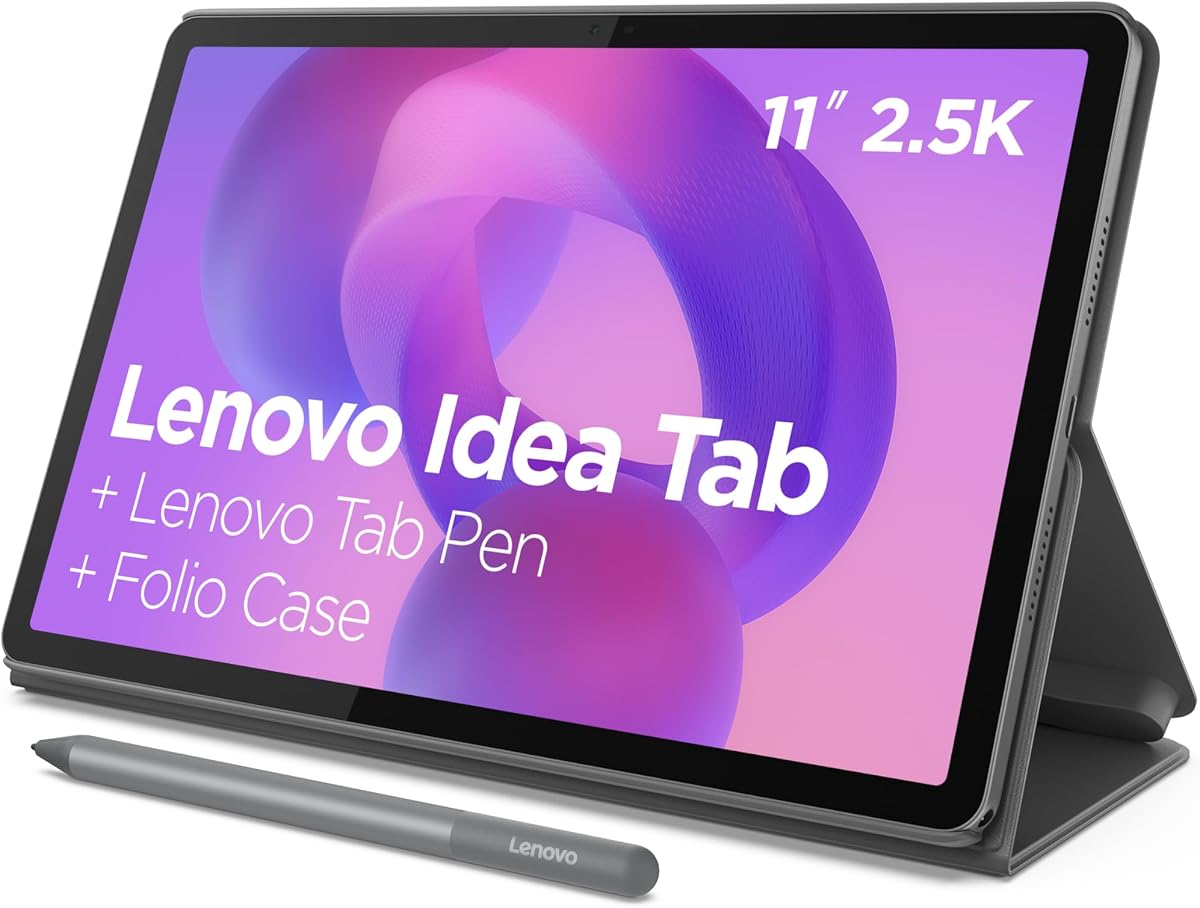
Lenovo Idea Tab
4.6Editor score
2.5K IPS touchscreen
90Hz refresh rate
AI Note and learning apps
The landscape of mobile computing has shifted dramatically with the integration of artificial intelligence into everyday devices. AI tablets now offer smart assistants, real-time translation, and creative tools that adapt to your workflow. Choosing the right one depends on your specific needs, whether for productivity, creativity, or entertainment.
We have carefully evaluated ten leading models available in the market today to bring you this curated list. Our analysis focuses on processor power, display quality, battery life, and the practical application of AI features. Each device was selected based on user reviews, technical specifications, and overall value proposition for different segments of users.
Each pick in this guide highlights unique strengths, from budget-friendly options to premium creator tools. You will find detailed breakdowns of what makes each tablet stand out in a crowded field. Please note that prices and availability can fluctuate, so we recommend checking current listings before making your final purchase decision.
4.6Editor score

5.0Editor score

4.7Editor score
As an Amazon Associate we earn from qualifying purchases.
This side-by-side comparison helps you quickly identify the key specifications and unique selling points of each model. Review the display sizes, processor types, memory configurations, and special AI tools to find the device that matches your requirements.



The Lenovo Yoga Tab AI Tablet stands out as the top choice for creators and professionals who demand high performance. With a perfect rating from users and a premium build quality, it delivers seamless AI integration for note taking and content creation. This device is designed for those who need reliability and speed in a portable form factor.
We may earn a commission when you buy through this link, at no additional cost to you.
Powered by the Qualcomm Snapdragon 8 Gen 3 processor, this tablet handles demanding tasks with ease. The included Lenovo Tab Pen Pro allows for natural writing and sketching, while AI tools enhance photo editing and transcription. The 11.1-inch 3.2K display with 144Hz refresh rate ensures smooth visuals for work and entertainment alike.
While the price is higher than budget options, the included accessories and robust performance justify the investment. You may need to purchase the keyboard separately for some configurations, but the included USB-C hub provides ample connectivity. The IP53 rating offers peace of mind against dust and splashes during travel.
If you are a student, artist, or remote worker looking for a powerful AI tablet, this is the ideal choice. It combines premium materials with smart features that streamline your workflow. We highly recommend this model for anyone who values versatility and high-end specifications in their daily computing needs.
The included intelligent AI tools help streamline creative workflows with features like live transcription and smart writing assistance.
Experience exceptional clarity on the 3.2K LTPS IPS touchscreen featuring 98% DCI-P3 color gamut for true-to-life color accuracy.
We may earn a commission when you buy through this link, at no additional cost to you.
The Samsung Galaxy Tab A11+ offers a balanced experience for family use with solid performance and generous storage. It receives high marks for its ability to handle daily activities smoothly, from streaming videos to playing games. The design is slim and light, making it easy for any family member to pick up and use.
We may earn a commission when you buy through this link, at no additional cost to you.
With 8GB of memory and 256GB of storage, this tablet provides ample space for apps and media. The upgraded chipset keeps everything responsive, and fast charging ensures you are back to 100% quickly when needed. The 11-inch screen with 90Hz refresh rate delivers fluid motion for an engaging viewing experience.
The quad speakers powered by Dolby Atmos create a cinema-like audio experience that enhances movies and music. However, it may not have the advanced AI features found in flagship models. For casual users and families, the trade-off is acceptable given the value and reliability offered.
This tablet is an excellent choice for households seeking a versatile device for entertainment and light productivity. It is robust enough for daily use and flexible enough for various activities. We recommend it for families who want a dependable tablet without breaking the bank.
Galaxy Tab A11+ gives your family the optimal performance they need for all their day-to-day activities.
A bright engaging 11 screen screen with a refresh rate up to 90Hz delivers natural fluid motion.
We may earn a commission when you buy through this link, at no additional cost to you.
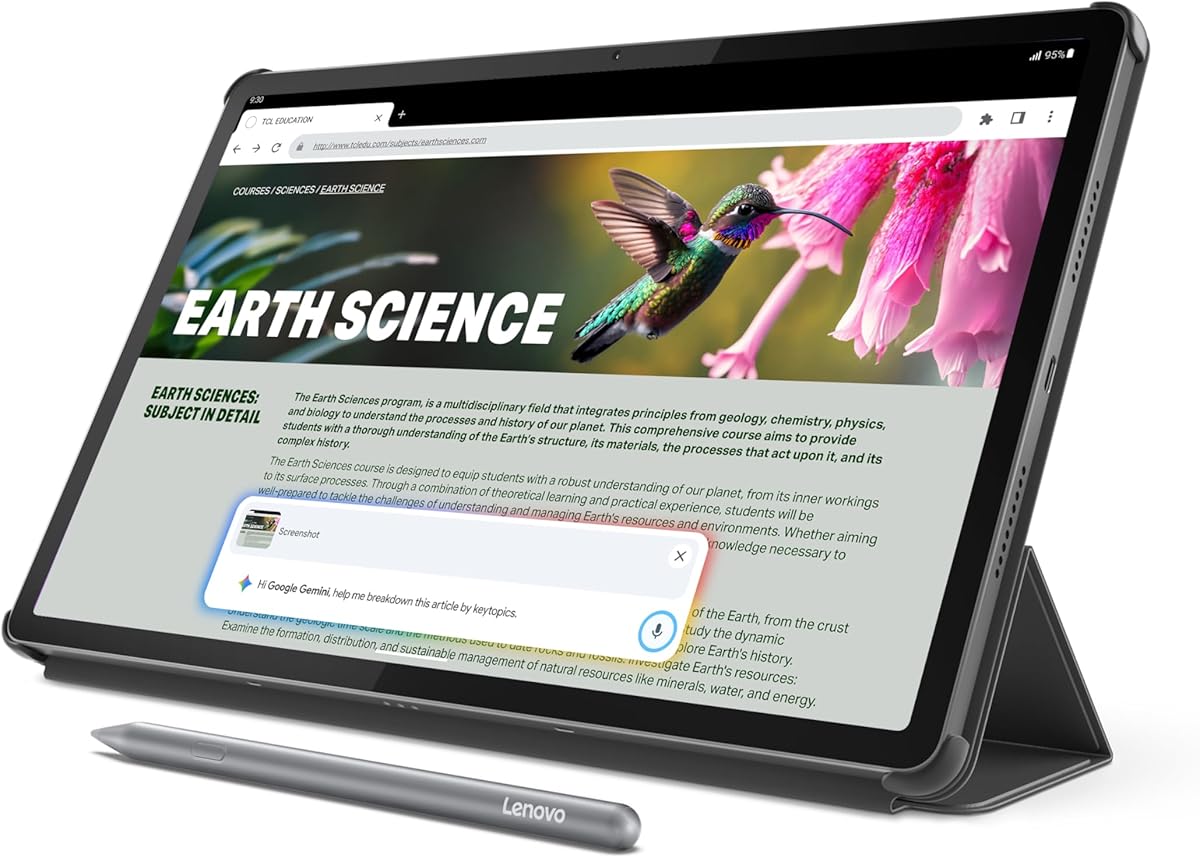
The Lenovo Idea Tab is designed for students who need a reliable and affordable device for learning and leisure. It features a sharp 2.5K display and offers AI-powered apps to enhance study sessions. The inclusion of a pen and case adds significant value to the package price.
We may earn a commission when you buy through this link, at no additional cost to you.
With 8GB memory and 256GB storage, this tablet handles multitasking well for everyday use. The MediaTek Dimensity 6300 processor ensures smooth performance, and the 90Hz refresh rate makes scrolling and gaming feel responsive. Circle to Search with Google allows you to find answers quickly without switching apps.
Battery life is impressive, offering up to 12 hours of use on a single charge. The TÜV Rheinland Low Blue Light hardware solutions help protect your eyes during long study hours. While it lacks the raw power of flagship models, it is more than capable for typical student needs.
We recommend this tablet for college students and budget-conscious buyers who want quality features without a high cost. It supports learning apps that help you stay organized and focused. This is a smart investment for anyone looking to upgrade their digital study tools.
Lenovo AI Note, Squid, Nebo, and MyScript Calculator help you stay clear, focused, and ready for every study session.
TÜV Rheinland Low Blue Light hardware solutions keeps your eyes safe from harmful blue light so you can work and play.
We may earn a commission when you buy through this link, at no additional cost to you.
The Samsung Galaxy Tab S11 is built for professionals who need a durable and powerful device for work. It features an IP68 rating for protection against water and dust, ensuring reliability in various environments. The Galaxy AI capabilities allow for quick summarization and note-taking assistance during meetings.
We may earn a commission when you buy through this link, at no additional cost to you.
The large 11-inch Dynamic AMOLED 2X display provides clear text and rich colors for comfortable reading. With 12GB RAM, this tablet switches between apps without slowdowns, ensuring a snappy workflow. The included S Pen with Drawing Assist helps turn sketches into shareable mock-ups easily.
Expandable storage via microSD card is a key advantage for users who deal with large files. The Vision Booster on the display ensures visibility even in bright conditions. While the price is premium, the durability and productivity features make it a worthwhile investment for business users.
If you need a fearlessly reliable tablet for work and play, this model is highly recommended. It offers the flexibility to expand storage and the intelligence to manage notes efficiently. We suggest this for Samsung owners who want a powerful one-device solution.
Note Assist with Galaxy AI keeps ideas tidy and organized during meetings and lectures quickly.
Use the S Pen with Drawing Assist to turn your product team's rough sketches into shareable mock-ups.
We may earn a commission when you buy through this link, at no additional cost to you.
The TCL NXTPAPER 14 distinguishes itself with a large, paper-like display designed to reduce eye strain. It combines creativity and productivity in a single device that appeals to students and artists. The included T-PEN stylus and adjustable flip case add to its versatility as a digital notebook.
We may earn a commission when you buy through this link, at no additional cost to you.
Featuring NXTPAPER 3.0 technology, the display reduces glare and filters blue light automatically. You can switch between Standard, Color Paper, and Ink Paper modes to suit different tasks. The 10,000mAh battery with fast charging ensures you stay powered through the day without interruption.
The MediaTek Helio G99 processor supports smooth multitasking and creative apps. Dual front cameras and quad speakers make it suitable for video calls and media consumption. Although it lacks expandable storage, the 256GB built-in provides plenty of space for most users.
We recommend this tablet for those who prioritize reading comfort and large-screen media consumption. It is a strong contender for anyone who wants a digital paper experience. Consider this if eye health and display quality are your top priorities.
Featuring NXTPAPER 3.0 technology, the display reduces glare, filters blue light, and supports DC dimming.
With the NXTPAPER Key, the TCL NXTPAPER 14 tablet lets you switch display modes effortlessly.
We may earn a commission when you buy through this link, at no additional cost to you.
The TCL NXTPAPER 11 Gen 2 is a portable device that fits seamlessly into various lifestyles. It offers a crystal-clear 11-inch display with upgraded NXTPAPER 4.0 technology for enhanced eye comfort. This tablet is an all-in-one solution for artists, students, and professionals.
We may earn a commission when you buy through this link, at no additional cost to you.
With smart voice memo and real-time bilingual subtitles, this device supports communication and productivity. The VersaView modes allow you to switch between Regular, Ink Paper, and Color Paper to suit any task. The 8000mAh battery supports a full day of study and entertainment with quick recharging.
CenterFace technology keeps you perfectly centered on video calls for natural conversations. The slim metal body resists everyday bumps and drops. While the processor is budget-friendly, it handles daily tasks smoothly without issues. The inclusion of a flip cover offers practical protection.
We recommend this tablet for anyone seeking a lightweight device with excellent display care. It is ideal for users who want to reduce eye strain during extended use. Consider this if you value portability and eye health features.
Equipped with a smart voice memo, real-time bilingual subtitles, writing and text assistants, and a smart translator.
The TCL NXTPAPER 11 Gen 2 tablet lets you switch between three display modes directly in Settings.
We may earn a commission when you buy through this link, at no additional cost to you.
The Samsung Galaxy Tab S10+ delivers a premium experience with a large screen and innovative AI capabilities. It allows you to turn simple sketches into works of art instantly using Galaxy AI. This device is built for those who demand high-end performance and creativity tools.
We may earn a commission when you buy through this link, at no additional cost to you.
With the included S Pen and power of Galaxy AI, ideas come to life easily. Note Assist handles the hard work of organizing and summarizing recorded lectures or meetings. The 12.4-inch Dynamic AMOLED 2X screen offers unbelievable brilliance with reduced glare.
SmartThings Home Insight Widget helps you control your home conveniently from the tablet. The IP68 rating provides peace of mind against bumps and splashes. While it is an investment, the integration of smart home features and creative tools is unmatched in this category.
We recommend this tablet for users who want a top-tier device for creativity and home management. It is perfect for those already invested in the Samsung ecosystem. Consider this if you want the best in AI integration and display quality.
Turn your simple sketches into works of art instantly using Sketch to Image with Galaxy AI.
Capture your lecture, meeting, or daily notes and let Note Assist with Galaxy AI do the hard work.
We may earn a commission when you buy through this link, at no additional cost to you.
The CHUWI Hi10 Max offers a powerful alternative to traditional laptops with its Intel Ultra 5 processor. It delivers balanced performance for daily productivity and creative workloads. The built-in Intel AI Boost NPU reaches 11 TOPS peak AI computing power for smart tasks.
We may earn a commission when you buy through this link, at no additional cost to you.
With 12GB onboard LPDDR5 RAM and a high-speed SSD, this tablet ensures ultra-smooth multitasking. The 12.96-inch 3:2 aspect ratio display provides more vertical space than standard tablets. Full-spectrum connectivity allows you to connect external monitors and peripherals easily.
The 2-in-1 design with kickstand case lets you switch freely between modes for various scenarios. It supports a store-exclusive backlit magnetic keyboard sold separately. This device is cost-effective for home study or small-business offices needing versatility.
We recommend this tablet for users who want PC-grade performance in a portable format. It is a solid choice for those needing full-function ports and expandable storage. Consider this if you prefer an Intel-based architecture for your tablet needs.
Powered by the latest Intel Core Ultra 5 125U 12-core 14-thread processor with max boost clock of 4.3GHz.
Featuring a stunning 12.96-inch 2880×1920 high-resolution full-laminated IPS touch screen with a productivity-focused 3:2 aspect ratio.
We may earn a commission when you buy through this link, at no additional cost to you.
The Lenovo Idea Tab Pro is lightweight and packed with battery life to make studying a breeze. It features Google Gemini as an AI super-assistant to help with assignments and research. The 12.7-inch 3K LCD display supported by JBL Dolby Atmos speakers makes media crystal clear.
We may earn a commission when you buy through this link, at no additional cost to you.
Powered by the MediaTek Dimensity 8300 processor, this tablet supports smooth multitasking and quick downloads. It is PUBG certified for FPS excellence with a super-responsive 360Hz touch sampling rate. The low blue light certification ensures comfortable reading sessions anywhere.
Google's Circle to Search feature allows you to draw a circle on what you want to search without screenshots. The 45W quick charge gets you back in action fast after long days out. This device is designed to keep you connected and focused on your studies.
We recommend this tablet for students who need a versatile device for learning and entertainment. It offers excellent value with a large screen and smart AI features. Consider this if you want an assistant that helps you think and learn.
Stuck on a late-night assignment? Let Google Gemini, an AI super-assistant pick your brain so you can get back to chasing your passion.
Get ready to up your game; the Lenovo Idea Tab Pro is PUBG certified for FPS excellence.
We may earn a commission when you buy through this link, at no additional cost to you.
The Android 16 Tablet offers a budget-friendly entry point with Gemini AI support and large RAM. It features an 11-inch fully-in-cell screen resolution with automatic brightness adjustment and anti-blue light design. This device is marketed as a perfect gift with premium service and warranty.
We may earn a commission when you buy through this link, at no additional cost to you.
With a powerful Octa-Core processor and 32GB of RAM, it claims to ensure buttery-smooth multitasking. The 128GB internal ROM is expandable up to 2TB via TF card for massive storage. A massive 8000mAh battery is the heart of the device for long days of work or travel.
Built-in GPS and dual-band WiFi ensure connectivity and mobility wherever you go. The packaging is elegant and it comes with a 2-year warranty reflecting quality commitment. While it is a lower-cost option, it provides essential features for basic use cases.
We recommend this tablet for those seeking an affordable device with AI capabilities. It serves well as a secondary device for basic entertainment. Consider this if you want a low-cost option with decent battery life.
11-inch tablet not only bigger screen, also features specific eyes protection HD1920x1200 fully-in-cell screen resolution.
With 128GB of internal ROM, expandable up to 2TB via TF card, you have a vast digital vault for all your files.
We may earn a commission when you buy through this link, at no additional cost to you.
Choosing the right AI tablet requires understanding key factors that impact performance and usability. This guide outlines the essential elements to consider before making your purchase.
The processor determines how fast your tablet runs and how well it handles AI tasks. Look for chips with dedicated NPUs for efficient local AI processing like text generation or image editing.
Prioritize devices with newer generations of processors to ensure longevity and better performance.
Since tablets are visual devices, screen quality is paramount. Look for high resolution panels like 2.5K or 3K with good brightness and color accuracy.
Consider displays with eye care features like low blue light or paper-like modes if you read for long periods.
Adequate RAM is crucial for multitasking without slowdowns. Aim for at least 8GB of RAM to run multiple apps smoothly.
Storage should be sufficient for your needs. Expandable storage via microSD is a bonus if you plan to store many files.
Battery life dictates how long you can use your tablet without a charger. Aim for devices offering 10 hours or more of real usage.
Fast charging and reverse charging capabilities add convenience when you are on the go or need to charge other devices.
Many AI tablets excel with stylus support for note-taking and drawing. Check if a pen is included or sold separately.
Keyboard support turns the tablet into a productivity machine. Ensure compatibility if you need to type frequently.
Evaluate the specific AI tools offered. Features like summarization, real-time translation, and circle to search can boost productivity.
Ensure the OS supports these features effectively and receives regular updates for security and new capabilities.
Check for modern Wi-Fi standards like Wi-Fi 6E and USB-C ports for external connections.
If you plan to connect monitors or storage drives, look for USB-C hubs or multiple ports included in the package.
A robust build ensures the device survives daily use and travel. Look for metal bodies or IP ratings for water resistance.
Lightweight designs are easier to hold for long periods. Consider the weight if you plan to use it as a primary device.
To get the most out of your AI tablet, start by customizing the settings for your workflow. Adjust display brightness and eye comfort modes to reduce strain during long sessions.
Regularly update your device to ensure you have the latest AI features and security patches. Organize your apps and folders to keep your workspace tidy and efficient.
Protect your tablet with a quality case and screen protector. Clean the screen gently with a microfiber cloth and avoid exposing it to extreme temperatures or moisture.
The Lenovo Idea Tab and Lenovo Idea Tab Pro are excellent choices for students due to their affordable prices and strong battery life. They feature AI tools like Google Gemini and Circle to Search that help with research and note-taking. Both offer dedicated pens to support a for digital assignments.
High-end AI tablets with keyboard accessories can replace laptops for many tasks like writing and browsing. However, for heavy software development or complex editing, traditional laptops may still be more suitable. Tablets are best for portability and quick access to content.
Some AI features like transcription or note-taking can work offline depending on the device and settings. Features requiring cloud processing like complex image generation usually need an internet connection. Check specific app requirements for offline capabilities.
Ideally, a good tablet should last at least 10 hours on a single charge. Models like the TCL NXTPAPER 14 offer over 10 hours with massive batteries. Always check usage scenarios in reviews to gauge real-world battery performance accurately.
Samsung Galaxy Tab S10+ and S11 models are renowned for their S Pen support with low latency. Lenovo Yoga Tab AI also includes a Pro Pen for precise writing. These devices integrate stylus input deeply into their operating systems.
For reading and portability, 11 inches is a standard size. If you plan to split-screen apps or watch movies, consider 12 inches or larger. Balance the screen size with weight if you hold the tablet frequently.
Many models like Samsung Galaxy Tab S11 support microSD cards for expansion. However, newer models like TCL NXTPAPER 14 may not support it. Always check the specific specs before buying if you need extra storage.
Premium tablets offer better build quality, higher refresh rate displays, and more advanced AI tools. They are worth the cost if you use the device professionally or daily. Budget tablets are sufficient for casual use and entertainment needs.
We have highlighted the top options ranging from budget-friendly choices to premium creators tools. Each model offers unique strengths tailored to different needs and preferences.
Prioritize what matters most to you whether it is display quality, battery life, or specific AI capabilities. Consider your primary use case to narrow down the list effectively.
Prices and availability change frequently so always verify current deals before buying. Use this guide as a starting point to find the perfect AI tablet for your lifestyle.