
2026 WiFi Extender Signal Booster for Home
5.0Editor score
15000 Sq Ft Coverage
1-Tap WPS Setup
Supports 70+ Devices
Discover the top Distance WiFi Extender models for 2026. This guide compares range, speed, and features to help you eliminate dead zones and boost your home
Finding a reliable Distance WiFi Extender is essential for modern homes with large layouts or thick walls that block signals. These devices help bridge gaps in coverage, ensuring every room gets a strong connection for streaming, working, and gaming without interruption or lag.
We evaluated ten top-rated extenders based on coverage area, supported device counts, wireless standards, and ease of setup. Our analysis focuses on real-world performance metrics, compatibility with existing routers, and the ability to maintain stable connections across significant distances.
Each pick highlights specific strengths like outdoor durability, next-gen WiFi 7 support, or budget-friendly reliability. Note that availability and pricing fluctuate regularly, so verify current offers before purchasing to ensure you get the best value for your specific network needs today.
5.0Editor score

4.1Editor score
4.5Editor score
This comprehensive comparison table breaks down the key specifications of the ten leading Distance WiFi Extender options available today. From indoor repeaters to outdoor bridges, each entry offers unique capabilities tailored to different coverage requirements and environmental conditions.


The TP-Link AX3000 stands out as a top-tier choice for expanding your home network efficiently. It leverages the latest WiFi 6 standards to deliver reliable speeds up to 3000 Mbps across dual bands. With an Editor's Choice award from PCMag, this device promises robust performance for households needing consistent connectivity.
We may earn a commission when you buy through this link, at no additional cost to you.
Its dual-band architecture splits traffic between 2.4 GHz and 5 GHz frequencies, significantly reducing congestion during peak usage times. High-gain directional antennas with beamforming technology focus signals toward your devices rather than broadcasting blindly. This ensures better penetration through walls and a more stable connection for up to 64 devices simultaneously.
While it does not increase raw internet speeds beyond your ISP plan, it maximizes the potential of your existing connection by eliminating weak spots. However, keep in mind that wireless extenders typically halve the throughput of the backhaul link. Despite this, the reliability boost often outweighs the theoretical speed loss for streaming and remote work.
This extender is ideal for users seeking a balance of modern features and broad compatibility. The EasyMesh support allows it to integrate with various router brands, creating a seamless network experience. If you need whole-home coverage without upgrading your main router, this model offers a compelling upgrade path.
The AX3000 supports OFDMA and MU-MIMO technologies which allow multiple devices to communicate simultaneously without slowing down the network.
As a signatory to CISA’s Secure-by-Design pledge, this device is built with privacy and security as core requirements to protect your data.
We may earn a commission when you buy through this link, at no additional cost to you.
For those prioritizing coverage over cutting-edge features, this 2026 WiFi Extender offers incredible value. It boasts a massive 15000 square foot coverage area, making it suitable for sprawling homes or properties with significant dead zones. The rating of 5.0 suggests high user satisfaction with its ability to bring internet to every corner.
We may earn a commission when you buy through this link, at no additional cost to you.
Setup is remarkably straightforward with a one-tap WPS connection process that takes only seconds to complete. You simply press the button on your router and the extender to pair them instantly. The four external antennas can be adjusted to optimize signal direction, ensuring that even distant rooms receive a steady connection.
While it uses older 2.4GHz processing compared to newer models, it still supports up to 70 connected devices effectively. This makes it a great choice for families with many smart home gadgets or guests who need reliable access. The inclusion of multiple modes like bridge and access point adds versatility for various networking needs.
Buy this if you need a simple, affordable solution to eliminate buffering and dropouts in large spaces. The bank-level financial security protocols ensure your data remains safe even with older encryption standards. It is a practical tool for extending connectivity without complex configuration or high costs.
Designed specifically to eliminate dead zones, this extender pushes signals through thick walls and floors that usually block standard routers.
With four modes including repeater and access point, you can adapt this device to different home layouts and networking requirements easily.
We may earn a commission when you buy through this link, at no additional cost to you.
The TP-Link AC1900 RE550 is a proven workhorse for expanding network coverage effectively. It delivers speeds up to 1900 Mbps combining both frequency bands which helps manage data-heavy tasks like 4K streaming. With a 4.3 rating, users appreciate its reliability in maintaining steady connections throughout large areas of the house.
We may earn a commission when you buy through this link, at no additional cost to you.
Three external antennas allow for precise positioning to target weak spots where the main router signal fades. The intelligent signal indicator helps you find the perfect mounting spot for optimal performance before you plug it in permanently. This feature saves time and ensures you get the best possible range from the device.
Although it predates WiFi 6, it still offers sufficient speed for most household applications. The gigabit ethernet port enables you to hardwire devices like gaming consoles for lower latency. This is particularly useful when wireless interference might cause lag during competitive online gaming sessions at home.
This model is recommended for users who need a balance of speed and cost without needing the latest WiFi 6 features. It works with most routers and supports up to 32 devices simultaneously. If you want a reliable upgrade that integrates smoothly into an existing setup, this is a solid choice.
Smart adaptive roaming ensures your devices connect to the strongest signal automatically as you move through different rooms in the home.
The Tether app allows you to manage firmware updates and settings easily from your smartphone without needing technical expertise.
We may earn a commission when you buy through this link, at no additional cost to you.
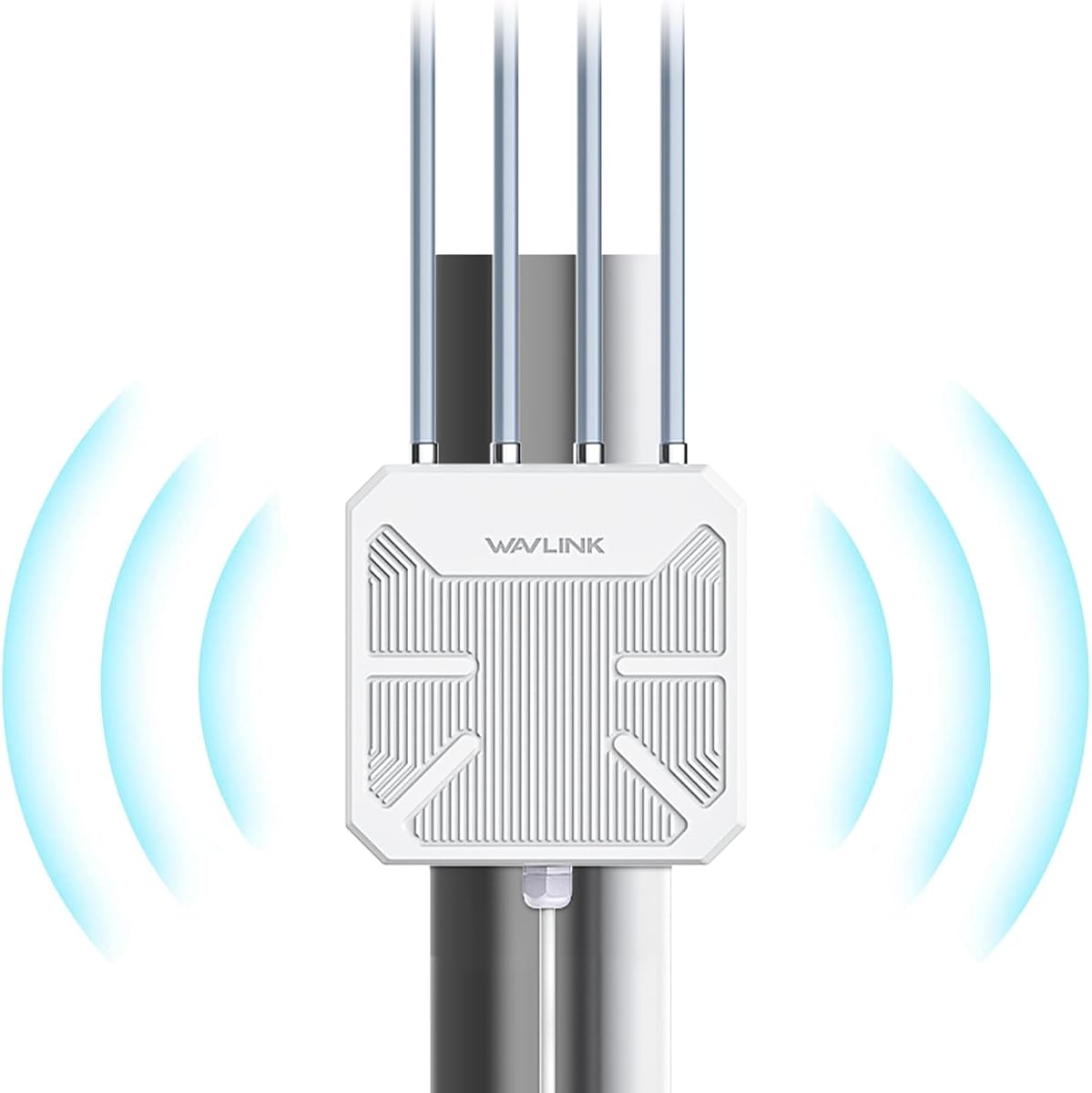
The WAVLINK AX1800 is built specifically to survive harsh outdoor environments while delivering fast speeds. Its IP67 weatherproof rating protects against rain, dust, and extreme temperatures from -20°C to 50°C. This makes it an ideal solution for covering large yards, farms, or remote buildings where indoor routers cannot reach.
We may earn a commission when you buy through this link, at no additional cost to you.
Equipped with four detachable 8dBi antennas, it provides a stable connection for up to 256 devices in line-of-sight conditions. The WiFi 6 technology ensures that even with many connections, performance remains smooth. It also offers a unique compatibility with Starlink setups, which is rare for standard extenders.
Installation is flexible thanks to Power over Ethernet support which allows you to run a single cable for both data and power. This simplifies setup in places without easy access to electrical outlets like garden sheds or detached garages. It supports both passive and active PoE standards for broader compatibility with switches.
Choose this if you need a rugged solution for connecting outbuildings or expanding coverage to the backyard reliably. The multiple modes allow you to configure it as an access point or repeater easily. While pricier, its durability and range capabilities justify the investment for large property owners.
The fully sealed heat-resistant casing ensures consistent operation even in heavy rain or snow without risking hardware failure.
PoE support allows installation in remote locations where traditional power outlets are unavailable reducing the need for extra wiring.
We may earn a commission when you buy through this link, at no additional cost to you.
The BE3200 brings the latest WiFi 7 technology to range extenders for unparalleled performance. When paired with a WiFi 7 router, it leverages Multi-Link Operation to combine bands for faster throughput. This is perfect for users with high-speed internet plans needing to support multiple 4K or 8K streams simultaneously.
We may earn a commission when you buy through this link, at no additional cost to you.
With speeds up to 3200 Mbps, it handles data-intensive tasks like VR gaming and large file transfers effortlessly. Four optimized antennas ensure that the signal reaches further without degradation even in complex home layouts. It supports up to 64 devices making it a strong choice for smart homes with many connected gadgets.
The 160 MHz channel width and 4K-QAM modulation enable significantly higher data rates than previous standards. This reduces congestion and latency ensuring a smoother experience for interactive applications. While it does not support the 6GHz band, it still offers a robust upgrade over older AC models.
Buy this if you own a compatible WiFi 7 router and want to maximize your network's potential immediately. It ensures your network stays ready for future devices that will rely on these advanced features. The Tether app simplifies setup so you can enjoy high-speed coverage within minutes.
MLO allows devices to transmit and receive data across multiple bands simultaneously improving latency and reliability significantly.
Optimally positioned antennas use beamforming to direct signals precisely reducing interference from other electronic devices.
We may earn a commission when you buy through this link, at no additional cost to you.
This 2026 WiFi Extender promises to deliver 80% faster speeds with its mesh capabilities. It covers up to 10000 square feet ensuring that signals penetrate deep into your home through walls. A perfect 5.0 rating indicates that users find it highly effective at removing buffering issues during daily use.
We may earn a commission when you buy through this link, at no additional cost to you.
Four external antennas provide 360-degree coverage which eliminates dead zones in corners or basements. The powerful CPU ensures high-speed processing so your devices do not lag even when multiple people are online. It supports 99% of WiFi routers making it a universal choice for any home network.
The smart IC chip manages connections efficiently to handle up to 65+ devices simultaneously. This includes smart cameras game consoles and smartphones without slowing down performance. WPA2 protocols protect your network from unauthorized access ensuring your data remains private during browsing.
Ideal for families needing a quick and effective way to boost coverage without technical hassle. The 1-tap setup makes it accessible for anyone regardless of technical skill. If you need broader coverage than your current router provides, this booster is a solid investment.
The latest high-speed processing unit handles data requests quickly to ensure smooth streaming and calls.
Handles dozens of devices at once ensuring that smart home gadgets work reliably without dropping signals.
We may earn a commission when you buy through this link, at no additional cost to you.
The Hyzom WiFi Extender is designed to eliminate dead zones effectively. It covers up to 15000 square feet with its four high-gain antennas that push signals through hard-to-reach spaces. With a 4.8 rating, users consistently report smooth streaming and crisp calls without buffering issues across their home.
We may earn a commission when you buy through this link, at no additional cost to you.
Powered by a Bionic Chip it maintains high performance under heavy load. This ensures that whether you are working online or gaming the connection remains stable. The setup process is quick using WPS to pair with your existing router in seconds without technical steps.
The built-in Ethernet port allows for wired connections for devices like TVs or desktops. This reduces latency for gaming and ensures stable video quality for streaming. It supports over 65 devices so the whole family can use the internet without complaints.
This extender is best for households prioritizing stability and ease of use over raw speed. It secures your network with advanced encryption to protect against unauthorized access. If you need a reliable upgrade to improve current connectivity this is a trustworthy option.
WPA2-PSK encryption keeps your browsing and banking data safe from prying eyes on the network.
High-gain antennas push signals through walls ensuring every room gets a consistent connection.
We may earn a commission when you buy through this link, at no additional cost to you.
This 2026 WiFi Extender advertises 6x faster speeds with its Bionic Chip architecture. It covers up to 15000 square feet using FEM omnidirectional antennas that penetrate floors and walls. A perfect 5.0 rating suggests users are highly satisfied with its ability to deliver consistent internet performance everywhere.
We may earn a commission when you buy through this link, at no additional cost to you.
The four high-power antennas reduce interference and improve signal strength significantly. This means you can stream 4K content or game online without experiencing lag. It supports up to 65 devices making it a robust choice for busy households with many connected devices.
Five operating modes give you flexibility to configure the device as a repeater or router easily. This versatility allows you to adapt it to different network setups as needed. WEP and WPA2 encryption protocols ensure your home network stays private and secure from external threats.
Ideal for those looking for a straightforward way to boost speed and range. The quick WPS setup ensures you are online within minutes of plugging it in. If you need reliable coverage for gaming and streaming this model delivers strong performance.
FEM omnidirectional antennas deliver signals in all directions for consistent coverage in every room.
Advanced encryption protocols safeguard your data and personal information from unauthorized access.
We may earn a commission when you buy through this link, at no additional cost to you.
The TP-Link RE615X brings modern WiFi 6 technology to expand your network reach. It supports speeds up to 1800 Mbps and covers up to 2100 square feet effectively. With a 4.2 rating it is a trusted choice for users wanting reliable improvements to their home internet.
We may earn a commission when you buy through this link, at no additional cost to you.
It features two high-gain directional antennas that use beamforming to enhance signal strength. This focus on reliability helps eliminate dead zones in larger homes or apartments. It supports up to 64 devices ensuring that everyone in the family stays connected without interruptions.
Although it does not support the 6 GHz band it still offers substantial improvements over older standards. The Tether app allows you to set it up quickly and keep firmware updated for best performance. It also supports EasyMesh for seamless integration with compatible routers.
This extender is ideal for users upgrading from older AC models to improve stability. It is compatible with almost all WiFi devices making it a versatile choice for any home. If you want a reliable upgrade to support more devices this is a solid option.
Connects with EasyMesh routers for whole-home mesh connectivity making setup seamless and effective.
Supports almost all WiFi devices ensuring your laptops and phones work smoothly across the home.
We may earn a commission when you buy through this link, at no additional cost to you.
The AdaLov CPE660 creates a wireless bridge between buildings without running cables. It supports distances up to 3 kilometers with clear line of sight for reliable connectivity. A 4.4 rating shows that it is effective for connecting remote locations like farms or barns to a main network.
We may earn a commission when you buy through this link, at no additional cost to you.
It operates on the 5.8GHz band providing speeds up to 300Mbps for video surveillance or data transfer. The integrated 14dBi antenna focuses energy towards the paired bridge ensuring a stable link over long distances. This eliminates the need for costly trenching or cable runs between structures.
Setup is simplified with pre-paired WDS mode allowing you to plug and play immediately. Dual Ethernet ports enable you to connect devices or switches on the remote side easily. It also supports IP65 weatherproofing to withstand rain and dust for year-round use.
This is the ideal choice for rural properties or large estates needing to extend internet externally. It works with Starlink systems for off-grid internet sharing across multiple buildings. If you need to connect separate structures wirelessly this bridge offers a professional solution.
Creates a reliable connection up to 3KM allowing remote buildings to share a single internet source.
IP65 rating ensures the device functions reliably through rain dust and changing weather conditions.
We may earn a commission when you buy through this link, at no additional cost to you.
Selecting the right WiFi extender requires understanding your home's layout and specific connectivity needs. This guide breaks down the key factors to consider before making your purchase.
The primary reason for using a Distance WiFi Extender is to cover larger square footage. Look for a model that specifies coverage matching your home size whether that is 10000 or 15000 square feet. Outdoor models often use high-gain antennas to reach beyond walls into yards or outbuildings effectively.
Choose a device that explicitly states its range capabilities and antenna types. Verify that it can reach the dead zones you need to eliminate without requiring excessive repositioning.
Wireless standards like WiFi 6 and WiFi 7 offer better performance and device capacity compared to older AC standards. Higher standards ensure your network handles multiple devices simultaneously without slowing down during peak times. If you have newer devices these models will provide a more future-proof experience.
Prioritize models with higher speed ratings if you plan to stream 4K content or game online. Ensure the extender supports the latest features like OFDMA and MU-MIMO for efficient data handling.
Antennas play a crucial role in how signals penetrate walls and floors. Models with multiple external antennas allow you to adjust angles for better signal direction. Internal antennas are more compact but may struggle with thick barriers or large distances.
Opt for external antennas if you have a large home with many obstacles. Adjustable high-gain antennas can focus signals specifically toward weak spots improving performance significantly.
A built-in Ethernet port allows you to connect devices like smart TVs or gaming consoles directly. This creates a wired link which reduces latency and improves stability for critical applications. It is also useful for connecting to access points in remote locations.
Ensure the extender includes at least one Gigabit Ethernet port if you plan to use it for wired devices. This feature provides maximum speed for devices that do not support wireless connections.
If your home already uses a mesh system you need an extender that integrates seamlessly. EasyMesh compatibility ensures that the extender acts as part of a single network rather than a separate network. This allows for smooth roaming between devices without interruption.
Check if the model supports Mesh protocols before buying. This ensures that you can move between rooms without needing to manually switch networks on your devices.
Ease of setup is critical for users without technical expertise. Look for models with one-tap WPS buttons or dedicated mobile apps for quick configuration. These tools simplify the process of finding the best location for optimal signal reception.
Prioritize devices with intuitive apps for monitoring signal quality. These tools help you adjust settings or update firmware easily ensuring long-term performance stability.
A WiFi extender is part of your network security chain so encryption standards matter. Ensure the device supports WPA2 or newer WPA3 protocols to protect your data from unauthorized access. Some models also offer additional features like cyber security pledges for added peace of mind.
Verify that the extender uses current encryption standards to secure your home network. This prevents hackers from exploiting the device as a backdoor to your main router.
Standard extenders plug into wall outlets but outdoor models often use Power over Ethernet. PoE allows you to power the device through the network cable which simplifies installation in hard-to-reach areas. This is essential for mounting devices high on walls or poles.
Choose a model with appropriate power options for your installation location. PoE support is vital for outdoor setups where running power cords is inconvenient or unsafe.
Position your extender halfway between your main router and the dead zone for optimal performance. Use the intelligent signal indicator or app to find the best spot before securing the device permanently. Ensure the location has minimal obstructions like large metal appliances or thick brick walls to maximize signal reach.
Regularly update the firmware through the manufacturer app to maintain security and performance. Manufacturers release updates to fix bugs and improve connectivity features which helps extend the device life. Check these settings periodically to ensure your network runs smoothly over time.
Protect outdoor units from extreme weather even if they have weatherproof ratings. Mount them in covered areas or use protective covers to prevent physical damage. For indoor units keep them away from heat sources and direct sunlight to prevent overheating during extended use.
A WiFi extender primarily improves coverage rather than raw internet speed. It can help you achieve speeds closer to your ISP plan by reducing signal loss but does not increase the plan itself. If your signal is weak the extender improves reliability which boosts overall performance.
No you do not need to change your router to use an extender. Most models are compatible with standard WiFi routers from any brand. Just ensure the extender supports the same frequency bands as your router for seamless connectivity.
Modern extenders typically support 65 to 70 devices simultaneously without lag. High-end models using WiFi 6 can support even more devices efficiently. If you have many smart home gadgets check the device specs to confirm it meets your needs.
Standard indoor extenders are not rated for outdoor use and may fail in rain or heat. Look for models with IP67 or IP65 weatherproof ratings specifically designed for outdoor environments. These units can handle moisture and temperature fluctuations safely.
Some older models create a separate network name while newer ones support seamless roaming. Mesh compatible models keep a single network name so devices switch automatically without manual changes. Check the mesh compatibility before buying to ensure a unified experience.
Repeater mode extends wireless coverage while bridge mode connects two wired networks wirelessly. Choose repeater if you want to expand signal for devices like phones. Use bridge mode to connect a wired device or another router wirelessly over distance.
Choosing the right Distance WiFi Extender depends on your home size and specific connectivity requirements. Whether you need a rugged outdoor unit or a high-speed indoor model there are options tailored to every scenario. The TP-Link AX3000 and WAVLINK Outdoor models offer top performance for indoor and outdoor needs respectively.
Prioritize features like WiFi 6 support or mesh compatibility to ensure your network stays relevant. A device that supports multiple modes and strong security protocols will serve you better in the long run. Evaluate your home layout carefully to decide which coverage area fits your needs best.
Remember that prices and availability change often so verify current details before purchasing. Using this guide helps you make an informed decision that eliminates dead zones effectively. With the right extender you can enjoy seamless internet access throughout your entire property.