
ASUS TUF Gaming A16 Laptop
4.5Editor score
Ryzen 7 7445HS
144Hz Display
Value Pricing
Choosing the right Gaming Laptop for Baldurs Gate 3 requires balancing powerful graphics with reliable performance to handle complex dialogue scenes and intense combat sequences without lagging during critical moments.
We compared ten top-rated models based on GPU power, display quality, and thermal management to ensure smooth gameplay. Each option offers distinct advantages for different budgets and play styles in this immersive role-playing experience.
Each pick highlights key strengths like ray tracing support or battery life. Prices change frequently so verify current deals before purchasing. Our guide helps you find the perfect machine for your adventures in the Forgotten Realms.
4.5Editor score

4.4Editor score

4.8Editor score
As an Amazon Associate we earn from qualifying purchases.
This side-by-side comparison highlights the key specifications of each laptop to help you decide which machine fits your needs for running Baldurs Gate 3 smoothly at high settings.



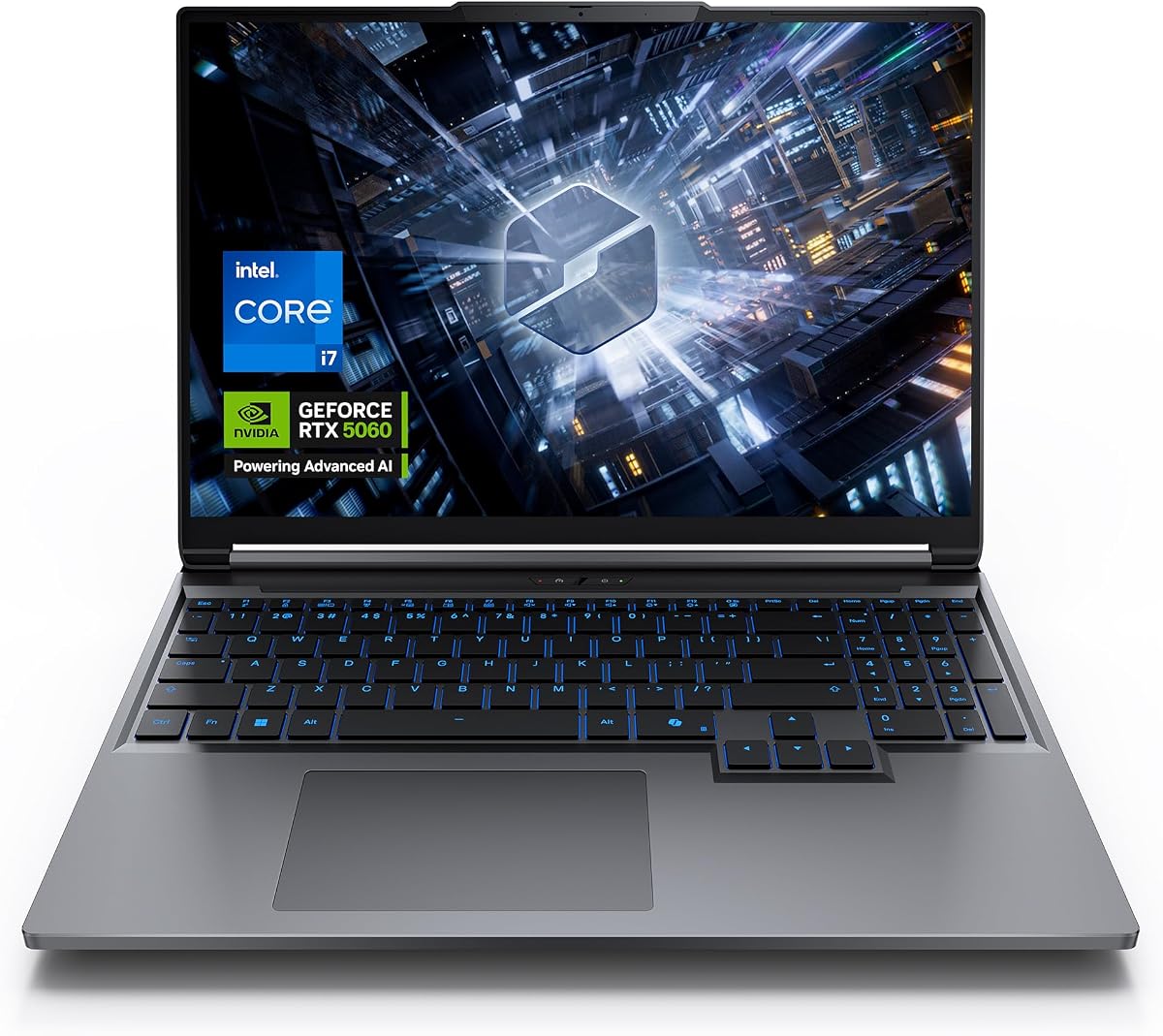

This ASUS ROG Strix G16 laptop stands out as a powerful choice for Baldurs Gate 3 with its RTX 5060 GPU and Intel i7 processor delivering smooth gameplay and fast loading times.
We may earn a commission when you buy through this link, at no additional cost to you.
Its advanced ROG cooling keeps the system quiet during long sessions while the 165Hz display ensures fluid visuals when casting spells or exploring cities. The 1TB Gen 4 SSD offers ample space for your game library.
While not the lightest option the performance justifies the weight. The only trade-off is the mid range price but you gain reliable hardware that handles modern AAA titles easily without throttling.
Gamers seeking a balance of power and features should buy this machine. It is recommended for players who prioritize performance over portability and want a laptop that lasts through years of gaming.
The combination of the Intel Core i7 14650HX and RTX 5060 provides the necessary power to run Baldurs Gate 3 at high settings with consistent frame rates.
The 165Hz FHD+ display enhances the immersion with smooth motion and reduced glare making it ideal for detailed character models and environments in the game.
We may earn a commission when you buy through this link, at no additional cost to you.
The Acer Nitro V 16S brings significant power with its AMD Ryzen 7 260 and RTX 5060 GPU featuring 572 AI TOPS. It handles complex game physics and rendering tasks efficiently for an immersive experience.
We may earn a commission when you buy through this link, at no additional cost to you.
Its 32GB DDR5 memory allows seamless multitasking while playing. The 180Hz WUXGA display offers vibrant colors and fluid motion which is great for fast action scenes. The 1TB Gen 4 SSD ensures quick load times.
One limitation is the use of Wi-Fi 6 instead of newer standards but it remains reliable for online gaming. The battery life is standard for gaming laptops so expect to keep the charger nearby for long sessions.
Buyers wanting maximum RAM and display speed will appreciate this model. It is a great choice for those who need extra memory for streaming or creative tasks alongside their gaming needs.
The processor and GPU leverage AI to boost frame rates and improve image quality making the gameplay smoother and more responsive during intense combat.
With a 180Hz refresh rate and high resolution the display delivers stunning clarity and smooth motion that enhances the visual experience of the game.
We may earn a commission when you buy through this link, at no additional cost to you.
The msi Cyborg 17 offers a rare combination of a large 17.3 inch display and a thin 0.83 inch design. It provides deep immersion for Baldurs Gate 3 while remaining relatively portable for a bigger screen.
We may earn a commission when you buy through this link, at no additional cost to you.
Powered by the Intel Core 7-240H and RTX 5060 it delivers smooth performance with AI accelerated visuals. The Cooler Boost design keeps temps in check during long play sessions without excessive noise.
The main drawback is a slightly lower rating compared to peers which may reflect build quality or software nuances. The storage is standard but sufficient for most users who do not need massive libraries.
Players preferring larger screens without a heavy brick will love this. It is recommended for those who want a desktop replacement feel that can still be moved to different locations occasionally.
Just 0.83 inches thin and 5.5 lbs this powerhouse makes it easy to carry a 17.3 inch gaming display wherever you go for flexible entertainment.
Unlock advanced gaming with RTX 5060 featuring real-time ray tracing and DLSS 4 for higher FPS and AI-accelerated visuals for competitive advantage.
We may earn a commission when you buy through this link, at no additional cost to you.
The GIGABYTE Gaming A16 packs a powerful RTX 5070 GPU for next-level graphics fidelity in Baldurs Gate 3. It is designed for gamers and creators who want high-end performance in a sleek form factor.
We may earn a commission when you buy through this link, at no additional cost to you.
The GiMATE AI interface transforms interaction with technology to make control more intuitive and personal. The laptop supports Windows 11 Home and offers fast multimedia processing with a slim 19.45mm chassis.
Despite the powerful GPU the lower review rating suggests potential issues with build quality or user experience that buyers should consider. The price premium is justified by the GPU but check individual feedback first.
Buyers prioritizing GPU strength and design will find this appealing. It is a solid pick for those who need a powerful workstation that also handles AAA gaming with high graphical settings easily.
Powered by NVIDIA Blackwell the RTX 5070 brings game-changing capabilities and next-level graphics fidelity with DLSS 4 and Max-Q optimization.
GiMATE creates an intelligent interface that truly understands your needs making control more intuitive more intelligent and more personal for daily use.
We may earn a commission when you buy through this link, at no additional cost to you.
The HP Victus 15.6 offers excellent value with a high 5.0 rating from users. It features a Ryzen 7 7445HS processor and RTX 4050 GPU providing reliable performance for mainstream gaming like Baldurs Gate 3.
We may earn a commission when you buy through this link, at no additional cost to you.
Its 32GB DDR5 RAM ensures smooth multitasking and responsive performance. The 144Hz IPS display with FreeSync Premium delivers fluid visuals. Connectivity options like Wi-Fi 6 and USB-C cover most peripheral needs.
While the GPU is older than newer models it still handles games well. The lower tier graphics mean some settings may need adjustment for ultra fidelity but it remains a strong budget friendly choice.
Budget conscious gamers needing reliable specs will appreciate this. It is recommended for students or casual players who want a dependable laptop for gaming and everyday productivity tasks.
Powered by the AMD Ryzen 7 7445HS with 6 cores and 12 threads it delivers responsive gaming and smooth multitasking for daily use.
Stay connected with Wi-Fi 6E Bluetooth 5.3 and multiple ports for external displays and fast file transfers during gaming sessions.
We may earn a commission when you buy through this link, at no additional cost to you.
This premium ROG Strix model delivers top tier performance with an RTX 5070 Ti and Intel Core Ultra 9 processor. It ensures ultra high fidelity graphics and frame rates for the best Baldurs Gate 3 experience.
We may earn a commission when you buy through this link, at no additional cost to you.
The ROG Nebula 240Hz display offers stunning visuals with fast refresh rates and precise colors. Its advanced cooling system keeps the powerful components cool during extended sessions. The 32GB memory supports heavy multitasking.
The main trade-off is the high price point which may not fit every budget. Buyers must decide if they need the absolute best performance or if a slightly lower spec saves money without much impact.
Enthusiasts wanting the ultimate gaming machine should buy this. It is recommended for those who demand peak performance and top quality visuals and can afford the premium cost for the best hardware available.
Experience next-level performance with Windows 11 Home Intel Core Ultra 9 and NVIDIA GeForce RTX 5070 Ti Laptop GPU featuring DLSS 4.
Immerse yourself in stunning visuals with the ultra-fast 240Hz/3ms display featuring a new ACR film that enhances contrast and reduces glare.
We may earn a commission when you buy through this link, at no additional cost to you.
The Aurora 16X offers robust features including a 2.5K display and 80Wh battery. Its Intel i7 and RTX 5060 combo delivers solid performance for gaming and creative workloads in a portable metal design.
We may earn a commission when you buy through this link, at no additional cost to you.
The 180Hz refresh rate and 500-nit brightness ensure vibrant visuals even in bright rooms. Connectivity is strong with HDMI 2.1 and USB-C. The cooling system supports stable gameplay during long sessions.
Battery life is good for a gaming laptop but still not all-day unplugged. The weight is manageable for a 16-inch model. It offers good value for the specs provided on the market.
Buyers seeking high resolution and battery life will like this. It is recommended for those who need a versatile machine for work travel and gaming without sacrificing screen quality or power.
Equipped with an RTX 5060 Laptop GPU with 8GB GDDR7 memory it is built for smooth 2.5K gaming AI acceleration ray tracing and creative workloads.
Dual high-performance fans phase-change thermal material and optimized airflow support up to 170W combined CPU+GPU performance for stable gameplay.
We may earn a commission when you buy through this link, at no additional cost to you.
The ASUS TUF Gaming A16 brings durability and solid performance at a budget friendly price. It features an AMD Ryzen 7 7445HS and RTX 4050 GPU that handle gaming tasks efficiently and reliably.
We may earn a commission when you buy through this link, at no additional cost to you.
Its 144Hz display ensures smooth visuals while the backlit keyboard aids in low light conditions. The TUF series is known for reliability and quality construction making it a good long-term choice.
The 512GB SSD may require upgrades for large game libraries but it offers fast boot times. The lack of newer GPU technology is a trade-off for the lower price point available today.
Users needing a durable and affordable machine will appreciate this. It is recommended for budget conscious players who value build quality and performance over having the absolute latest graphics hardware.
The AMD Ryzen 7 7445HS Processor delivers efficient performance for gaming and daily tasks with a fast and responsive experience.
A 16 Full HD+ 144Hz Display provides smooth motion and vibrant colors enhancing the visual experience of games and media.
We may earn a commission when you buy through this link, at no additional cost to you.
This GIGABYTE model combines a modern RTX 5060 GPU with an AMD Ryzen 7 260 processor. The GiMATE AI interface transforms how you interact with technology for a more intuitive experience.
We may earn a commission when you buy through this link, at no additional cost to you.
It supports Windows 11 Home and offers fast multimedia processing. The slim 19.45mm chassis adapts to various scenarios with a 180-degree hinge. It provides enough horsepower for gaming and streaming simultaneously.
The GiMATE feature is unique but some users may find it unnecessary compared to standard interfaces. The GPU ensures good performance but verify if the CPU meets all your needs.
Tech enthusiasts interested in AI interfaces should consider this. It is a good choice for those who want a sleek laptop with powerful graphics and a unique approach to system control.
GiMATE creates an intelligent interface that truly understands your needs making control more intuitive more intelligent and more personal.
Powered by NVIDIA Blackwell GeForce RTX 5060 Laptop GPUs bring game-changing capabilities and next-level graphics fidelity with DLSS 4.
We may earn a commission when you buy through this link, at no additional cost to you.
The Dell Alienware 16 Aurora combines premium design with powerful performance. It features an Intel Core 7 processor and RTX 5060 GPU with a high 4.8 rating showing strong customer satisfaction.
We may earn a commission when you buy through this link, at no additional cost to you.
Its 32GB DDR5 RAM and 1TB PCIe SSD support demanding tasks. The 16 WQXGA display offers crisp visuals with ComfortView Plus to reduce eye strain. Windows 11 Pro adds professional features.
The 120Hz refresh rate is slightly lower than gaming competitors but still smooth. The Alienware brand adds to the cost so verify if the premium features justify the price for you.
Buyers wanting style and strong specs should consider this. It is recommended for those who value build quality and brand prestige alongside solid performance for gaming and productivity.
Optimized performance in a sleek design featuring a WQXGA 120Hz display and stylish anodized aluminum lid for pure performance.
The 16 WQXGA 120Hz 300 nits display offers ComfortView Plus and 100% sRGB color gamut for comfortable viewing.
We may earn a commission when you buy through this link, at no additional cost to you.
Selecting the right laptop requires understanding key factors like GPU power display quality and battery life to ensure a smooth experience.
The GPU is the most critical component for gaming. Look for RTX 5060 or higher models to handle ray tracing and high settings in Baldurs Gate 3.
Prioritize GPUs with sufficient VRAM to ensure stable performance during complex scenes without stuttering.
A strong CPU ensures fast loading and smooth multitasking. Intel Core i7 or AMD Ryzen 7 processors are recommended for balancing game performance and system responsiveness.
Higher core counts help when running background apps like voice chat or browsers while playing.
At least 16GB of RAM is needed for smooth gameplay but 32GB offers better future proofing. SSDs provide faster boot times and loading than hard drives.
Check for upgradeability if you need more storage or memory later to fit your library.
A high refresh rate like 144Hz or above reduces motion blur. Look for IPS panels to ensure accurate colors and wider viewing angles.
Higher resolution panels show more detail but require stronger hardware to maintain smooth frame rates.
Gaming laptops often have short battery life. Check the capacity and reviews to see if it lasts for casual use or meetings without constant charging.
Always plan to keep the charger nearby for gaming sessions to maintain full performance.
Good thermal management prevents overheating and performance drops during long play sessions. Models with vapor chambers or multiple fans run quieter and cooler.
Effective cooling ensures your machine stays comfortable on your lap and reliable over time.
Ensure the laptop has enough USB ports HDMI and Ethernet for your peripherals. Wi-Fi 6 or 7 supports stable online connections.
Ports like USB-C with charging add versatility for travel and work tasks.
A durable chassis withstands travel and daily use. Look for metal lids or reinforced hinges if you move your laptop often.
Good build quality also contributes to better typing comfort and keyboard life.
Always use the official power adapter to ensure stable performance and avoid damage. Place the laptop on a flat hard surface to let cooling vents function properly during games.
Keep drivers updated regularly through the manufacturer's software to fix bugs and improve compatibility with new game patches.
Clean the keyboard and screen gently with a microfiber cloth. Avoid exposing the device to extreme temperatures or humidity to extend its lifespan.
Yes you can play on lower settings if your laptop meets the minimum requirements. Reducing graphics options like ray tracing helps achieve smoother frame rates on older hardware. Check the game settings for custom adjustments.
For a stable 60 fps experience aim for an RTX 5060 or higher GPU. These models provide enough power to run high settings without significant drops during combat. Newer architectures support better efficiency.
Windows 11 Pro and Home perform similarly for gaming. The Pro version adds enterprise features but does not significantly boost frames per second. Choose based on your need for extra security or management tools.
Yes gaming laptops are excellent for work and creative tasks. They offer powerful CPUs and displays that benefit video editing or coding. Just note battery life is often shorter than regular laptops.
16GB is enough for most games but 32GB helps with heavy multitasking. If you run many programs while playing extra RAM prevents slowdowns. Budget allows it is a good upgrade path.
Update drivers every few months or when a major game releases. Manufacturers often optimize drivers for new titles to improve stability and performance. Keep them current for the best experience.
Our top picks include the ASUS ROG Strix G16 and Dell Alienware 16 Aurora for balance and performance. Each model offers unique strengths for different play styles.
Focus on GPU power and display quality to enjoy the game fully. A good cooling system ensures reliability over years of use.
Prices and availability change so check current deals before buying. Verify specs match your needs to get the best value today.