
FLASHFORGE Creator 5 Pro
4.0Editor score
Industrial multi-material printing
65C active heated chamber
Near-zero waste system
This guide compares the top 3D printers for figurines and models, evaluating speed, precision, and multi-color capabilities to help you choose the perfect
Finding the right 3D printer for figurines and models requires balancing precision, speed, and ease of use. Enthusiasts need machines that can handle intricate details while maintaining consistent quality across various materials and project sizes for optimal results.
We have carefully evaluated ten leading models based on their performance metrics, user feedback, and specialized features. This list covers a range of options from budget-friendly entry-level devices to high-end industrial machines designed for professional-grade outputs and demanding applications.
Each pick highlights unique strengths such as auto-calibration, multi-color printing, and build volume. Keep in mind that product availability and pricing can fluctuate frequently, so always verify the latest details before making your final purchasing decision online.
4.0Editor score

4.7Editor score

4.4Editor score
The following table provides a side-by-side comparison of all ten selected printers, highlighting key specifications and unique features to help you quickly identify the model that best fits your specific needs and budget.





The Bambu Lab A1 stands out as a top choice for creators looking for precision and speed. With a 4.7 rating, it delivers high-quality prints quickly while handling complex tasks with ease. Its advanced features make it suitable for both beginners and experienced users alike.
We may earn a commission when you buy through this link, at no additional cost to you.
Its acceleration of 10000 mm/s2 ensures that intricate figurines are produced without sacrificing detail. The active flow rate compensation maintains consistency throughout the print, reducing errors. This reliability is crucial for models with fine textures or delicate parts.
While the AMS lite is an additional purchase, the base unit remains highly capable on its own. The auto calibration saves significant time, ensuring each print starts perfectly. This convenience factor is a major benefit for users who value efficiency.
Anyone seeking a reliable machine for detailed models should consider this device. It balances performance with ease of use effectively. The quiet operation ensures it fits well in home environments without causing distractions during long print jobs.
The A1 uses advanced motion control to maintain high speed without losing detail on small features essential for figurines.
Fully automated calibration processes mean less time troubleshooting and more time creating detailed and accurate models quickly.
We may earn a commission when you buy through this link, at no additional cost to you.
This combo offers a comprehensive solution for those needing advanced multi-material capabilities. With the AMS 2 Pro included, users can print complex models with multiple colors immediately. The 4.7 rating reflects its strong performance and reliability in real-world scenarios.
We may earn a commission when you buy through this link, at no additional cost to you.
The adaptive airflow system helps manage heat effectively, which is vital for advanced materials like engineering-grade filaments. This ensures that even large or complex parts remain stable during printing. The AI failure detection adds a layer of security for unattended sessions.
While the initial investment is significant, the included accessories reduce the need for extra purchases later. The filament drying capability ensures consistent material quality, which is essential for high-fidelity models. This makes it a solid choice for serious hobbyists.
If you require robust multi-color features without extra hassle, this device is an excellent fit. It simplifies the workflow significantly. The build quality and support network make it a trustworthy long-term investment for your creative projects.
Built-in filament drying at 65 degrees keeps spools ready for use, ensuring consistent quality for detailed prints.
Real-time monitoring detects issues early, preventing failed prints and saving valuable time and materials.
We may earn a commission when you buy through this link, at no additional cost to you.
Designed for industrial-grade tasks, this printer handles multi-material workflows with remarkable efficiency. The four independent toolheads allow for complex builds without needing manual swaps. While the rating is 4.0, the capabilities justify the complexity for specialized projects.
We may earn a commission when you buy through this link, at no additional cost to you.
The near-zero waste system eliminates purge waste during tool changes, saving material and cost over time. This feature is unique and highly beneficial for users running large batches or using expensive filaments. The heated chamber ensures consistent results with tough materials.
Setting up and mastering the workflow may take time, but the payoff is substantial for professional output. The CoreXY motion structure provides the speed and stability needed for precision work. It is a powerful tool for those who need reliability.
Consider this if you demand high-performance features and can manage the advanced setup. It is built for serious creators who need robust solutions. The long-term savings on materials and time make it a viable option for dedicated workshops.
Independent toolheads switch without flushing filament, drastically reducing material waste and operational overhead for frequent users.
Active heated chamber prevents warping in advanced filaments, ensuring dimensional accuracy for large engineering parts.
We may earn a commission when you buy through this link, at no additional cost to you.
The P1S combines speed and reliability in an enclosed package suitable for diverse materials. With a 4.5 rating, it is known for consistent outputs and easy setup. It handles advanced filaments well due to its sealed environment and precise controls.
We may earn a commission when you buy through this link, at no additional cost to you.
Its enclosed design allows for better temperature stability, which is crucial for materials that warp easily. This ensures that figurines remain dimensionally accurate throughout the print. The auto bed leveling simplifies the start of every job significantly.
For users who want multi-color options later, it supports the AMS system seamlessly. The 15-minute setup time means you can start creating almost immediately. This convenience is a strong point for those new to high-performance machines.
This machine is ideal for those who need stability and speed without excessive complexity. It balances professional features with user-friendly design. Its performance makes it a solid choice for hobbyists aiming for higher quality results.
The fully enclosed body maintains consistent heat, improving print success for materials like ABS or ASA.
Pre-assembled design allows for a quick 15-minute start, minimizing downtime and getting to printing immediately.
We may earn a commission when you buy through this link, at no additional cost to you.
This model brings impressive features to a more affordable price point. With a 4.4 rating, it delivers strong value for those wanting speed and multi-color capabilities. The IFS technology allows for creative projects without expensive add-ons.
We may earn a commission when you buy through this link, at no additional cost to you.
The 300-degree nozzle enables work with high-temperature materials like ABS and PETG easily. This versatility expands the types of models you can produce effectively. Combined with auto leveling, it simplifies the setup process significantly.
While it may not have the brand reputation of others, the performance metrics are competitive. The large build volume allows for substantial figurines or multiple small parts in one go. This flexibility is great for varied project needs.
Budget-conscious buyers will appreciate the balance of speed and capability here. It is designed to handle complex tasks efficiently. For those willing to explore new features, it offers a compelling entry into advanced printing.
Independent Filament System allows four colors simultaneously, enabling vibrant models without extra hardware costs.
A 300C nozzle supports a wide range of materials, ensuring durability and strength for functional parts.
We may earn a commission when you buy through this link, at no additional cost to you.
The U1 offers a unique approach to multi-color printing with its rapid tool change system. With a 4.5 rating, users appreciate the efficiency and reduced waste during operation. It is engineered for high productivity and diverse material use.
We may earn a commission when you buy through this link, at no additional cost to you.
Changing toolheads in just five seconds cuts downtime significantly. This means you can complete complex designs with multiple colors or materials in less time. The reduced waste also lowers operational costs over extended use.
The CoreXY motion system ensures stability even at high speeds. This is essential for maintaining accuracy on detailed figurines or technical parts. The remote control features add convenience for monitoring prints from afar.
If you need a machine that handles complex workflows efficiently, this is a strong candidate. It is built for users who prioritize speed and flexibility. The technology here sets a new standard for tool swapping efficiency.
Automatic tool change reduces time from minutes to seconds, keeping workflows uninterrupted and efficient.
Supports rigid and flexible materials in one print, allowing for complex designs with varied properties.
We may earn a commission when you buy through this link, at no additional cost to you.
This printer stands out for its AI capabilities that turn photos into models instantly. With a 4.0 rating, it offers a unique creative path for personalized gifts. The pre-assembled design ensures you can start printing almost immediately.
We may earn a commission when you buy through this link, at no additional cost to you.
The AI camera detects issues like spaghetti or tangles in real time. This proactive approach helps avoid failed prints and ensures higher success rates. The large build volume allows for full-size projects without needing support.
Multi-color printing is supported with the CFS Lite, adding vibrancy to your outputs. The custom RGB lights add a nice aesthetic touch to the machine. It combines functionality with modern smart features for a complete experience.
For creators who want to simplify the modeling process, this device is highly beneficial. It removes technical barriers with automated tools. The ease of setup and smart monitoring make it accessible for a wide range of users.
Upload a photo to generate a custom 3D model quickly, perfect for personalized gifts and unique figurines.
Built-in AI watches prints in real time, alerting you to issues to prevent failure and save materials.
We may earn a commission when you buy through this link, at no additional cost to you.
This printer focuses on speed and convenience for home users. With a 4.0 rating, it delivers efficient printing and quick maintenance. The one-click auto system removes much of the manual effort from standard printing tasks.
We may earn a commission when you buy through this link, at no additional cost to you.
Changing nozzles takes just three seconds, allowing for easy material or size adjustments. This flexibility helps you adapt to different project requirements quickly. The quiet operation ensures it can run in shared spaces without disturbance.
The dual filtration system keeps the air clean, which is beneficial for indoor use. It handles standard and engineering materials well up to 280 degrees. This broad compatibility makes it versatile for various printing needs.
If you need a fast and low-maintenance printer, this is a strong choice. It is designed for ease of use and reliability. The compact design fits well in limited spaces while still offering high performance.
Tool-free nozzle replacement takes just three seconds, speeding up maintenance and material changes.
Under 50dB noise levels ensure a quiet environment for home or office use.
We may earn a commission when you buy through this link, at no additional cost to you.
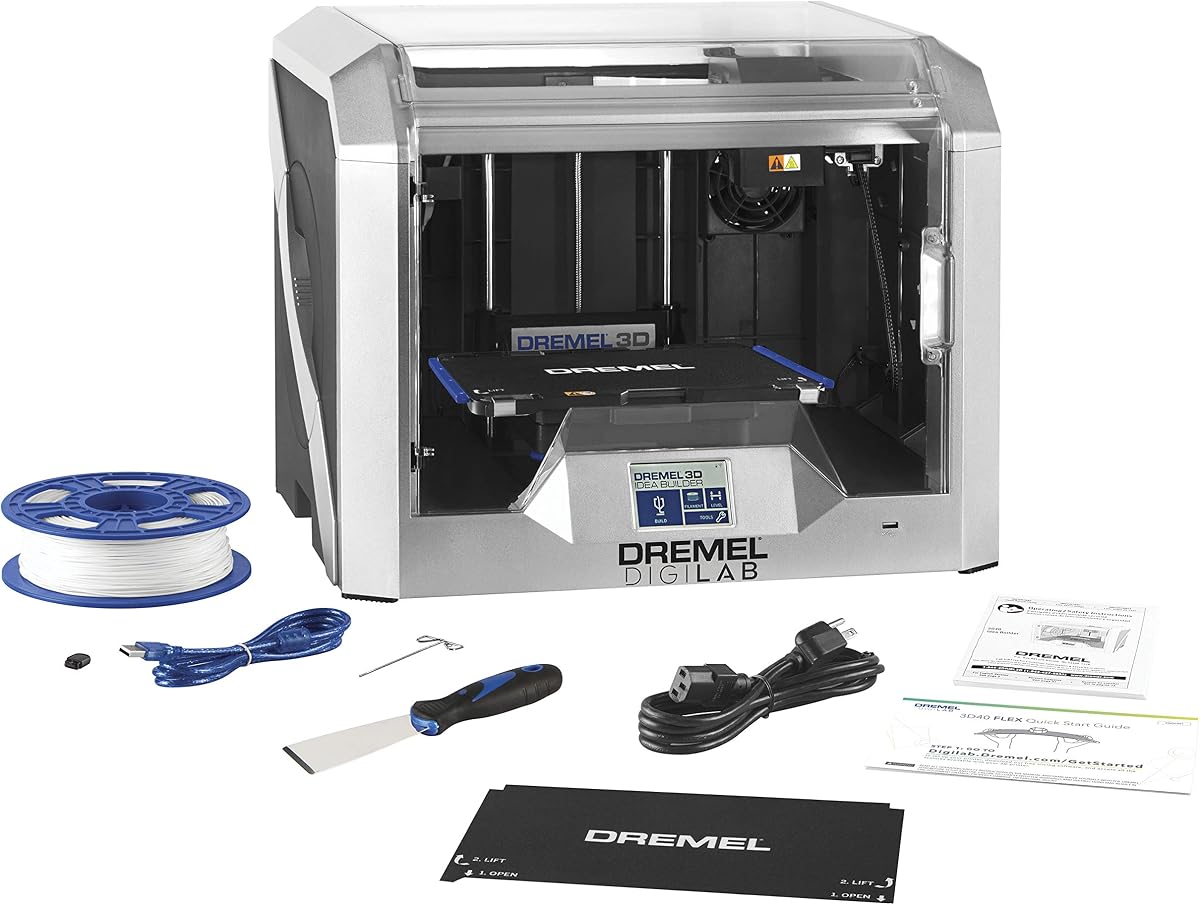
Known for reliability and safety, this printer is a solid choice for consistent outputs. With a 4.4 rating, it is trusted for quality and ease of use. The enclosed housing and UL listing ensure a secure printing environment.
We may earn a commission when you buy through this link, at no additional cost to you.
The automated 9-point leveling sensor ensures the bed is always calibrated correctly. This feature reduces the risk of failed prints due to leveling issues. The flexible build plate makes removing finished models easy and safe.
Dremel offers strong customer support and a good warranty policy. This long-term backing gives users peace of mind regarding their investment. The resolution is high enough for detailed figurines and smooth surfaces.
If reliability and safety are your main priorities, this model fits well. It is designed for users who want dependable performance without constant tinkering. Its track record makes it a trusted option for many.
Automated 9-point sensor accounts for bed variations to ensure every print starts with perfect adhesion.
Fully enclosed and UL listed to meet high safety standards for home use with children.
We may earn a commission when you buy through this link, at no additional cost to you.
This version includes the AMS to deliver a complete printing solution out of the box. With a 4.6 rating, it is highly rated for its balance of features. It provides everything needed for multi-color prints without additional purchases.
We may earn a commission when you buy through this link, at no additional cost to you.
Active flow compensation ensures precise material usage during printing. This technology helps maintain consistency and reduces waste significantly. The auto calibration ensures every job starts with the right settings for success.
The quick change nozzle allows for easy maintenance when needed. This feature extends the printer's lifespan and flexibility. The noise cancellation ensures that long prints do not disrupt your space.
For those wanting a full feature set from day one, this is an excellent option. It simplifies the path to multi-color printing effectively. The bundle provides a strong foundation for building a creative workspace.
Includes AMS Lite for multi-color printing, offering a full solution without needing extra accessories.
Active flow compensation adjusts pressure in real time for accurate extrusion and smooth surfaces.
We may earn a commission when you buy through this link, at no additional cost to you.
Selecting the right 3D printer involves weighing several technical and practical factors to ensure you get the results you need.
High-speed printers can drastically reduce the time required to create detailed models. Look for machines with high acceleration rates and mm/s capabilities to ensure efficiency without losing precision on complex geometry.
Prioritize models that offer speed features balanced with quality control for best results.
If your figurines need vibrant details, consider printers with multi-color systems. These machines can handle different filaments simultaneously, adding life to models without requiring manual painting or post-processing.
Check whether the multi-color system is included or sold separately to budget accurately.
Auto-calibration features save time and reduce errors. Machines that handle leveling and Z-offset automatically ensure consistent first layers, which is vital for successful prints every time.
Fully automatic systems are highly recommended for ease of use.
The build volume determines how large a single model you can print. Larger volumes allow for bigger figurines or multiple items at once, providing flexibility for various project scales.
Choose a volume that matches your typical project size requirements.
Higher nozzle temperatures allow you to use a wider range of filaments. This includes materials like ABS or PETG that require more heat to print effectively and reliably.
Ensure the max temperature meets your preferred material needs.
Quiet printers are essential for home use. Low noise levels ensure the machine does not disturb your workspace or daily activities while operating for extended periods.
Look for models with active noise cancellation or low decibel ratings.
Enclosed designs and filtration systems keep the environment safe. These features prevent fumes and particles from spreading, which is important for indoor printing with kids or pets.
Verify the presence of HEPA filters or carbon filters for cleaner operation.
User-friendly software simplifies the slicing and monitoring process. Mobile app support adds convenience for remote monitoring and control of your printing jobs.
Choose brands with strong community support and regular updates.
Start by calibrating your bed and checking filament quality. Proper setup ensures that prints adhere well and finish smoothly without defects.
Monitor your prints during the first hour to catch any early issues. Most modern printers have cameras or sensors to alert you if something goes wrong.
Perform regular maintenance like cleaning the nozzle and lubricating moving parts. Keeping the machine in good shape prolongs its life and maintains print quality.
Beginners should choose a model with auto-calibration and a simple interface. The Bambu Lab A1 or FLASHFORGE Adventurer 5M Pro are excellent options as they reduce setup time and offer high reliability.
Yes, printers with multi-material systems allow you to print different colors in a single job. This eliminates the need for manual painting and saves significant time on complex projects.
For detailed figurines, a speed of 500 to 600mm/s is ideal. This balance ensures that the machine can produce results quickly while maintaining the high precision needed for fine features.
No, PLA prints well without a heated chamber. However, if you plan to use materials like ABS, a heated chamber is necessary to prevent warping and ensure consistent quality throughout the print.
Look for printers with active noise cancellation or low decibel ratings. Using vibration damping mats under the unit can also help to reduce mechanical noise during operation.
Not necessarily. A larger volume offers more flexibility but often comes with a higher price and more space requirements. Choose a size that fits your typical project needs rather than maximum capacity.
Regular maintenance includes cleaning the print bed, checking nozzle clogs, and lubricating rails. Keeping firmware updated and storing filament dry also helps to maintain optimal performance.
Yes, enclosed printers are safer for indoor use. They contain fumes and particles better and provide more thermal stability, which is crucial for handling advanced materials safely.
We have covered ten excellent models that cater to different needs from entry-level to professional. Each option offers unique strengths in speed, multi-color capability, or reliability.
Prioritize features like auto-calibration and build volume based on your specific workflow. Choosing the right tool will save you time and improve the quality of your creations.
Always check current prices and availability before buying as these can change quickly. We hope this guide helps you find the perfect printer for your creative needs.