
SanDisk Professional G-RAID Shuttle 8-Bay Thunderbolt 3 RAID Array with 160TB (8x 20TB) Removable HDD
5.0Editor score
Thunderbolt 3 40Gbps interface
Up to 160TB total capacity
Removable enterprise class drives
Finding the right storage solution is critical for professionals who manage massive datasets daily. An 8 bay hardware RAID enclosure offers the capacity and redundancy needed for mission critical workflows without compromising on speed or reliability.
We evaluated ten leading models based on interface speeds drive compatibility cooling efficiency and overall build quality. Our analysis focuses on real world performance metrics and user feedback to ensure you invest in hardware that stands the test of time.
Each recommendation highlights specific strengths such as Thunderbolt throughput or SATA flexibility so you can match the unit to your unique requirements. Keep in mind that stock levels and promotional offers change frequently so verify availability before purchasing.
5.0Editor score

3.7Editor score

4.3Editor score
As an Amazon Associate we earn from qualifying purchases.
The following table provides a side by side overview of each unit we reviewed including key specifications and performance capabilities to help you make an informed decision quickly.

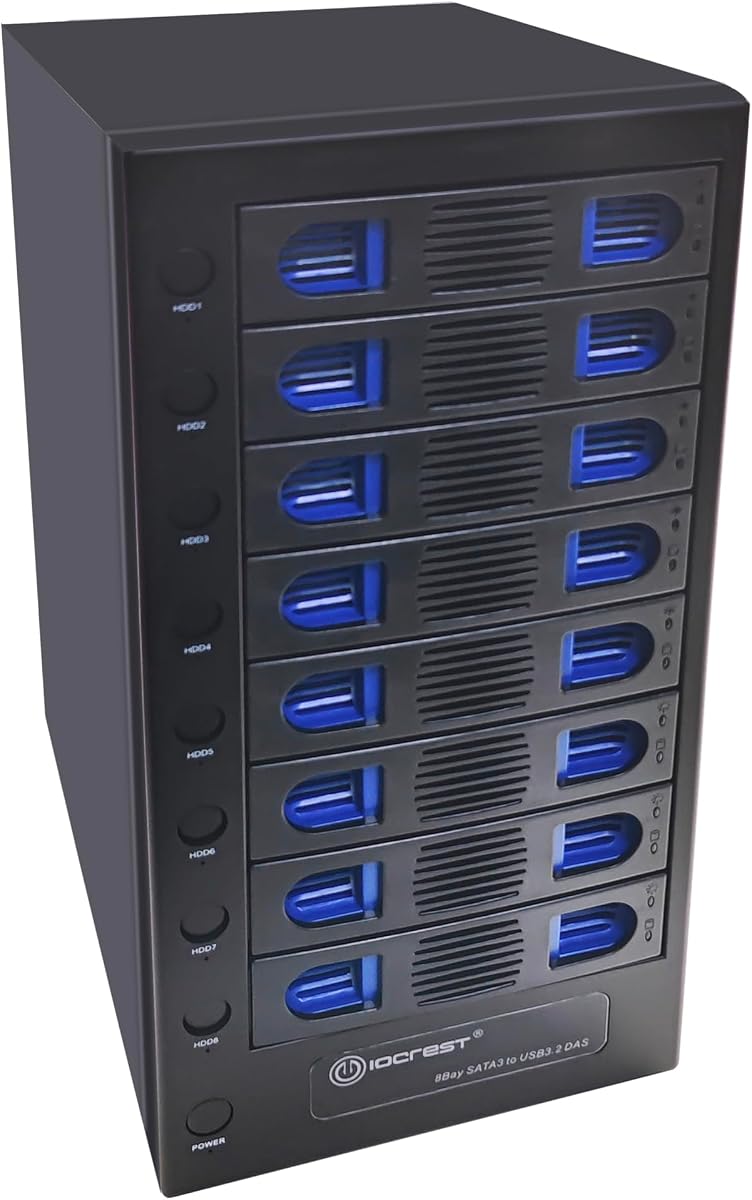


This enclosure offers a surprisingly accessible entry into hardware RAID for users needing more than a standard external drive. With a rating of 3.8 it shows that while there are some setup nuances it delivers on its promise of versatile storage options for individuals and small teams.
We may earn a commission when you buy through this link, at no additional cost to you.
The standout feature is the inclusion of eight distinct RAID modes including CLONE LARGE RAID0 RAID5 and more which provides flexibility usually reserved for higher priced enterprise units. The aluminum alloy body helps dissipate heat generated by eight drives while the dual fans ensure airflow during heavy workloads.
Users should be aware that the switching mechanism for RAID modes involves physical toggles and reset buttons which can be tricky during initial configuration. Additionally the noise level from the fans is noticeable which might make it less ideal for noise sensitive environments without soundproofing.
If you are looking for a cost effective way to implement redundancy or striping without breaking the bank this unit is a strong contender. Just ensure you back up your data before setting up RAID as the process formats the drives involved and follow the manual closely for optimal performance.
The ability to switch between modes like RAID0 for speed or RAID5 for redundancy allows you to tailor the storage to your specific workflow needs without buying different hardware.
With eight drives running simultaneously heat buildup is a real concern. The aluminum chassis combined with dedicated fans keeps temperatures in check to prevent thermal throttling or drive failure over time.
We may earn a commission when you buy through this link, at no additional cost to you.
This unit stands out as a top tier solution for video editors and creative professionals who demand speed and capacity in a portable form factor. A perfect 5.0 rating reflects its reliability and performance in demanding real world scenarios where downtime is not an option.
We may earn a commission when you buy through this link, at no additional cost to you.
The Thunderbolt 3 interface delivers read speeds up to 1900MB/s and write speeds up to 2000MB/s which is essential for editing high resolution 4K or 8K footage directly from the drive without lag. The removable Ultrastar drives add an extra layer of security and ease of maintenance.
While the price is high the investment pays off in workflow efficiency and data integrity. The ability to daisy chain up to five additional devices and provide up to 85W of power delivery to a MacBook makes it a central hub for on location production work.
If you work with large media files and need a reliable transportable storage solution that won't compromise on speed this array is unmatched. It bridges the gap between desktop storage and field portability making it a staple in professional post production environments.
The Thunderbolt 3 bandwidth allows for seamless editing of multi stream video content ensuring that your timeline playback remains smooth even with uncompressed RAW files.
Ultrastar drives are known for their durability and high endurance ratings which are critical for mission critical footage that cannot afford data loss or corruption during transfer.
We may earn a commission when you buy through this link, at no additional cost to you.
This model focuses on simplicity offering a direct attached storage experience without the complexity of RAID configuration. With a rating of 4.3 it satisfies users who want to connect multiple drives individually for expanded capacity rather than a unified array.
We may earn a commission when you buy through this link, at no additional cost to you.
The hot swappable feature is particularly useful for environments where drives need to be added or removed frequently without powering down the system. The aluminum housing provides robust protection while the integrated fans help maintain safe operating temperatures during continuous use.
Since it operates in DAS mode each drive appears as a separate volume in your operating system which can be more flexible for some backup workflows. However those looking for automatic redundancy will need to rely on software solutions or choose a different unit.
Ideal for photographers or videographers needing quick access to multiple large archives this enclosure provides the capacity and flexibility without the overhead of RAID management. It remains a strong choice for those who prioritize ease of use and physical drive swapping.
Being able to replace or add drives while the system is running saves time and increases productivity especially in fast paced production or backup scenarios.
The aluminum alloy construction not only looks professional but also acts as a heat sink helping to keep internal components cool during extended operation.
We may earn a commission when you buy through this link, at no additional cost to you.
This enclosure is designed for users who want to expand storage capacity across multiple Thunderbolt devices without losing performance. Its 3.9 rating indicates consistent performance though some users may find the setup process slightly involved compared to simpler USB options.
We may earn a commission when you buy through this link, at no additional cost to you.
The ability to daisy chain up to six units together allows for massive storage arrays exceeding 1,152TB which is perfect for enterprise archives or large media production houses. The included Thunderbolt cable ensures you can start using it immediately upon unboxing.
Drive management is made easier with thumb screw release trays that allow for quick swaps without needing additional tools. However since it does not include a hardware RAID controller you will need to rely on your operating system for any redundancy features.
If you have a Thunderbolt enabled workstation and need to scale storage significantly this unit provides the connectivity and physical design to handle that growth. It is a reliable choice for expanding your existing setup with high speed external storage.
Chaining multiple units allows you to build a storage ecosystem that grows with your needs without requiring a complete hardware overhaul when you run out of space.
Support for both 2.5 and 3.5 inch drives gives you flexibility to use existing legacy drives or newer SSDs depending on your budget and performance requirements.
We may earn a commission when you buy through this link, at no additional cost to you.
This enclosure bridges the gap between standard USB speeds and Thunderbolt performance offering 10Gbps throughput at a more accessible price point. With a 4.1 rating it appeals to users who need faster file transfers without investing in expensive Thunderbolt cabling and adapters.
We may earn a commission when you buy through this link, at no additional cost to you.
The USB 3.2 Gen 2 interface ensures that you can maximize the speed of modern high capacity drives making large file transfers significantly quicker than older USB 3.0 models. The hot swappable feature further enhances workflow efficiency by allowing drive changes without shutdowns.
While it lacks RAID functionality the daisy chain port allows you to connect up to three devices to expand your storage network easily. This makes it a versatile choice for those who prioritize speed and connectivity over built in data redundancy.
If you are working with large datasets and need faster access times than standard USB 3.0 provides this unit is a practical upgrade. It fits well into workflows that require rapid data movement and flexible drive management options.
The jump to 10Gbps means you can move gigabytes of data in seconds rather than minutes which significantly reduces wait times during backup or project handoff.
The daisy chain port allows you to build a larger storage network without filling up every port on your computer giving you more physical flexibility on your desk.
We may earn a commission when you buy through this link, at no additional cost to you.
This enclosure stands out with its smart fan technology and independent drive switches giving users granular control over power and heat. A 4.3 rating highlights its ease of use and solid performance for those needing simple external storage expansion.
We may earn a commission when you buy through this link, at no additional cost to you.
The independent control switches for each drive allow you to power off specific drives when not in use which can save energy and reduce heat generation. The smart fan with three speed levels ensures you can balance noise and cooling based on your environment.
Support for drives up to 22TB each means you can future proof your setup for years without needing to replace the enclosure. However the lack of RAID support means you will need to manage data redundancy through software or external backup solutions.
If you value control over your hardware and need a straightforward way to add multiple drives to your system this is a strong option. It is particularly well suited for home users or small offices that need flexibility without complex configurations.
The ability to switch individual drives on or off helps manage power consumption and heat allowing you to keep specific drives active for quick access while others sleep.
Supporting up to 22TB per drive ensures that as drive densities increase you won't need to upgrade the enclosure itself saving money in the long run.
We may earn a commission when you buy through this link, at no additional cost to you.
This unit is more than just a drive enclosure it is a comprehensive expansion hub designed for power users who need both storage and PCIe capabilities. A 3.7 rating reflects its complexity but also its immense potential for specialized workflows.
We may earn a commission when you buy through this link, at no additional cost to you.
The inclusion of a PCIe x16 connector allows you to add audio interfaces network cards or even additional storage controllers making it a central workstation hub. The top four bays support U.2 SSDs which offer NVMe speeds while maintaining a 2.5 inch form factor.
Front facing USB ports and card readers add convenience for quick data transfers without reaching behind the unit. SoftRAID management software provides robust tools for monitoring drive health and setting up complex RAID configurations with ease.
For professionals building a custom workstation this enclosure offers unmatched versatility. It is ideal for those who need to integrate multiple functions into a single Thunderbolt connection maximizing desk space and performance efficiency.
The PCIe slot opens up possibilities beyond storage allowing you to expand your system with specialized hardware like capture cards or faster network interfaces seamlessly.
Using U.2 SSDs in the top bays provides near internal drive speeds in an external enclosure ensuring that performance critical applications run smoothly without bottlenecks.
We may earn a commission when you buy through this link, at no additional cost to you.
Designed for integration with QNAP ecosystems this enclosure also serves well as a standalone expansion unit for workstations. A 4.0 rating suggests it is reliable and efficient for those looking to scale storage without a full NAS rebuild.
We may earn a commission when you buy through this link, at no additional cost to you.
The JBOD Manager utility provides a user friendly way to monitor drive health and manage configurations directly from your computer. This level of software support is often lacking in generic enclosures adding value for power users.
The tower design saves horizontal desk space and fits neatly under or beside a monitor. The USB 3.2 Gen 2 Type-C port ensures you can achieve high transfer speeds suitable for large backups and media streaming workflows.
If you are already invested in QNAP software or need a straightforward way to expand your workstation this is a solid choice. It balances enterprise features with desktop practicality offering a robust solution for growing storage needs.
The included utility offers professional features like drive health monitoring which helps prevent data loss by alerting you to potential issues before they become critical.
The tower form factor is designed to fit on standard desks without taking up too much room keeping your workspace organized and accessible.
We may earn a commission when you buy through this link, at no additional cost to you.
This case is perfect for DIY enthusiasts who want to build a custom NAS tailored to their exact needs. A 4.0 rating shows that it provides the flexibility and build quality expected from a hobbyist grade chassis.
We may earn a commission when you buy through this link, at no additional cost to you.
The dual independent air channels ensure that heat from the drives does not affect the motherboard creating a more stable environment for both storage and system components. The inclusion of three silent fans helps maintain low noise levels even under load.
Support for Mini ITX and Micro ATX motherboards gives you freedom to choose the CPU and power supply that fits your budget and performance goals. However since this is just a case you will need to source and install the motherboard yourself.
If you enjoy building computers and want a custom home media server or data backup solution this case offers the perfect foundation. It allows for a personalized setup that can be optimized for power efficiency or performance.
Separate air channels for drives and the motherboard prevent heat cross contamination ensuring that all components stay within safe operating temperatures during long runs.
The inclusion of all necessary mounting brackets and accessories makes the build process smooth and accessible even for those who are not professional hardware assemblers.
We may earn a commission when you buy through this link, at no additional cost to you.
This cage is designed for internal installation in servers or workstations to manage multiple 2.5 inch drives securely. A perfect 5.0 rating indicates high satisfaction among users who need reliable internal drive access.
We may earn a commission when you buy through this link, at no additional cost to you.
The locking trays ensure that drives are secured firmly preventing movement during transport or vibration which is crucial for data integrity in mobile workstations. The full metal construction adds durability and helps dissipate heat from tightly packed drives.
Support for both SATA and SAS drives makes it versatile for different hardware generations or specific enterprise requirements. Since it requires internal installation it is not a standalone external drive but an integral part of a larger system build.
If you are building a compact server or need to maximize drive density in a workstation this cage provides a professional solution. It ensures that your drives are organized and accessible while maintaining physical security.
The locking mechanism on the trays ensures that drives remain in place even if the system is moved which protects against data loss due to physical shock.
The all metal design provides a solid structure that protects sensitive drives from impact and helps manage heat in densely packed server environments.
We may earn a commission when you buy through this link, at no additional cost to you.
Selecting the right 8 bay enclosure requires understanding interface speeds drive compatibility and RAID capabilities to match your specific workflow needs.
The connection type determines how fast data moves between your computer and the enclosure. USB 3.0 offers up to 5Gbps while USB 3.2 Gen 2 provides 10Gbps. Thunderbolt 3 and 4 offer even higher speeds up to 40Gbps ideal for high resolution video editing.
Look for an interface that matches your computer's ports to avoid bottlenecks that could slow down your workflow.
Ensure the enclosure supports the physical size of your drives such as 2.5 inch or 3.5 inch and the maximum capacity per drive. Some units only support 2.5 inch drives while others handle both formats.
Check the maximum supported capacity per drive to ensure you can use the high density drives you plan to purchase without issues.
RAID modes allow you to protect data or improve performance. Models with hardware RAID can manage this independently while DAS units require software solutions for redundancy.
Decide if you need built-in redundancy for safety or if you prefer flexibility to manage drives individually through your operating system.
Eight drives generate significant heat which can lead to thermal throttling or failure. Look for enclosures with aluminum chassis or active cooling fans.
Proper cooling ensures consistent performance and extends the lifespan of your drives especially during prolonged heavy workloads.
Hot swap allows you to remove or add drives without powering down the enclosure which is essential for maintenance or quick data transfers.
If you need to change drives frequently this feature saves time and keeps your workflow uninterrupted during busy periods.
Materials like aluminum alloy provide better heat dissipation and physical protection than plastic. Metal builds are more durable for transport and long-term use.
Choose a unit with a sturdy build to protect your valuable data from physical damage or environmental factors.
Some enclosures support daisy chaining which allows you to connect multiple drives in series using a single cable on your computer.
This feature maximizes port availability and simplifies cable management when expanding storage across multiple units.
Eight drives often require a dedicated external power adapter to ensure stable operation. Check the voltage and amperage specifications.
A stable power supply is critical to prevent drive corruption or unexpected shutdowns during critical file operations.
Always ensure your drives are compatible and functioning before inserting them into the enclosure to avoid detection issues. Test each drive individually if possible before a bulk setup to identify any faulty units early.
Keep the enclosure in a well ventilated area to allow the cooling fans to work efficiently. Dust buildup can restrict airflow so clean the vents regularly with compressed air to maintain optimal temperatures.
Back up your data frequently regardless of whether you use RAID. While RAID provides redundancy it is not a substitute for proper backup strategies against accidental deletion or hardware failures.
Hardware RAID uses a controller within the enclosure to manage data distribution and redundancy independently of your computer. Software RAID relies on your operating system to manage drives which is flexible but uses system resources. Hardware RAID generally offers better performance and stability.
Most of these enclosures support both Mac and Windows out of the box. However check the specific compatibility details in the product description as some features might require specific drivers or formatting options.
Most models listed are sold as bare enclosures without drives. You will need to purchase compatible hard drives separately and install them into the drive bays yourself.
In RAID modes like RAID5 or RAID6 if one drive fails your data remains accessible and you can replace the drive without data loss. In RAID0 the loss of any drive means all data on the array is lost so backups are essential.
Switching RAID modes usually requires powering down the unit and toggling a physical switch or using a reset button combination. Always back up your data before switching modes as it will format the drives.
Some models like the SanDisk G-RAID Shuttle are designed for portability with rugged designs. Others are desktop units that may not be ideal for travel so check the form factor and durability before choosing.
Eight bay enclosures typically require an external AC power adapter to supply enough energy for all drives. Ensure you have access to a power outlet near your workspace when using these units.
It depends on usage but a general rule is to replace drives every 3 to 5 years or when SMART data indicates failure. Regular monitoring can help you plan replacements before a drive fails unexpectedly.
Whether you need high speed Thunderbolt performance or affordable USB storage there is an 8 bay enclosure suited to your needs. The SanDisk Professional G-RAID leads for pros while the CENMATE options offer value for everyday users.
Prioritize interface speeds and RAID features that match your workflow to avoid bottlenecks. Also consider cooling and build quality to ensure your data remains safe and accessible over the long term.
Prices and availability fluctuate so check current listings before buying. Verify that your system supports the required connection types to ensure a seamless integration into your existing setup.