
ASUS ROG Strix G16 (2025)
4.4Editor score
Intel Core i7 14650HX Processor
NVIDIA GeForce RTX 5060 GPU
165Hz FHD+ Display
This guide compares the top ten ASUS ROG Strix laptops for October 2026, evaluating performance, display quality, cooling systems, and value to help you choose
Finding the right gaming laptop requires balancing raw power with portability and thermal efficiency. The ASUS ROG Strix series offers a wide range of options tailored to different budgets and performance needs. Whether you need high frame rates for competitive play or robust rendering capabilities for creative work, there is a model here that fits your workflow.
We have analyzed the latest 2025 and 2026 models to determine which ones deliver the best experience. Our comparison focuses on processor architecture, graphics capabilities, display refresh rates, and cooling technologies. We also consider build quality, upgradeability, and the overall value proposition each machine brings to the table for serious users.
Each pick in this list highlights specific strengths such as budget friendliness or premium features. You will find detailed breakdowns of what makes each laptop stand out in its category. Please note that prices and availability can change frequently, so verify current details before making your final purchase decision today.
4.4Editor score

4.3Editor score

4.3Editor score
The following table provides a side-by-side look at the key specifications of all ten laptops. This allows you to quickly compare processors, graphics cards, memory configurations, and screen technologies to find the exact fit for your needs.




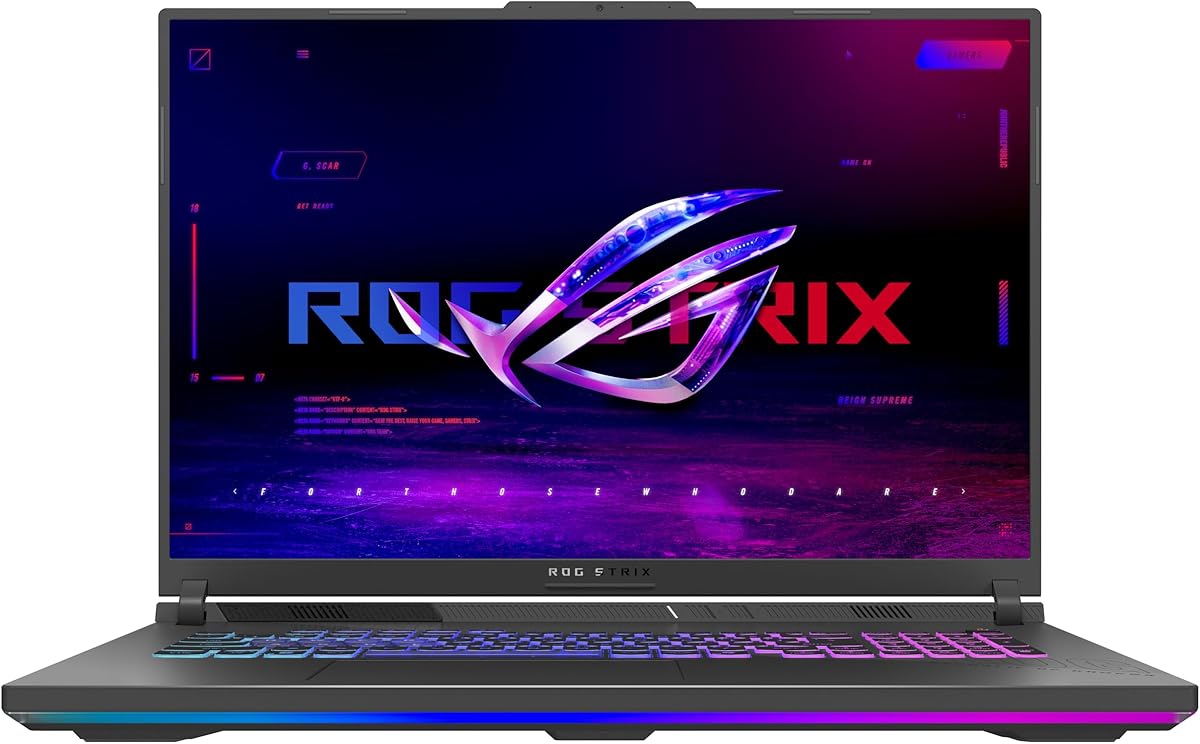
This model stands out as the most accessible option in the Strix lineup while maintaining high performance standards. With a rating of 4.4 stars it shows strong user satisfaction for everyday gaming and work tasks. The combination of the i7 14650HX and RTX 5060 provides a reliable foundation for modern titles at 1080p resolutions.
We may earn a commission when you buy through this link, at no additional cost to you.
The 165Hz FHD+ display delivers smooth visuals without breaking the bank. ACR film technology enhances contrast and reduces glare making it usable in various lighting conditions. The thermals are managed by an end-to-end vapor chamber and tri-fan technology which keeps noise levels reasonable under load. RGB lighting syncs with peripherals to create a cohesive gaming setup.
The main trade-off is the screen resolution which is lower than the premium Nebula displays found elsewhere. Gamers seeking ultra-sharp visuals might find the FHD+ panel less immersive. Additionally the GPU is capable but not designed for max settings at higher resolutions. These limitations are acceptable given the price point and target audience.
Buyers looking for a cost-effective yet powerful machine will find this laptop highly satisfying. It is ideal for students or enthusiasts who need strong performance without premium costs. The inclusion of Wi-Fi 7 ensures future readiness for faster networks. This is the recommended starting point for the ROG ecosystem.
ROG Intelligent Cooling ensures the laptop runs quietly even during intense sessions.
Wi-Fi 7 support guarantees compatibility with next-generation wireless standards.
We may earn a commission when you buy through this link, at no additional cost to you.
This laptop earns the Editor's Choice badge for its excellent balance of power and display quality. It holds a 4.3 rating reflecting consistent performance across gaming and creative workflows. The ROG Nebula display offers a 2.5K resolution with 240Hz refresh rate providing crisp and fluid visuals for competitive play.
We may earn a commission when you buy through this link, at no additional cost to you.
The Intel Core Ultra 9 275HX processor handles multitasking effortlessly alongside the RTX 5070 Ti. 32GB of DDR5 memory ensures heavy applications run smoothly without bottlenecks. The ACR film reduces glare effectively maintaining visibility in bright environments. Thermal management remains robust with liquid metal applied to the chipset for optimal heat transfer.
While the price is higher than entry models it delivers significant value through premium components. The extra memory and superior screen justify the cost for professionals and enthusiasts. Some users might find the chassis bulky for travel but it is standard for this class. Overall it offers a complete high-end experience.
This model is best for those who demand top-tier performance and visual fidelity. It suits gamers who want high frame rates and content creators needing color accuracy. The Wi-Fi 7 integration ensures fast and stable network connections. It represents the sweet spot in the Strix range for most power users.
The 2.5K Nebula panel offers exceptional sharpness for detailed work and gaming.
32GB of RAM allows for seamless multitasking without slowdowns.
We may earn a commission when you buy through this link, at no additional cost to you.
The Scar 18 is designed for users who want a desktop replacement with immersive visuals. It scores 4.3 stars for its impressive hardware and thoughtful design features. The 18-inch screen with Mini LED technology provides deep blacks and vibrant colors for an cinematic experience.
We may earn a commission when you buy through this link, at no additional cost to you.
Tool-free access allows users to upgrade RAM and SSD easily without a screwdriver. A MUX switch boosts gaming performance by routing frames directly to the dGPU. The AniMe Vision lid adds a unique style element that can display custom text or animations. Windows 11 Pro and Game Pass add value to the package.
This laptop is large and heavy making it less portable than smaller models. The price reflects its premium build and advanced display technology. Gamers seeking a true desktop experience will appreciate the screen size and performance. It is a substantial investment for serious enthusiasts who prioritize immersion.
Choose this model if you need maximum screen real estate and high-end specs. It is perfect for stationary setups where portability is not a priority. The included Game Pass offers immediate access to a large library of games. This is the ultimate choice for luxury gaming setups.
Mini LED zones deliver true HDR performance for stunning contrast.
Tool-free latches simplify maintenance and hardware expansion.
We may earn a commission when you buy through this link, at no additional cost to you.
This model pairs a high-end display with a powerful CPU to offer great value. It has a 4.0 rating indicating reliable performance for a mix of tasks. The 240Hz Nebula display brings vibrant colors and quick response times to the table for smooth visuals.
We may earn a commission when you buy through this link, at no additional cost to you.
The Intel Core Ultra 9 275HX is a strong chip for productivity and gaming. RTX 5060 handles most titles well though it may struggle with ray tracing at max settings. Dolby Vision HDR ensures rich visuals for media consumption. The design remains sleek with customizable RGB lighting for style.
The GPU is less powerful than other models which limits high-end gaming. 16GB of RAM is adequate but not future-proof for heavy multitasking. These trade-offs are acceptable for users focused on screen quality and CPU performance. It offers a balanced approach to gaming laptop specifications.
This is a great choice for users who prioritize display quality and CPU speed. It works well for media editing and lighter gaming sessions. The price is competitive compared to higher GPU configurations. It balances specs effectively for budget-conscious buyers.
Dolby Vision HDR ensures vibrant and true-to-life color reproduction.
The Ultra 9 processor delivers excellent single-core performance.
We may earn a commission when you buy through this link, at no additional cost to you.
This laptop offers a powerful alternative with AMD Ryzen architecture. It has a 5.0 rating showing exceptional user feedback on performance and stability. The Ryzen 9 9955HX provides robust multi-core capabilities ideal for multitasking and content creation.
We may earn a commission when you buy through this link, at no additional cost to you.
The RTX 5070 GPU is capable of high frame rates in modern titles. Tri-Fan technology keeps the system cool even under heavy loads. The MUX switch improves performance by routing frames directly from the discrete GPU. This ensures better battery life and gaming efficiency for daily use.
Users might prefer Wi-Fi 7 over the included 6E for future proofing. The display resolution is standard but sufficient for competitive gaming. These aspects do not detract from the overall strength of the machine. It offers a balanced AMD experience with strong thermal management.
This model is best for those who prefer AMD processors for efficiency. It suits gamers and creators needing a reliable multi-core CPU. The thermal design keeps noise levels low during intense sessions. It is a strong contender in the AMD gaming laptop space.
Ryzen processors offer excellent performance-per-watt for mobile use.
Tri-Fan technology ensures consistent cooling during peak usage.
We may earn a commission when you buy through this link, at no additional cost to you.
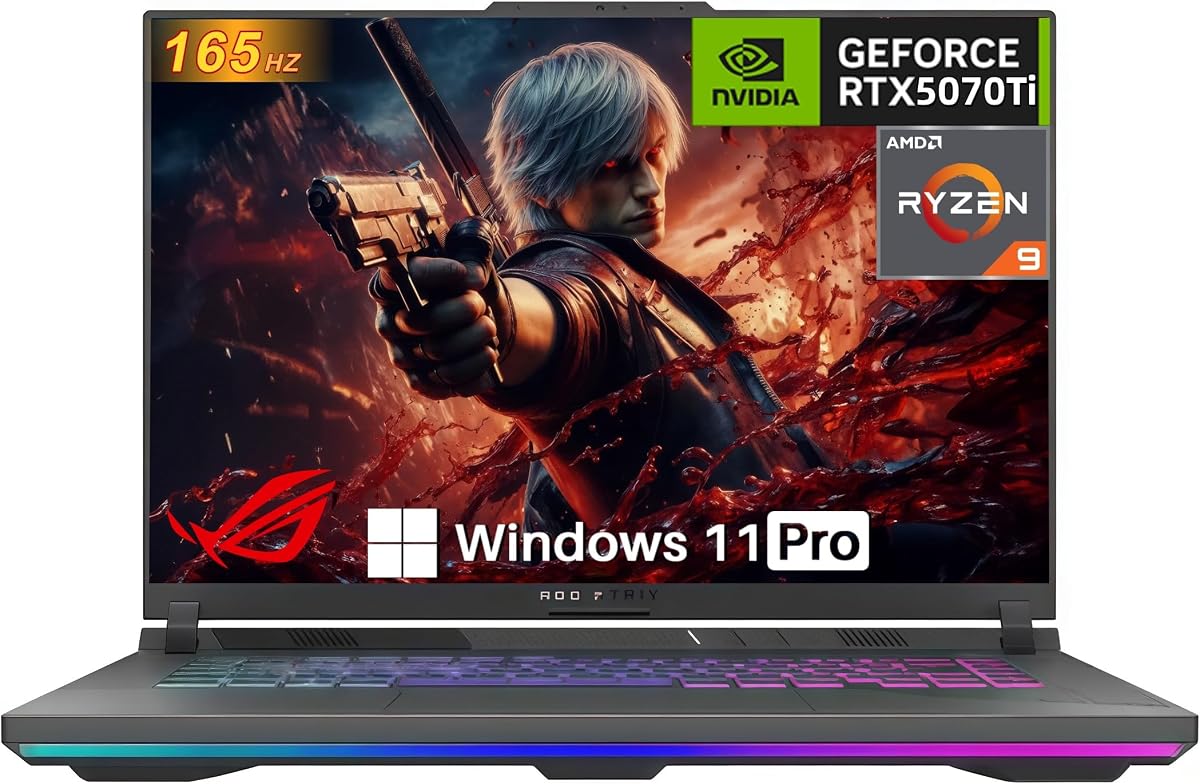
This unit is highly rated for its full TGP GPU which delivers peak gaming performance. It holds a 5.0 rating indicating perfect user satisfaction with speed and quality. The RTX 5070 Ti at 140W allows for max settings and advanced ray tracing features.
We may earn a commission when you buy through this link, at no additional cost to you.
The AMD Ryzen 9 8940HX handles heavy workloads with ease. 32GB of DDR5 ensures smooth multitasking across multiple applications. RJ-45 Ethernet provides stable wired connections for competitive gaming. Hi-Res Audio with Dolby Atmos enhances the multimedia experience for movies and music.
The 165Hz screen is good but not as fast as 240Hz options. Gigabit Ethernet may be slower than newer standards for extreme users. These are minor points in an otherwise powerful machine. It offers top-tier graphics performance for the price.
This laptop is ideal for gamers prioritizing raw frame rates and GPU power. It works well for streamers and editors needing extra memory. The wired port ensures low latency for online matches. It is a robust choice for performance-focused buyers.
140W TGP ensures maximum performance from the RTX 5070 Ti.
Wired Ethernet offers stable connections for competitive play.
We may earn a commission when you buy through this link, at no additional cost to you.
This model features a unique Q-latch system for easy SSD upgrades without tools. It has a 4.9 rating showing users love the design and performance. The Ryzen 9 processor ensures fast multitasking and gaming capabilities for modern apps.
We may earn a commission when you buy through this link, at no additional cost to you.
The RTX 5070 Ti delivers smooth frame rates for AAA titles. PCIe Gen 5 slots are ready for future storage upgrades. Thermal design keeps the system cool with liquid metal for better heat transfer. The build protects hardware while offering deep access for maintenance.
Base memory is limited which might require early upgrades for heavy users. The price is high but justified by the premium build and design. These trade-offs are acceptable for those who value hardware accessibility. It offers a solid foundation for custom configurations.
This laptop is best for users who plan to upgrade components later. It suits DIY enthusiasts who value tool-free access. The high rating reflects strong satisfaction with performance and design. It is a versatile option for long-term use.
Q-latch allows quick SSD swaps without screws.
High thermal efficiency maintains performance during extended use.
We may earn a commission when you buy through this link, at no additional cost to you.
This is the newest flagship with the RTX 5080 for top performance. It holds a 5.0 rating indicating perfect satisfaction from early users. The 2.5K HDR display provides vivid colors and high contrast for an immersive experience.
We may earn a commission when you buy through this link, at no additional cost to you.
The Intel Core Ultra 9 290HX delivers unmatched processing power. AGLR film reduces glare for better visibility in bright rooms. Tool-free access simplifies hardware upgrades for future needs. The included Game Pass adds immediate value for gamers.
The price is significant and may be beyond average budgets. The large chassis limits portability for travel. These factors are minor compared to the raw power and display. It represents the future of high-end gaming laptops.
This model is ideal for those who want the absolute best hardware. It suits professionals and enthusiasts who need maximum performance. The screen quality makes it great for creative work. It is the top choice for premium buyers.
RTX 5080 delivers high frame rates and advanced ray tracing.
Wi-Fi 7 ensures compatibility with next-gen networks.
We may earn a commission when you buy through this link, at no additional cost to you.
This model stands out with a massive 2TB SSD for extensive game libraries. It has a 4.2 rating showing solid performance and reliability for users. The Nebula display ensures high quality visuals for gaming and creation work.
We may earn a commission when you buy through this link, at no additional cost to you.
The RTX 5070 handles modern titles with ease. Windows 11 Pro adds features beneficial for professional workflows. 32GB of DDR5 memory supports heavy multitasking without slowdowns. The design keeps the system cool during extended sessions.
The GPU is not the strongest option for ultra settings. The price is higher due to the storage and OS choices. These aspects are acceptable for users prioritizing space and stability. It offers a balanced professional gaming experience.
This laptop is best for creators who need large storage spaces. It suits users who prefer Windows Pro features. The speed of the SSD ensures fast loading times. It is a strong option for high-performance workstations.
2TB SSD offers ample room for large file collections.
Windows 11 Pro includes advanced tools for professionals.
We may earn a commission when you buy through this link, at no additional cost to you.
This laptop offers a large screen at an accessible price point. It has a 4.4 rating indicating good value and user satisfaction for entry buyers. The Ryzen 9 processor provides strong multitasking power for everyday use.
We may earn a commission when you buy through this link, at no additional cost to you.
The RTX 5050 handles esports titles well but limits AAA performance. The 18-inch FHD+ display is great for media consumption. Tri-fan technology keeps the system cool during extended gaming. The design supports a clean aesthetic with RGB lighting.
The GPU is less powerful for demanding graphics tasks. The refresh rate is lower than competitive gaming standards. These limitations are acceptable given the screen size and price. It is a practical choice for general use.
This model is best for casual gamers and students needing a large display. It suits users who value screen size over frame rates. The CPU ensures smooth daily tasks. It is a solid budget entry for large screen users.
18-inch display offers wide viewing space for movies.
Lower price makes large screens more accessible.
We may earn a commission when you buy through this link, at no additional cost to you.
Selecting the right ROG Strix laptop involves weighing several technical aspects to match your needs. This guide breaks down the key factors to ensure you find the perfect machine.
Modern Intel Core Ultra and AMD Ryzen 9 processors offer high performance for gaming. Look for multi-core counts if you multitask or edit video. Newer architectures bring better battery life and AI features for daily use.
RTX 5060 is suitable for 1080p gaming while 5070 Ti handles higher resolutions. Consider TGP ratings for maximum power output from the GPU. DLSS 4 support ensures future compatibility for modern titles.
Nebula HDR screens provide superior contrast for immersive visuals. Refresh rates like 240Hz are crucial for competitive play. Always check the color coverage and response times for smooth motion.
16GB is the minimum standard for modern gaming. 32GB allows for heavy multitasking and future-proofing. Ensure the RAM is DDR5 for higher bandwidth and efficiency.
Vapor chambers and liquid metal keep systems cool under load. Tri-fan technology helps maintain lower noise levels. Good thermals ensure sustained performance during long sessions.
Look for tool-free access to SSD and RAM slots. MUX switches boost gaming performance by bypassing the integrated GPU. Easy upgrades extend the lifespan of your device significantly.
Wi-Fi 7 provides the fastest wireless speeds currently available. Ethernet ports ensure stable connections for competitive play. USB-C and HDMI 2.1 ports support external displays.
Chassis size affects portability so check dimensions before buying. RGB lighting can be customized via software for style. A sturdy build protects internal components during transport.
Keep the laptop on a hard flat surface to ensure proper airflow for cooling. Elevate the back slightly with stands to improve intake and reduce heat buildup.
Use the Armoury Crate software to switch performance modes based on your activity. Turbo mode is best for gaming while Silent mode helps battery life during daily tasks.
Avoid leaving the laptop in direct sunlight or hot cars to protect components. Update drivers regularly to ensure optimal performance and security.
For competitive gaming prioritize a 240Hz display and a powerful GPU like the RTX 5070 Ti. The G16 with Nebula display offers the best balance of refresh rate and performance.
Yes many models feature tool-free access to RAM and SSD slots. This allows you to expand storage and memory without needing special tools or service.
Windows 11 Pro offers additional features like BitLocker and Remote Desktop which are useful for professionals. For pure gaming the Home edition is often sufficient.
All gaming laptops generate heat but ROG Intelligent Cooling keeps temperatures stable. The vapor chamber and liquid metal help prevent overheating during gaming.
Use the MUX switch via Armoury Crate to route frames directly to the dGPU. This boosts performance but may reduce battery life during gaming sessions.
Both offer excellent performance depending on the specific model. AMD Ryzen is great for efficiency while Intel Core Ultra provides strong AI and single-core power.
The ROG Strix lineup offers excellent choices for every budget and performance need. The 2025 and 2026 models bring powerful CPUs and GPUs to the table. Each laptop is designed to deliver immersive gaming and creation experiences.
Focus on what matters most to you whether it is screen size or raw performance. The G16 models are versatile while the Scar 18 offers premium desktop quality. Consider your usage patterns to make the right choice.
Always check current availability and deals before making your purchase today. Prices can fluctuate based on market demand. We hope this guide helps you find the perfect Strix laptop for your needs.