
Thermaltake Pure 20 Series Black
4.5Editor score
High airflow 30mm thick
Silent sleeve bearing design
Anti-vibration mounting included
Choosing the right cooling solution is essential for maintaining optimal system performance and longevity. A high-quality 200mm case fan provides superior airflow compared to smaller options, ensuring heat dissipates efficiently from your components. These large fans operate at lower speeds while moving more air, resulting in quieter operation and better thermal stability.
We evaluated ten leading 200mm case fans based on airflow capacity, noise levels, bearing technology, and build quality. Our analysis includes models from reputable brands known for reliability and innovation in PC cooling. Each product was assessed for compatibility, ease of installation, and overall value to ensure you find the perfect fit for your build.
Every selection in this guide highlights unique strengths such as PWM control, RGB lighting, or industrial-grade durability. We detail specifications and real-world performance expectations to help you make an informed decision. Please note that prices and availability may change, so verify current details before purchasing.
4.5Editor score
4.8Editor score

4.6Editor score
As an Amazon Associate we earn from qualifying purchases.
This comparison table provides a side-by-side overview of the top ten 200mm case fans available in 2026. Each entry highlights key specifications including size, bearing type, airflow capacity, and noise levels to facilitate easy decision-making.


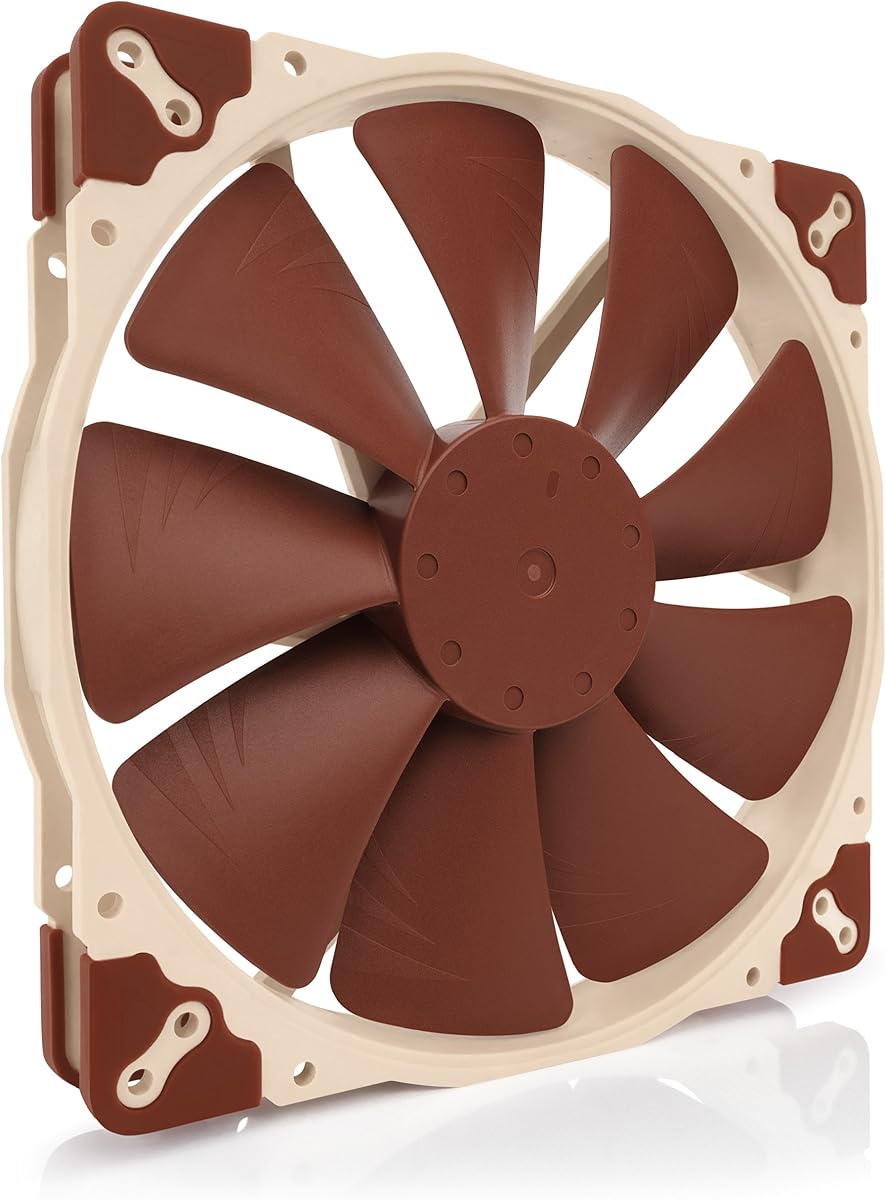
The Noctua NF-A20 PWM stands out as the top choice for users seeking exceptional cooling performance without compromising on silence. With a stellar rating of 4.8 stars, it delivers high airflow at extremely low noise levels thanks to its advanced acoustic optimization frame. This fan is engineered for those who prioritize thermal efficiency and long-term reliability above all else.
We may earn a commission when you buy through this link, at no additional cost to you.
Its award-winning A-series design features Flow Acceleration Channels that increase pressure and airflow while reducing noise. The 4-pin PWM connection allows automatic speed control ranging from 350 to 800 RPM. The included Low-Noise Adaptor offers even more flexibility for tuning the fan to match your specific cooling needs or silence requirements.
While the price is higher than many competitors, the quality justifies the investment with a lifespan exceeding 150000 hours. The trade-off is primarily aesthetic since it comes in a classic brown and grey color scheme. However, the chromax.black.swap edition is available for those preferring a black design with customizable anti-vibration pads.
This fan is ideal for silent builds, workstations, or high-performance systems that need robust cooling. If you want a fan that simply works perfectly for years with minimal maintenance, this is the one to get. It balances silence style and efficiency better than any other 200mm option currently on the market.
The Advanced Acoustic Optimisation frame and Flow Acceleration Channels work together to minimize turbulent noise while maximizing air delivery.
Three sets of mounting holes ensure broad compatibility with various PC cases allowing easy installation even in tight spaces.
We may earn a commission when you buy through this link, at no additional cost to you.
The Cooler Master SickleFlow 200 combines premium aesthetics with solid cooling performance making it perfect for visible builds. It features Gen2 ARGB lighting with frosted blades that diffuse light beautifully creating a vibrant and customizable luminous effect. The hybrid frame design minimizes resonance ensuring quieter operation even when pushed to higher speeds.
We may earn a commission when you buy through this link, at no additional cost to you.
Engineered for cases supporting 200mm fans it delivers high airflow efficiently while remaining quiet. The dynamic PWM header allows adjustable speeds from 0 to 800 RPM to balance noise and airflow as needed. A two-tier sealing mechanism protects internal components from dust and oil leakage enhancing stability and extending the fan's lifespan significantly.
The only downside is the need for a compatible ARGB header on your motherboard to control lighting effects. However, this is standard for modern systems and adds significant visual value. The anti-resonance mounting pads reduce vibration noise further ensuring smooth performance during gaming or intensive workloads.
If you want a fan that looks amazing while delivering reliable cooling this is the best premium choice. It suits builders who value style alongside function and want a fan that integrates seamlessly into an RGB ecosystem. The quality and design make it a standout option in the crowded 200mm market.
The frosted blade design disperses ARGB light evenly creating a soft glow that enhances the visual appeal of any PC setup.
A two-tier sealing mechanism prevents dust and oil leakage ensuring long-term stability and extended operational life.
We may earn a commission when you buy through this link, at no additional cost to you.
The Thermaltake Pure 20 Series offers an excellent entry point for users needing reliable 200mm cooling without breaking the bank. Its thick 30mm design creates high air pressure and airflow focusing the air torrent without creating excess noise. The sleeve bearing ensures decent longevity while maintaining a very accessible price compared to premium competitors.
We may earn a commission when you buy through this link, at no additional cost to you.
Installation is simplified by the shaved frame design which allows more flexibility especially with Thermaltake chassis. It strikes a perfect balance between silence style and efficiency making it versatile for various builds. The anti-vibration mounting system reduces resonance ensuring the fan runs smoothly even at higher speeds.
While sleeve bearings may not last as long as fluid dynamic bearings in some cases it still offers great reliability for general use. The LED version is available if you want to add some visual flair to your build. This fan is ideal for budget-focused builds or cases where a simple efficient fan is all that is needed.
For those seeking high airflow on a tight budget this model is the clear winner. It provides enough cooling power for most mid-range systems while keeping noise levels acceptable. If you need a no-frills reliable fan that gets the job done efficiently this is a smart choice to buy.
Fan blades are designed to focus airflow and reduce noise creating a torrent of air without excess noise for better cooling.
The shaved frame allows more installation flexibility specially the chassis from Thermaltake making setup faster and easier.
We may earn a commission when you buy through this link, at no additional cost to you.
The Noctua NF-A20 PWM chromax.Black.swap is the perfect choice for users who demand quiet cooling with a sleek all-black aesthetic. It shares the same award-winning design as the standard version including Flow Acceleration Channels for superior airflow. The chromax.black.swap edition adds all-black design and swappable anti-vibration pads in red white blue yellow and green for customization.
We may earn a commission when you buy through this link, at no additional cost to you.
Its large 20cm diameter provides high airflow at extremely low noise levels which is essential for silent builds. The fan supports multiple mounting hole sizes ensuring compatibility with various PC cases regardless of layout. The 4-pin PWM header allows automatic speed control via motherboard headers maintaining consistent performance without manual intervention.
While it costs more than standard options the customization options justify the price for enthusiasts who value personalization. The noise level stays under 18.1 dB even at full speed which is exceptional for a fan moving this much air. If you want silence without compromising visual style this is the ideal solution.
This fan is best for high-end silent gaming rigs or workstations where aesthetics and performance are equally important. It offers a premium experience with attention to detail that standard fans often lack. Choosing this model ensures your build looks professional while keeping temperatures low and noise minimal.
Swappable red black white blue yellow and green anti-vibration pads allow color-customising to match your setup.
Three sets of mounting holes ensure broad compatibility with various PC cases for flexible installation options.
We may earn a commission when you buy through this link, at no additional cost to you.
The Noctua NF-A20 FLX offers an alternative for users with older motherboards or systems requiring 3-pin Molex headers. It provides two distinct speed settings of 800 and 550 RPM allowing you to choose between maximum airflow or near-silent operation. The included Low-Noise Adaptor helps fine-tune the fan to maximize performance for specific cooling scenarios.
We may earn a commission when you buy through this link, at no additional cost to you.
Like other models in the series it benefits from Flow Acceleration Channels and an Advanced Acoustic Optimisation frame. This ensures that even at lower speeds the fan maintains high airflow performance with extremely low noise levels. The included extension cable and Y-cable offer flexibility in routing and powering the fan efficiently.
The lack of PWM means manual control is less dynamic compared to 4-pin versions but the speeds are well chosen for most needs. The trade-off is a simpler connection setup which many users prefer for stability. This makes it a reliable choice for servers or older systems lacking modern headers.
Ideal for quiet home servers or legacy PC cases this fan delivers consistent performance without complexity. If you prioritize simplicity and reliable cooling over smart features this FLX version is a solid investment. It maintains the high standards of Noctua reliability at a practical operational profile.
The Low-Noise Adaptor allows fine-tuning the fan for maximum airflow or near-silent operation based on your needs.
Includes 3:4-pin adaptor for powering the fan directly from the power supply if motherboard headers are limited.
We may earn a commission when you buy through this link, at no additional cost to you.
The Noctua NF-A20 5V PWM is uniquely designed for systems or devices that support 5V PWM speed control. Its USB power adaptor cable allows the fan to run on devices with USB host ports power banks or USB power supplies like those used by smartphones. This makes it incredibly versatile for specialized cooling setups or portable computing needs.
We may earn a commission when you buy through this link, at no additional cost to you.
It features the same award-winning A-series design with Flow Acceleration Channels for superior quiet cooling performance. The polarity protection ensures safe operation with 5V applications reducing the risk of connection errors. Including an OmniJoin adaptor set facilitates connection to proprietary fan headers on specific motherboards or cooling controllers.
While the 5V system limits compatibility compared to standard 12V fans it opens up new possibilities for custom installations. The trade-off is a need for specific power sources but the reliability remains consistent with Noctua standards. This fan is perfect for users experimenting with alternative cooling architectures.
Ideal for custom mini-PCs or USB-powered devices requiring high airflow this fan delivers professional performance. If you need to integrate cooling into a device with limited power options this is the best choice. It ensures reliable thermal management even in constrained power environments.
USB power adaptor cable allows the fan to run on devices with USB host ports power banks or USB power supplies.
OmniJoin adaptor set supports connection to proprietary fan headers for broader hardware compatibility.
We may earn a commission when you buy through this link, at no additional cost to you.
The Thermaltake CT200 PWM fan is engineered to deliver high airflow while complementing the look of existing CT fan lines. Its optimized 9 blades push up to 131.6 CFM of airflow making it a strong performer for high-airflow setups. The hydraulic bearing ensures silent and reliable operation while still providing necessary performance when load increases.
We may earn a commission when you buy through this link, at no additional cost to you.
Installation is simplified by daisy chainable 4-Pin PWM connectors which allow quick installation and extension cables for access to further fan headers. This feature is particularly useful for builds needing multiple fans without cluttering the motherboard with many wires. The CT200 runs at speeds of 500 to 900 RPM ensuring stable cooling.
While it may not match the acoustic precision of top-tier brands it offers excellent value for airflow-focused builds. The trade-off is a slightly higher noise profile at max speed but it remains within acceptable limits for most cases. If you need volume of air this fan is a great choice.
Ideal for cases needing maximum intake or exhaust capacity this fan performs consistently under pressure. It suits builders who value airflow numbers and clean cable management over ultra-silent performance. The matching CT design also helps maintain visual uniformity across your system.
Optimized with 9 blades to push up to 131.6 CFM of airflow and 1.92mm-H20 of static pressure for high performance.
Each fan has daisy chainable 4-Pin PWM connectors for quick installation as well as extension cables for headers.
We may earn a commission when you buy through this link, at no additional cost to you.
The CHICIRIS 200mm Case Fan offers an attractive blend of illumination and cooling at a competitive price. It features 34 RGB lamp beads arranged in inner and outer circles to create a bright uniform soft glow. The hydraulic bearing design reduces lubricant leakage and friction ensuring stable and reliable performance over an extended lifespan.
We may earn a commission when you buy through this link, at no additional cost to you.
Designed for maximum airflow it delivers 95 CFM of air volume while maintaining a peak speed of 1000 RPM. The optimized 9 blade design ensures efficient heat dissipation keeping your components running at optimal temperatures during intense sessions. Motherboard sync support allows you to control lighting effects directly from your software for dynamic shows.
The translucent blade design not only optimizes airflow but also diffuses light beautifully. This is a significant benefit for users wanting visual flair without overspending. The standard 4PIN PWM interface ensures broad compatibility with modern PC cases and motherboards.
Ideal for budget RGB builds this fan offers a complete package of style and function. It is perfect for first-time builders looking for easy installation and vibrant lighting without complex setups. Choosing this model ensures your PC stays cool while looking visually impressive.
Immerse your build in stunning illumination with 34 RGB lamp beads creating a bright uniform and soft glow.
Designed for maximum airflow delivering 95 CFM to keep CPU GPU and hardware running at optimal temperatures.
We may earn a commission when you buy through this link, at no additional cost to you.
The Cooler Master MF200R RGB is designed as a premium in-take fan that balances silent performance with high airflow. Its Jet Engine and helicopter Blade design applies the right amount of static air pressure without sacrificing airflow. This hybrid design is particularly effective for front intake where pressure and silence are critical.
We may earn a commission when you buy through this link, at no additional cost to you.
Certified compatible with major RGB platforms it offers versatile lighting control once connected to the right controller. The Smart fan sensor for jam protection automatically stops the motor if jammed by objects protecting the fan from damage. Silent cooling technology combines noise reduction tech and sound absorbing rubber pads for smooth operation.
While it requires an RGB controller for lighting the core cooling performance is reliable and efficient. The trade-off is the need for extra accessories but the fan itself is robust. It is a solid choice for those wanting a balanced in-take solution with safety features.
Ideal for builds focused on front intake cooling this fan delivers consistent air movement with minimal noise. If you prioritize component safety and silent operation this is a worthy investment. It ensures your system breathes well while keeping internal components protected.
The Jet Engine and helicopter Blade design applies the right amount of static Air pressure without sacrificing airflow.
Smart fan sensor for jam protection protects your fan by automatically stopping the motor if jammed by objects.
We may earn a commission when you buy through this link, at no additional cost to you.
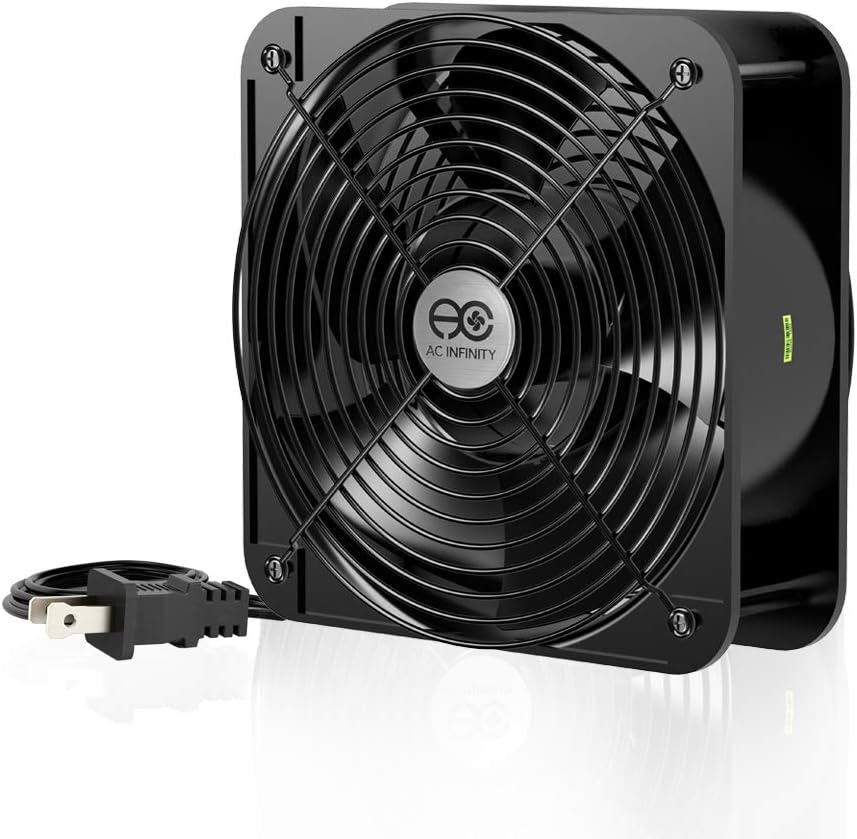
The AC Infinity AXIAL 2060 is an industrial muffin fan designed for projects requiring extreme cooling or ventilation. With 425 CFM of airflow it moves significantly more air than standard PC fans. The dual-ball bearings have a lifespan of 67000 hours and allow the fans to be laid flat or stand upright for flexibility.
We may earn a commission when you buy through this link, at no additional cost to you.
This model is designed to maximize airflow and can be too loud for some applications but is perfect for heat exchangers or server racks. It includes a heavy-duty aluminum fan with power plug cord two fan guards and a mounting screw set. The thick 60mm frame provides structural rigidity and durability for demanding environments.
The trade-off is the need for AC power and the high noise level which may be distracting in quiet living spaces. However for specialized cooling needs this fan offers unmatched volume and durability. It is not a standard PC fan but a utility workhorse for cooling specific projects.
Ideal for rack systems or large enclosures needing serious ventilation this fan is the top pick for power. If you need raw cooling capacity over silence this model is the definitive solution. It ensures your hardware or project stays cool even under heavy loads.
High Speed design maximizes airflow with 425 CFM ensuring rapid cooling for heat exchangers or server racks.
Dual-ball bearings allow the fans to be laid flat or stand upright for flexible installation options.
We may earn a commission when you buy through this link, at no additional cost to you.
Selecting the right 200mm case fan involves considering several key factors to ensure compatibility performance and value.
Airflow measured in CFM indicates how much air the fan moves which is crucial for intake and exhaust. Static pressure is the force behind the air movement essential for pushing air through radiators or filters. For general cooling prioritize high CFM but for restricted spaces look for higher static pressure ratings.
Choose a fan with high CFM for case ventilation and higher static pressure for radiators.
Noise levels in dBA determine how audible the fan will be during operation. Look for models with advanced acoustic optimization to reduce turbulence and vibration. Quieter fans often use specialized blade designs or bearing technologies to minimize sound.
Prioritize low noise ratings if you plan to use the fan in a quiet office or bedroom.
Bearing type affects lifespan and noise. Sleeve bearings are affordable but wear out faster while hydraulic or fluid dynamic bearings offer longevity. Ball bearings are durable but may generate more noise over time.
Select fluid dynamic bearings for best balance of durability and silent operation.
3-pin Molex connectors offer simple constant speed control while 4-pin PWM allows automatic speed adjustments via motherboard headers. Ensure your motherboard has compatible headers for the fan you choose.
Use PWM headers for automatic temperature-based speed control and energy efficiency.
200mm fans come in various thicknesses such as 25mm 30mm or 60mm. Ensure your case has enough depth to accommodate the fan without blocking other components.
Check your case manual for 200mm clearance and mounting hole positions before buying.
RGB fans offer visual customization but require headers or controllers. Non-RGB fans are more affordable and simpler to install. Decide if lighting is essential for your build.
Skip RGB if simplicity and lower cost are more important than lighting effects.
Materials like PBT plastic resist warping over time compared to standard plastics. Metal frames offer durability but may add weight. High-quality builds ensure consistent performance over years.
Look for durable materials like PBT frames for long-term stability and resistance to heat.
Premium fans offer better performance and features but cost more. Budget fans provide adequate cooling for less money. Determine how much you value silence and features over cost.
Invest in premium fans for silent builds but budget options work well for general use.
Install the fan securely using screws or anti-vibration mounts to reduce noise and vibration. Ensure the airflow direction matches your intake or exhaust plan for optimal cooling efficiency. Connect the fan to a compatible motherboard header or power supply using the provided cables.
Regularly clean dust from the blades and frame using compressed air to maintain performance. Dust accumulation can cause the fan to work harder and generate more noise over time. Check that all mounting points remain tight to prevent rattling during operation.
Monitor fan speeds via your BIOS or system monitoring software to ensure proper function. If a fan stops or makes unusual noises inspect it for obstruction or bearing wear. Replacing worn bearings early prevents complete fan failure and protects your system.
Yes 200mm fans generally provide better airflow at lower noise levels because they move more air at slower speeds. This makes them ideal for quiet cooling in larger cases where space allows. They also reduce the number of fans needed for effective system cooling.
3-pin fans provide constant speed while 4-pin PWM fans allow automatic speed control via motherboard headers. PWM fans adjust speed based on temperature which improves cooling efficiency and reduces noise when full power is not needed.
Yes RGB fans require compatible RGB headers or external controllers to power lighting effects. Some fans come with adapters but check your motherboard support before purchasing. If you do not need lighting standard non-RGB fans are simpler.
Standard thickness is 25mm or 30mm which fits most cases. Thicker 60mm fans are used for industrial applications or specialized cooling. Always check your case clearance to ensure the fan fits without blocking components.
No you need sufficient clearance for the fan diameter and thickness. Many cases support 200mm on the front or top but not the rear. Verify your case specs before buying to avoid compatibility issues during installation.
High-quality 200mm fans operate between 18 to 25 decibels which is very quiet. Lower-end models may be louder especially at maximum speeds. Look for acoustic optimization features to ensure silent performance.
We have reviewed the top 200mm case fans ranging from premium silent models to high-value budget options. The Noctua NF-A20 PWM leads our list for overall performance and silence while the Thermaltake Pure 20 offers excellent affordability for general builds.
When choosing prioritize airflow requirements and noise tolerance to match your specific use case. Consider compatibility with your motherboard headers and case dimensions to ensure easy installation. Investing in quality fans improves system longevity and cooling efficiency significantly.
Please verify current prices and availability before purchasing as they may change over time. This guide provides a solid foundation for selecting the ideal 200mm fan for your setup. Follow our recommendations for the best balance of quality and value.