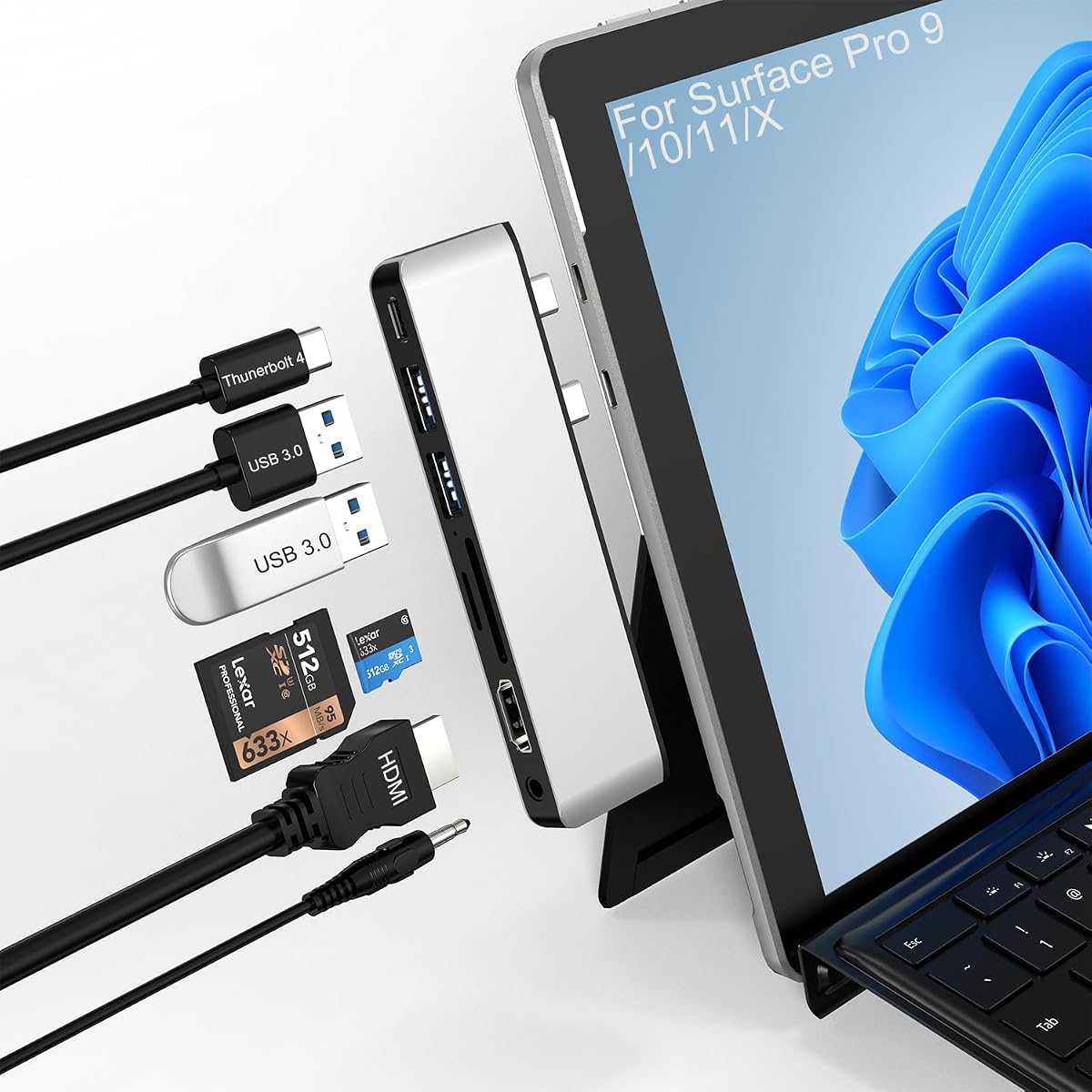
Surface Pro 11 USB Hub
4.2Editor score
Thunderbolt 4 USB-C Port
100W Power Delivery
Compact Aluminum Design
Discover the top docking stations for Surface Pro 11 in October 2026. This guide compares features, ports, and performance to help you choose the right hub.
Choosing the right docking station for your Surface Pro 11 is essential for maximizing productivity and expanding connectivity options in a modern workspace setup.
We have evaluated ten top-rated models based on port variety, display support, charging capabilities, and overall build quality to provide a comprehensive comparison for users.
Each pick highlights specific strengths and ideal use cases while noting that pricing and availability may fluctuate frequently across different online retailers and marketplaces.
4.2Editor score
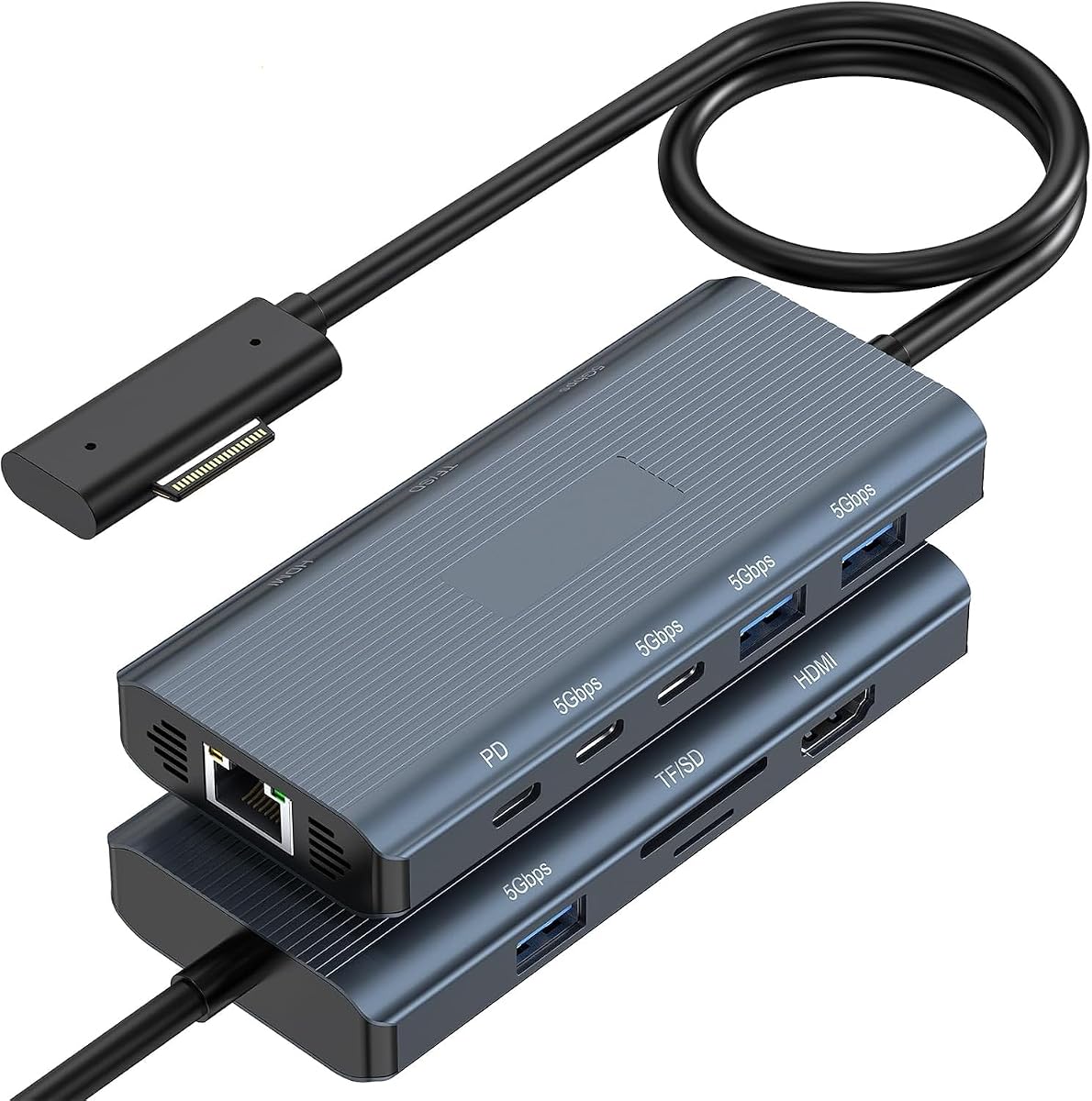
4.8Editor score

4.3Editor score
The following table provides a side-by-side comparison of all ten selected docking stations highlighting their key specifications to help you quickly identify the best fit for your needs.



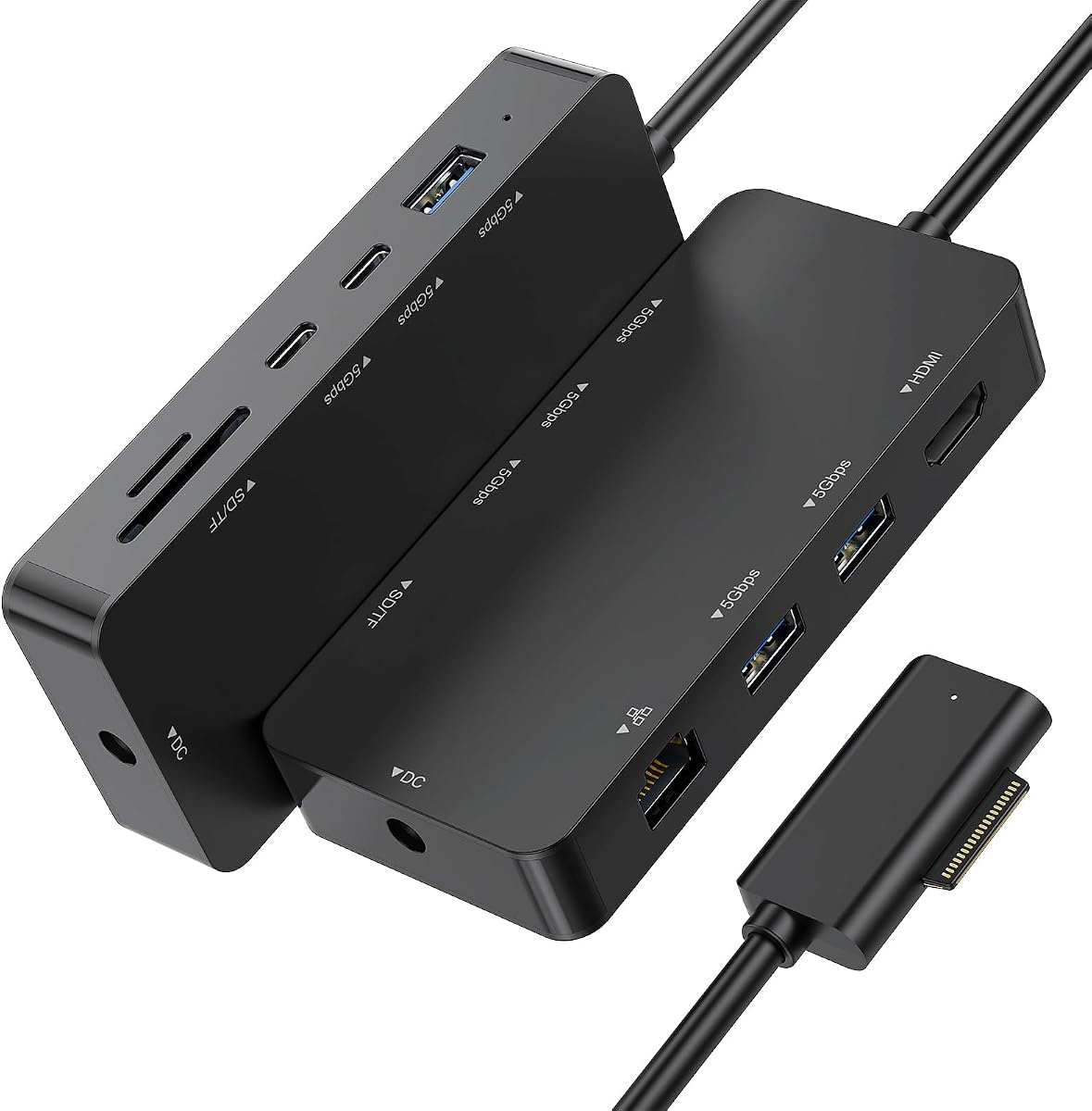
This 11-in-1 docking station stands out as the top choice for users needing robust connectivity for their Surface Pro 11 with excellent performance metrics and reliable build quality.
We may earn a commission when you buy through this link, at no additional cost to you.
It features 4K at 60Hz HDMI output and a 100W PD power input ensuring your device stays charged while handling multiple high resolution displays without lag or signal degradation.
While it requires an external power supply which is included the dedicated power connection ensures stable performance during intensive tasks like video editing or large file transfers over gigabit ethernet.
Ideal for professionals needing a full desktop experience this dock provides extensive USB ports and card readers making it a complete solution for any Surface ecosystem user today.
Supports 4K at 60Hz HDMI for crisp visuals on external monitors perfect for creative work.
100W PD input keeps your Surface Pro 11 fully charged while connected to multiple accessories.
We may earn a commission when you buy through this link, at no additional cost to you.
This docking station is designed specifically for users requiring triple display capabilities which is rare in compact docks offering both HDMI and VGA outputs for diverse monitor configurations.
We may earn a commission when you buy through this link, at no additional cost to you.
It offers 12 ports total including USB-A and USB-C data ports allowing simultaneous connections to keyboards mice and external storage drives without compromising on speed or functionality.
Note that using all three external displays may require turning off the Surface screen and the ethernet port is limited to 100Mbps which might suit basic tasks better than heavy downloads.
Best for traders or data entry specialists needing extensive screen real estate this dock delivers solid performance for multitasking though it lacks the speed of gigabit ethernet options available.
Supports three external monitors via dual HDMI and VGA for maximum workspace expansion.
12 ports ensure you can connect all peripherals without needing extra adapters or splitters.
We may earn a commission when you buy through this link, at no additional cost to you.
This USB hub offers an affordable entry into enhanced connectivity featuring Thunderbolt 4 support which delivers exceptional data speeds and high resolution video output for modern workflows.
We may earn a commission when you buy through this link, at no additional cost to you.
It includes 100W Power Delivery ensuring your device charges efficiently while you work and its compact aluminum build helps dissipate heat effectively during extended usage sessions on your desk.
Users should note it does not use the magnetic Surface Connect port and may not fit perfectly if you have a protective case on your Surface Pro so check dimensions before purchase.
Perfect for students or light users wanting high specs without breaking the bank this hub provides premium features like 8K video support at a price point much lower than similar products.
Thunderbolt 4 port enables ultra fast data transfer and high resolution video output efficiently.
100W PD ensures fast charging speeds even when multiple peripherals are connected simultaneously.
We may earn a commission when you buy through this link, at no additional cost to you.
This new model brings versatile triple monitor support using dual HDMI and VGA ports making it an excellent choice for office environments where spreadsheets and documents need multiple screens.
We may earn a commission when you buy through this link, at no additional cost to you.
It includes a dedicated 72W power adapter to maintain stable performance while running connected monitors and accessories ensuring your device remains powered throughout long working sessions without interruption.
The inclusion of USB-C data ports allows for modern peripheral connections while the high user rating suggests strong reliability and ease of use for typical home office setups and business needs.
Ideal for administrative roles or content creators needing multiple views this dock balances price and performance well though it lacks the ultra high speed of Thunderbolt connections found in premium models.
Dual HDMI and VGA ports allow flexible screen configurations for different types of monitors.
Comes with a dedicated adapter so you can dock and charge without extra purchases.
We may earn a commission when you buy through this link, at no additional cost to you.
Designed with creative professionals in mind this dock offers blazing fast data transfer speeds and a 72W power supply to handle heavy workflows like photo editing or video production seamlessly.
We may earn a commission when you buy through this link, at no additional cost to you.
The 12 port layout ensures you can connect cameras and storage drives while maintaining high speed transfers that prevent bottlenecks during large file movements or real time content creation tasks.
It features triple display support which allows you to reference source material on one screen while editing on another providing a streamlined workflow for designers and photographers daily operations.
Best for creatives needing reliable speed and multiple screen options this dock is a strong contender despite the slower Ethernet as wired speed is less critical for local creative workloads.
Supports multiple screens and high speed storage access for smooth editing experiences.
72W power supply ensures stable charging even with multiple high power peripherals connected.
We may earn a commission when you buy through this link, at no additional cost to you.
This premium dock features dual 4K at 60Hz HDMI outputs providing crystal clear visuals perfect for traders designers or anyone needing superior screen real estate for complex workflows or tasks.
We may earn a commission when you buy through this link, at no additional cost to you.
It includes a dedicated 100W DC charging adapter ensuring your laptop stays fast charged while providing rock solid power to all connected hard drives and devices without performance drops or interruptions.
The gigabit ethernet port guarantees a low latency connection essential for smooth video conferencing and high speed downloads that business professionals and gamers rely on daily for efficiency.
Ideal for power users who need top tier performance and future proofing this dock offers high speed capabilities and stable power delivery that justify its investment for serious productivity setups.
Dual 4K@60Hz HDMI outputs deliver exceptional clarity for detailed design and work.
100W charging and Gigabit Ethernet ensure your devices run smoothly without interruptions.
We may earn a commission when you buy through this link, at no additional cost to you.
This mid range dock strikes a balance between features and affordability offering 10 ports and reliable 65W PD charging to keep your device powered throughout the work day efficiently.
We may earn a commission when you buy through this link, at no additional cost to you.
It features 1000Mbps gigabit ethernet for stable network connections essential for video conferencing while the compact design helps simplify your workspace without cluttering the desk with adapters.
Note that HDMI output is limited to 30Hz which is suitable for general work but might feel less smooth for gaming or fast moving content compared to 60Hz options available in other models.
Best for business users needing reliable connectivity without premium costs this dock provides essential high speed networking and charging features that meet daily demands for professional environments well.
1000Mbps Ethernet ensures reliable connections for professional video calls and file sharing.
65W PD fast charging keeps your Surface ready for use during long working sessions.
We may earn a commission when you buy through this link, at no additional cost to you.
This model supports triple displays via dual HDMI and VGA making it a strong contender for those wanting to expand their setup for multitasking or casual gaming on multiple screens.
We may earn a commission when you buy through this link, at no additional cost to you.
It features a 72W power input ensuring your Surface stays powered while running connected accessories and the high speed USB 3.0 ports allow quick access to external drives and media.
Users should note the ethernet is limited to 100Mbps which may not suit heavy downloading but is sufficient for stable network browsing and general office activities on your home network.
Best for general users and gamers needing extra screens this dock offers solid performance and wide compatibility though power users might prefer gigabit ethernet for more demanding network activities.
Triple display output allows multiple monitor setups for enhanced multitasking and gaming.
72W power input ensures stable charging while running multiple connected devices simultaneously.
We may earn a commission when you buy through this link, at no additional cost to you.
This hybrid work focused dock features triple display support with HDMI and DisplayPort outputs allowing you to connect three high resolution monitors for maximum productivity during work days.
We may earn a commission when you buy through this link, at no additional cost to you.
It includes a 120W power supply adapter that allows faster charging speeds and extra power for accessories ensuring your laptop remains fully operational even during intensive video editing sessions.
The gigabit ethernet port and USB-C data ports ensure stable networking and fast file transfers making it ideal for professionals needing reliability and speed in a single hub setup today.
Best for hybrid workers needing multiple screens this dock offers high resolution support and power capabilities though it requires specific setup steps for connecting three external displays correctly.
Supports three 4K at 60Hz monitors for immersive and productive multi screen workflows.
120W power supply ensures your device charges fast while handling multiple accessories easily.
We may earn a commission when you buy through this link, at no additional cost to you.
This dock combines essential features like 4K at 60Hz HDMI and gigabit ethernet with a magnetic connection cable ensuring a secure and stable link to your Surface device without effort.
We may earn a commission when you buy through this link, at no additional cost to you.
It includes a dedicated PD power adapter and offers reliable data transfer speeds making it a dependable daily driver for home offices and remote workers needing consistent connectivity for tasks.
With a high user rating and responsive customer support this model stands out for quality and ease of use especially for those wanting a straightforward plug and play setup experience today.
Best for general users seeking value this dock offers a strong balance of display speed network reliability and connectivity options that meet most modern surface device needs effectively.
Magnetic Surface Connect cable ensures a stable connection without port wear or loose fits.
Gigabit Ethernet and 4K at 60Hz HDMI ensure smooth streaming and crisp visuals reliably.
We may earn a commission when you buy through this link, at no additional cost to you.
Selecting the right docking station involves considering connectivity needs display requirements and power capabilities to ensure seamless integration with your Surface Pro 11.
Look for HDMI or DisplayPort support that matches your monitor capabilities. Higher refresh rates like 60Hz offer smoother visuals compared to 30Hz which may stutter during motion.
Choose docks supporting multiple displays if you need extended screen space for multitasking or creative workflows.
Ensure the dock supports sufficient wattage for your device. Surface Pro 11 often requires around 65W to 100W for fast charging while connected to peripherals.
A dock with PD charging allows one cable connection to charge your laptop while powering external devices effectively.
USB 3.0 or USB-C ports with up to 5Gbps speeds are ideal for transferring large files quickly. Thunderbolt 4 ports offer even higher speeds up to 40Gbps for professional needs.
Check if USB-C ports support video output as some are data only requiring separate display connections for external monitors.
Gigabit Ethernet ports (1000Mbps) provide stable and fast internet connections essential for video calls and large downloads. Avoid 100Mbps ports if network speed is critical.
A wired connection reduces latency compared to wireless networks which is vital for competitive gaming or stable remote work environments.
Verify the dock supports your specific Surface Pro model. Magnetic Surface Connect docks offer secure attachment while USB-C docks require careful alignment for stable connection.
Ensure the dock is not blocked by your laptop case as some docks may not fit snugly with bulky protective covers.
Built-in SD or TF card slots allow quick photo transfers without needing separate readers. Support for UHS-I cards enhances speed when moving media files.
These slots are convenient for photographers and designers needing immediate access to camera storage directly on the dock.
Look for warranties covering at least 12 to 24 months. Reliable customer support ensures help is available if connectivity issues arise during usage.
A strong warranty reflects manufacturer confidence in durability and gives you peace of mind for long term use.
Durable materials like aluminum help dissipate heat and prevent overheating during intensive use. Compact designs save desk space while maintaining full functionality.
A lightweight and portable build is beneficial for travelers who move between home and office environments regularly.
Connect the power adapter first before plugging in the surface connector to ensure stable power delivery and prevent connection errors during setup.
Arrange your cables neatly to avoid tangling and stress on ports which helps maintain durability and ensures a tidy workspace appearance.
Regularly inspect the magnetic connectors for dust or debris and clean gently to maintain secure contact and prevent potential connection issues over time.
Yes most docking stations include Power Delivery (PD) support to charge your device. Ensure the dock provides sufficient wattage like 65W or 100W for optimal charging speeds.
Many Surface Connect docks support multiple external displays via HDMI or DisplayPort ports. Check specifications for dual or triple display support depending on your needs.
Ensure the cable is securely connected and the correct display mode is selected in Windows settings. Some docks require the laptop screen to be off for three displays to work.
USB-C ports vary by function. Some support data only while others support video and charging. Always verify port capabilities to match your peripheral requirements accurately.
Gigabit ethernet provides faster and more stable internet speeds compared to 100Mbps options. This is crucial for seamless video conferencing and large file downloads efficiently.
Most docks are plug and play requiring no driver installation. Windows automatically recognizes the device but check manuals for any specific firmware updates needed for best performance.
Use a soft dry cloth to gently wipe the magnetic pins. Avoid liquids or harsh chemicals that could damage the connector surface and compromise connection stability.
Our top picks highlight versatile options ranging from budget friendly hubs to premium docks with triple display support and high speed connections for diverse professional needs.
Prioritize features like power delivery speed and display resolution based on your workflow whether you need fast charging for travel or multiple monitors for office work.
Check current prices and availability on Amazon regularly as deals change often and ensure you select a model that aligns with your specific device requirements today.